
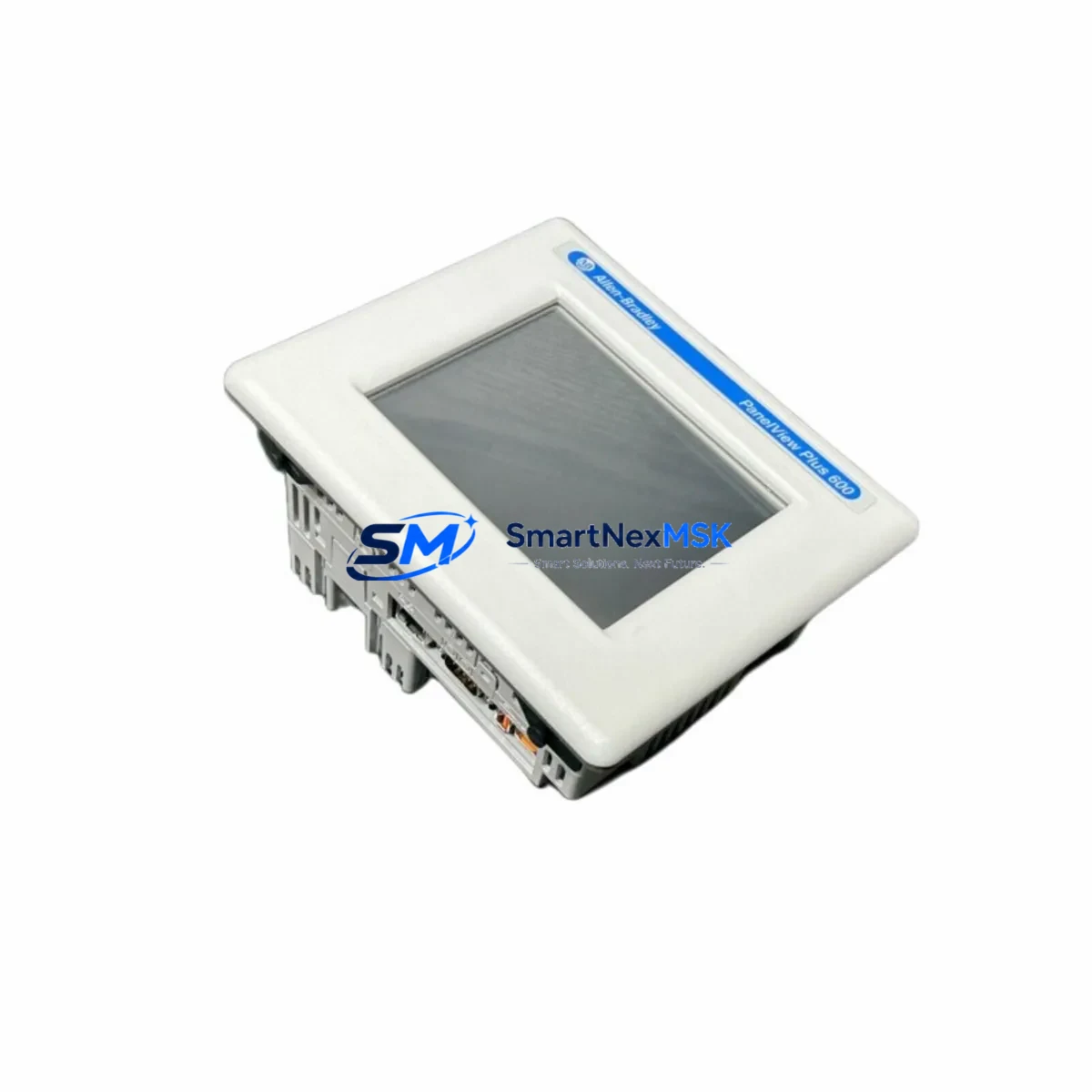
Allen-Bradley 2711P-T6C20A Maintenance-Ready Spare PanelView Plus 600
The Allen-Bradley 2711P-T6C20A is a 6-inch color TFT touchscreen HMI terminal from the PanelView Plus 600 series, engineered for demanding industrial automation environments. As a maintenance-ready original spare, this unit is sourced, inspected, and dispatched to support rapid on-site replacement, minimizing unplanned downtime in production lines, process control systems, and machine automation cabinets. Whether you are managing a scheduled overhaul or responding to an unexpected HMI failure, the 2711P-T6C20A delivers the compatibility, reliability, and documentation traceability that maintenance and procurement engineers require.
Designed for seamless integration with Rockwell Automation control architectures, the 2711P-T6C20A communicates natively over EtherNet/IP and DH-485, making it a direct replacement for aging or failed PanelView Plus 600 terminals without requiring PLC program modifications. Its 6-inch SVGA color display, resistive touchscreen, and onboard USB port support both legacy and current-generation application files developed in FactoryTalk View ME software. For maintenance teams operating under strict uptime KPIs, having this unit pre-staged in the spare parts cabinet is a proven strategy for reducing mean time to repair (MTTR).
Spare Maintenance Table
| Parameter | Specification |
|---|---|
| SKU / Part Number | 2711P-T6C20A |
| Brand / Manufacturer | Allen-Bradley (Rockwell Automation) |
| Series | PanelView Plus 600 |
| Display Size | 6-inch Color TFT Touchscreen |
| Touch Technology | Resistive Analog |
| Communication Ports | EtherNet/IP, DH-485, USB |
| Power Supply | 24V DC Nominal |
| Operating Temperature | 0°C to 55°C |
| Protection Rating | NEMA 4/4X, IP65 (front panel) |
| Software Compatibility | FactoryTalk View ME |
| PLC Compatibility | ControlLogix, CompactLogix, MicroLogix, SLC 500 |
| Mounting | Panel cutout, rear-mount |
| Origin | United States |
| Condition | Original Spare — Tested Before Shipment |
| Warranty | 12 Months |
Maintenance Planning for Continuous Operation
When replacing the 2711P-T6C20A in the field, a thorough inspection of the surrounding control cabinet components is essential to prevent repeat failures and ensure system stability. Maintenance engineers should begin by verifying the 24V DC power supply rail — a degraded or undersized power supply such as a 1606-XLP or equivalent 24VDC DIN-rail PSU can cause intermittent HMI resets and communication dropouts that are often misdiagnosed as HMI hardware failure.
Next, inspect the EtherNet/IP network infrastructure. Check the managed switch ports, patch cables, and RJ45 connectors feeding the HMI. A faulty Cat5e/Cat6 cable or a failing switch port can prevent the 2711P-T6C20A from establishing a stable connection to the ControlLogix or CompactLogix processor. If the system uses a 1756-ENBT or 1756-EN2T EtherNet/IP bridge module, verify its firmware version and port status before commissioning the replacement HMI.
For systems using DH-485 communication, inspect the 1747-AIC Advanced Interface Converter and the associated shielded twisted-pair wiring. Corroded terminals or loose connections on the DH-485 network can prevent the new 2711P-T6C20A from communicating with SLC 500 or MicroLogix controllers. Terminal blocks and cable shields should be re-torqued and continuity-tested as part of the replacement workflow.
I/O integrity checks are equally important. If the HMI failure was preceded by erratic process behavior, inspect the 1756-IB16 or 1756-OB16 digital I/O modules in the ControlLogix chassis for blown fuses, failed output transistors, or wiring faults. Signal isolators on analog input channels — particularly for 4–20mA process signals — should be verified for correct output range before the system is returned to automatic mode.
Do not overlook the 1756-L7x or 1756-L8x ControlLogix processor battery and firmware status. An outdated firmware version or a depleted 1756-BA2 lithium battery can cause program loss or unexpected processor faults that manifest as HMI communication errors. Similarly, if the system includes a 1756-RM2 redundancy module, verify that the primary and secondary chassis are synchronized before restarting production.
Finally, review the UPS or surge protection devices protecting the control panel. A failing UPS or inadequate surge suppressor can expose the 2711P-T6C20A and associated modules to voltage transients that shorten service life. Replacing the HMI without addressing upstream power quality issues is a common cause of premature spare part failure in industrial environments.
Site Replacement Workflow
The 2711P-T6C20A is a direct form-fit-function replacement for all PanelView Plus 600 terminals sharing the same panel cutout dimensions (approximately 192mm × 138mm). No PLC program changes are required — the replacement unit loads the existing FactoryTalk View ME application from a USB flash drive or via FTP transfer from the FactoryTalk View ME Station software on the engineering workstation.
Step 1 — Isolation: De-energize the control panel following LOTO (Lockout/Tagout) procedures. Disconnect the 24V DC power connector and all communication cables from the existing HMI.
Step 2 — Removal: Release the panel-mount clamps from the rear of the existing 2711P-T6C20A and carefully extract the unit from the panel cutout.
Step 3 — Installation: Insert the replacement 2711P-T6C20A into the panel cutout, secure the mounting clamps evenly to achieve IP65 sealing, and reconnect all cables in the original configuration.
Step 4 — Application Restore: Power up the HMI and load the FactoryTalk View ME application file (.MER) from USB or network path. Verify all screen navigation, alarm pages, and data displays against the original HMI specification.
Step 5 — Communication Test: Confirm EtherNet/IP or DH-485 communication with the PLC. Verify tag browsing, real-time data updates, and alarm acknowledgment functions before returning the system to production.
This workflow typically achieves full system restoration within 30–90 minutes, significantly reducing unplanned downtime compared to sourcing a replacement unit after failure occurs. Pre-staging the 2711P-T6C20A as a critical spare eliminates lead-time risk entirely.
Spare Parts Support FAQ
Q1: Is the 2711P-T6C20A compatible with my existing FactoryTalk View ME application?
Yes. The 2711P-T6C20A runs FactoryTalk View ME and is fully compatible with application files (.MER) created for any PanelView Plus 600 terminal. No software modifications are required for a like-for-like replacement. Ensure your FactoryTalk View ME version matches or exceeds the version used to create the original application file.
Q2: What does the 12-month warranty cover?
All units are tested before shipment and covered by a 12-month warranty against manufacturing defects and functional failures under normal operating conditions. The warranty covers repair or replacement of the unit. It does not cover damage caused by incorrect installation, overvoltage, or environmental conditions outside the published specification range.
Q3: How should I manage spare parts inventory for PanelView Plus 600 systems?
For production lines with three or more PanelView Plus 600 terminals, maintaining at least one 2711P-T6C20A as a pre-staged cold spare is recommended. For critical 24/7 operations, a warm spare — pre-loaded with the current application file — eliminates application restore time and reduces MTTR to under 15 minutes. Review your spare parts list annually and replace any unit that has been in service for more than 7–10 years.
Q4: Can this unit replace other PanelView Plus 600 models?
The 2711P-T6C20A shares the same panel cutout and communication architecture as other PanelView Plus 600 variants. Compatibility depends on the specific catalog suffix — verify the display size, touch technology, and communication port configuration against your existing installation before ordering. Our technical team can assist with compatibility confirmation prior to shipment.
© 2026 SMARTNEXMSK. All rights reserved.
Original Source: https://smartnexmsk.com
Contact: [email protected] | +86 18259474341



