
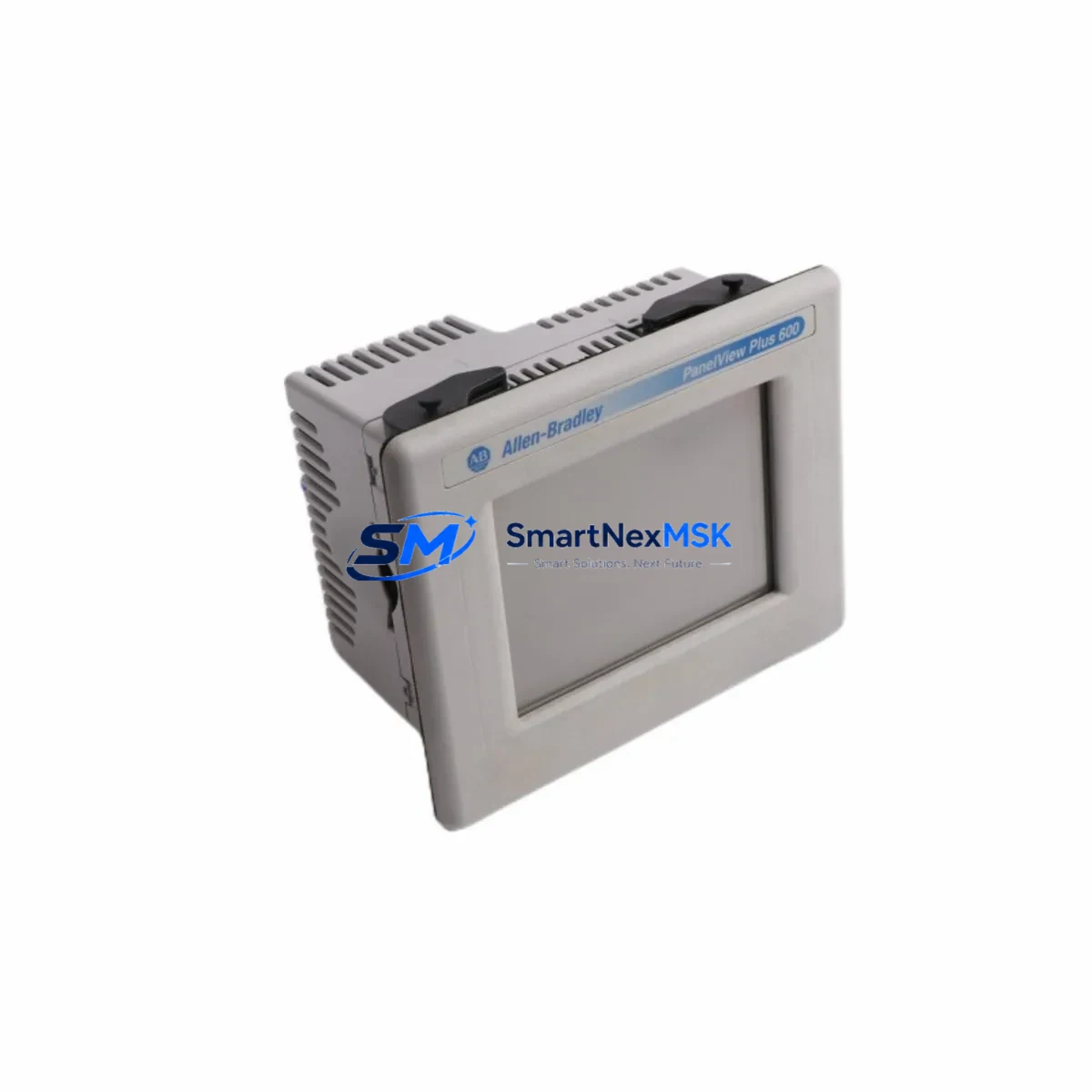
Allen-Bradley 2711P-T6C5D Retrofit-Ready HMI for PanelView Plus 6 Control Systems
The Allen-Bradley 2711P-T6C5D is a 6-inch color touch-screen HMI terminal from the PanelView Plus 6 Compact series, engineered for seamless integration into existing Allen-Bradley control architectures. As legacy PanelView 550, PanelView 600, and PanelView Plus 5 terminals reach end-of-life, the 2711P-T6C5D has become the preferred retrofit solution for engineers modernizing control cabinets without redesigning the entire automation system. Its compact form factor, EtherNet/IP native connectivity, and compatibility with FactoryTalk View ME software make it a practical drop-in upgrade for a wide range of industrial environments — from discrete manufacturing lines to process control skids.
When planning a retrofit around the 2711P-T6C5D, engineers must verify several critical parameters before committing to the replacement. Power supply compatibility is the first checkpoint: the terminal requires a 24 VDC supply with sufficient current capacity, and existing panel power rails — often shared with 1756-PA72 or 1756-PB72 ControlLogix power supplies — must be assessed for headroom. Terminal block wiring from the legacy HMI must be re-mapped to the new unit’s DC input connector, and any grounding schemes should be validated against the updated installation drawing.
Backplane and rack considerations are equally important. Unlike rack-mounted I/O modules such as the 1756-IB16 or 1756-OB16D, the 2711P-T6C5D is a standalone panel-mount terminal, so no backplane slot is consumed. However, the communication path to the controller — typically a 1756-L71 or 1756-L83E ControlLogix processor — must be re-established via EtherNet/IP. Engineers should confirm that the existing managed switch or unmanaged Ethernet infrastructure supports the required bandwidth and that IP addressing does not conflict with other devices on the control network, including 1783-US8T Stratix switches or third-party network hardware.
Upgrade Compatibility Table
| Parameter | Legacy Unit (PanelView Plus 5 / PV550) | 2711P-T6C5D (PanelView Plus 6 Compact) |
|---|---|---|
| Display Size | 5.5″ / 5.7″ STN | 6″ TFT Color Touch |
| Communication Interface | DH-485 / RS-232 / DF1 | EtherNet/IP (native), USB |
| Programming Software | PanelBuilder 32 / ME 5.x | FactoryTalk View ME 6.x–14.x |
| Controller Compatibility | SLC 500, MicroLogix 1100 | ControlLogix, CompactLogix, MicroLogix (via EIP) |
| Panel Cutout | Varies by model | Standard PV+ 6 Compact cutout template |
| Power Requirement | 24 VDC / 120–240 VAC (model dependent) | 24 VDC, 1.0 A typical |
| Installation Type | Panel mount | Panel mount (NEMA 4/4X front face) |
| Warranty | End-of-life / no support | 12-Month Warranty included |
| Retrofit Recommendation | Direct replacement with screen application migration via FactoryTalk View ME conversion utility | |
| Commissioning Note | Verify IP address, controller path, and tag database before first power-on | |
Retrofit Planning for Existing Automation Systems
A successful retrofit centered on the 2711P-T6C5D typically involves more than swapping the HMI terminal itself. In most legacy installations, the control cabinet also houses components that may require concurrent attention. The 1747-L553 SLC 5/05 processor, for example, communicates over EtherNet/IP and can serve as an interim controller during phased migrations, allowing the new HMI to go live before the full PLC upgrade is completed. Similarly, if the existing system relies on a 1747-AENTR EtherNet/IP adapter for remote I/O, engineers should confirm that the adapter firmware is current and that the EDS file is registered in RSLinx Classic or Studio 5000 Logix Designer.
I/O expansion is another common requirement during HMI retrofits. When the new screen exposes additional process data that was previously inaccessible, operators often request new analog or digital I/O points. The 1769-IF4 CompactLogix analog input module and 1769-OB16 digital output module are frequently added during such upgrades to support new instrumentation loops or actuator control without replacing the entire rack. If the existing rack is a 1756-A7 or 1756-A13 ControlLogix chassis, available slots should be audited before ordering expansion modules.
Communication protocol migration is a critical step when retiring DH-485 or DF1 serial links. The 2711P-T6C5D does not natively support DH-485, so any legacy devices still communicating over that network — such as older SLC 500 processors or 1747-SDN DeviceNet scanners — must either be upgraded to EtherNet/IP or bridged through a 1761-NET-ENI or 1784-U2DHP USB-to-DH+ adapter. Engineers should document all existing communication paths and validate each link in the updated network topology before decommissioning the old HMI.
HMI screen migration deserves careful planning. FactoryTalk View ME includes a conversion utility that can import legacy PanelView Plus 5 application files (.mer), but graphic objects, alarm configurations, and tag references must be reviewed and validated after conversion. Faceplates tied to 1756-L61 or 1756-L62 processors with older firmware may require tag path updates if the controller has been upgraded as part of the same project. All screen logic, including recipe management, trend displays, and security configurations, should be tested in simulation mode before the terminal is installed in the field.
Downtime Control During System Migration
Minimizing production downtime is the primary concern for any control system retrofit. When replacing a legacy HMI with the 2711P-T6C5D, the recommended approach is to pre-configure and test the new terminal offline before the scheduled maintenance window. Using a laptop running FactoryTalk View ME, engineers can load the converted application, verify all tag references against the controller’s exported tag database, and simulate screen navigation without connecting to the live system.
During the cutover window, the sequence should follow a defined order: isolate the legacy HMI from the network, remove it from the panel cutout, install the 2711P-T6C5D using the appropriate mounting hardware and gasket, connect the 24 VDC power leads, and establish the EtherNet/IP connection to the controller. The controller program itself — whether running on a 1756-L71 or a 1769-L33ER CompactLogix processor — does not need to be modified for the HMI replacement, provided the tag database has not changed. This means the PLC can remain in Run mode throughout the HMI swap, preserving field control continuity and eliminating the risk of process upsets caused by controller mode transitions.
After power-on, the commissioning checklist should include: confirming the terminal’s IP address via the configuration menu, verifying the controller communication path in the FactoryTalk View ME runtime settings, testing all alarm acknowledgment functions, and validating that trend data is logging correctly. A pre-shipment functional test is performed on every 2711P-T6C5D unit before dispatch, and each unit ships with a 12-month warranty covering hardware defects and communication failures under normal operating conditions.
Retrofit Support FAQ
Q1: Is the 2711P-T6C5D a direct drop-in replacement for the PanelView Plus 5 2711P-T6C5A?
The 2711P-T6C5D shares the same panel cutout dimensions and 24 VDC power requirement as the 2711P-T6C5A, making it a physical drop-in for most installations. The primary difference is the communication interface: the T6C5D uses EtherNet/IP exclusively, while the T6C5A supported DH-485 and RS-232. If your existing system communicates over DH-485, a protocol bridge or controller upgrade will be required before the new terminal can go online.
Q2: Can I reuse my existing FactoryTalk View ME application file on the 2711P-T6C5D?
Yes, with minor adjustments. FactoryTalk View ME application files (.mer) created for PanelView Plus 5 terminals can be opened and converted in FactoryTalk View ME Studio. After conversion, all tag paths, communication shortcuts, and graphic display references should be reviewed. If the controller has been upgraded — for example, from a 1756-L61 to a 1756-L83E — tag paths may need to be updated to reflect the new controller slot or IP address.
Q3: What wiring changes are required when replacing a legacy PanelView terminal?
The 2711P-T6C5D uses a standard 4-pin mini-DIN power connector for 24 VDC input. Legacy terminals with screw-terminal power connections will require a wiring adapter or direct re-termination to the new connector. The EtherNet/IP port uses a standard RJ45 connector, replacing any legacy serial or coaxial communication cables. All wiring changes should be documented in the updated panel schematic before the retrofit is signed off.
Q4: What does the 12-month warranty cover, and how is it claimed?
Every 2711P-T6C5D unit supplied by SMARTNEXMSK includes a 12-month warranty covering hardware defects, display failures, and communication port malfunctions under normal industrial operating conditions. Warranty claims are processed via email to [email protected] with the order reference and a description of the fault. Units confirmed defective under warranty are replaced or repaired at no additional cost, with return shipping coordinated by our support team.
© 2026 SMARTNEXMSK. All rights reserved.
Original Source: https://smartnexmsk.com
Contact: [email protected] | +86 18259474341



