
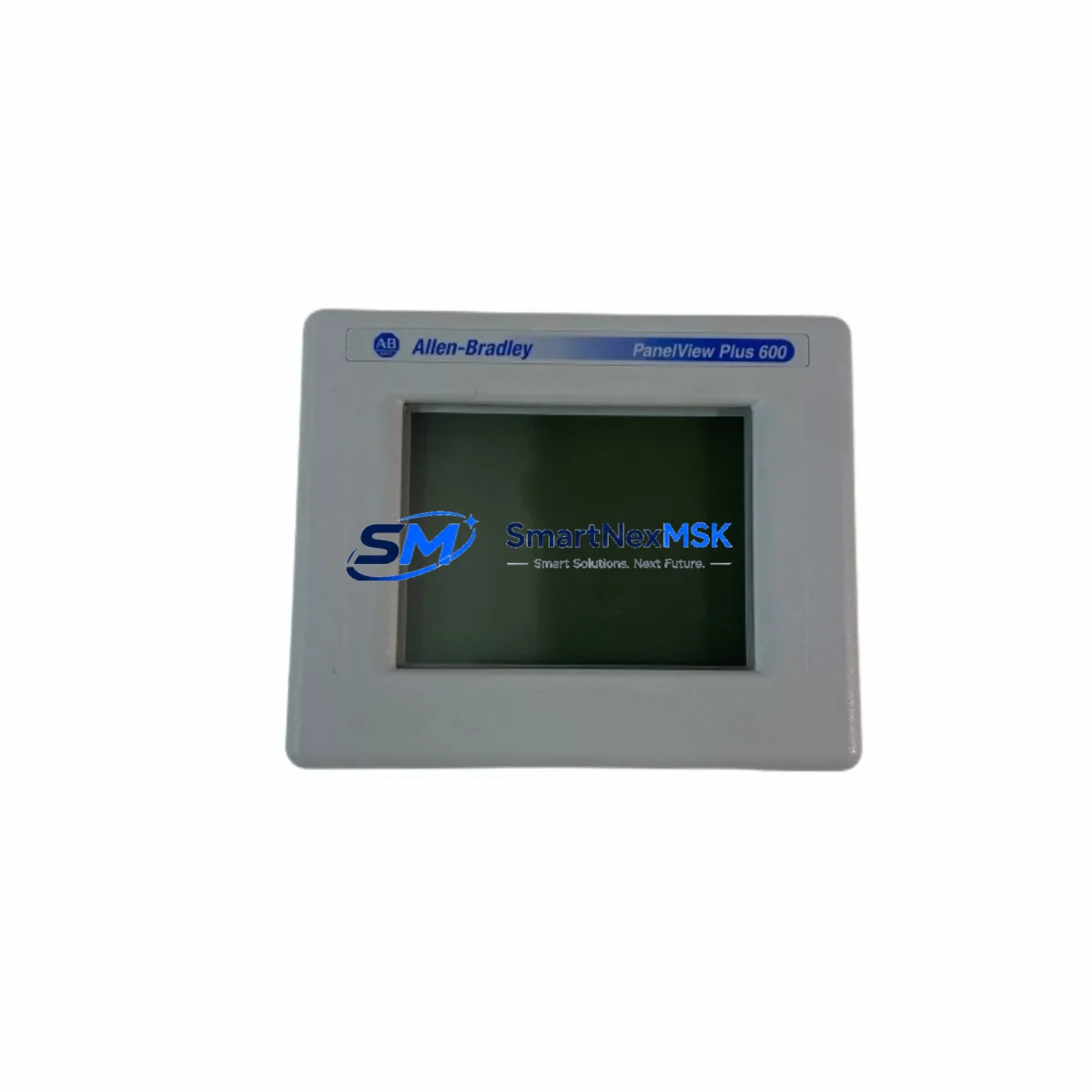
Allen-Bradley 2711P-T6M20A Retrofit-Ready HMI for PanelView Plus 600 Control Systems
The Allen-Bradley 2711P-T6M20A is a 6-inch grayscale touch and keypad HMI terminal from Rockwell Automation’s PanelView Plus 600 series — one of the most widely deployed operator interface platforms in North American industrial automation. As legacy PanelView Plus 600 units reach end-of-life and spare parts become increasingly scarce, the 2711P-T6M20A remains a critical retrofit and replacement component for facilities operating ControlLogix, CompactLogix, MicroLogix, and SLC 500-based control architectures. SMARTNEXMSK maintains verified stock of this unit, fully tested and backed by a 12-month warranty, to support planned upgrades and emergency line-down recovery scenarios.
Upgrade Compatibility Table
| Parameter | Details |
|---|---|
| SKU / Part Number | 2711P-T6M20A |
| Series | PanelView Plus 600 |
| Display | 6″ STN Grayscale, Touch + Keypad |
| Communication Ports | RS-232 (DH-485 / DF1), Ethernet 10/100 (RJ-45) |
| Backplane / Mounting | Panel-mount, NEMA 4/4X cutout compatible |
| Power Supply | 24 VDC nominal (18–32 VDC range) |
| Replaces / Compatible With | 2711P-T6C20A, 2711P-T6C20D, 2711-T6C16 (PanelView 600) |
| Programming Software | FactoryTalk View ME (v4.0 and above) |
| Communication Compatibility | EtherNet/IP, DH-485, DF1, ControlNet (with 2711P-CBL-EX04) |
| Retrofit Recommendation | Direct panel cutout replacement for PanelView Plus 600 series |
| Commissioning Notes | Verify ME application version; re-map tags if replacing older PanelView 600 |
| Warranty | 12 Months — Tested & Verified by SMARTNEXMSK |
Retrofit Planning for Existing Automation Systems
When integrating the 2711P-T6M20A into an existing control cabinet, the retrofit process typically begins with a power audit. The terminal requires a stable 24 VDC supply, and in older panels originally designed for the PanelView 600 (2711-T6C16), the existing 1606-XLP power supply may need capacity verification — particularly if the cabinet also powers a 1756-PA72 or 1756-PB72 chassis power supply for a ControlLogix rack. Confirm that the total draw does not exceed the supply’s rated output before powering the new terminal.
Terminal wiring is straightforward for like-for-like PanelView Plus 600 replacements. The 2711P-T6M20A uses the same panel cutout dimensions as other 2711P-T6 variants, eliminating the need for panel modification. However, when migrating from an older PanelView 600 (2711 series), the communication cable must be updated — the legacy DH-485 cable (1747-CP3) is not directly compatible with the 2711P’s RS-232 port without an adapter. In Ethernet-connected installations, the existing CAT5e or CAT6 infrastructure can be reused directly.
For systems running FactoryTalk View ME applications, the existing .MER runtime file should be validated against the new terminal’s firmware version. Applications developed in FactoryTalk View ME v4.0 through v8.x are generally forward-compatible, but tag database references and device shortcuts must be verified — especially if the upstream controller has been migrated from a SLC 5/05 to a CompactLogix 5370 or 5380 platform. In mixed-architecture panels where a 1769-L30ER or 1769-L33ER CompactLogix controller coexists with legacy I/O modules such as the 1769-IQ16 or 1769-OB16, the HMI tag paths must reflect the updated controller slot addressing.
Backplane and rack considerations are minimal for this terminal since the 2711P-T6M20A is a standalone panel-mount device, not a rack-mounted module. However, in control cabinets where the HMI communicates with a 1756 ControlLogix rack via EtherNet/IP, ensure the 1756-EN2T or 1756-EN3TR Ethernet bridge module is configured with the correct IP address and that the HMI’s RSLinx Enterprise device shortcut points to the updated controller path. If the system uses a 1784-U2DHP USB-to-DH+ adapter for legacy DH+ network connectivity, note that the 2711P-T6M20A does not natively support DH+ — a protocol bridge or network migration to EtherNet/IP may be required.
Downtime Control During System Migration
Minimizing production downtime during an HMI replacement is a primary concern for maintenance teams. For the 2711P-T6M20A retrofit, the recommended approach is to pre-configure the replacement terminal offline before the scheduled maintenance window. Load the validated .MER application file onto the terminal using a USB drive or via FactoryTalk View ME Studio over Ethernet, and verify all screen navigation, alarm pages, and trend displays function correctly in simulation mode before the cutover.
During the physical swap, the controller program running on the ControlLogix or CompactLogix PLC does not need to be stopped — the PLC continues executing its ladder logic or function block program independently of the HMI. This means the process can remain in automatic mode (or be placed in a safe hold state) while the terminal is replaced, significantly reducing the risk window. Once the new 2711P-T6M20A is mounted and powered, re-establish the Ethernet or serial communication link and confirm that all HMI tags are updating correctly before releasing the line back to production.
For facilities with strict change management requirements, SMARTNEXMSK recommends requesting a pre-shipment function test report for the 2711P-T6M20A. Each unit undergoes power-on verification, display test, communication port check, and firmware version confirmation prior to dispatch. This documentation supports your internal commissioning records and reduces on-site troubleshooting time.
Retrofit Support FAQ
Q: Is the 2711P-T6M20A a direct drop-in replacement for the 2711P-T6C20A?
A: Yes. Both units share the same 6-inch PanelView Plus 600 form factor and panel cutout dimensions. The primary difference is the display type — the T6M20A uses a monochrome (grayscale) STN display, while the T6C20A uses a color display. The .MER application file and communication configuration are fully compatible between these variants, though color-coded alarm graphics will render in grayscale on the M20A.
Q: Can this terminal communicate with a SLC 5/03 or SLC 5/04 controller via DH-485?
A: Yes. The 2711P-T6M20A includes an RS-232 port that supports DH-485 protocol using the 2711P-CBL-EX04 cable. Configure the RSLinx Enterprise device shortcut to use the DH-485 driver and set the node address to match your SLC controller’s network configuration. Baud rate and parity settings must match on both devices.
Q: What commissioning steps are required after installation?
A: After mounting and wiring, power on the terminal and confirm the firmware version matches your FactoryTalk View ME application requirements. Load the .MER file, verify the device shortcut path resolves to the correct controller, and cycle through all HMI screens to confirm tag data is live. Test all alarm acknowledgment functions and verify any recipe or data logging configurations are operating correctly before signing off on the installation.
Q: Does SMARTNEXMSK provide a warranty on this unit?
A: Yes. All 2711P-T6M20A units supplied by SMARTNEXMSK are covered by a 12-month warranty from the date of shipment. Each unit is tested prior to dispatch, and a function test report is available upon request. Warranty coverage includes repair or replacement for hardware defects under normal operating conditions.
© 2026 SMARTNEXMSK. All rights reserved.
Original Source: https://smartnexmsk.com
Contact: [email protected] | +86 18259474341



