
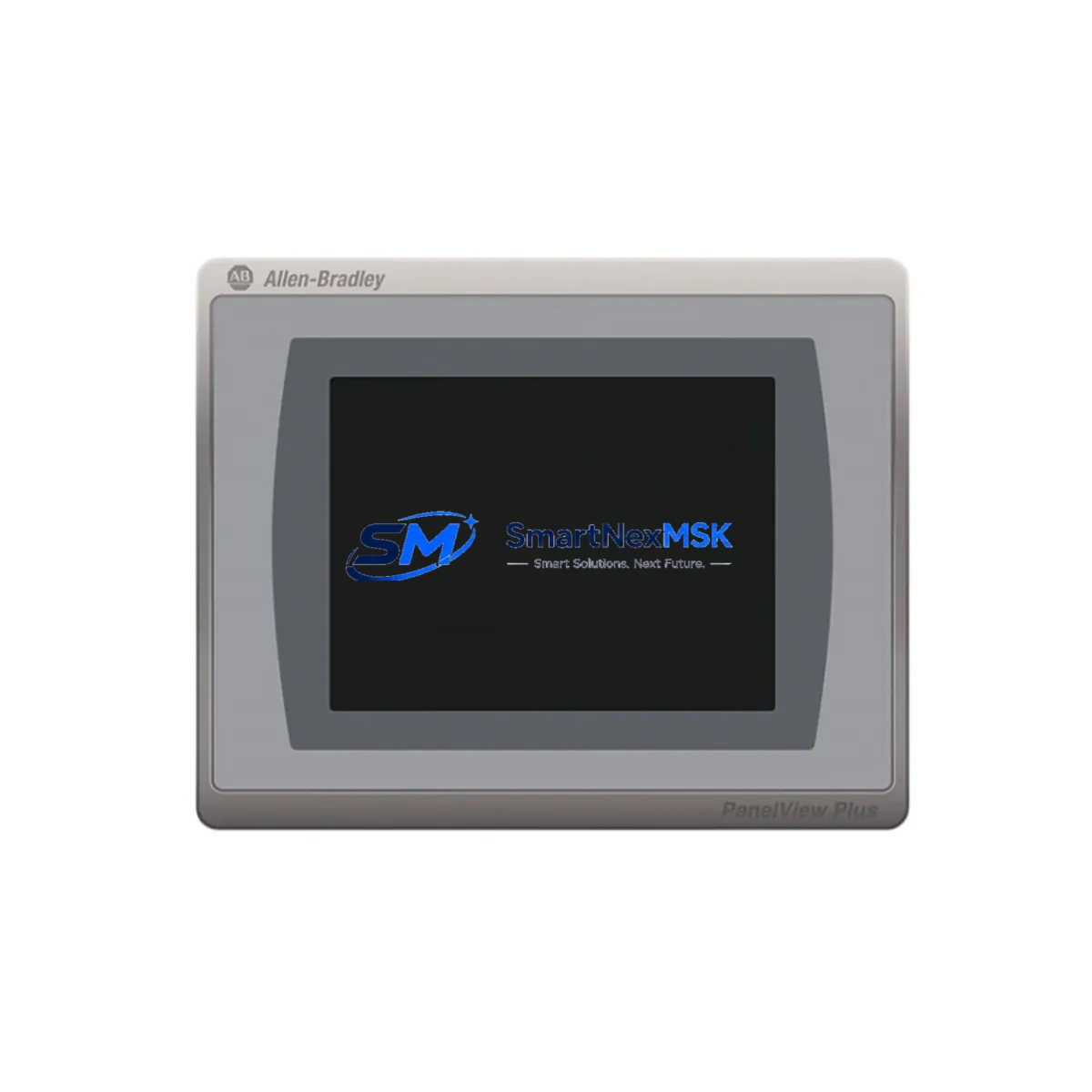
Allen-Bradley 2711P-T7C21D8S Retrofit HMI PanelView Plus 7: Compatible Upgrade for Legacy Control Systems
The Allen-Bradley 2711P-T7C21D8S is a 7-inch color touchscreen HMI from Rockwell Automation’s PanelView Plus 7 Standard series, engineered to serve as a direct retrofit replacement for aging operator terminals in existing Allen-Bradley and Rockwell-based control architectures. Whether you are modernizing a legacy PanelView Plus 6 installation, replacing a failed 2711P-series terminal, or upgrading a control cabinet to meet current production demands, the 2711P-T7C21D8S delivers a smooth, low-disruption migration path that preserves your existing program logic, communication links, and panel cutout dimensions.
Before committing to a retrofit, engineers should verify several critical compatibility parameters. First, confirm that the control cabinet’s 24 VDC power supply — such as a 1606-XLP or equivalent Allen-Bradley power supply module — can deliver sufficient current for the new terminal. The 2711P-T7C21D8S draws approximately 1.5 A at 24 VDC, and any undersized supply must be upgraded before installation. Second, inspect the rear-panel communication ports: the unit supports dual Ethernet ports for EtherNet/IP connectivity, enabling direct integration with ControlLogix, CompactLogix, and MicroLogix controllers without requiring additional communication modules. If the legacy system relied on DH-485 or DH+ protocols via a 2711-NC13 or 2711-NC14 cable, a protocol migration plan must be prepared, as the 2711P-T7C21D8S does not natively support those legacy networks.
Terminal wiring adaptation is straightforward for most installations. The 24 VDC power terminals on the 2711P-T7C21D8S use a standard removable connector block, compatible with the wiring gauge used in most PanelView Plus 6 and earlier PanelView Plus 7 installations. Panel cutout dimensions follow the standard 7-inch PanelView Plus form factor, meaning no mechanical rework is required when replacing a 2711P-T7C21D8S-series unit of the same screen size. Gasket sealing maintains NEMA 4/4X and IP66 ingress protection ratings, preserving the enclosure’s environmental integrity after swap-out.
Application compatibility is a key concern during any HMI retrofit. The 2711P-T7C21D8S runs FactoryTalk View ME software, and existing .MER application files developed for PanelView Plus 6 or earlier PanelView Plus 7 terminals can typically be converted and reloaded using FactoryTalk View Studio without rebuilding screens from scratch. Engineers should audit all tag bindings, alarm configurations, and trend displays before going live. Where the legacy system used a 2711P-RDT7C or similar display module paired with a separate logic module, the integrated architecture of the 2711P-T7C21D8S simplifies the cabinet layout and reduces potential failure points.
During system migration, minimizing downtime is paramount. A recommended approach is to pre-configure the replacement 2711P-T7C21D8S off-site, loading and validating the converted application file before the scheduled maintenance window. Pair this with a pre-staged 1756-EN2T EtherNet/IP communication module or a 1783-US5T managed switch to ensure the network segment is ready for the new terminal’s dual-port Ethernet connection. Having a 1747-UIC USB-to-DH-485 interface cable available during commissioning allows technicians to access legacy SLC 500 controllers if the broader system includes mixed-generation hardware. Keeping a spare 2711P-RN15S wireless module or a 2711P-RN6 communication card on hand can also accelerate troubleshooting if network connectivity issues arise during startup.
For facilities running continuous production lines — such as automotive assembly, food and beverage processing, or chemical batching — the ability to hot-swap the HMI terminal without interrupting the underlying PLC scan cycle is a significant operational advantage. The 2711P-T7C21D8S supports this workflow when the controller is a ControlLogix or CompactLogix platform, as the PLC continues executing its ladder logic independently of the HMI connection state. This means the physical swap and application reload can be completed during a brief, planned pause rather than a full production shutdown.
All units supplied by SMARTNEXMSK are sourced from verified distribution channels, subjected to pre-shipment functional testing, and covered by a 12-month warranty against manufacturing defects. Stock is maintained to support urgent replacement orders, with global shipping available to minimize lead times for critical spare parts. Whether you need a single unit for emergency replacement or a batch order for a planned fleet upgrade, our team can confirm compatibility, advise on wiring adaptations, and provide documentation support.
Upgrade Compatibility Table
| Parameter | Details |
|---|---|
| SKU / Part Number | 2711P-T7C21D8S |
| Brand / Manufacturer | Allen-Bradley (Rockwell Automation) |
| Series | PanelView Plus 7 Standard |
| Screen Size | 7-inch color TFT touchscreen |
| Supply Voltage | 24 VDC (18–32 VDC operating range) |
| Current Draw | ~1.5 A @ 24 VDC |
| Communication Ports | Dual EtherNet/IP (10/100 Mbps), USB Host & Device |
| Supported Protocols | EtherNet/IP, DF1 (via USB adapter) |
| Compatible Controllers | ControlLogix, CompactLogix, MicroLogix, SLC 500 (via adapter) |
| HMI Software | FactoryTalk View ME |
| Panel Cutout | Standard PanelView Plus 7-inch form factor (drop-in fit) |
| Ingress Protection | NEMA 4/4X, IP66 (front face) |
| Operating Temperature | 0°C to 55°C |
| Replaces / Upgrades From | 2711P-T7C21D8S (same series), PanelView Plus 6 7-inch models |
| Retrofit Wiring Adaptation | Standard removable 24 VDC terminal block — no rewiring required |
| Commissioning Note | Convert .MER files via FactoryTalk View Studio before installation |
| Warranty | 12-Month Warranty (SMARTNEXMSK) |
| Origin | USA |
| Availability | In Stock — Global Shipping |
Retrofit Planning for Existing Automation Systems
A successful retrofit begins with a thorough audit of the existing control cabinet. In a typical Allen-Bradley installation, the 2711P-T7C21D8S shares the cabinet with a range of components that must be evaluated for compatibility before and after the HMI swap. The primary controller — often a 1756-L71 ControlLogix processor or a 1769-L33ER CompactLogix controller — will continue operating normally during the HMI replacement, but engineers should confirm that the EtherNet/IP network configuration, including IP addressing and connection limits, accommodates the new terminal’s dual-port switch topology.
Power distribution within the cabinet deserves careful attention. A 1606-XLP72E power supply or similar 24 VDC rail supply should be load-checked to confirm it can support the 2711P-T7C21D8S alongside existing I/O modules, relay outputs, and communication cards. If the cabinet also houses a 1734-AENT POINT I/O EtherNet/IP adapter or a 1756-EN2T communication module, the managed switch — such as a 1783-US5T Stratix 2000 — must have sufficient port capacity and be configured for the correct VLAN if network segmentation is in use.
For systems that include a 1747-L553 SLC 5/05 controller communicating over Ethernet, the 2711P-T7C21D8S can connect directly without a protocol bridge, simplifying the migration considerably. However, if the legacy HMI was connected via a 2711-NC13 DH-485 cable to a SLC 5/03 or SLC 5/04, a 1761-NET-ENI Serial-to-EtherNet/IP interface module will be required to bridge the communication gap. This adapter should be configured and tested off-site before the maintenance window to avoid unexpected delays.
Where the existing installation includes a 2711P-RDT7C display-only module paired with a separate 2711P-RP8A logic module, the transition to the integrated 2711P-T7C21D8S eliminates the inter-module ribbon cable and reduces the number of serviceable components in the cabinet. Technicians should also verify that the DIN rail mounting hardware and panel gasket are in good condition, as reusing a degraded gasket can compromise the IP66 rating of the new terminal.
Downtime Control During System Migration
Controlling downtime during an HMI retrofit is as much a planning exercise as a technical one. The most effective strategy is to complete all software preparation — application file conversion, tag verification, alarm review, and network configuration — before the production line is taken offline. Using FactoryTalk View Studio on an engineering workstation, the converted .MER application file should be loaded onto the 2711P-T7C21D8S and validated against a simulated or offline controller connection to confirm that all screen navigations, tag reads, and alarm triggers function as expected.
On the day of the swap, the physical installation should take no more than 30–45 minutes for a prepared technician: disconnect the 24 VDC power terminals, unplug the Ethernet cables, remove the four panel-mount screws, slide out the old terminal, insert the new 2711P-T7C21D8S, reconnect the terminals and cables, and restore power. The application file, if pre-loaded, will launch automatically and establish its EtherNet/IP connection to the controller within seconds. If any tag communication errors appear, the most common cause is an IP address conflict or a mismatched controller path, both of which can be resolved quickly via the terminal’s built-in configuration menu without requiring a laptop connection.
For facilities where even a 30-minute window is difficult to schedule, a parallel commissioning approach is recommended: mount the new terminal in a temporary position within the cabinet, connect it to the network, and validate the application file while the old terminal is still running. Once validation is complete, the final cutover requires only a power cycle and a physical swap of the panel-mount position — reducing the actual production interruption to under 10 minutes.
Retrofit Support FAQ
Q1: Is the 2711P-T7C21D8S a direct drop-in replacement for my existing PanelView Plus 7 terminal?
A: Yes, for same-series 7-inch PanelView Plus 7 Standard models, the 2711P-T7C21D8S is a direct mechanical and electrical replacement. The panel cutout dimensions, 24 VDC terminal block, and Ethernet port positions are identical, requiring no panel modification or rewiring. Application files developed for the same series can be reloaded directly; files from PanelView Plus 6 require conversion via FactoryTalk View Studio.
Q2: What pre-shipment testing is performed on each unit?
A: Every 2711P-T7C21D8S supplied by SMARTNEXMSK undergoes a functional power-on test, touchscreen calibration verification, and communication port check before dispatch. Units are inspected for physical condition and packed in anti-static, shock-resistant packaging to ensure safe arrival.
Q3: Can this unit communicate with legacy SLC 500 or PLC-5 controllers?
A: The 2711P-T7C21D8S communicates natively over EtherNet/IP. For SLC 5/05 controllers with an Ethernet port, direct connection is supported. For SLC 5/03 or SLC 5/04 controllers using DH-485 or DH+, a protocol bridge such as the 1761-NET-ENI or a 1784-PKTX card is required. Our technical team can advise on the correct adapter for your specific controller model.
Q4: What does the 12-month warranty cover, and what is the support process?
A: The 12-month warranty covers manufacturing defects, component failures, and functional faults under normal operating conditions. If a unit develops a fault within the warranty period, SMARTNEXMSK will arrange a replacement or repair at no additional cost. Customers are supported throughout the process with technical documentation, wiring diagrams, and commissioning guidance. Contact our team at [email protected] or +86 18259474341 to initiate a warranty claim.
© 2026 SMARTNEXMSK. All rights reserved.
Original Source: https://smartnexmsk.com
Contact: [email protected] | +86 18259474341



