
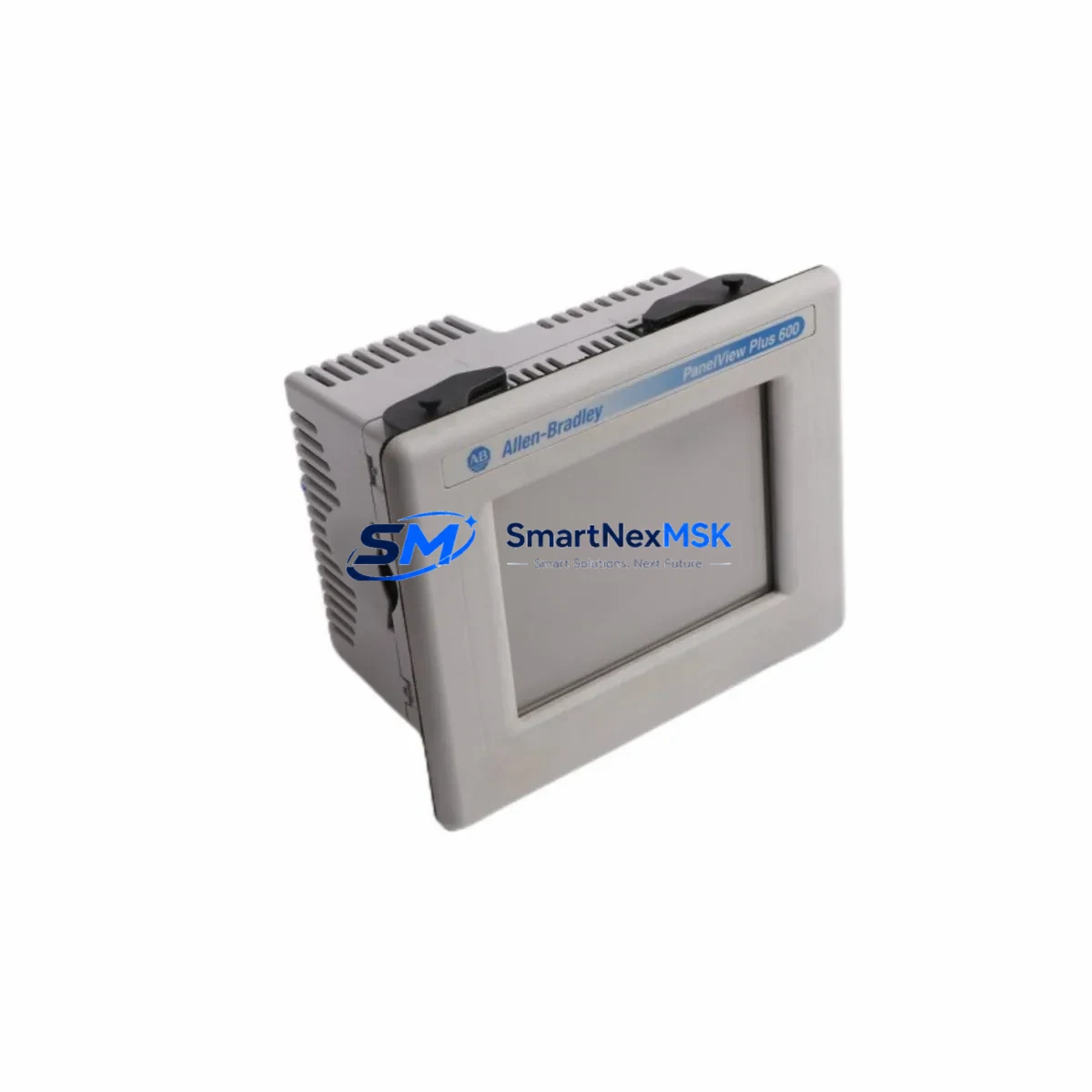
Allen-Bradley 2711R-T10T Spare for PanelView 800 Automation: Spare Replacement & Industrial Downtime Risk Control
The Allen-Bradley 2711R-T10T is a 10-inch color touchscreen HMI terminal from the PanelView 800 Series, designed for machine-level operator interface in Rockwell Automation control architectures. As a maintenance-ready spare, the 2711R-T10T supports rapid panel replacement in production lines where HMI failure directly triggers unplanned downtime. Whether you are managing a scheduled overhaul, responding to a screen fault, or building a critical spare inventory for aging control cabinets, this unit ships tested, verified, and backed by a 12-month warranty.
For maintenance engineers and procurement teams operating Allen-Bradley-based systems, sourcing a verified 2711R-T10T spare eliminates the lead-time risk associated with OEM channels. Our units are inspected prior to dispatch, with compatibility confirmed against PanelView 800 Series firmware and Connected Components Workbench (CCW) project files.
Spare Maintenance Table
| Parameter | Specification |
|---|---|
| Part Number / SKU | 2711R-T10T |
| Brand | Allen-Bradley (Rockwell Automation) |
| Series | PanelView 800 |
| Display Size | 10-inch Color Touchscreen (TFT LCD) |
| Resolution | 800 × 480 pixels (WVGA) |
| Communication Ports | EtherNet/IP, USB (programming & data) |
| Power Supply Input | 24V DC (±20%) |
| Power Consumption | ≤ 25W typical |
| Operating Temperature | 0°C to 55°C |
| Protection Rating | IP65 (front panel) |
| Programming Software | Connected Components Workbench (CCW) |
| Compatibility | PanelView 800 Series; Micro800 PLC family; CompactLogix (via EtherNet/IP) |
| Mounting | Panel cutout mount, standard PanelView 800 footprint |
| Weight | 840 g (approx.) |
| Origin | United States |
| Condition | Original, tested before shipment |
| Warranty | 12 Months |
Maintenance Planning for Continuous Operation
When replacing a 2711R-T10T in the field, a disciplined maintenance engineer will not stop at the HMI terminal itself. The surrounding electrical environment must be assessed to prevent repeat failures and ensure the replacement unit operates within specification from day one.
Power supply integrity is the first checkpoint. The 2711R-T10T requires a stable 24V DC input; a degraded or undersized power supply — such as a Rockwell Automation 1606-XLP or equivalent 24V DC panel supply — can cause intermittent resets or touchscreen calibration drift. Verify output voltage under load before energizing the new terminal.
EtherNet/IP communication path should be validated end-to-end. Check the managed switch port, patch cable continuity, and IP address assignment. If the HMI communicates with a Micro820 or Micro850 controller, confirm the CCW project file version matches the firmware on the replacement unit. Mismatched firmware is a common cause of communication faults after HMI swap.
USB programming port and project file backup should be completed before decommissioning the old unit if it is still partially functional. Store the .ccwsln project file in a controlled document system to avoid re-engineering time during emergency replacements.
I/O and relay wiring at the control cabinet should be inspected during the same maintenance window. Terminal blocks — such as Allen-Bradley 1492-series or Phoenix Contact PTFIX rail terminals — can develop loose connections over time, particularly in high-vibration environments. Tighten all signal and power terminals and check for signs of thermal discoloration.
Signal isolation and surge protection are often overlooked during HMI replacements. If the panel is located near variable frequency drives (VFDs) or servo drives, consider verifying that signal isolators on analog input lines are functioning correctly. A failed isolator can inject noise into the HMI communication bus, causing erratic screen behavior that mimics a hardware fault.
Fuse and circuit protection for the 24V DC HMI supply circuit should be checked. A correctly rated fuse — typically 2A to 4A for a single HMI terminal — protects the replacement unit from upstream fault currents. Replace any fuse that shows signs of aging or has blown without a documented cause.
Companion components to inspect in the same cabinet visit include: the Micro800 series PLC CPU module (e.g., 2080-LC50-24QBB), any 2080-series digital or analog expansion I/O modules, the 24V DC bus bar and distribution terminals, EtherNet/IP communication cables and RJ45 connectors, and any installed 2711R-series compact HMI units on adjacent panels that share the same network segment. Identifying wear or marginal components during a planned replacement prevents secondary failures within the same maintenance cycle.
For sites running legacy PanelView 550 or PanelView Plus 600 terminals alongside newer PanelView 800 units, this is also an appropriate time to audit the older HMI inventory and pre-position spares. Proactive spare stocking of one 2711R-T10T per production line is a widely adopted strategy in automotive, food & beverage, and discrete manufacturing facilities to meet a 4-hour recovery time objective (RTO) for HMI-related stoppages.
Site Replacement Workflow
Step 1 — Isolation and documentation. De-energize the panel following your site LOTO (Lockout/Tagout) procedure. Photograph the existing wiring, label all connectors, and record the current HMI firmware version and IP address from the system documentation or the old unit’s About screen if accessible.
Step 2 — Physical removal. Release the panel mounting clamps from the rear of the existing 2711R-T10T. Disconnect the 24V DC power connector and the EtherNet/IP cable. Remove the unit from the panel cutout.
Step 3 — Inspection of cutout and gasket. Inspect the panel cutout for deformation or corrosion. Replace the IP65 gasket if it shows compression set or cracking. A compromised gasket on the replacement unit will void the ingress protection rating.
Step 4 — Installation of replacement unit. Insert the 2711R-T10T into the cutout, reconnect the EtherNet/IP cable and 24V DC power connector, and secure the mounting clamps to the specified torque. Restore power and confirm the unit boots to the CCW runtime screen.
Step 5 — Project file download and verification. Using Connected Components Workbench, download the backed-up .ccwsln project to the replacement terminal. Verify all screen navigation, alarm displays, and PLC tag communications are functioning correctly before returning the line to production.
Step 6 — Documentation update. Record the replacement in your CMMS (Computerized Maintenance Management System), update the spare parts register, and reorder a replacement 2711R-T10T to restore your buffer stock level.
This workflow is compatible with direct replacement of older 2711R-T7T (7-inch) units where a screen size upgrade is acceptable, and with cross-replacement between 2711R-T10T units across identical machine types on the same production floor.
Spare Parts Support FAQ
Q1: Is the 2711R-T10T supplied with the original firmware pre-loaded?
Units are supplied with factory firmware. The specific firmware version may vary by production batch. We recommend downloading your site-specific CCW project file to the unit after installation using Connected Components Workbench to ensure full compatibility with your Micro800 or CompactLogix controller. Firmware upgrade files are available from Rockwell Automation’s Product Compatibility and Download Center (PCDC).
Q2: How is the unit tested before shipment?
Each 2711R-T10T undergoes a power-on functional test confirming display operation, touchscreen response, and communication port integrity prior to packaging. Units that fail any test parameter are quarantined and not shipped. A test record is retained internally for traceability.
Q3: What does the 12-month warranty cover?
The 12-month warranty covers manufacturing defects and functional failures under normal operating conditions. It does not cover damage resulting from incorrect installation, overvoltage, physical impact, or operation outside the specified environmental range (0°C–55°C, IP65 front panel). Warranty claims are processed via [email protected] with a fault description and photographic evidence.
Q4: Can I order multiple units for a blanket spare parts agreement?
Yes. We support blanket purchase orders and scheduled delivery agreements for maintenance teams managing multiple production lines or multi-site facilities. Volume pricing and priority allocation are available for standing orders. Contact our sales team to discuss a spare parts supply agreement tailored to your maintenance schedule and RTO requirements.
© 2026 SMARTNEXMSK. All rights reserved.
Original Source: https://smartnexmsk.com
Contact: [email protected] | +86 18259474341



