
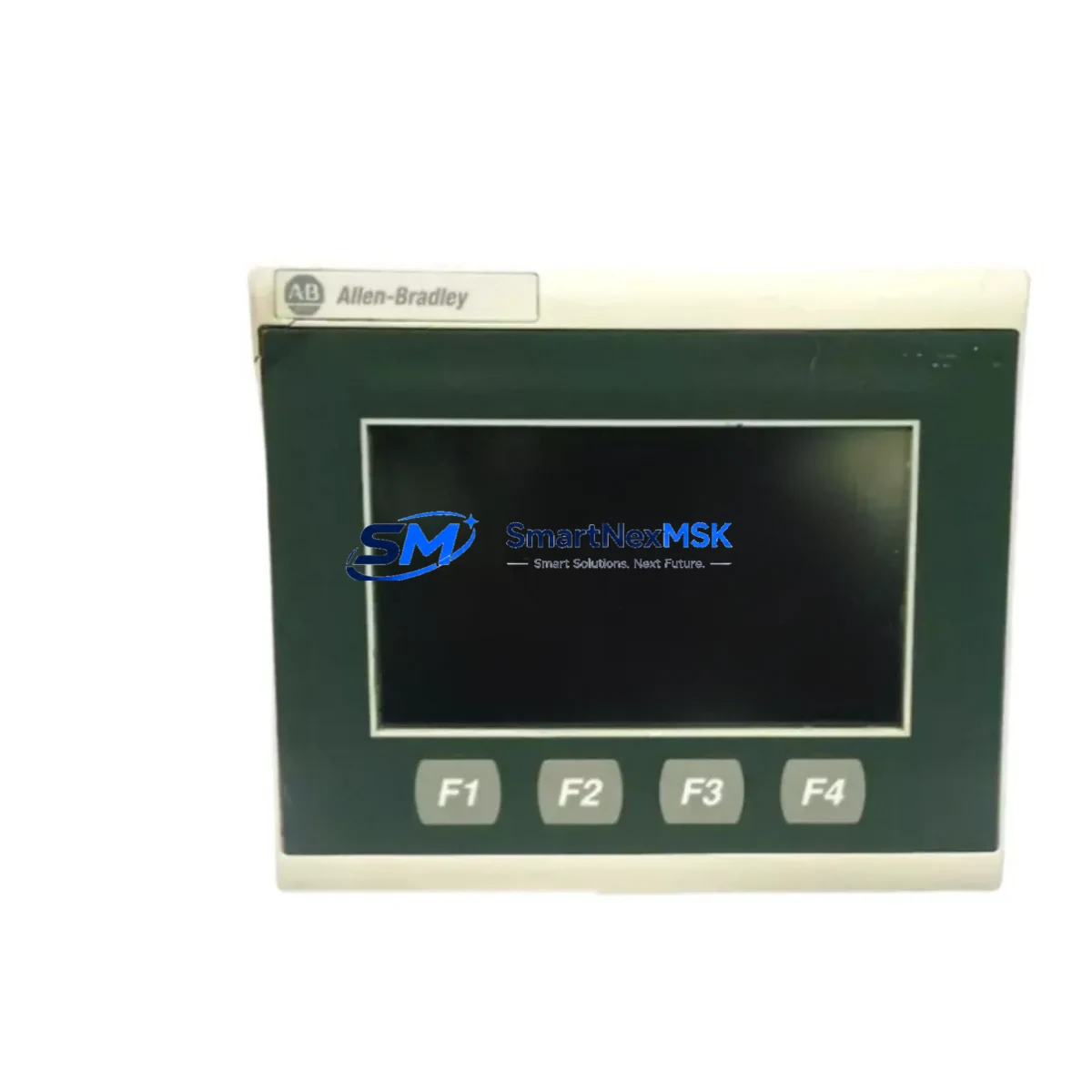
Allen-Bradley 2711R-T4T Spare for PanelView 800 Automation: Spare Replacement & Industrial Downtime Risk Control
The Allen-Bradley 2711R-T4T is a 4.3-inch touchscreen HMI terminal from the PanelView 800 series, designed for machine-level operator interface in discrete manufacturing, packaging, and process automation environments. As a maintenance-ready original spare, the 2711R-T4T enables rapid panel replacement without re-engineering, preserving existing application files, communication configurations, and operator workflows. Sourced from verified supply channels, each unit undergoes pre-shipment functional testing and ships with a 12-month warranty, supporting both planned maintenance cycles and emergency downtime recovery.
For maintenance engineers managing aging control panels or executing scheduled overhauls, stocking the 2711R-T4T as a critical spare reduces mean time to repair (MTTR) and eliminates the risk of extended production halts caused by HMI failure. For procurement engineers, the 2711R-T4T represents a long-term supply commitment: original hardware, verified compatibility, and documented warranty coverage that satisfies internal spare parts governance requirements.
Spare Maintenance Table
| Parameter | Specification |
|---|---|
| SKU / Part Number | 2711R-T4T |
| Brand | Allen-Bradley (Rockwell Automation) |
| Series | PanelView 800 |
| Display | 4.3″ TFT Color Touchscreen |
| Communication | RS-232 Serial (DF1 / DH-485) |
| Power Supply | 24V DC (18–32V DC operating range) |
| Operating Temperature | 0°C to 55°C (32°F to 131°F) |
| Protection Rating | IP65 (front panel) |
| Compatible Controllers | MicroLogix 800, MicroLogix 1100, MicroLogix 1400, SLC 500 (via serial) |
| Application Transfer | USB port for project upload/download |
| Mounting | Panel cutout, rear-mount with gasket seal |
| Weight | Approx. 4,500 g (packaged) |
| Origin | United States |
| Condition | Original, pre-shipment tested |
| Warranty | 12 Months |
Maintenance Planning for Continuous Operation
When replacing a 2711R-T4T in the field, a thorough inspection of the surrounding electrical environment is essential to prevent repeat failures and ensure system stability. Begin with the 24V DC power supply feeding the HMI — verify output voltage stability and check for ripple or voltage sag under load, as an undersized or aging power supply is a common root cause of HMI resets and display anomalies. Inspect the terminal block wiring and cable routing at the rear of the panel for insulation wear, loose ferrules, or incorrect wire gauges that may cause intermittent communication faults.
The RS-232 serial communication cable connecting the 2711R-T4T to the MicroLogix controller — typically a 1761-CBL-PM02 or equivalent — should be inspected for connector integrity and shielding continuity. If the panel also includes a MicroLogix 1100 or MicroLogix 1400 controller, verify the controller firmware version for compatibility with the HMI application file. Check the 1762-series I/O expansion modules connected to the controller for any fault indicators, as I/O faults can cascade into HMI alarm displays that are misdiagnosed as HMI hardware failures.
For panels incorporating relay output modules such as the 1762-OW16 or 1762-OB16, inspect relay contact wear and coil voltage levels, particularly in high-cycle applications. Review the 24V DC distribution rail and any inline fuse holders or circuit breakers protecting the HMI power circuit — a blown fuse or tripped breaker is often the first sign of a wiring fault that, if unaddressed, will damage the replacement unit. If the control cabinet includes a 1761-NET-AIC or similar network interface converter for DH-485 multi-drop communication, verify the termination resistors and node addressing before commissioning the replacement HMI. For panels with signal isolation requirements, check any DIN-rail mounted signal isolators or surge protection devices on the communication lines. Finally, inspect the panel door gasket and enclosure integrity to confirm the IP65 rating is maintained after the replacement, protecting the new 2711R-T4T from dust and moisture ingress in the operating environment.
Site Replacement Workflow
Step 1 — Pre-replacement backup: Using Connected Components Workbench (CCW) or the USB port on the existing 2711R-T4T, upload and save the current HMI application file before powering down the panel. This preserves all screen configurations, tag mappings, and alarm definitions.
Step 2 — Power isolation: Isolate the 24V DC supply to the HMI circuit using the dedicated circuit breaker or fuse. Verify zero voltage at the HMI power terminals with a calibrated multimeter before proceeding.
Step 3 — Mechanical removal: Release the panel cutout mounting clips from the rear, disconnect the power and communication connectors, and remove the faulty unit. Note the cable labeling and connector orientation for reinstallation reference.
Step 4 — Replacement installation: Insert the 2711R-T4T into the panel cutout, ensuring the front gasket seats correctly against the panel surface for IP65 integrity. Reconnect power and communication cables, verifying correct polarity and connector locking.
Step 5 — Application download and commissioning: Power up the panel and download the saved application file to the new 2711R-T4T via USB. Verify communication with the MicroLogix controller, confirm all I/O status displays correctly on the HMI, and perform a functional test of all operator controls before returning the system to production.
This workflow is compatible with direct replacement of legacy 2711R-T4T units without PLC program modification, minimizing downtime and eliminating re-engineering costs. The 2711R-T4T is a form-fit-function replacement for units of the same part number, ensuring full system compatibility and operator familiarity.
Spare Parts Support FAQ
Q1: What is the warranty coverage for the 2711R-T4T spare unit?
Each 2711R-T4T supplied by SMARTNEXMSK carries a 12-month warranty covering manufacturing defects and functional failures under normal operating conditions. Units undergo pre-shipment functional testing including display verification, communication port check, and power-on self-test before dispatch.
Q2: How do I confirm compatibility with my existing MicroLogix controller and application?
The 2711R-T4T is compatible with MicroLogix 800, MicroLogix 1100, and MicroLogix 1400 controllers communicating via RS-232 serial (DF1 or DH-485 protocol). Compatibility is confirmed by matching the part number 2711R-T4T and verifying the CCW application file was created for the PanelView 800 platform. No hardware modification is required for direct replacement.
Q3: What is the recommended spare parts inventory strategy for the 2711R-T4T?
For facilities operating multiple MicroLogix-based control panels, maintaining a minimum of one 2711R-T4T per production line as a critical spare is recommended. Given the serial communication architecture and the role of the HMI in operator control, an unplanned HMI failure without a spare on hand can result in extended downtime. A 12-month rolling stock review aligned with planned maintenance shutdowns is a practical governance approach.
Q4: Can SMARTNEXMSK support long-term or repeat procurement of the 2711R-T4T?
Yes. SMARTNEXMSK maintains ongoing supply of the 2711R-T4T and other PanelView 800 series components to support both emergency replacement and planned procurement programs. Contact our team to discuss volume pricing, lead times, and multi-unit supply agreements for your maintenance inventory program.
© 2026 SMARTNEXMSK. All rights reserved.
Original Source: https://smartnexmsk.com
Contact: [email protected] | +86 18259474341



