
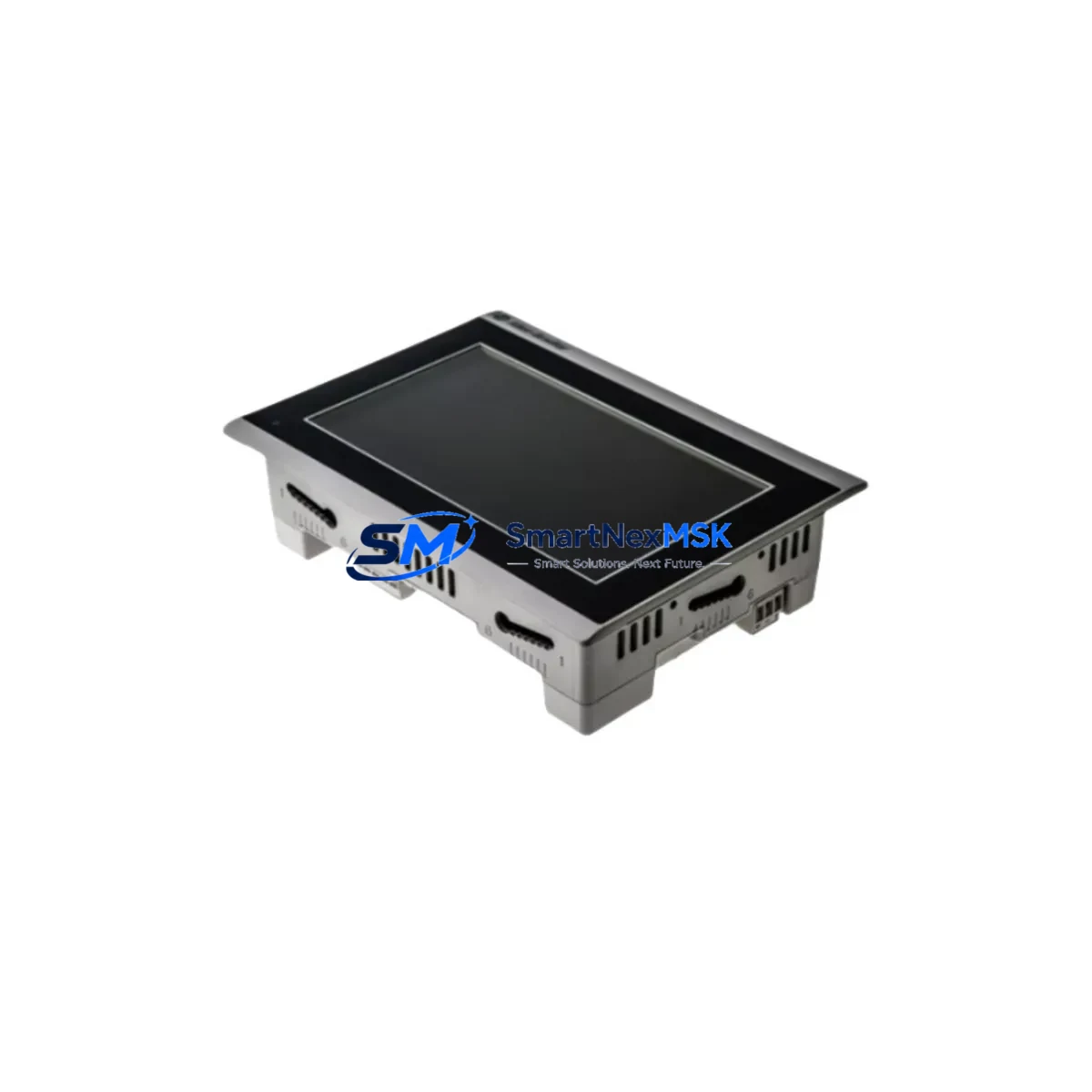
Allen-Bradley 2711R-T7T Retrofit-Ready HMI for PanelView 800 Control Systems
The Allen-Bradley 2711R-T7T is a 7-inch TFT color touchscreen HMI terminal from Rockwell Automation’s PanelView 800 series, purpose-built for seamless integration into existing control architectures and legacy system modernization projects. Whether you are replacing an end-of-life operator panel, upgrading a discontinued HMI unit, or migrating a control cabinet from an older communication protocol to EtherNet/IP, the 2711R-T7T delivers a verified drop-in upgrade path with minimal engineering rework.
This unit supports EtherNet/IP communication natively, enabling direct connectivity to MicroLogix 1100, MicroLogix 1400, CompactLogix L-series, and Micro820 controllers without additional protocol converters. For sites currently running older RS-232 or DH-485 linked panels, the migration to EtherNet/IP via the 2711R-T7T eliminates legacy serial bottlenecks and simplifies network topology across the control cabinet.
Upgrade Compatibility Table
| Parameter | Details |
|---|---|
| Model | Allen-Bradley 2711R-T7T |
| Series | PanelView 800 |
| Display | 7″ TFT Color Touchscreen, 800×480 resolution |
| Communication Protocol | EtherNet/IP (primary); replaces DH-485 / RS-232 legacy links |
| Power Supply | 24V DC (verify existing cabinet PSU capacity before installation) |
| Panel Cutout | Compatible with standard PanelView 800 cutout dimensions |
| Controller Compatibility | MicroLogix 1100/1400, CompactLogix, Micro820, Micro830 |
| Programming Software | Connected Components Workbench (CCW) v13 or later |
| Mounting | Panel mount, IP65 front face rating |
| Replacement For | 2711R-T7T (same series refresh), legacy PanelView Component C600/C1000 |
| Retrofit Recommendation | Direct replacement; screen application migration via CCW project export/import |
| Commissioning Focus | IP address assignment, controller tag mapping, alarm page verification |
| Warranty | 12 Months — covers hardware defects, DOA replacement, and functional verification |
Retrofit Planning for Existing Automation Systems
Successful retrofit of the 2711R-T7T into an existing control system requires a structured pre-installation review. Begin by auditing the control cabinet’s 24V DC power supply — confirm that the existing power module (such as a 1606-XLP or equivalent DIN-rail PSU) can supply sufficient current headroom for the new HMI alongside existing I/O modules and communication adapters. Undersized power supplies are a leading cause of intermittent HMI faults during commissioning.
Next, review the terminal block wiring at the HMI power input. The 2711R-T7T uses a standard 2-pin power connector; verify polarity and cable gauge against the original panel drawings. If the legacy panel used a different connector format, a short wiring adapter harness is typically sufficient — no full rewiring of the control cabinet is required.
For sites running CompactLogix L16ER or L18ER controllers with existing EtherNet/IP networks, the 2711R-T7T connects directly to the managed Ethernet switch already serving the PLC backplane. If the existing network includes a 1783-US5T or similar unmanaged switch, confirm port availability and assign a static IP to the HMI to avoid DHCP conflicts with other devices on the control network.
Screen application migration is handled through Connected Components Workbench. Export the existing CCW project from the legacy panel, open it in the current CCW version, and use the built-in display migration wizard to remap graphic pages to the 2711R-T7T’s 800×480 canvas. Most standard alarm displays, trend screens, and navigation buttons transfer without manual redraw. Custom ActiveX or legacy VBA objects will require manual recreation.
I/O expansion modules connected to the controller — such as 1769-IQ16 digital input modules, 1769-OB16 digital output modules, or 1769-IF4 analog input modules on a CompactLogix local rack — are unaffected by the HMI swap. The 2711R-T7T reads and writes controller tags directly over EtherNet/IP; no changes to the I/O tree or PLC program are required unless tag names were modified during the CCW migration.
For systems that include a Micro820 or Micro830 controller with an onboard Ethernet port, the 2711R-T7T communicates natively without any additional communication module. Sites using older MicroLogix 1000 or SLC 500 platforms will require a protocol gateway or controller upgrade to establish EtherNet/IP connectivity — in these cases, pairing the HMI replacement with a MicroLogix 1400 controller upgrade is the recommended modernization path.
If the control system includes a 1747-L553 SLC 5/05 processor, the existing DH-485 or Ethernet link can be preserved during a phased migration. The 2711R-T7T can be configured to communicate with the SLC 5/05 via EtherNet/IP using the processor’s built-in Ethernet port, allowing the HMI to go live before the controller is replaced — reducing total project risk and enabling incremental validation.
Downtime Control During System Migration
Minimizing production downtime during HMI replacement is a primary concern for any retrofit project. The recommended approach is to complete all CCW project migration, IP configuration, and tag mapping verification on a bench setup before the scheduled maintenance window. Use a spare CompactLogix controller or a software emulator to validate all screen navigation, alarm acknowledgment logic, and setpoint write functions offline.
During the physical swap, the existing PLC program and I/O configuration remain untouched. The controller continues to execute its ladder logic or function block program independently of the HMI connection state — most Rockwell controllers maintain output states and retain program data through an HMI disconnect event. This means the process can remain in a safe hold state while the panel is swapped, without requiring a full controller restart.
After physical installation, restore the EtherNet/IP connection, verify the HMI’s assigned IP address, and confirm controller tag subscriptions are active on the CCW diagnostics screen. Perform a full alarm page walkthrough and simulate key process interlocks before returning the system to automatic mode. Document the as-commissioned IP address, tag mapping version, and CCW project file revision for the site’s maintenance records. Total planned downtime for a prepared swap is typically 2–4 hours for a single-panel control cabinet.
Retrofit Support FAQ
Q: Is the 2711R-T7T a direct replacement for the PanelView Component C600 or C1000?
A: The 2711R-T7T is the recommended upgrade path from the PanelView Component series. Panel cutout dimensions are compatible with minor modification in most installations. The CCW migration wizard supports project import from PanelView Component application files, preserving the majority of existing screen logic and tag references.
Q: What wiring changes are required when replacing a legacy RS-232 linked HMI?
A: The 2711R-T7T does not include an RS-232 port. Migration from RS-232 to EtherNet/IP requires running a Cat5e or Cat6 Ethernet cable to the HMI location and assigning a static IP. Power wiring (24V DC) remains unchanged. If the controller does not support EtherNet/IP natively, a protocol converter or controller upgrade is required before the HMI swap.
Q: Will my existing PLC program need to be modified after installing the 2711R-T7T?
A: In most cases, no PLC program changes are required. The HMI reads and writes controller tags over EtherNet/IP without modifying the controller’s I/O configuration or program logic. Changes are only needed if tag names were renamed during the CCW project migration or if new HMI-driven setpoint tags are added to the program.
Q: What does the 12-month warranty cover, and how is it handled?
A: The 12-month warranty covers hardware defects, DOA (dead-on-arrival) units, and functional failures under normal operating conditions. Each unit is tested prior to shipment. In the event of a warranty claim, contact [email protected] with the order reference and fault description. Replacement units are dispatched within 3 business days of claim verification.
© 2026 SMARTNEXMSK. All rights reserved.
Original Source: https://smartnexmsk.com
Contact: [email protected] | +86 18259474341



