
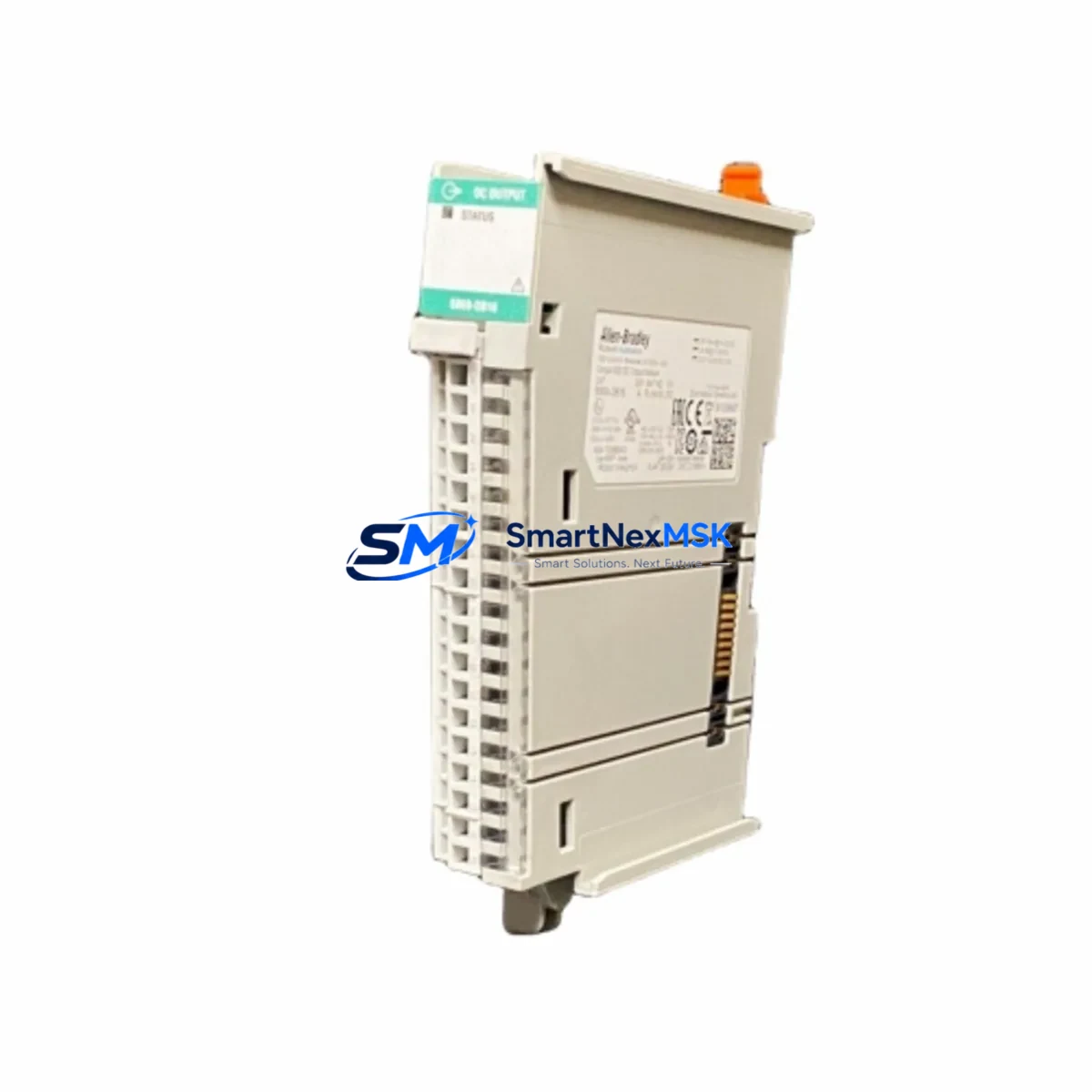
Allen-Bradley 5069-OW16 Spare for CompactLogix Automation: Relay Output Replacement & Downtime Risk Control
The Allen-Bradley 5069-OW16 is a 16-point relay output module designed for the CompactLogix 5380 control platform. In industrial maintenance environments, this module is a critical spare — responsible for switching discrete loads including solenoids, motor starters, pilot lights, and control relays across a wide range of process and discrete manufacturing applications. When this module fails or degrades, the downstream impact is immediate: unplanned downtime, halted production lines, and costly emergency procurement. Stocking a verified original 5069-OW16 spare is a fundamental element of any responsible maintenance strategy for CompactLogix-based control systems.
At SMARTNEXMSK, every 5069-OW16 unit is sourced as an original Allen-Bradley component, individually inspected, and tested prior to shipment. Our supply chain supports maintenance engineers and procurement teams who require fast, reliable access to genuine spare parts — with full traceability, 12-month warranty coverage, and documented compatibility confirmation before dispatch.
Spare Maintenance Table
| Parameter | Specification |
|---|---|
| SKU / Part Number | 5069-OW16 |
| Brand | Allen-Bradley (Rockwell Automation) |
| Series | CompactLogix 5380 / Compact I/O 5069 |
| Module Type | 16-Point Relay Output Module |
| Output Type | Relay (dry contact) |
| Points per Module | 16 |
| Output Voltage Range | 5–265V AC / 5–125V DC |
| Max Load Current per Point | 2.0 A |
| Backplane Compatibility | 5069 Compact I/O backplane |
| Communication Interface | EtherNet/IP via CompactLogix controller |
| Operating Temperature | 0–60°C (32–140°F) |
| Mounting | DIN rail / panel mount via 5069 chassis |
| Certifications | UL, CE, cUL (original Allen-Bradley) |
| Condition | Original, new or tested-serviceable |
| Warranty | 12 Months — covers functional defects, tested pre-shipment |
| Maintenance Recommendation | Replace at first sign of contact wear, output chatter, or failed self-test; inspect relay contacts annually in high-cycle applications |
Maintenance Planning for Continuous Operation
Replacing the 5069-OW16 in a live CompactLogix 5380 system is rarely an isolated task. Experienced maintenance engineers know that a relay output module failure is often a symptom of broader electrical stress in the control cabinet. Before returning the system to service, a thorough inspection of adjacent components is essential to prevent repeat failures and ensure long-term reliability.
Begin with the 5069-PA1 or 5069-PA2 power supply module — verify output voltage stability and check for ripple or thermal discoloration on the housing. A degraded power supply is a common root cause of premature relay contact wear. Next, inspect the 5069-IB16 digital input module paired with this output module; confirm that all input signals are within specification and that no field wiring faults are present that could have caused output overloading.
Check the terminal blocks and field wiring connected to the 5069-OW16 output points. Loose terminations, corroded contacts, or undersized conductors are frequent contributors to relay failure in high-cycle or high-inrush applications. If the module was driving inductive loads such as motor starters or solenoid valves, inspect the surge suppressors or snubber circuits across those loads — absent or failed suppressors dramatically shorten relay contact life.
For systems using 5069-L306ERM or 5069-L310ERM CompactLogix controllers, verify that the I/O tree in Studio 5000 Logix Designer correctly reflects the replacement module after installation. A module configuration mismatch will prevent the controller from going online. Review the EtherNet/IP network switch port connected to the local adapter — confirm link speed and duplex settings are consistent with the rest of the control network.
If the control cabinet includes a 5069-AIF4I analog input module or 5069-OF4 analog output module on the same backplane, verify that the backplane bus is operating normally after the relay module swap — a damaged backplane connector can cause intermittent faults across multiple I/O modules. Additionally, inspect any signal isolators or barriers in the field wiring circuit; these components protect the PLC I/O from field-side voltage transients and should be tested for proper isolation resistance after any output module replacement.
Finally, review the 24VDC control power distribution feeding the relay coil circuits and confirm that fuse ratings in the terminal fuse blocks are appropriate for the connected loads. Undersized or blown fuses are a common cause of apparent module failure that is actually a field-side fault.
Site Replacement Workflow
The 5069-OW16 is designed for hot-swap replacement within the CompactLogix 5380 architecture, provided the controller is configured for partial fault tolerance. Follow this workflow to minimize downtime and ensure a clean return to service:
Step 1 — Isolate and de-energize: Switch the affected output group to a safe state via the controller program (force outputs OFF) before physically removing the module. Confirm all relay outputs are de-energized using a multimeter on the field terminals.
Step 2 — Document the existing configuration: Export the I/O configuration from Studio 5000 Logix Designer before removal. Note the module slot position, electronic keying settings, and any custom tag names assigned to the 16 output points.
Step 3 — Remove and replace: Slide the 5069-OW16 out of the backplane. Install the replacement unit in the same slot. The module will be recognized automatically if electronic keying is set to “Compatible Module” or “Disable Keying.”
Step 4 — Verify online: Go online with the controller in Studio 5000. Confirm the replacement module appears in the I/O tree without fault indicators. Perform a forced output test on each of the 16 points to verify relay contact closure and field-side continuity.
Step 5 — Return to service: Remove all forced values, restore the program to Run mode, and monitor the first production cycle for any unexpected output behavior. Log the replacement in your CMMS with the new module serial number and warranty start date.
This workflow applies equally to planned maintenance replacements and emergency fault recovery scenarios. SMARTNEXMSK ships tested units with a pre-shipment inspection report, reducing the risk of installing a defective spare during a critical recovery window.
Spare Parts Support FAQ
Q1: Is the 5069-OW16 you supply an original Allen-Bradley component, or a compatible substitute?
All 5069-OW16 units supplied by SMARTNEXMSK are original Allen-Bradley (Rockwell Automation) components. We do not supply third-party compatible substitutes for this part number. Each unit is traceable to authorized distribution channels and includes pre-shipment functional testing documentation.
Q2: How do I confirm compatibility with my existing CompactLogix 5380 system before ordering?
The 5069-OW16 is compatible with all 5069 Compact I/O backplanes used in CompactLogix 5380 systems. Provide your controller catalog number (e.g., 5069-L306ERM) and firmware revision when contacting us — our technical team will confirm compatibility and advise on any firmware-dependent configuration requirements before shipment.
Q3: What does the 12-month warranty cover, and what is the claims process?
The 12-month warranty covers functional defects in the module under normal operating conditions. It does not cover damage caused by incorrect installation, overvoltage events, or field wiring faults. To initiate a warranty claim, contact [email protected] with your order number, a description of the fault, and any available diagnostic data from Studio 5000. We will arrange return shipping and replacement or repair within the warranty period.
Q4: Can you support long-term or blanket purchase orders for 5069-OW16 as a critical spare?
Yes. SMARTNEXMSK supports long-term supply agreements for critical spare parts including the 5069-OW16. We can reserve stock, provide scheduled delivery, and issue certificates of conformance for each batch. Contact our sales team to discuss volume pricing, lead time commitments, and documentation requirements for your maintenance program.
© 2026 SMARTNEXMSK. All rights reserved.
Original Source: https://smartnexmsk.com
Contact: [email protected] | +86 18259474341



