
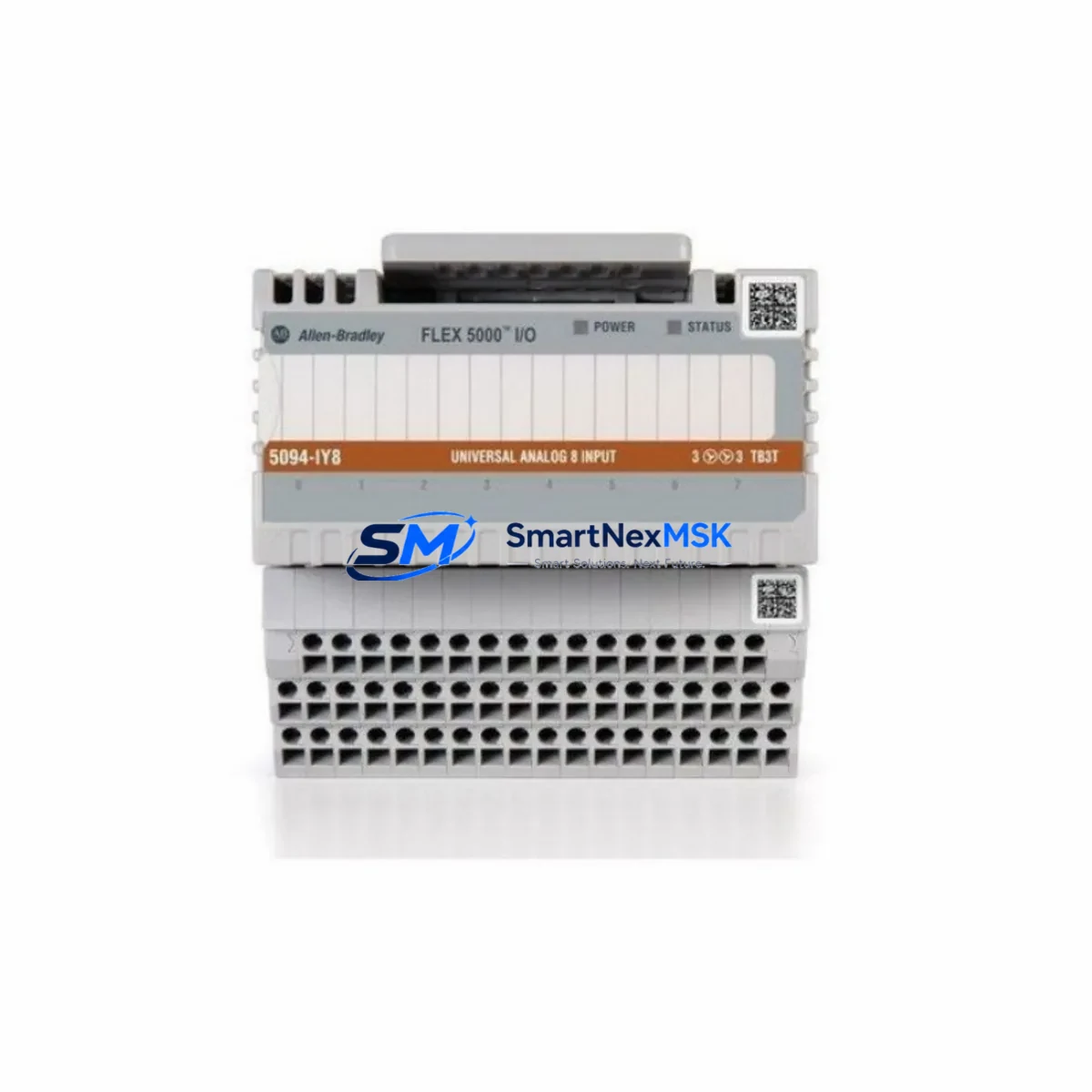
Allen-Bradley 5094-IF8 Maintenance-Ready Spare for 5094 Flex I/O Automation
The Allen-Bradley 5094-IF8 is an 8-channel analog input module designed for the Rockwell Automation Flex I/O 5094 platform, widely deployed in CompactLogix-based control architectures across process, discrete, and hybrid manufacturing environments. As a maintenance-ready original spare, the 5094-IF8 is stocked, tested, and ready for immediate dispatch to support planned shutdowns, emergency replacements, and long-term MRO inventory programs. Whether you are managing a scheduled turnaround or responding to an unplanned fault, having a verified 5094-IF8 on hand is a critical element of any robust spare parts strategy for Rockwell Automation control systems.
Maintenance engineers and procurement teams working with CompactLogix 5094 Flex I/O systems recognize the 5094-IF8 as a high-priority spare. Its role in acquiring analog process signals — including 4–20 mA current loops, 0–10 V voltage inputs, and thermocouple or RTD signals depending on configuration — makes it central to loop integrity across instrumentation, drive feedback, and process control circuits. A failed or degraded analog input channel can trigger nuisance alarms, cause incorrect PID setpoints, or result in full process shutdown. Rapid replacement with a tested original module is the fastest path to restoring normal operation.
Spare Maintenance Table
| Parameter | Specification / Detail |
|---|---|
| Part Number | 5094-IF8 |
| Brand | Allen-Bradley (Rockwell Automation) |
| Series | Flex I/O 5094 |
| Module Type | Analog Input Module |
| Number of Channels | 8 Channels |
| Input Signal Types | Current (4–20 mA), Voltage (0–10 V / ±10 V) |
| Resolution | 16-bit |
| Communication Interface | EtherNet/IP via 5094 Flex I/O Adapter |
| Compatible Adapters | 5094-AENSFR, 5094-AENTR (Flex I/O EtherNet/IP Adapters) |
| Compatible Controllers | CompactLogix 5380, 5480; ControlLogix 5580 (via EtherNet/IP) |
| Operating Temperature | 0 °C to 60 °C (32 °F to 140 °F) |
| Mounting | DIN Rail, Flex I/O 5094 backplane slot |
| Power Consumption | Supplied via Flex I/O backplane power bus |
| Certifications | CE, UL, cUL (per Rockwell Automation product certification) |
| Origin | USA (Rockwell Automation) |
| Condition | Original, New or Tested Surplus |
| Warranty | 12 Months from date of shipment |
| Pre-shipment Testing | Function verified prior to dispatch |
| Typical Lead Time | Ships within 1–3 business days |
Maintenance Planning for Continuous Operation
When a 5094-IF8 analog input module is flagged for replacement during a control cabinet inspection or fault diagnosis, experienced maintenance engineers know that the module itself is rarely the only component requiring attention. A thorough site assessment should accompany any analog input module swap to prevent repeat failures and ensure full loop restoration.
Begin by inspecting the 5094-AENSFR or 5094-AENTR EtherNet/IP adapter that hosts the 5094-IF8. Adapter firmware should be current, and the EtherNet/IP connection status should be verified in Studio 5000 Logix Designer before and after module replacement. If the adapter has been in service for more than five years in a high-vibration or high-temperature environment, consider stocking a spare adapter alongside the input module.
Check the Flex I/O 5094 power supply module — typically a 5094-PS8 or equivalent — for output voltage stability. Degraded backplane power is a common root cause of intermittent analog input faults that are misdiagnosed as module failures. A calibrated multimeter or power quality analyzer should be used to confirm rail voltage within specification before the new 5094-IF8 is installed.
Inspect all field wiring terminations at the module’s I/O terminal block. Corroded, loose, or incorrectly torqued terminals are a leading cause of signal drift and channel faults in analog input circuits. Replace any suspect terminal blocks and verify wire ferrule integrity on all 4–20 mA and voltage input conductors. For installations using signal isolators — such as loop-powered or DIN-rail-mounted signal conditioners between field transmitters and the 5094-IF8 — verify isolator output range and calibration, as a failed isolator can damage a replacement module if not identified first.
Review the status of associated fuse protection on the field loop power supply circuits. Blown or degraded fuses on 24 VDC loop supply rails are often overlooked during emergency replacements. Similarly, inspect any surge protection devices or transient voltage suppressors installed on analog input wiring, particularly in environments with variable-frequency drives, welding equipment, or high-inductive loads nearby.
For systems using CompactLogix 5380 or 5480 controllers in the same control architecture, verify that the controller firmware is compatible with the replacement 5094-IF8 module revision. Mismatched firmware revisions between the controller, adapter, and I/O module can cause configuration faults that delay restart. Confirm module configuration in the I/O tree within Studio 5000 and perform a module inhibit/uninhibit cycle after physical replacement to force re-initialization.
If the control system includes 5094-OF8 analog output modules or 5094-IB16 digital input modules in adjacent backplane slots, inspect their status indicators simultaneously. A shared backplane fault or power event that caused the 5094-IF8 failure may have affected neighboring modules. Proactive inspection of the full Flex I/O 5094 chassis during a planned replacement reduces the risk of secondary failures within days of the initial repair.
For facilities maintaining a formal spare parts inventory, the 5094-IF8 should be listed alongside the 5094-AENSFR adapter, 5094-PS8 power supply, and at least one 5094-OF8 analog output module as a minimum Flex I/O 5094 spare kit. This kit approach ensures that any single-module failure in the Flex I/O chassis can be resolved within one maintenance shift without waiting for emergency procurement.
Site Replacement Workflow
Step 1 — Isolate and document: Before removing the 5094-IF8, record all channel configurations, scaling parameters, and engineering unit settings from Studio 5000 Logix Designer. Export the project file and note the module’s slot number, revision, and electronic keying settings. This documentation prevents configuration errors during reinstallation and is essential if the replacement module has a different firmware revision.
Step 2 — De-energize safely: Follow your site’s lockout/tagout (LOTO) procedure for the affected control cabinet. Confirm that the Flex I/O 5094 backplane power is removed before extracting the module. The 5094-IF8 is hot-swap capable in some configurations, but field wiring should always be de-energized before terminal block disconnection to protect both personnel and the replacement module.
Step 3 — Physical replacement: Remove the field wiring terminal block from the faulty 5094-IF8, extract the module from the backplane slot, and insert the replacement 5094-IF8. Reconnect the terminal block and verify that all field wiring is correctly seated. The module’s locking tab should engage positively with the backplane rail.
Step 4 — Configuration restore and verify: Re-energize the system and confirm that the 5094-IF8 appears in the I/O tree in Studio 5000 with no fault indicators. Verify that all 8 channels are reading expected engineering unit values from field transmitters. Compare live readings against known-good reference values or process historian data to confirm loop integrity before returning the system to automatic control.
Step 5 — Commissioning record: Update your maintenance management system (CMMS) with the replacement date, module serial number, and post-replacement test results. Log the faulty module for return analysis or disposal per your site’s asset management policy. Replenish your spare parts inventory immediately to maintain readiness for the next event.
This workflow is applicable to both planned maintenance windows and emergency unplanned replacements. The 5094-IF8 spare supplied by SMARTNEXMSK is pre-tested and shipped with documentation to support fast commissioning and minimal downtime.
Spare Parts Support FAQ
Q1: Is the 5094-IF8 supplied by SMARTNEXMSK an original Allen-Bradley module?
Yes. All 5094-IF8 units are sourced as original Allen-Bradley (Rockwell Automation) components. Each module undergoes functional verification prior to shipment and is covered by a 12-month warranty from the date of dispatch. Counterfeit or third-party compatible substitutes are never supplied.
Q2: How do I confirm compatibility between the 5094-IF8 and my existing CompactLogix system?
The 5094-IF8 is compatible with all Flex I/O 5094 EtherNet/IP adapters (5094-AENSFR, 5094-AENTR) and is supported by CompactLogix 5380 and 5480 controllers running Studio 5000 Logix Designer v31 and later. Confirm your controller firmware version and adapter revision before ordering. Our technical team can assist with compatibility verification if you provide your existing system configuration details.
Q3: What is the recommended spare parts stocking strategy for Flex I/O 5094 systems?
For critical production lines, we recommend maintaining at minimum one 5094-IF8 analog input module, one 5094-AENSFR adapter, and one 5094-PS8 power supply as on-site cold spares. For high-availability systems with redundant architectures, a warm spare strategy with pre-configured modules is advisable. SMARTNEXMSK supports long-term supply agreements to ensure consistent availability of Flex I/O 5094 spare components.
Q4: What testing is performed before the 5094-IF8 is shipped?
Each 5094-IF8 is powered up and functionally tested on a Flex I/O 5094 test bench prior to dispatch. Channel integrity, backplane communication, and EtherNet/IP adapter recognition are verified. Modules that do not pass all test criteria are not shipped. A 12-month warranty covers any defects in materials or workmanship from the date of shipment, with direct technical support available from our engineering team.
© 2026 SMARTNEXMSK. All rights reserved.
Original Source: https://smartnexmsk.com
Contact: [email protected] | +86 18259474341



