
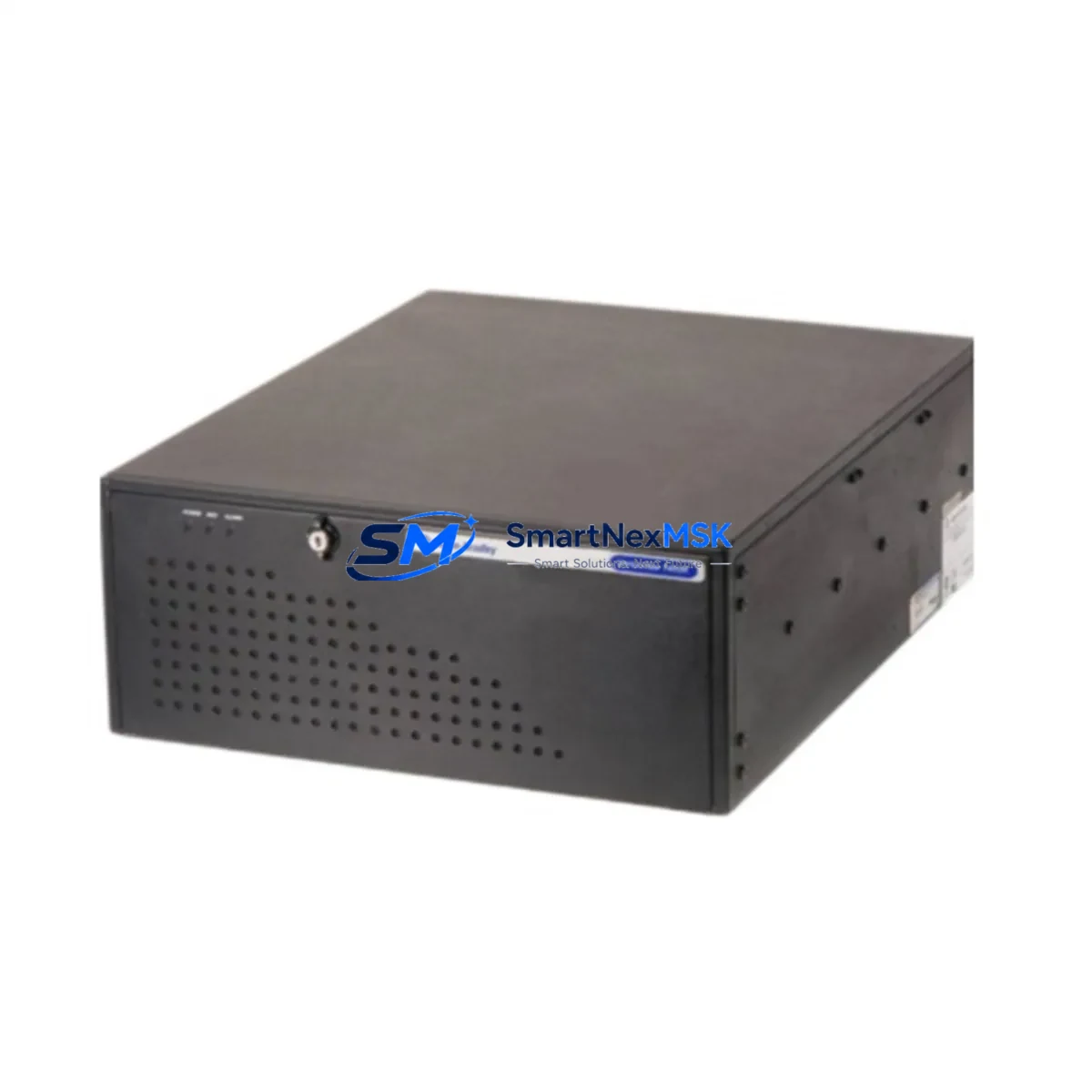
Allen-Bradley 6155R-14S2KH Maintenance-Ready Spare for 6155R Automation
The Allen-Bradley 6155R-14S2KH is a rugged industrial panel PC designed for demanding automation environments where continuous uptime is non-negotiable. As a maintenance-ready original spare, this unit supports rapid replacement in 6155R Series control systems, minimizing unplanned downtime and protecting production continuity. Whether you are managing a scheduled overhaul, responding to an emergency fault, or building a strategic spare parts inventory, the 6155R-14S2KH delivers verified compatibility, factory-grade reliability, and a 12-month warranty backed by pre-shipment functional testing.
Maintenance engineers and procurement teams working with Rockwell Automation / Allen-Bradley control architectures recognize the 6155R Series as a long-lifecycle HMI and supervisory platform. Sourcing a genuine 6155R-14S2KH spare ensures that your replacement unit matches the original electrical, mechanical, and software interface specifications — eliminating the risk of integration failures that can arise from non-original substitutes.
Spare Maintenance Table
| Parameter | Specification / Detail |
|---|---|
| SKU / Part Number | 6155R-14S2KH |
| Brand | Allen-Bradley (Rockwell Automation) |
| Series | 6155R Industrial Panel PC |
| Product Type | Industrial Panel PC / HMI |
| Display Size | 14-inch (inferred from SKU designation) |
| Operating Environment | Industrial panel-mount; rated for harsh environments with vibration and EMI resistance |
| Compatibility | 6155R Series control cabinets; compatible with FactoryTalk View SE/ME supervisory software |
| Installation | Panel-mount; standard NEMA/IP-rated cutout; retains original wiring harness and I/O connectors |
| Power Input | 24 VDC nominal (verify against existing cabinet power supply specification) |
| Communication Interfaces | Ethernet/IP, USB; supports EtherNet/IP network topology |
| Origin | USA (Allen-Bradley / Rockwell Automation) |
| Condition | Original spare; pre-shipment tested |
| Warranty | 12 Months |
| Maintenance Recommendation | Inspect annually; clean ventilation paths; verify firmware version compatibility before installation |
Maintenance Planning for Continuous Operation
When a 6155R-14S2KH panel PC is flagged for replacement during a planned inspection or emergency fault response, experienced maintenance engineers know that the HMI unit is rarely the only component requiring attention. A thorough site assessment should include the following associated components to prevent repeat failures and ensure full system restoration:
- 24 VDC Power Supply Module — Verify output voltage stability and ripple. A degraded power supply is a common root cause of HMI lockups and display faults. Units such as the Allen-Bradley 1606-XLP series are typical cabinet companions.
- EtherNet/IP Communication Switch — Inspect managed switches (e.g., Stratix 2000 or Stratix 5700) for port errors, link-loss events, and firmware currency. Communication faults can mimic HMI hardware failures.
- ControlLogix or CompactLogix PLC Processor — Confirm that the replacement 6155R-14S2KH is running a firmware version compatible with the connected PLC (e.g., 1756-L7x or 1769-L3x series). Mismatched firmware can prevent FactoryTalk project loading.
- 1756-IB16 or 1756-OB16 Digital I/O Modules — During cabinet downtime, inspect I/O module status LEDs and terminal block connections. Loose field wiring at I/O terminals is a frequent secondary fault discovered during HMI replacement.
- 1492-J Terminal Blocks and Wiring Ducts — Check for discoloration, loose ferrules, or corrosion on terminal strips adjacent to the panel PC mounting area.
- 1756-EN2T EtherNet/IP Communication Module — Validate module diagnostics and confirm IP address assignments are preserved in the replacement workflow.
- Signal Isolators (e.g., MTL or Phoenix Contact MACX series) — Inspect analog signal isolators in the same cabinet loop. Degraded isolation can introduce noise that affects HMI display stability.
- 24 VDC Relay Modules (e.g., 700-HLT or similar) — Check coil voltage and contact resistance on relay modules in the control circuit. Relay chatter can cause spurious alarms visible on the HMI.
- UPS / Battery Backup Unit — Confirm that the cabinet UPS (if installed) is holding charge and that the 6155R-14S2KH will receive clean power during grid fluctuations.
- Fuse Holders and Circuit Protection (e.g., 1492-FB series) — Replace any blown or discolored fuses identified during the inspection. Document fuse ratings against the original panel drawing.
Procuring these components alongside the 6155R-14S2KH as a coordinated spare kit reduces the risk of a second unplanned outage within the same maintenance window and supports a leaner, more predictable spare parts inventory strategy.
Site Replacement Workflow
Replacing the 6155R-14S2KH on-site follows a structured sequence designed to minimize downtime and preserve system configuration integrity:
- Pre-Replacement Backup — Export the FactoryTalk View project and any local HMI configuration files to a USB drive or network share before powering down the existing unit. Confirm the backup is readable.
- Power Isolation — Follow LOTO (Lockout/Tagout) procedures. Isolate the 24 VDC supply to the panel PC. Verify zero energy state with a calibrated multimeter.
- Mechanical Removal — Release panel-mount fasteners. Disconnect the DC power connector, Ethernet cables, and USB peripherals. Label all connectors before removal to prevent mis-wiring during reinstallation.
- New Unit Inspection — Inspect the replacement 6155R-14S2KH for shipping damage. Verify the part number label matches the order. Confirm firmware version against the system compatibility matrix.
- Installation and Wiring — Mount the new unit into the panel cutout. Reconnect all labeled connectors. Torque fasteners to panel specification.
- Power-On and Configuration Restore — Apply 24 VDC. Load the backed-up FactoryTalk View project. Verify all screen pages, tag connections, and alarm configurations are functioning correctly.
- Functional Verification — Confirm communication with the connected PLC, validate I/O status displays, and run a short operational cycle before returning the system to production.
- Documentation Update — Record the replacement in the maintenance log, update the spare parts inventory, and note the new unit’s serial number for warranty tracking.
This workflow is applicable whether the 6155R-14S2KH is replacing a failed unit in an emergency or being installed as part of a scheduled lifecycle refresh on an aging 6155R Series system.
Spare Parts Support FAQ
Q1: Is the 6155R-14S2KH a direct drop-in replacement for older 6155R Series panel PCs?
A: Yes. The 6155R-14S2KH is designed as a form-fit-function replacement within the 6155R Series. It retains the same panel cutout dimensions, connector pinout, and software interface, allowing direct substitution without cabinet modification. Always verify firmware compatibility with your connected PLC before final commissioning.
Q2: What pre-shipment testing is performed on this spare?
A: Each 6155R-14S2KH unit undergoes functional power-on testing, display verification, and communication port checks prior to shipment. A test report is available upon request. Units are packed in anti-static, shock-resistant packaging to maintain condition during transit.
Q3: How should I manage long-term spare parts inventory for 6155R Series systems?
A: For facilities operating multiple 6155R Series stations, we recommend maintaining at least one 6155R-14S2KH spare per five installed units, with a review cycle aligned to your annual maintenance plan. Given the long service life of Allen-Bradley panel PCs in industrial environments, securing spares proactively protects against supply chain lead times as the product matures in its lifecycle.
Q4: What does the 12-month warranty cover?
A: The 12-month warranty covers manufacturing defects and functional failures under normal operating conditions. It includes free replacement or repair of the unit. Warranty claims require the original order reference and a fault description. Our technical team provides remote diagnostic support to assist with fault isolation before initiating a warranty return.
© 2026 SMARTNEXMSK. All rights reserved.
Original Source: https://smartnexmsk.com
Contact: [email protected] | +86 18259474341



