
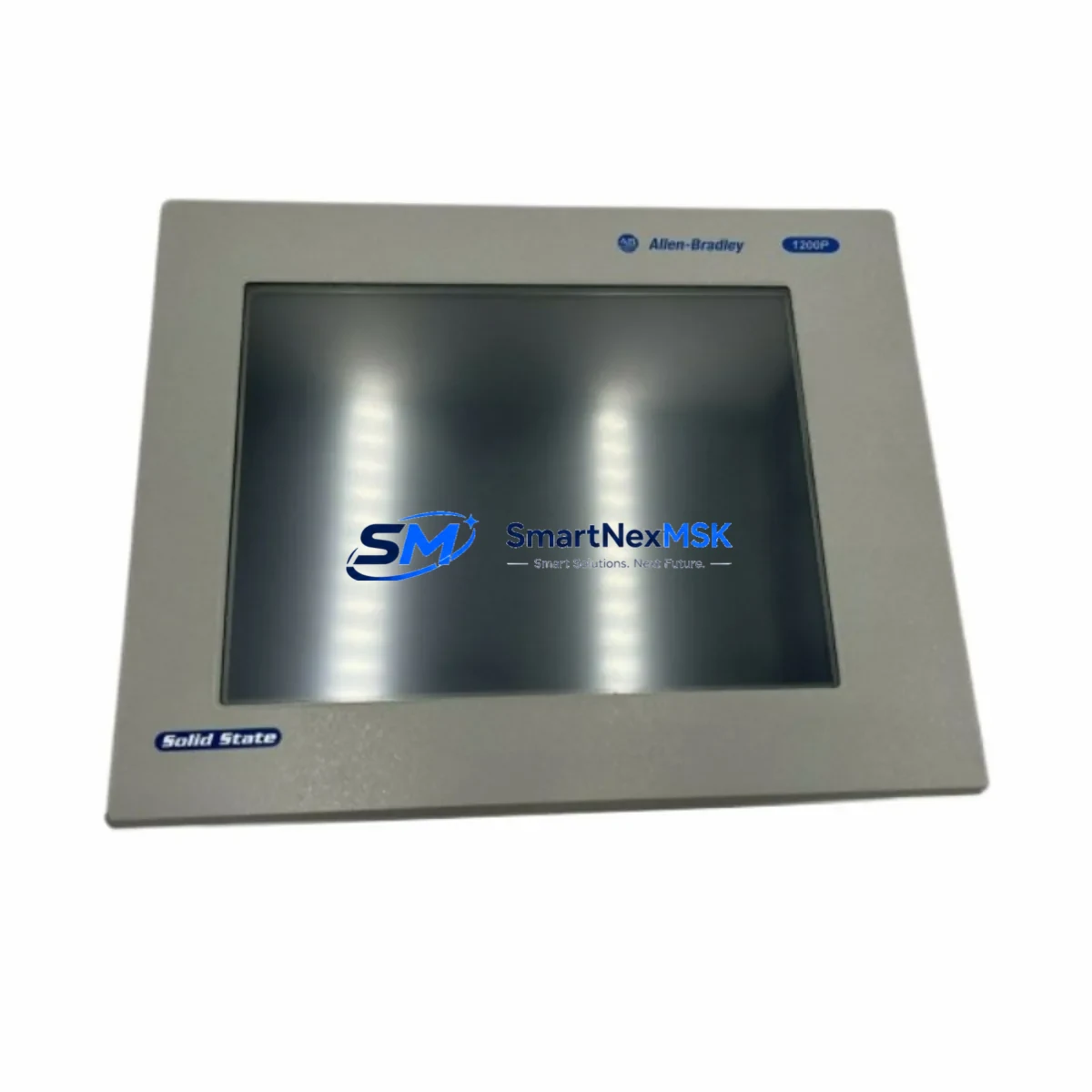
Allen-Bradley 6181F-15TSXP Maintenance-Ready Spare 1500P: Spare Parts Replacement & Industrial Downtime Risk Control
The Allen-Bradley 6181F-15TSXP is a 15″ XGA touchscreen industrial panel PC engineered for demanding automation environments within the 1500P Series platform. For maintenance engineers and procurement teams managing aging control systems, securing a verified spare of the 6181F-15TSXP is a critical step in any downtime-prevention strategy. Whether you are executing a planned shutdown, responding to an unscheduled HMI failure, or building a strategic spare parts inventory for a multi-line facility, this unit ships tested and ready for immediate installation.
Industrial facilities running Allen-Bradley 1500P Series control cabinets depend on the 6181F-15TSXP as the primary operator interface. When this panel PC fails — due to backlight degradation, touchscreen unresponsiveness, or internal board faults — the entire production cell can go dark. Having a maintenance-ready replacement on the shelf eliminates the lead time risk that turns a two-hour repair into a two-week procurement crisis.
Spare Maintenance Table
| Parameter | Specification |
|---|---|
| Part Number / SKU | 6181F-15TSXP |
| Brand | Allen-Bradley (Rockwell Automation) |
| Series | 1500P Industrial Panel PC |
| Display | 15″ XGA TFT LCD Touchscreen (1024×768) |
| Touch Technology | Resistive Touchscreen |
| Processor Platform | Intel-based embedded PC architecture |
| Operating System | Windows Embedded Standard (WES) |
| Power Supply Input | 24 VDC nominal (18–30 VDC range) |
| Protection Rating | NEMA 4/4X, IP65 front panel |
| Communication Ports | Ethernet (RJ45), USB, Serial (RS-232/422/485) |
| Mounting | Panel mount, rear-mount bracket compatible |
| Operating Temperature | 0°C to 50°C (32°F to 122°F) |
| Compatibility | Allen-Bradley 1500P Series, FactoryTalk View SE/ME, RSLinx Classic, FactoryTalk Linx |
| Application Environment | Industrial control cabinets, SCADA stations, HMI operator panels |
| Maintenance Recommendation | Replace backlight every 3–5 years; inspect connectors and power input annually |
| Origin | USA (Allen-Bradley / Rockwell Automation) |
| Condition | Original, factory-grade, pre-shipment tested |
| Warranty | 12 Months |
Maintenance Planning for Continuous Operation
When a 6181F-15TSXP panel PC is flagged for replacement during a scheduled inspection or emergency callout, experienced maintenance engineers know that the HMI unit is rarely the only component under stress. A thorough site assessment should extend to the surrounding electrical and control infrastructure to prevent repeat failures after the panel is swapped.
Start with the 24 VDC power supply feeding the panel — units such as the Allen-Bradley 1606-XLP series or equivalent DIN-rail power supplies should be load-tested and inspected for capacitor aging. Verify that the Ethernet communication cable and RJ45 patch panel connections between the 6181F-15TSXP and the PLC backplane are intact, as intermittent network faults are frequently misdiagnosed as HMI hardware failures.
Inspect the 1756-EN2T or 1756-EN3TR EtherNet/IP communication module in the ControlLogix or CompactLogix rack — a degraded network card can cause the panel PC to lose tag subscriptions and appear frozen. While the control cabinet is open, check the 1756-IB16 or 1756-OB16 digital I/O modules for blown fuses, loose terminal connections, and LED fault indicators. Terminal blocks and DIN-rail mounted relay modules (such as the 700-HF series or equivalent) adjacent to the I/O wiring should be torque-checked and visually inspected for heat discoloration.
For facilities running serial-connected legacy devices alongside the 1500P panel, inspect the RS-232/RS-485 signal isolator in the communication chain — signal ground loops are a common cause of HMI communication errors that surface after a panel replacement. If the system uses a 1747-SDN DeviceNet Scanner or similar fieldbus module, verify node addressing and cable termination resistance before commissioning the replacement panel. Where a 1756-DNB DeviceNet Bridge is present in the rack, confirm its firmware version is compatible with the restored FactoryTalk View application.
Finally, document the FactoryTalk View ME or SE application version running on the outgoing unit and confirm the replacement 6181F-15TSXP is loaded with a compatible OS image and runtime license before powering up on the line. Keeping a compact flash or USB image backup of the HMI application — alongside a spare 1784-U2DHP USB-to-DH+ adapter for legacy programming access — as part of your spare parts kit eliminates software restoration delays during emergency replacements.
Site Replacement Workflow
Step 1 — Isolation & Lockout: Follow site LOTO procedures. Isolate the 24 VDC supply to the panel PC and confirm zero energy state before disconnecting any cables.
Step 2 — Documentation: Photograph all cable connections, label positions, and IP/node address settings on the outgoing 6181F-15TSXP. Record the FactoryTalk View runtime version and any custom display settings. Note the firmware revision of any connected 1756-EN2T or 1756-EN3TR modules for post-swap verification.
Step 3 — Hardware Swap: Remove the panel from the cutout using the rear-mount bracket hardware. Transfer all labeled cables — Ethernet, USB peripherals, serial lines, and 24 VDC power — to the replacement unit in the same configuration. Confirm the replacement unit’s NEMA 4/4X gasket seal is intact before re-mounting.
Step 4 — Software Restoration: Boot the replacement panel and confirm OS integrity. Restore the FactoryTalk View ME/SE application from backup media. Verify RSLinx Classic or FactoryTalk Linx communication paths to the PLC. Re-enter any static IP address or hostname configuration that was recorded in Step 2.
Step 5 — Functional Verification: Cycle through all HMI screens, confirm tag data is live, test alarm acknowledgment, and verify any serial or Ethernet-connected peripheral devices respond correctly. Perform a touchscreen calibration check and log the replacement in the site maintenance record. Update the spare parts inventory to trigger reorder of a replacement 6181F-15TSXP unit for the next event.
This structured workflow minimizes mean time to repair (MTTR) and ensures the replacement 6181F-15TSXP is fully operational before the maintenance team leaves the site — reducing the risk of a second callout within the same shift.
Spare Parts Support FAQ
Q1: What is the expected service life of the 6181F-15TSXP, and when should I plan for replacement?
The 6181F-15TSXP typically delivers 5–10 years of service in climate-controlled industrial environments. Backlight dimming, touchscreen calibration drift, and increased boot times are early indicators that a replacement should be sourced. We recommend procuring a spare before end-of-life symptoms appear to avoid unplanned downtime. For high-criticality lines, a one-for-one hot spare policy is advisable.
Q2: How do you verify compatibility and condition before shipment?
Each unit is cross-referenced against the original Allen-Bradley 1500P Series compatibility matrix. Pre-shipment testing includes power-on verification, display function check, touchscreen calibration, and communication port validation across Ethernet, USB, and serial interfaces. A test report is available upon request. Units are shipped in anti-static packaging with protective corner guards.
Q3: Can the 6181F-15TSXP replace older 6181F variants in the same panel cutout?
In most cases, yes. The 6181F Series shares a common panel cutout dimension and rear-mount bracket standard across variants. However, OS version and FactoryTalk runtime compatibility should be confirmed against your existing application before installation. Our technical team can assist with compatibility verification — including FactoryTalk View ME/SE version matching — prior to shipment.
Q4: What does the 12-month warranty cover, and what is the claims process?
The 12-month warranty covers hardware defects, display failures, and communication port faults under normal operating conditions. It does not cover physical damage from improper installation or operation outside specified environmental limits. If a fault is identified within the warranty period, contact our team with the unit serial number and fault description. We support advance replacement for critical production environments to minimize downtime exposure. All warranty claims are processed within 2 business days of fault confirmation.
© 2026 SMARTNEXMSK. All rights reserved.
Original Source: https://smartnexmsk.com
Contact: [email protected] | +86 18259474341



