
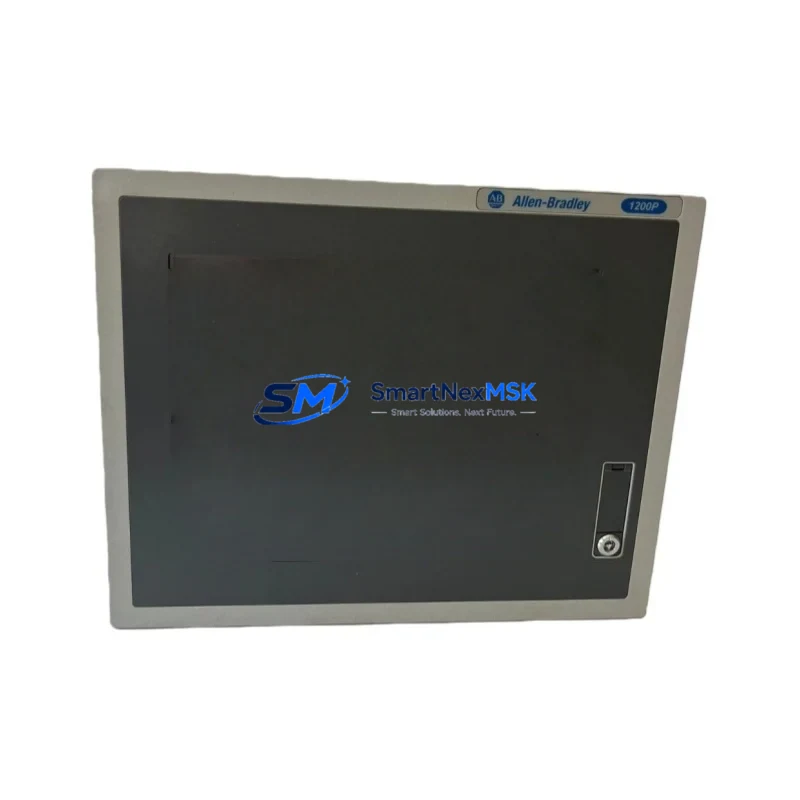
Allen-Bradley 6181P-12TPXPDC Retrofit-Ready Panel PC for 6181P Series Control Systems
The Allen-Bradley 6181P-12TPXPDC is a DC-powered, headless industrial panel PC engineered for seamless integration into existing 6181P Series control architectures. Designed with retrofit compatibility at its core, this unit addresses the growing demand for reliable drop-in replacements in aging automation environments where the original hardware has reached end-of-life or is no longer available through standard distribution channels. Whether you are managing a legacy machine tool line, a process control cabinet, or a discrete manufacturing cell, the 6181P-12TPXPDC delivers the processing performance and I/O compatibility required to restore full system functionality with minimal engineering rework.
Industrial facilities operating Allen-Bradley Logix-based control platforms frequently encounter the challenge of sourcing discontinued panel PCs that serve as the human-machine interface backbone for their production lines. The 6181P-12TPXPDC is purpose-built to address this gap. Its DC power input aligns with the 24 VDC bus architecture common in control cabinets housing CompactLogix L3x and L4x controllers, allowing engineers to reuse existing power supply wiring without modification. The unit’s headless configuration — operating without a dedicated display — makes it ideal for applications where the HMI screen is driven externally via a remote desktop connection or a dedicated FactoryTalk View SE client station.
Upgrade Compatibility Table
| Parameter | Details |
|---|---|
| SKU / Part Number | 6181P-12TPXPDC |
| Series | Allen-Bradley 6181P Series |
| Power Input | 24 VDC (DC-powered) |
| Display Configuration | Headless (no integrated display) |
| Replaces / Compatible With | 6181P Series Panel PCs (end-of-life variants) |
| Communication Compatibility | EtherNet/IP, RS-232, USB |
| Installation Requirement | Panel cutout per 6181P Series dimensional spec |
| OS Platform | Windows Embedded Standard (WES) |
| Retrofit Recommendation | Direct replacement; verify OS image and FactoryTalk license transfer |
| Commissioning Focus | IP address assignment, RSLinx Classic gateway config, HMI display binding |
| Warranty | 12 Months |
Retrofit Planning for Existing Automation Systems
A successful retrofit of the 6181P-12TPXPDC into an existing control system requires careful pre-migration planning across several interdependent subsystems. Engineers should begin by auditing the existing panel PC’s role within the control architecture — specifically whether it is running FactoryTalk View ME or SE, hosting RSLinx Classic as a data server, or acting as a gateway for OPC-DA or OPC-UA communications to upstream SCADA systems.
Power capacity verification is the first physical checkpoint. The 6181P-12TPXPDC draws from the 24 VDC rail, and the existing power supply — often an Allen-Bradley 1606-XLP or equivalent — must be confirmed to have sufficient headroom after accounting for all connected loads including 1734 POINT I/O modules, 1756 ControlLogix I/O chassis, and any 1783 Stratix managed switches sharing the same rail.
Terminal wiring and backplane interface compatibility must be validated before physical installation. If the legacy unit was mounted in a 6181F or earlier 6181P chassis configuration, the panel cutout dimensions and mounting hardware are typically reusable. However, engineers should verify that the rear connector pinout for any 1784-U2DHP USB-to-DH+ adapter or 1761-CBL-PM02 programming cable remains compatible with the replacement unit’s USB and serial port layout.
Module addressing and program compatibility are critical for zero-rework commissioning. The replacement 6181P-12TPXPDC must be configured with the same IP address as the legacy unit to avoid disrupting EtherNet/IP connections to the CompactLogix or ControlLogix controller. RSLinx Classic driver configurations — including Ethernet devices, serial DF1 drivers, and any configured shortcuts — should be exported from the old unit and imported to the new one prior to cutover. FactoryTalk View SE project files and display graphics should be backed up and transferred, with particular attention to tag database paths and server references that may be tied to the old machine name or IP.
HMI display binding requires updating the FactoryTalk View SE client configuration to point to the new server instance. If the system uses a 2711P PanelView Plus 7 or 2711R PanelView Plus Compact as a remote display terminal, the RSLinx Enterprise data server path must be updated to reflect the new panel PC hostname. Communication links to third-party devices — such as Modbus TCP instruments, Profibus DP gateways via a 1788-EN2PAR module, or DeviceNet scanners connected through a 1756-DNB bridge — should be tested individually before full system restart.
Downtime Control During System Migration
Minimizing production downtime during a panel PC replacement requires a structured cutover strategy. The recommended approach is to pre-configure the 6181P-12TPXPDC offline using a bench setup that mirrors the production network segment. Install the OS image, apply all Windows updates, install RSLinx Classic and FactoryTalk View SE to the same version as the legacy unit, and restore the project backup before the unit reaches the plant floor.
During the physical swap, the controller — whether a CompactLogix L33ER or a ControlLogix L75 — should remain in Run mode if the application logic permits. This preserves the active control program and I/O scan cycle, ensuring that field devices including 1734-IB8 digital input modules, 1734-OB8 digital output modules, and 1734-IE4C analog input modules continue to operate without interruption. The panel PC replacement is then a hot-swap of the HMI and data server layer only, with the PLC maintaining autonomous control throughout.
Post-installation, the commissioning sequence should follow a structured checklist: confirm IP connectivity, verify RSLinx Classic driver status, launch FactoryTalk View SE and confirm all display pages load without tag errors, test alarm acknowledgment paths, and validate historian data logging if a FactoryTalk Historian SE agent is configured. Document the completed cutover with timestamped screenshots for maintenance records.
Retrofit Support FAQ
Q1: Is the 6181P-12TPXPDC a direct drop-in replacement for other 6181P Series variants?
A: The 6181P-12TPXPDC is dimensionally and electrically compatible with other DC-powered 6181P Series panel PCs sharing the same form factor. Verify the OS version and FactoryTalk software license before swapping, as license transfers may require Rockwell Automation activation server coordination.
Q2: What wiring changes are required during installation?
A: In most cases, no wiring changes are needed if the existing 24 VDC power feed and Ethernet drop are in place. Confirm terminal block torque specs and inspect connector condition before reconnecting. Serial port wiring for any connected 1761-NET-AIC or similar adapter should be verified against the replacement unit’s COM port pinout.
Q3: How is compatibility with existing HMI graphics and PLC programs verified?
A: Restore the FactoryTalk View SE project backup to the replacement unit and run a tag validation scan within the development environment. Cross-reference all controller tags against the online ControlLogix or CompactLogix program using RSLogix 5000 or Studio 5000 Logix Designer. Address any unresolved tag paths before going live.
Q4: What does the 12-month warranty cover?
A: The 12-month warranty covers hardware defects in materials and workmanship under normal operating conditions. Each unit undergoes pre-shipment functional testing including power-on verification, port functionality checks, and OS boot validation. Warranty claims are processed directly through SMARTNEXMSK with fast replacement dispatch to minimize your downtime exposure.
© 2026 SMARTNEXMSK. All rights reserved.
Original Source: https://smartnexmsk.com
Contact: [email protected] | +86 18259474341



