
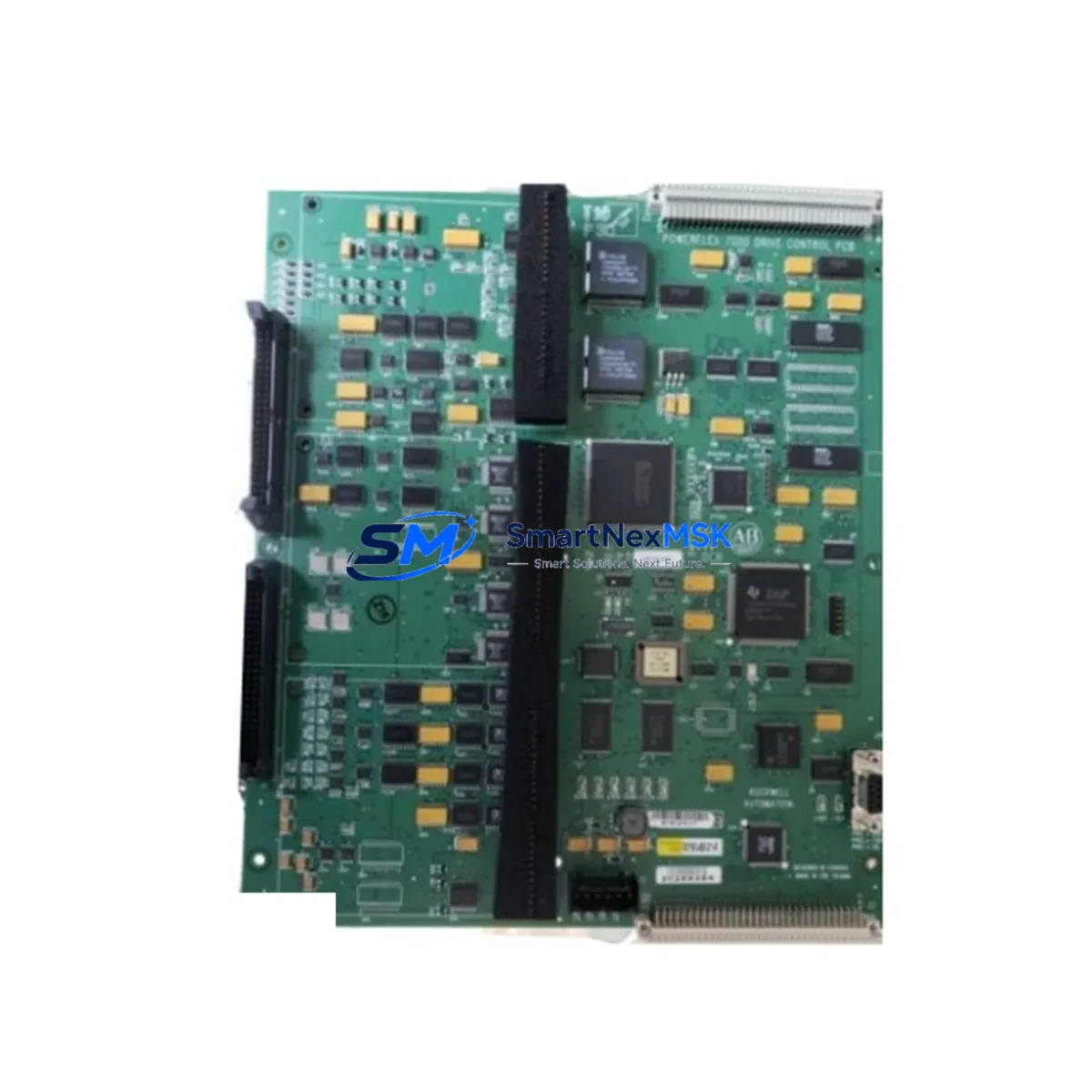
Allen-Bradley 80190-480-01-R Spare for PowerFlex Automation: Spare Replacement & Industrial Downtime Risk Control
The Allen-Bradley 80190-480-01-R is a factory-original VFD drive control board engineered for Rockwell Automation’s PowerFlex variable frequency drive series. In industrial environments where unplanned downtime translates directly to production loss, having a verified, tested spare of this control board on hand is a fundamental element of any proactive maintenance strategy. This board governs the core drive logic, gate firing signals, and feedback processing within the PowerFlex drive chassis — making it one of the highest-priority components in any spare parts inventory for facilities running Rockwell-based motion control systems.
Whether you are managing a continuous process line, a packaging system, a conveyor network, or a pump and fan application, the 80190-480-01-R is a critical interface between the drive’s power section and its control intelligence. Failure of this board typically results in a complete drive fault, loss of motor control, and immediate process interruption. Sourcing a pre-tested, original replacement unit in advance — rather than reactively — is the difference between a two-hour swap and a multi-day shutdown waiting for emergency procurement.
Spare Maintenance Table
| Parameter | Specification / Detail |
|---|---|
| Part Number / SKU | 80190-480-01-R |
| Brand | Allen-Bradley (Rockwell Automation) |
| Compatible Series | PowerFlex VFD Series (PowerFlex 400, PowerFlex 700, PowerFlex 753/755 — verify frame and revision) |
| Component Type | VFD Drive Control Board |
| Board Function | Drive logic control, gate signal generation, feedback processing, fault management |
| Input Voltage Range | Per PowerFlex drive chassis specification (typically 380–480 VAC, 3-phase) |
| Operating Temperature | 0°C to 50°C (ambient, with adequate enclosure ventilation) |
| Mounting | Internal chassis mount — refer to PowerFlex frame-specific installation guide |
| Origin | USA (Rockwell Automation OEM) |
| Condition | Original spare — tested prior to shipment |
| Compatibility Verification | Match drive series, frame size, and firmware revision before installation |
| Application Environment | Industrial automation, process control, HVAC, conveyor, pump/fan, packaging lines |
| Warranty | 12 Months from date of shipment |
| Lead Time | In-stock — ships within 1–3 business days |
Maintenance Planning for Continuous Operation
When replacing the 80190-480-01-R control board during a scheduled or emergency maintenance event, a disciplined site engineer will not stop at the board itself. The PowerFlex drive ecosystem involves multiple interdependent components, and a thorough inspection of the surrounding electrical circuit is essential to prevent repeat failures and ensure the replacement board is not immediately exposed to the same fault condition that damaged the original.
Begin with the 24 VDC control power supply feeding the drive’s logic section — a degraded or noisy control supply is a common root cause of control board failures and should be measured and verified before the new board is energized. Inspect the drive input fuses and MOV surge protection on the incoming power terminals; a transient event that damaged the control board may have also stressed these protective components. Check the DC bus capacitor bank for signs of bulging, leakage, or elevated ESR — capacitor degradation creates voltage ripple that stresses control electronics over time.
On the I/O side, verify the integrity of all analog input and output signal wiring (typically 4–20 mA or 0–10 VDC process references) and inspect digital I/O terminal blocks for loose connections, corrosion, or insulation breakdown. If the drive communicates over EtherNet/IP, DeviceNet, or ControlNet, inspect the communication module and its cabling — a communication fault can mask or compound a control board issue. For drives integrated into a Logix-based PLC system (such as a ControlLogix or CompactLogix controller), confirm that the drive’s Add-On Profile (AOP) and firmware revision remain compatible after the board swap.
Also inspect the drive’s cooling fan and heatsink — thermal stress is a leading cause of control board degradation. If the fan is original and the drive has been in service for several years, replacing the cooling fan (a standard PowerFlex spare) at the same time as the control board is a cost-effective preventive measure. Review the encoder feedback cable and encoder module if the drive is operating in closed-loop vector mode — signal integrity issues here can cause erratic behavior that is often misdiagnosed as a control board fault. Finally, check any relay output modules or safety relay cards installed in the drive chassis, as these are often overlooked during board-level maintenance but are subject to the same environmental stresses.
Site Replacement Workflow
Step 1 — Isolation and Lockout/Tagout: De-energize the drive following your site LOTO procedure. Wait a minimum of 5 minutes after power removal before opening the drive enclosure to allow DC bus capacitors to discharge. Verify bus voltage with a calibrated meter before touching internal components.
Step 2 — Document Current Configuration: Before removing the existing control board, photograph all wiring connections, record the drive’s parameter file (upload via Connected Components Workbench or DriveExplorer if accessible), and note the firmware version displayed on the HMI or keypad. This documentation is critical for restoring the drive to its pre-fault configuration.
Step 3 — Board Removal and Inspection: Remove the faulty 80190-480-01-R following the PowerFlex frame-specific service manual. Inspect the board for visible burn marks, failed capacitors, or damaged connectors. Retain the faulty board for root cause analysis if required by your maintenance management system.
Step 4 — Install Replacement Board: Install the new 80190-480-01-R, ensuring all ribbon cables, connectors, and mounting hardware are properly seated. Do not force connectors — misalignment is a common installation error that causes immediate board damage on power-up.
Step 5 — Parameter Restore and Commissioning: Restore the drive parameter file from your backup. If no backup exists, re-enter critical parameters manually: motor nameplate data, control mode, speed references, acceleration/deceleration ramps, and I/O assignments. Perform a no-load test before reconnecting the mechanical load.
Step 6 — Functional Verification: Run the drive through its full operating range under load. Monitor output current, DC bus voltage, heatsink temperature, and any active fault codes. Confirm communication with the PLC is restored and all interlocks are functioning correctly before returning the system to production.
This structured workflow minimizes re-work risk and ensures the replacement board is not exposed to unresolved upstream fault conditions — protecting both the investment in the spare part and the continuity of your production process.
Spare Parts Support FAQ
Q1: Is the 80190-480-01-R compatible with all PowerFlex drive frames and ratings?
The 80190-480-01-R is specific to certain PowerFlex frame sizes and voltage ratings. Compatibility must be verified against your drive’s catalog number, frame designation, and firmware revision before ordering. Contact our technical team with your full drive catalog number for a confirmed compatibility check prior to purchase.
Q2: How is the board tested before shipment?
Each 80190-480-01-R unit undergoes functional testing prior to dispatch. Testing covers power-up integrity, communication interface verification, and output signal checks. A test report is available upon request. All units ship with a 12-month warranty covering manufacturing defects and functional failures under normal operating conditions.
Q3: What is the recommended spare parts stocking strategy for this board?
For facilities operating multiple PowerFlex drives of the same series and frame, maintaining one 80190-480-01-R control board per 5–10 installed drives is a widely adopted stocking ratio in industrial maintenance practice. For single-drive critical applications (e.g., sole pump or compressor drive), a dedicated on-site spare is strongly recommended given the lead time risk of reactive procurement during an unplanned outage.
Q4: Can this board be used to replace an older revision of the same part number?
Revision compatibility (e.g., -R suffix) should be confirmed against Rockwell Automation’s revision compatibility matrix for your specific drive catalog number. In many cases, later revisions are backward compatible, but firmware alignment between the control board and the drive’s power structure must be verified. Our team can assist with revision cross-reference before shipment.
© 2026 SMARTNEXMSK. All rights reserved.
Original Source: https://smartnexmsk.com
Contact: [email protected] | +86 18259474341



