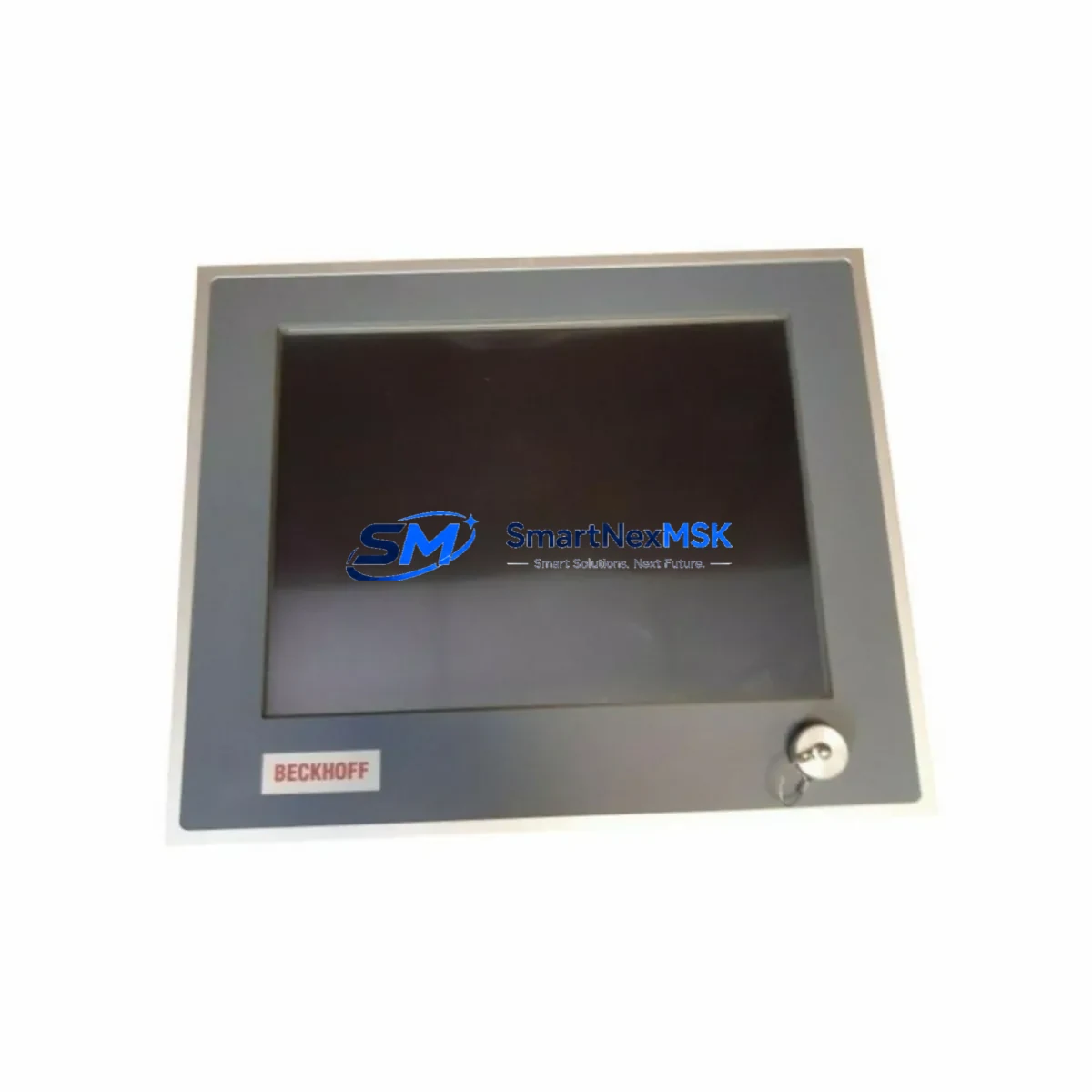
Beckhoff CP6701-0001-0050 Maintenance-Ready Spare CP67xx Automation
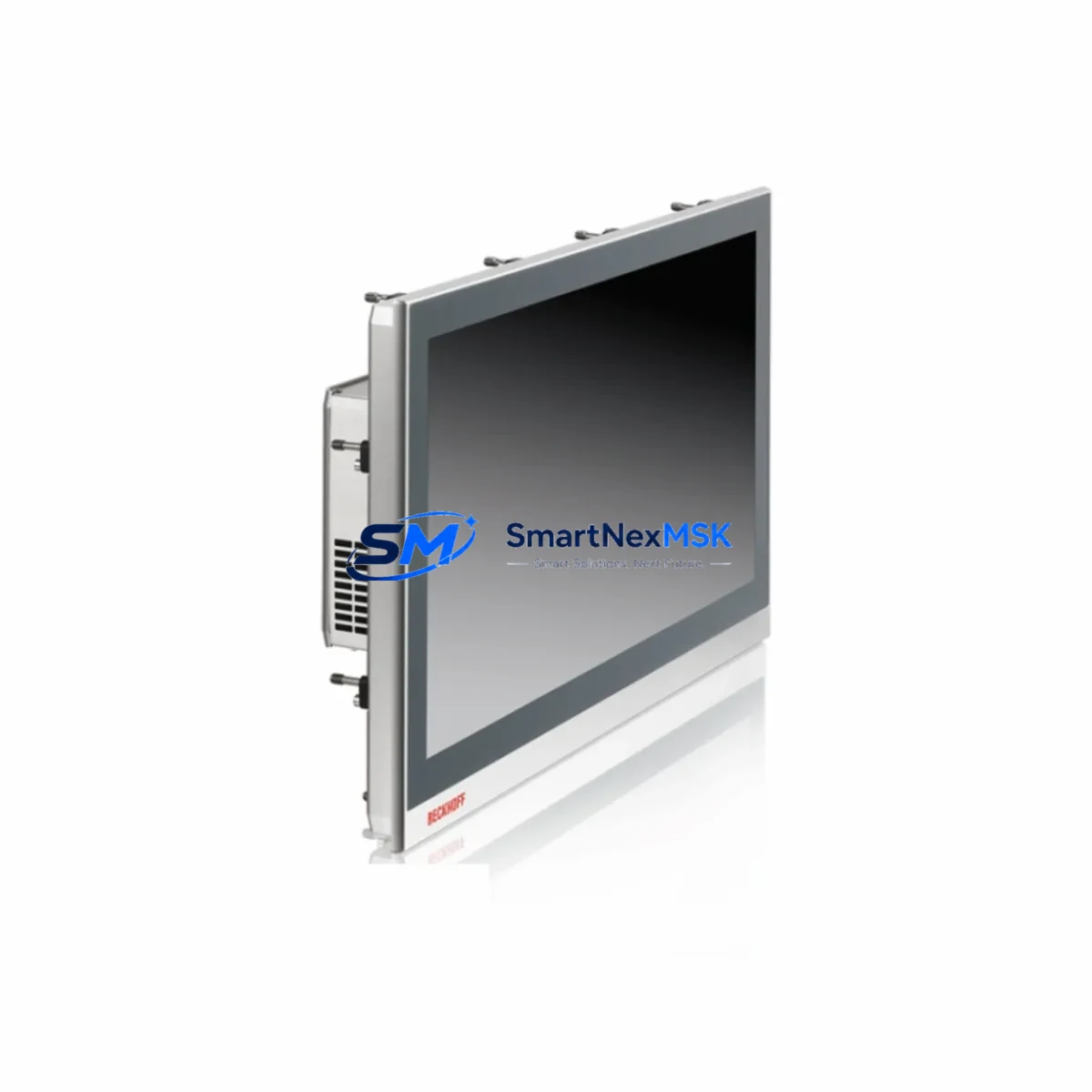
The Beckhoff CP6701-0001-0050 is an Economy Panel PC from the CP67xx series, designed for demanding industrial HMI and control applications. As a maintenance-ready spare, this unit supports rapid replacement in automation environments where unplanned downtime directly impacts production output. Whether you are managing a scheduled overhaul, responding to an unexpected HMI failure, or building a strategic spare parts inventory for aging Beckhoff-based control systems, the CP6701-0001-0050 delivers verified compatibility and reliable performance from day one.
Maintenance engineers and procurement teams working with Beckhoff TwinCAT-based architectures understand that the Panel PC is the operational interface for the entire control loop. A failed or degraded CP6701-0001-0050 can halt operator visibility, disable alarm acknowledgment, and interrupt recipe management — all of which extend mean time to repair (MTTR) significantly. Stocking this unit as a certified spare eliminates sourcing delays and ensures your team can execute a controlled swap within a single maintenance window.
Each unit is inspected, function-tested, and shipped with full documentation. A 12-month warranty is included as standard, covering hardware defects and operational failures under normal industrial use conditions.
Spare Maintenance Table
| SKU / Part Number | CP6701-0001-0050 |
| Brand | BECKHOFF |
| Series | CP67xx Economy Panel PC |
| Product Type | Industrial Panel PC / HMI |
| Display Size | 15-inch (CP6701 standard configuration) |
| Operating System | Windows Embedded / CE (configuration-dependent) |
| Interface | DVI-I, USB, Ethernet, RS232 (series-standard) |
| Mounting | Panel / Control Cabinet Front Mounting |
| Protection Rating | IP65 front panel (series-standard) |
| Supply Voltage | 24 V DC (nominal) |
| Origin | Germany (DE) |
| Weight | 6.6 kg |
| Compatibility | CP67xx series; TwinCAT 2 / TwinCAT 3 runtime environments |
| Application Environment | Industrial automation, machine control, SCADA HMI, process visualization |
| Maintenance Recommendation | Replace at first sign of display degradation, touch failure, or boot instability |
| Warranty | 12 Months — hardware defects and operational failures |
| Shipping | Tested before dispatch; ESD-safe packaging |
Maintenance Planning for Continuous Operation
When replacing the CP6701-0001-0050 in a live control cabinet, a disciplined maintenance engineer will not stop at the Panel PC alone. The CP67xx unit interfaces directly with the broader Beckhoff EtherCAT and TwinCAT ecosystem, and a thorough inspection of adjacent components is essential to prevent repeat failures and ensure system stability after the swap.
Begin by verifying the 24 V DC power supply feeding the Panel PC — a degraded PSU is a common root cause of intermittent HMI reboots and should be replaced proactively if it shows voltage ripple or thermal stress. Inspect the EtherCAT coupler (EK1100) and connected EtherCAT I/O terminals (EL series) for communication errors logged in TwinCAT’s real-time diagnostics; a failing Panel PC can mask underlying I/O faults that only surface after the HMI is restored.
Check the Beckhoff CX series Embedded PC or IPC that the CP6701-0001-0050 is paired with — if the Panel PC is used as a pure visualization client, confirm that the runtime host (e.g., CX5130 or CX2040) is operating within thermal limits and that its CFast or SSD storage is not approaching end-of-life. For systems using Beckhoff TwinCAT PLC runtime, validate that the ADS communication between the Panel PC and the controller is re-established cleanly after replacement.
Inspect DVI or DisplayPort signal cables connecting the Panel PC to any external displays or operator stations — cable degradation is frequently overlooked during HMI replacements. Review the USB peripheral connections (barcode scanners, keyboards, or RFID readers) for secure seating and cable integrity. If the cabinet includes a Beckhoff fieldbus master (e.g., EL6601 EtherCAT/EtherNet/IP bridge) or serial communication modules (EL6001/EL6002), verify that device addressing and baud rate settings are correctly restored after the Panel PC swap.
For older CP67xx installations, also inspect terminal blocks and DIN rail wiring in the control cabinet for insulation degradation, loose ferrules, or corrosion — these are common failure contributors in systems that have operated for 8–12 years without a full cabinet audit. If the system includes signal isolators or surge protection modules on analog I/O lines, confirm their status as part of the same maintenance window.
Site Replacement Workflow
Step 1 — Pre-replacement backup: Before powering down, export the TwinCAT project from the existing Panel PC or runtime host. If the CP6701-0001-0050 hosts a local TwinCAT runtime, back up the boot project from C:TwinCATBoot to a USB drive or network share.
Step 2 — Power isolation: Isolate the 24 V DC supply to the Panel PC using the cabinet’s dedicated circuit breaker or fuse. Confirm zero voltage at the Panel PC power connector before proceeding.
Step 3 — Physical removal: Release the panel mounting clamps from the rear of the cutout. Disconnect DVI, USB, Ethernet, and power connectors — label each cable before removal to eliminate reconnection errors.
Step 4 — Spare installation: Mount the replacement CP6701-0001-0050 into the panel cutout. Reconnect all cables per the labeled reference. Restore 24 V DC power.
Step 5 — Software restoration: Boot the replacement unit and restore the TwinCAT boot project. Confirm ADS routing to the PLC runtime host. Validate all HMI screens, alarm displays, and operator inputs before returning the system to production.
Step 6 — Functional verification: Run a full I/O check from the HMI, confirm EtherCAT network topology in TwinCAT System Manager, and log the replacement in the site maintenance record. Estimated total downtime for a prepared team: 45–90 minutes.
This workflow is applicable to both like-for-like CP6701-0001-0050 replacements and cross-compatible upgrades within the CP67xx series, minimizing system reconfiguration and preserving existing wiring and mounting infrastructure.
Spare Parts Support FAQ
Q1: Is the CP6701-0001-0050 compatible with my existing TwinCAT project without software changes?
In most cases, yes. The CP6701-0001-0050 is a hardware replacement within the CP67xx series and does not require TwinCAT project modifications when replacing a unit of the same SKU. If the original unit ran a local TwinCAT runtime, restore the boot project from backup. If it was a pure visualization client, reconnect ADS routing to the runtime host and the project will load automatically.
Q2: How do you verify the unit before shipment?
Each CP6701-0001-0050 is powered on, booted to OS, and subjected to a functional hardware check covering display output, USB ports, Ethernet connectivity, and power stability. Units that do not pass all checks are not shipped. ESD-safe packaging is used for all dispatches.
Q3: What does the 12-month warranty cover?
The warranty covers hardware defects and operational failures under normal industrial use conditions for 12 months from the date of shipment. It does not cover physical damage caused by incorrect installation, overvoltage events, or environmental exposure beyond the unit’s rated specifications. Warranty claims are processed with priority turnaround to minimize your downtime.
Q4: Can you support long-term or repeat supply of CP67xx series spares?
Yes. We maintain stock of CP67xx series components and can support scheduled procurement for planned maintenance programs, annual spare parts budgets, and multi-site rollouts. Contact our team to discuss volume pricing, lead time commitments, and consignment stock arrangements for critical automation spares.
© 2026 SMARTNEXMSK. All rights reserved.
Original Source: https://smartnexmsk.com
Contact: [email protected] | +86 18259474341