
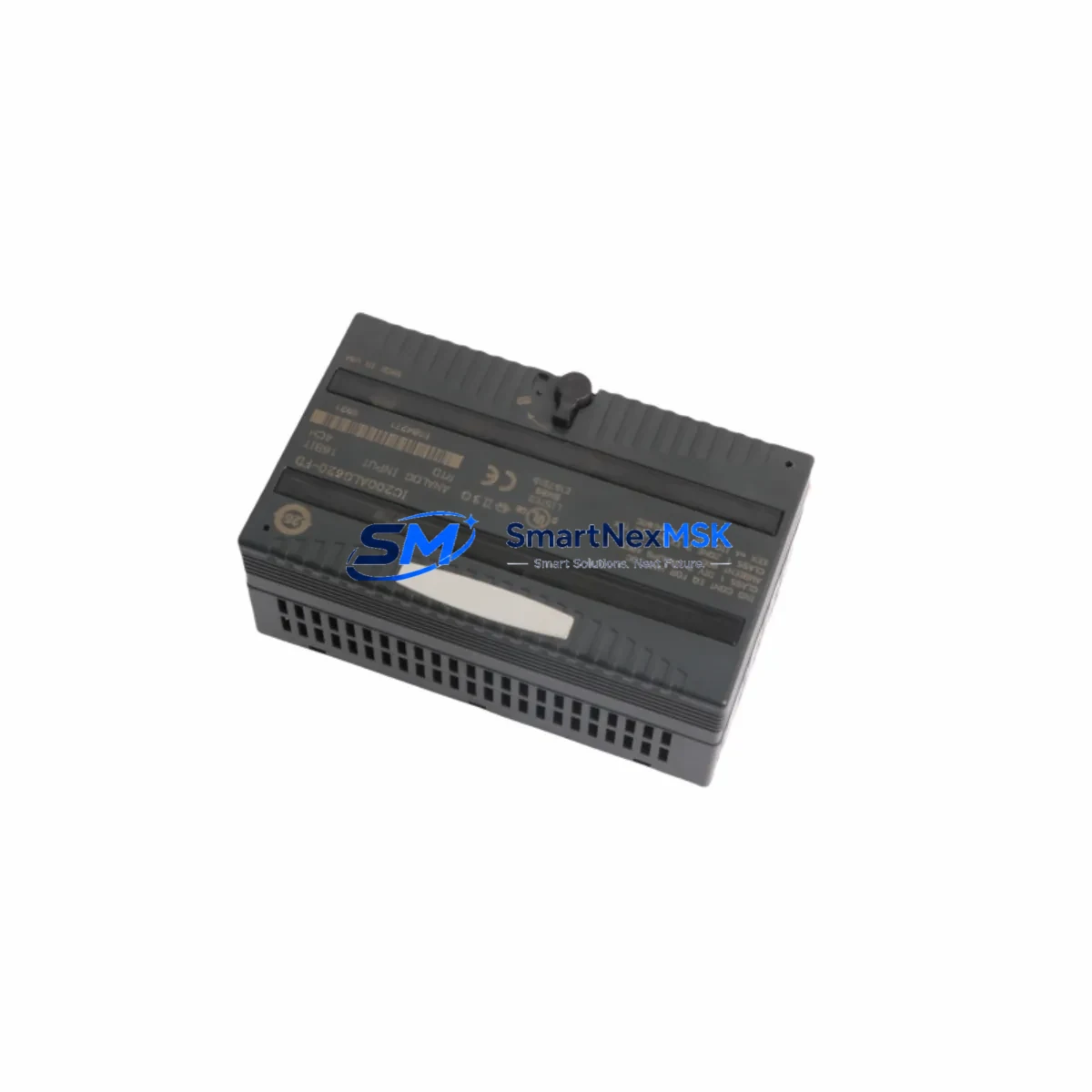
GE IC200ALG620 Maintenance-Ready Spare for VersaMax Automation
The GE IC200ALG620 is a 16-channel analog input module designed for the GE VersaMax PLC platform — one of the most widely deployed modular automation systems in process control, discrete manufacturing, and utility infrastructure. For maintenance engineers managing aging VersaMax installations, sourcing a verified original IC200ALG620 spare is critical to minimizing unplanned downtime and restoring loop integrity without re-engineering the control architecture.
This module supports both current and voltage analog input signals across 16 channels, making it a core component in multi-loop process monitoring applications. Whether you are executing a planned shutdown inspection, responding to a field fault, or building a strategic spare parts inventory for a VersaMax-based control cabinet, the IC200ALG620 is a high-priority line item that should be stocked ahead of demand.
Each unit shipped by SMARTNEXMSK is tested prior to dispatch and covered by a 12-month warranty, giving procurement and maintenance teams confidence in both immediate deployment and long-term reliability.
Spare Maintenance Table
| Parameter | Specification |
|---|---|
| Part Number | IC200ALG620 |
| Brand / Manufacturer | GE (General Electric Automation) |
| Series | VersaMax Modular PLC |
| Module Type | 16-Channel Analog Input Module |
| Input Signal Types | Voltage (0–10 VDC, ±10 VDC) / Current (0–20 mA, 4–20 mA) |
| Resolution | 15-bit + sign |
| Isolation | Channel-to-backplane isolated |
| Backplane Compatibility | VersaMax Local / Remote I/O Backplanes (IC200CHS series) |
| Power Consumption | Supplied via backplane bus |
| Operating Temperature | 0°C to 60°C |
| Mounting | DIN rail via VersaMax backplane slot |
| Origin | United States |
| Warranty | 12 Months — SMARTNEXMSK |
| Condition | Original, tested before shipment |
| Application | Process control, discrete manufacturing, utility automation |
| Replacement Compatibility | Direct drop-in for IC200ALG620 in all VersaMax configurations |
Maintenance Planning for Continuous Operation
When a VersaMax analog input module such as the IC200ALG620 is flagged during a routine control cabinet inspection or fault diagnostic, experienced maintenance engineers know that the failure rarely occurs in isolation. A systematic replacement workflow should include verification of the surrounding electrical environment to prevent repeat failures and ensure stable loop performance after the module is restored.
Begin by inspecting the IC200PWR001 or IC200PWR002 power supply module that feeds the VersaMax backplane. Voltage sag or ripple on the backplane bus is a common root cause of analog input drift and module faults. Confirm that the power supply output is within specification before inserting the replacement IC200ALG620.
Next, check the IC200CHS series backplane — specifically the slot connector and bus integrity. A damaged backplane slot can cause intermittent communication errors that mimic module failure. If the backplane shows signs of arcing, corrosion, or mechanical stress, it should be replaced concurrently.
For field wiring, inspect the terminal block assemblies and shielded signal cables connected to the analog input channels. Loose terminations, broken shields, or incorrect grounding are frequent contributors to noise-induced measurement errors on 4–20 mA and 0–10 V loops. Re-terminate and verify shield grounding at a single point.
The IC200CPU001 or IC200CPU005 CPU module should be checked for firmware version compatibility with the IC200ALG620 configuration. Mismatched firmware can cause the module to report incorrect channel data or fail to initialize. Confirm the CPU firmware revision against GE’s compatibility matrix before commissioning the replacement module.
If the VersaMax system uses remote I/O expansion, inspect the IC200BEM003 Bus Expansion Module and associated communication cables. A degraded remote I/O link can cause the CPU to lose visibility of the analog input module, generating false fault codes that are often misdiagnosed as module failure.
For installations where the IC200ALG620 feeds signals into a signal isolator or signal conditioner — common in high-noise environments or where intrinsic safety barriers are required — verify that the isolator output range matches the module’s configured input range. Mismatched ranges will cause scaling errors that persist even after a successful module replacement.
Finally, review the IC200MDL series discrete I/O modules in adjacent backplane slots. Shared backplane power and ground paths mean that a shorted discrete output module can affect analog input accuracy. A full slot-by-slot inspection during a planned maintenance window is recommended whenever an analog input fault is detected.
Site Replacement Workflow
Replacing the IC200ALG620 in a live VersaMax system requires a structured approach to minimize downtime and avoid configuration loss. Follow this sequence for a safe and efficient field replacement:
1. Pre-replacement preparation: Export the current VersaMax configuration from the CPU using GE’s Proficy Machine Edition or equivalent programming software. Save the I/O configuration, channel scaling parameters, and alarm setpoints. This backup is essential if the CPU loses its configuration during the module swap.
2. Power isolation: De-energize the VersaMax backplane by switching off the dedicated power supply (IC200PWR series). Do not attempt a hot-swap unless the system is specifically configured for it. Verify zero voltage on the backplane bus before removing the module.
3. Module extraction: Release the IC200ALG620 from its backplane slot using the module locking tabs. Note the slot position — the replacement module must be installed in the same slot to match the CPU’s I/O map.
4. Inspection and installation: Inspect the backplane slot connector for damage before inserting the IC200ALG620 replacement. Seat the module firmly until the locking tabs engage. Reconnect all field wiring to the terminal block, verifying wire positions against the original termination diagram.
5. Power-up and verification: Restore backplane power and observe the module status LED. A solid green LED indicates normal operation. Use the programming software to verify that all 16 channels are reporting correctly and that no fault codes are active in the CPU diagnostic buffer.
6. Loop calibration check: Verify at least one channel per signal type (current and voltage) against a known reference source. This confirms that the replacement module’s calibration is within specification and that field wiring is correctly terminated.
This workflow applies equally to planned maintenance replacements and emergency fault recovery scenarios. Keeping a pre-configured IC200ALG620 spare on the shelf — with the channel configuration documented — reduces the total restoration time to under 30 minutes in most installations.
Spare Parts Support FAQ
Q1: Is the IC200ALG620 still in production, and how long can I expect supply availability?
The IC200ALG620 is a mature product in the GE VersaMax portfolio. While GE has transitioned newer automation lines to the RX3i platform, the VersaMax series remains widely installed and supported through authorized spare parts channels. SMARTNEXMSK maintains stock of the IC200ALG620 to support long-term maintenance programs for existing VersaMax installations. We recommend that facilities with more than two VersaMax systems hold at least one IC200ALG620 as a strategic spare to protect against lead-time risk.
Q2: How do I verify compatibility before installing the IC200ALG620 in my system?
Compatibility verification involves three checks: (1) confirm the backplane slot type matches the IC200ALG620 form factor — it is compatible with all IC200CHS series backplanes; (2) verify the CPU firmware version supports the module’s feature set; (3) confirm that the channel configuration in your Proficy Machine Edition project matches the physical wiring. SMARTNEXMSK provides pre-shipment testing documentation on request to support your incoming inspection process.
Q3: What does the 12-month warranty cover, and what is the replacement process?
The 12-month warranty covers manufacturing defects and functional failures under normal operating conditions. It does not cover damage caused by incorrect installation, overvoltage events, or physical impact. In the event of a warranty claim, contact SMARTNEXMSK at [email protected] with the order reference and a description of the fault. We will arrange a replacement shipment or repair assessment within 5 business days. Warranty replacements are shipped with the same pre-shipment testing protocol as original orders.
Q4: Can I order the IC200ALG620 as part of a broader VersaMax spare parts kit?
Yes. SMARTNEXMSK supports consolidated spare parts orders for VersaMax-based control systems. If your maintenance plan requires multiple modules — such as the IC200ALG620 alongside power supply modules, CPU spares, or discrete I/O modules — we can prepare a consolidated quotation with unified lead times and shipping. Contact our sales team to discuss your spare parts inventory requirements and we will provide a tailored proposal aligned with your maintenance schedule.
© 2026 SMARTNEXMSK. All rights reserved.
Original Source: https://smartnexmsk.com
Contact: [email protected] | +86 18259474341



