
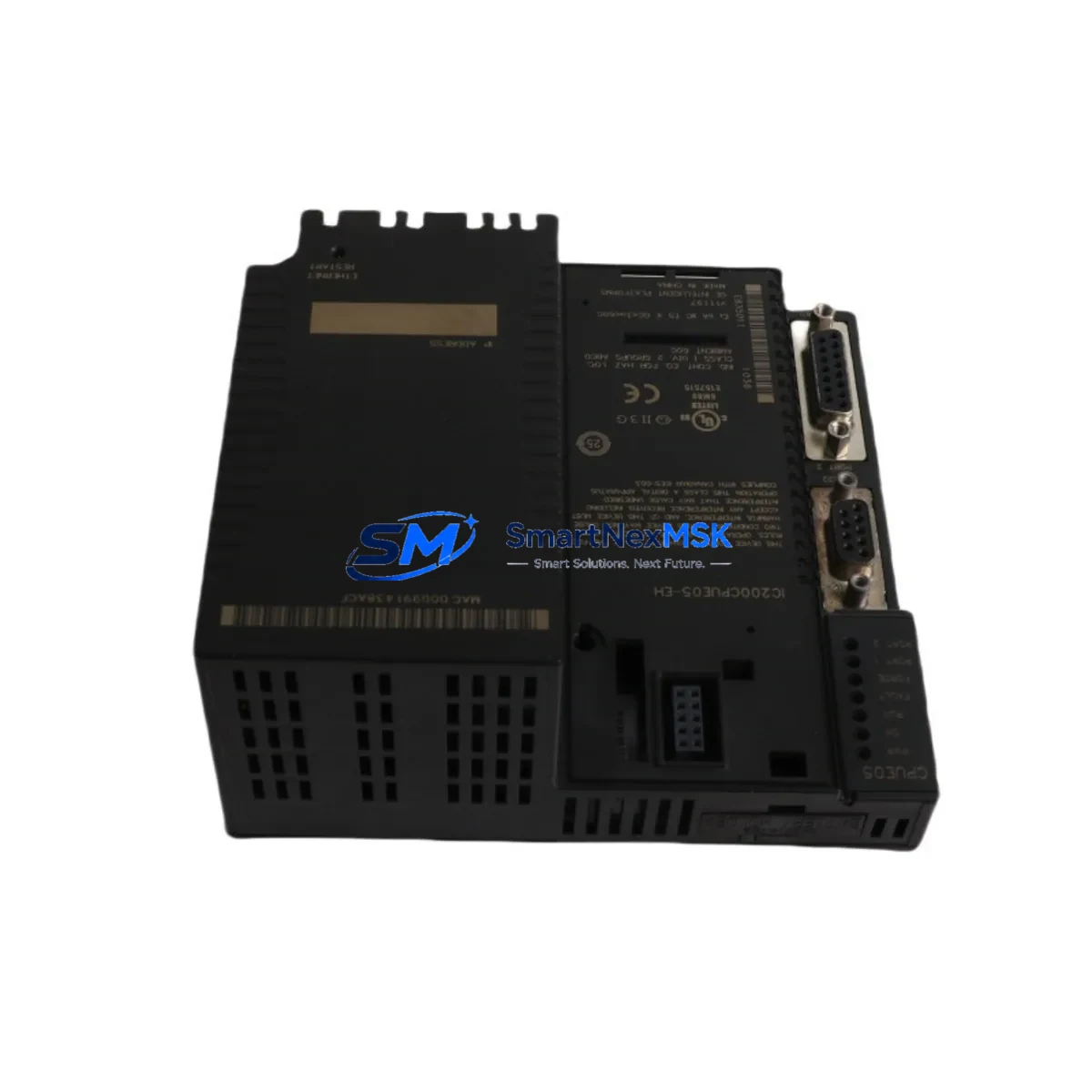
GE IC200CPUE05-EH Retrofit-Ready Ethernet CPU for VersaMax Micro Control Systems
The GE IC200CPUE05-EH is a high-performance Ethernet CPU module designed for the VersaMax Micro PLC platform, offering a direct retrofit path for aging control systems that rely on legacy GE Fanuc automation hardware. Whether you are replacing a failed IC200CPUE05 unit, upgrading from an earlier non-Ethernet CPU variant, or modernizing a production line that has been running on discontinued GE Series 90 Micro or VersaMax Micro controllers, the IC200CPUE05-EH provides the compatibility, communication capability, and reliability that industrial engineers demand during system migration projects.
This module supports both Modbus TCP and Ethernet Global Data (EGD) protocols natively, enabling seamless integration into existing plant networks without requiring additional communication gateways or protocol converters. Its onboard Ethernet port eliminates the need for a separate IC200SET001 Serial to Ethernet adapter in many retrofit scenarios, reducing panel footprint and simplifying wiring inside the control cabinet.
Upgrade Compatibility Table
| Parameter | IC200CPUE05-EH (This Unit) | Legacy / Replaced Models |
|---|---|---|
| Platform | VersaMax Micro | VersaMax Micro, Series 90 Micro |
| Communication | Ethernet (Modbus TCP, EGD) | Serial RS-232/RS-485 (IC200CPUE05 base) |
| Backplane Interface | VersaMax Micro local I/O bus | Compatible — same local I/O bus |
| Installation | DIN rail or panel mount | Same mechanical footprint |
| Program Memory | 32 KB user logic | Verify program size before transfer |
| I/O Expansion | Supports IC200MDL series expansion modules | Retain existing IC200MDL640, IC200MDL740 wiring |
| HMI Compatibility | Modbus TCP — compatible with most SCADA/HMI | Update HMI driver from serial to Ethernet |
| Commissioning | Proficy Machine Edition (PME) programming | Re-download logic via USB or Ethernet |
| Replacement Recommendation | Direct drop-in for IC200CPUE05 variants | Confirm firmware revision compatibility |
| Warranty | 12-Month Warranty — tested before shipment | |
Retrofit Planning for Existing Automation Systems
Successful retrofit of the IC200CPUE05-EH into an existing VersaMax Micro system requires a structured pre-migration checklist. Before removing the legacy CPU, engineers should document the current rack configuration, including the IC200CHS002 or IC200CHS022 chassis slot assignments, and photograph all terminal wiring on the IC200MDL series discrete I/O modules. Analog I/O modules such as the IC200ALG320 and IC200ALG430 should have their channel scaling parameters recorded from the existing program, as these values must be verified after the new CPU is loaded.
Power supply capacity is a critical checkpoint. The IC200PWR002 or IC200PWR102 power supply feeding the rack must be confirmed to provide adequate current for the IC200CPUE05-EH plus all installed I/O modules. Add up the current draw from each module’s datasheet and verify the supply has at least 20% headroom. If the existing power supply is marginal, this is an ideal time to replace it alongside the CPU to avoid nuisance trips after commissioning.
Terminal wiring on the IC200MDL640 24VDC discrete input module and IC200MDL740 relay output module is generally retained without modification, as the VersaMax Micro local I/O bus is backward compatible. However, if the system includes an IC200SET001 serial communications module for legacy Modbus RTU links to drives or instruments, evaluate whether those devices can be migrated to Modbus TCP over the IC200CPUE05-EH’s Ethernet port, potentially eliminating the serial module entirely and freeing a rack slot.
For systems with an IC200USB001 programming cable connected to a legacy serial port, note that the IC200CPUE05-EH supports programming via its Ethernet port using Proficy Machine Edition. Ensure the engineering workstation has PME version 8.0 or later installed and that the target IP address is configured correctly before attempting a program download. Module addressing in the I/O table must match the physical slot positions in the IC200CHS chassis to avoid I/O faults on first power-up.
HMI panels communicating via serial Modbus RTU — such as those using older GE QuickPanel or third-party operator terminals — will require a driver update or a Modbus TCP reconfiguration. Most modern SCADA systems and HMI platforms support Modbus TCP natively, so this migration is typically straightforward. Update the HMI project’s PLC connection settings to point to the IC200CPUE05-EH’s IP address and verify all tag addresses map correctly before going live.
Downtime Control During System Migration
Minimizing production downtime during a CPU swap is the primary concern for most plant engineers. The recommended approach is to perform all preparatory work — program backup, I/O documentation, IP address planning, and HMI driver updates — during scheduled maintenance windows before the physical swap day. Use Proficy Machine Edition to upload and save the existing program from the legacy CPU to a project file, and store a copy off-site or in a version-controlled repository.
On swap day, power down the panel, remove the legacy CPU from the IC200CHS chassis, and seat the IC200CPUE05-EH in the same slot. Reconnect the Ethernet cable to the plant network switch. Power up the rack and confirm the CPU’s RUN/STOP LED status. Download the saved program via Ethernet, verify the I/O table, and force-test critical outputs before releasing the machine to production. A well-prepared team can complete this process in under two hours, keeping unplanned downtime to a minimum.
For systems where even brief interruptions are unacceptable, consider staging a parallel test rack with the IC200CPUE05-EH pre-loaded with the production program and fully tested offline. This hot-swap preparation strategy allows the physical changeover to be completed in minutes, with the pre-tested CPU simply replacing the failed or obsolete unit. All units supplied by SMARTNEXMSK are tested prior to shipment and covered by a 12-month warranty, giving engineering teams confidence in the replacement hardware before it reaches the plant floor.
Retrofit Support FAQ
Q: Is the IC200CPUE05-EH a direct replacement for the IC200CPUE05?
A: Yes. The IC200CPUE05-EH is the Ethernet-enhanced variant of the IC200CPUE05 and fits the same VersaMax Micro chassis slot. The primary difference is the addition of an onboard Ethernet port supporting Modbus TCP and EGD protocols. Existing serial wiring and I/O module configurations are retained without modification in most installations.
Q: What programming software is required to commission this CPU?
A: GE Proficy Machine Edition (PME) is required to program and configure the IC200CPUE05-EH. The CPU can be connected via its Ethernet port for program download and online monitoring. Ensure your PME license supports the VersaMax Micro target type and that the CPU firmware is compatible with your project file version.
Q: How do I verify wiring compatibility before swapping the CPU?
A: Document all terminal connections on the IC200MDL series I/O modules before powering down. The VersaMax Micro local I/O bus is backward compatible, so discrete and analog I/O wiring does not need to change. Verify power supply current capacity and confirm that any serial communication modules are either retained or replaced with Ethernet-based alternatives as part of the upgrade plan.
Q: What does the 12-month warranty cover?
A: All IC200CPUE05-EH units supplied by SMARTNEXMSK are tested for functionality prior to shipment and are covered by a 12-month warranty against manufacturing defects and operational failure under normal use conditions. In the event of a warranty claim, contact our technical support team with the order reference and a description of the fault. Replacement or repair will be arranged promptly to minimize your system downtime.
© 2026 SMARTNEXMSK. All rights reserved.
Original Source: https://smartnexmsk.com
Contact: [email protected] | +86 18259474341



