
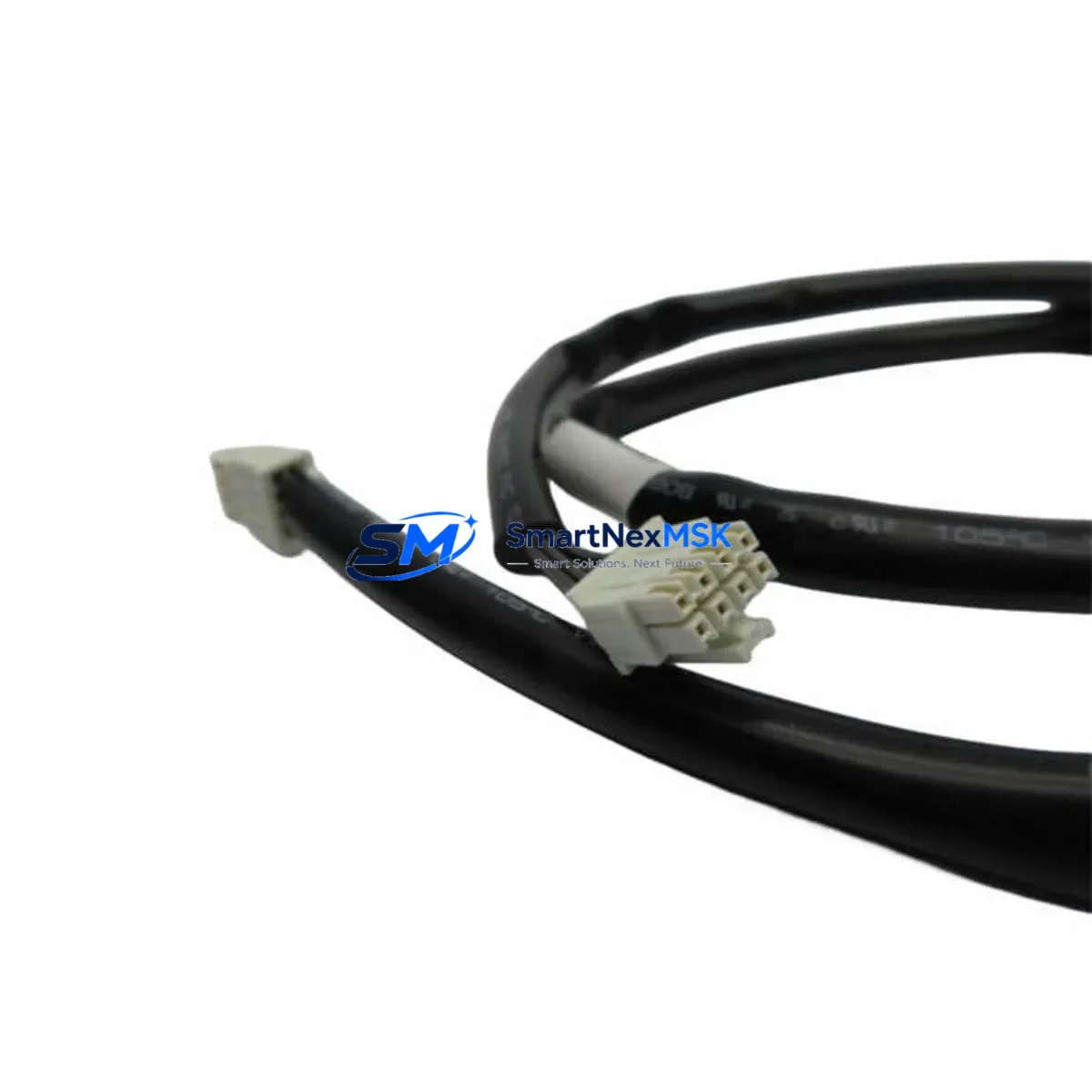
GE IC695CBL001A Maintenance-Ready Spare for RX3i Automation
The GE IC695CBL001A is an original RS-232 to RJ-45 programming cable engineered specifically for the GE PACSystems RX3i control platform. In industrial environments where unplanned downtime translates directly into production loss, maintaining a verified, tested spare of the IC695CBL001A in your control cabinet is a fundamental risk-mitigation strategy. This cable serves as the primary communication link between a programming workstation running Proficy Machine Edition and the RX3i CPU — without it, firmware uploads, logic modifications, fault diagnostics, and online monitoring are impossible.
Whether you are managing a continuous process line, a discrete manufacturing cell, or a legacy system that has been in service for over a decade, the IC695CBL001A represents a low-cost, high-impact spare that belongs on every RX3i maintenance BOM. Our stock is sourced from authorized channels, inspected upon receipt, and tested for signal integrity before shipment. Each unit ships with a 12-month warranty covering manufacturing defects and functional failure under normal operating conditions.
Spare Maintenance Table
| Parameter | Specification |
|---|---|
| Part Number | IC695CBL001A |
| Brand / Manufacturer | GE (General Electric Automation) |
| Series Compatibility | PACSystems RX3i (IC695 series CPUs) |
| Cable Type | RS-232 to RJ-45 Programming Cable |
| Connector A | DB-9 Male (RS-232, PC serial port) |
| Connector B | RJ-45 (CPU serial programming port) |
| Compatible CPUs | IC695CPU310, IC695CPU315, IC695CPU320, IC695CPE302, IC695CPE305, IC695CPE310 |
| Software Interface | Proficy Machine Edition (PME) 8.x and above |
| Cable Length | Approx. 1.5 m (standard) |
| Operating Temperature | 0°C to 60°C (industrial ambient) |
| Application Environment | Control cabinet, panel room, field programming |
| Maintenance Role | Online monitoring, firmware upload, fault diagnostics, logic modification |
| Pre-shipment Test | Signal continuity and loopback verified |
| Warranty | 12 Months — manufacturing defect and functional failure |
| Origin | United States |
| Condition | Original / New |
Maintenance Planning for Continuous Operation
When a maintenance or commissioning engineer arrives at a control cabinet to perform scheduled or emergency work on a PACSystems RX3i system, the IC695CBL001A is the first tool they reach for. A missing or damaged programming cable can halt an entire maintenance window — delaying fault isolation, preventing parameter changes, and blocking firmware recovery. Experienced maintenance planners treat this cable the same way they treat fuses and terminal blocks: always have a spare on the shelf.
During a comprehensive RX3i cabinet inspection, the IC695CBL001A is typically used alongside several other critical components. The IC695PSA040 or IC695PSD040 power supply module should be checked for output voltage stability and capacitor aging — a degraded power supply is a common root cause of intermittent CPU communication faults that are often misdiagnosed as cable issues. The IC695CPU315 or IC695CPU320 CPU module itself should be inspected for firmware version currency and battery backup status, as an outdated firmware version may affect serial port behavior.
I/O health is equally important: IC695MDL654 discrete input modules and IC695MDL764 discrete output modules should be scanned for blown fuses, loose field wiring, and LED fault indicators. If the system includes analog control loops, the IC695ALG600 analog input module should be calibrated and its signal wiring checked for ground loops that can corrupt readings. For systems using IC695ETM001 Ethernet communication modules, verify that the module’s IP configuration is intact and that the network switch port is functioning — Ethernet faults are sometimes confused with serial programming port issues.
In cabinets with relay output modules such as the IC695MDL940, inspect relay contact wear and coil resistance, particularly in high-cycle applications. Terminal blocks and DIN rail connections throughout the backplane should be torqued to specification and checked for oxidation. If the RX3i rack uses an IC695CHS016 or IC695CHS012 universal backplane, inspect the backplane connectors for bent pins or contamination that could cause intermittent module communication errors — symptoms that can be mistaken for a faulty programming cable.
For sites running legacy RX3i systems beyond their original design life, a proactive spare parts kit should include the IC695CBL001A programming cable, at least one CPU module, one power supply, one Ethernet module, and a set of commonly used I/O modules. This approach supports an old system life extension strategy without requiring a full platform migration.
Site Replacement Workflow
Replacing the IC695CBL001A in the field is straightforward, but a structured approach minimizes risk and ensures the replacement is validated before the maintenance window closes.
Step 1 — Verify compatibility: Confirm the replacement cable is IC695CBL001A (not IC693CBL001 or IC200CBL001, which are for older Series 90-30 or VersaMax platforms). The RX3i CPU’s serial programming port is an RJ-45 jack located on the front face of the CPU module — do not confuse it with the Ethernet port on ETM001 modules.
Step 2 — PC serial port check: Confirm the programming laptop has an active RS-232 COM port or a verified USB-to-RS-232 adapter. Driver conflicts on the adapter are a common source of connection failures that are incorrectly attributed to the cable.
Step 3 — PME configuration: In Proficy Machine Edition, navigate to Target → Properties → Hardware Configuration → Serial Port and confirm the COM port number, baud rate (typically 19200 or 115200), and parity settings match the CPU’s configured serial port parameters.
Step 4 — Connection test: Attempt an online connection. If the connection is established, perform a Get from Controller to verify logic integrity before making any changes. Document the firmware version and program checksum.
Step 5 — Retire the old cable: Label the replaced cable with the failure date and symptom for root cause analysis. Common failure modes include broken internal conductors from repeated coiling, oxidized RJ-45 contacts, and cracked DB-9 connector housings.
This workflow applies equally to planned maintenance, emergency fault recovery, and system commissioning scenarios. Keeping a tested IC695CBL001A spare on-site reduces mean time to repair (MTTR) for any programming or diagnostic task on the RX3i platform.
Spare Parts Support FAQ
Q1: Is the IC695CBL001A compatible with all PACSystems RX3i CPU models?
Yes. The IC695CBL001A is compatible with all IC695-series CPU modules that feature a front-panel RS-232 serial programming port, including the IC695CPU310, IC695CPU315, IC695CPU320, IC695CPE302, IC695CPE305, and IC695CPE310. It is not compatible with RX7i or Series 90-30 CPUs, which use different cable types.
Q2: How is each unit tested before shipment?
Every IC695CBL001A unit undergoes signal continuity testing across all conductors and an RJ-45 loopback verification before packaging. Units that fail any test are quarantined and not shipped. A test record is retained for quality traceability.
Q3: What is covered under the 12-month warranty?
The warranty covers manufacturing defects, connector failure, and functional failure under normal industrial operating conditions. It does not cover physical damage from misuse, incorrect installation, or exposure to conditions outside the rated operating range. Warranty claims are processed within 5 business days of receipt of the returned unit.
Q4: Can I stock multiple units for a multi-cabinet RX3i installation?
Yes, and it is strongly recommended. For sites with three or more RX3i racks, maintaining at least two IC695CBL001A cables — one in the control room and one in the field maintenance kit — ensures that a single cable failure never blocks simultaneous maintenance tasks. Volume pricing is available for orders of five units or more; contact our sales team for a quotation.
© 2026 SMARTNEXMSK. All rights reserved.
Original Source: https://smartnexmsk.com
Contact: [email protected] | +86 18259474341



