
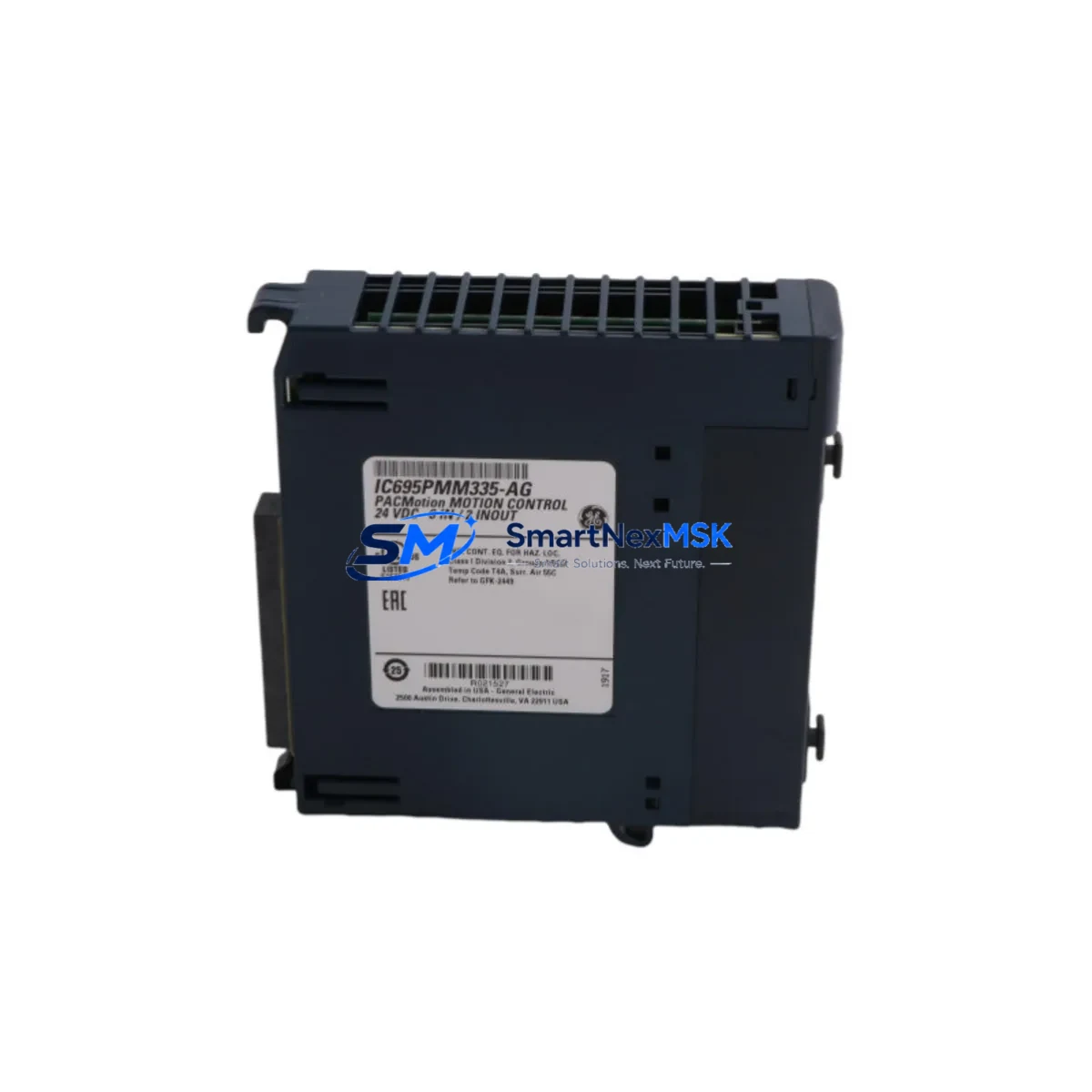
GE IC695PMM335 Maintenance-Ready Spare for RX3i Automation
The GE IC695PMM335 is a 4-axis pulse train output motion controller module designed for the PACSystems RX3i platform. In industrial environments where servo-driven axes, stepper motor coordination, and precision positioning are critical to production continuity, an unplanned IC695PMM335 failure can halt an entire line within minutes. Sourcing a verified, original spare before failure occurs is the single most effective strategy for minimizing unplanned downtime and protecting your maintenance budget.
This module supports up to four axes of independent pulse train output (PTO) motion control, integrating directly into the RX3i backplane alongside CPU modules such as the IC695CPE305 or IC695CPE330. It communicates over the RX3i high-speed backplane bus, enabling deterministic motion sequencing coordinated with your PLC logic. For maintenance engineers managing aging PACSystems installations, the IC695PMM335 represents a long-lead, high-criticality component that should be stocked as a priority spare — particularly in facilities running 24/7 production schedules or operating in remote locations where expedited procurement is difficult.
Every IC695PMM335 unit supplied by SMARTNEXMSK is sourced from original manufacturing channels, subjected to functional power-on verification, and shipped with full anti-static packaging and documentation. A 12-month warranty covers all units against defects in materials and workmanship from the date of delivery.
Spare Maintenance Table
| Parameter | Specification / Detail |
|---|---|
| Part Number | IC695PMM335 |
| Brand / Manufacturer | GE (General Electric) / Emerson Automation |
| Series | PACSystems RX3i |
| Module Type | 4-Axis Pulse Train Output Motion Controller |
| Output Type | Pulse Train Output (PTO) — differential or single-ended |
| Axes Supported | Up to 4 independent axes |
| Backplane Compatibility | RX3i Universal Backplane (IC695CHS007, IC695CHS012, IC695CHS016) |
| Power Consumption | Supplied via RX3i backplane bus (5 VDC) |
| Operating Temperature | 0°C to 60°C (32°F to 140°F) |
| Relative Humidity | 5% to 95% non-condensing |
| Installation | DIN-rail mounted backplane slot insertion |
| Firmware | Compatible with Machine Edition Logic Developer and Proficy ME |
| Certifications | CE, UL listed |
| Weight | Approx. 260 g |
| Warranty | 12 Months from date of delivery |
| Condition | Original, tested, functional verified |
| Shipping | Anti-static packaging, worldwide express available |
Maintenance Planning for Continuous Operation
When a maintenance or procurement engineer schedules a planned replacement or responds to an IC695PMM335 fault, the scope of inspection should extend well beyond the motion module itself. A thorough control cabinet audit during the same maintenance window reduces the risk of secondary failures and avoids repeat downtime events.
Begin with the RX3i power supply module — typically an IC695PSA040 or IC695PSD040 — verifying output voltage stability under load. A degraded power supply is a common root cause of intermittent motion controller faults that are misdiagnosed as module failures. Next, inspect the RX3i CPU module (IC695CPE305 or IC695CPE330) for firmware currency and configuration integrity; after replacing the IC695PMM335, re-download the motion task configuration from Proficy Machine Edition to ensure axis parameters are correctly restored.
Check the RX3i backplane (IC695CHS007 or IC695CHS012) for slot connector wear, backplane bus integrity, and any signs of thermal stress or contamination. A damaged backplane connector can cause intermittent communication faults that persist even after a module swap. Inspect all field wiring terminals and terminal blocks connected to the pulse train output signals — loose or corroded terminals on the encoder feedback lines or drive enable signals are a frequent source of axis faults.
For each axis controlled by the IC695PMM335, verify the condition of the servo drive or stepper driver receiving the PTO signal. Check drive fault logs, DC bus capacitor condition, and regenerative braking resistor integrity. If the facility uses I/O modules such as IC695MDL664 or IC695MDL740 for limit switch and home sensor inputs associated with the motion axes, inspect these modules and their field wiring simultaneously.
Where the RX3i system includes communications modules — such as an IC695ETM001 Ethernet module or IC695PBM300 PROFIBUS master — verify that network connectivity and I/O scan rates are unaffected by the module replacement. In systems with signal isolators on encoder or analog feedback lines, confirm isolator output levels are within specification. Finally, review the HMI (such as a QuickPanel+ or third-party panel PC) for any latched motion fault alarms that require acknowledgment after the replacement is complete.
Maintaining a documented spare parts list that includes the IC695PMM335 alongside its associated power supply, CPU, backplane, and I/O modules ensures that your maintenance team can execute a full cabinet restoration without waiting on procurement — a critical advantage in facilities where every hour of downtime carries significant production cost.
Site Replacement Workflow
Step 1 — Pre-replacement preparation: Download and archive the current machine configuration from Proficy Machine Edition, including all axis parameters, cam profiles, and motion task logic. Confirm the replacement IC695PMM335 firmware version matches or is compatible with the existing CPU firmware. Notify operations of the planned maintenance window.
Step 2 — Safe isolation: Place the RX3i CPU in STOP mode via the keyswitch or HMI. De-energize servo drives on all four axes and confirm drive enable signals are inactive. Follow site LOTO (Lockout/Tagout) procedures before opening the control cabinet.
Step 3 — Module removal: Disconnect field wiring connectors from the IC695PMM335 front face, labeling each connector for reinstallation. Release the module locking tab and slide the module out of the backplane slot. Inspect the backplane connector pins for damage before inserting the replacement.
Step 4 — Replacement installation: Insert the new IC695PMM335 into the same backplane slot, ensuring full engagement with the backplane connector. Reconnect all field wiring connectors in the correct positions. Restore power to the RX3i rack and verify the module status LED indicates normal operation.
Step 5 — Configuration restore and commissioning: Download the archived machine configuration to the CPU via Proficy Machine Edition. Perform a controlled jog test on each axis at reduced speed to verify encoder feedback, limit switch response, and drive enable behavior. Confirm all motion tasks execute correctly before returning the system to automatic production mode.
Step 6 — Documentation: Record the replacement date, new module serial number, and any observations in the site maintenance log. Update the spare parts inventory to reflect the consumed unit and initiate replenishment to maintain minimum stock levels.
Spare Parts Support FAQ
Q: Is the IC695PMM335 compatible with all RX3i backplane sizes?
A: Yes. The IC695PMM335 is compatible with all standard RX3i universal backplanes, including the IC695CHS007 (7-slot), IC695CHS012 (12-slot), and IC695CHS016 (16-slot). It occupies a single backplane slot and draws power from the backplane bus, requiring no external power connection.
Q: How is each unit tested before shipment?
A: Every IC695PMM335 supplied by SMARTNEXMSK undergoes functional power-on verification to confirm module initialization, backplane communication, and LED status indication. Units are inspected for physical integrity, connector condition, and firmware presence before being packaged in anti-static materials for shipment.
Q: What is the warranty coverage and how are claims handled?
A: All units carry a 12-month warranty from the date of delivery, covering defects in materials and workmanship under normal operating conditions. In the event of a warranty claim, contact [email protected] with the order reference and a description of the fault. SMARTNEXMSK will arrange for inspection and replacement or repair at no additional cost.
Q: Can SMARTNEXMSK support long-term or repeat supply of the IC695PMM335?
A: Yes. SMARTNEXMSK maintains ongoing sourcing relationships for PACSystems RX3i components, including the IC695PMM335, to support customers with multi-site installations, annual maintenance contracts, and OEM spare parts programs. Contact our team to discuss volume pricing, reserved stock arrangements, or scheduled delivery programs tailored to your maintenance planning cycle.
© 2026 SMARTNEXMSK. All rights reserved.
Original Source: https://smartnexmsk.com
Contact: [email protected] | +86 18259474341



