
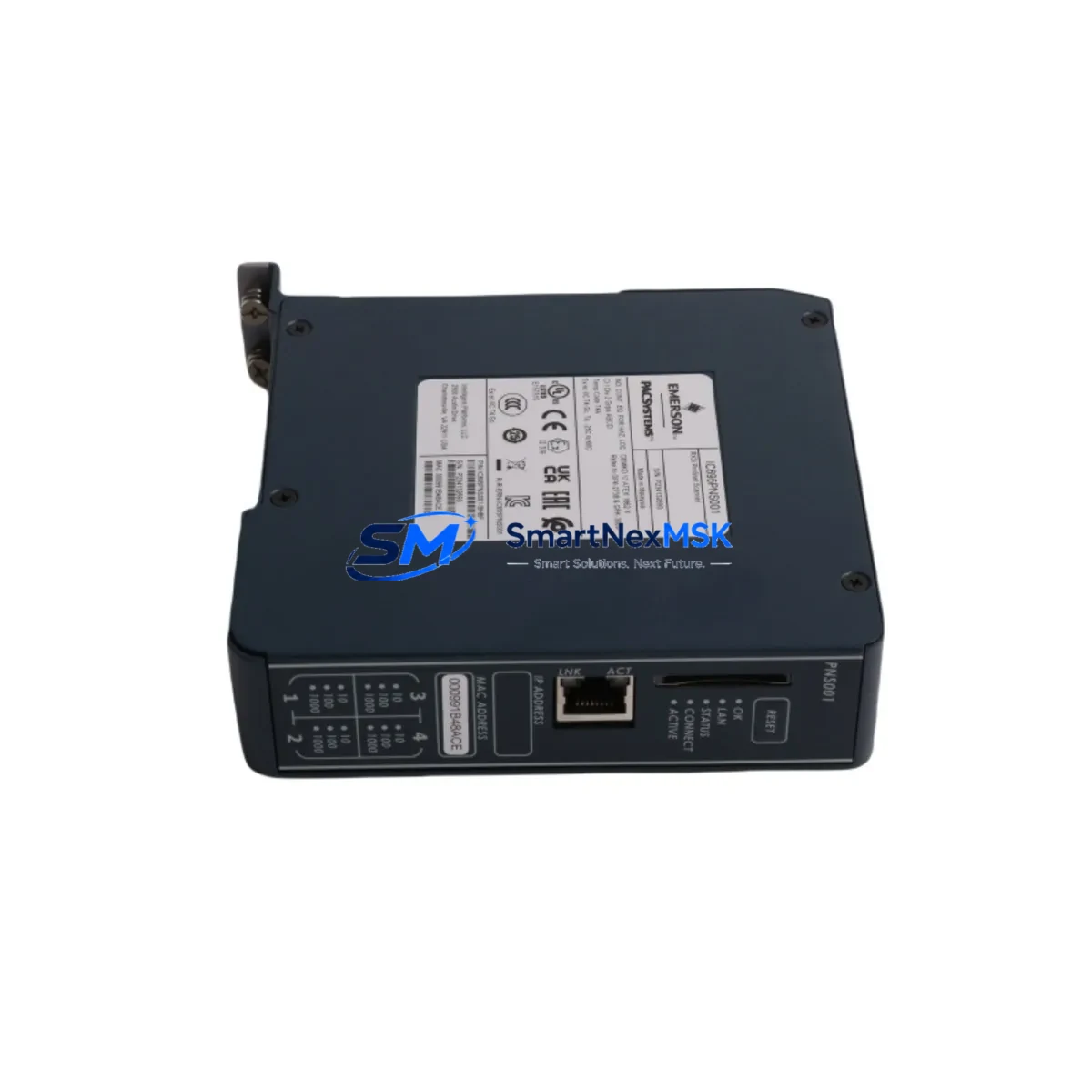
GE IC695PNS001CA-ABAH Spare for PACSystems RX3i Automation
The GE IC695PNS001CA-ABAH is a PROFINET IO Scanner module designed for the PACSystems RX3i control platform. As a maintenance-ready spare, it supports rapid field replacement in manufacturing lines, process control cabinets, and legacy automation systems where unplanned downtime carries significant operational cost. Whether you are managing a scheduled maintenance window or responding to an unplanned fault, having a verified IC695PNS001CA-ABAH spare on hand is a critical element of any industrial spare parts strategy.
This module serves as the PROFINET IO controller interface within the RX3i backplane, enabling the CPU — typically an IC695CPE330 or IC695CPE302 — to communicate with distributed PROFINET IO devices across the plant floor. When this scanner fails or degrades, the entire PROFINET network segment it manages goes offline, causing loss of I/O visibility and control. Maintenance engineers should treat this module as a Tier-1 critical spare alongside the CPU module and the power supply unit.
Spare Maintenance Table
| Parameter | Specification / Detail |
|---|---|
| Part Number | IC695PNS001CA-ABAH |
| Brand / Series | GE / PACSystems RX3i |
| Module Function | PROFINET IO Scanner (Controller) |
| Backplane Compatibility | IC695 Universal Backplane (RX3i) |
| Communication Protocol | PROFINET IO (IRT / RT) |
| Power Consumption | Supplied via RX3i backplane (3.3 V / 5 V rails) |
| Installation | Single-slot RX3i module, hot-swap capable with proper procedure |
| Compatible CPUs | IC695CPE330, IC695CPE302, IC695CPE305 |
| Application Environment | Industrial control cabinets, process automation, discrete manufacturing |
| Firmware | Verify firmware revision matches existing system configuration |
| Condition | Original spare, tested before shipment |
| Warranty | 12-Month Warranty — covers manufacturing defects and functional failure |
| Shipping | ESD-safe packaging, global express delivery available |
Maintenance Planning for Continuous Operation
Effective maintenance planning for a PACSystems RX3i system goes well beyond stocking a single module. When a maintenance or procurement engineer evaluates the IC695PNS001CA-ABAH as a spare, the surrounding system components must also be assessed to ensure a complete and reliable recovery.
The RX3i backplane — commonly the IC695CHS016 or IC695CHS012 — should be inspected for bent connector pins, corrosion, or mechanical damage before inserting a replacement scanner module. A damaged backplane slot can cause intermittent communication faults that are difficult to diagnose and may damage the new module. Similarly, the IC695PSA040 or IC695PSD040 power supply module should be verified to confirm that the 3.3 V and 5 V backplane rails are within specification, as under-voltage conditions are a leading cause of premature module failure.
On the PROFINET network side, the IC695PNS001CA-ABAH manages communication to remote IO stations — often GE VersaMax PROFINET Adapter modules or third-party PROFINET IO devices. When replacing the scanner, engineers must confirm that the PROFINET device names and IP address assignments are correctly restored in the replacement module’s configuration. This is typically managed through the Machine Edition (PME) programming software, where the PROFINET IO topology is defined and downloaded to the CPU.
Signal integrity on the PROFINET network should also be validated. Industrial Ethernet patch cables and managed switches used in the PROFINET segment — such as those from the Hirschmann or Phoenix Contact range — should be tested for continuity and correct VLAN configuration. A faulty cable or misconfigured switch port can prevent the replacement IC695PNS001CA-ABAH from establishing communication even after a correct hardware installation.
For systems that also use analog or digital I/O modules — such as the IC695ALG600 analog input module or IC694MDL754 discrete output module — maintenance engineers should verify that these modules continue to report correctly after the PROFINET scanner is replaced. Any I/O module that communicates through the PROFINET network segment managed by this scanner will require a communication re-establishment check post-replacement.
HMI panels connected to the RX3i system — whether a GE QuickPanel+ or a third-party SCADA terminal — should be monitored during the replacement procedure to confirm that tag communication is restored and that no stale data or communication alarms persist after the new module comes online. In some configurations, the HMI may require a manual communication reset or a project re-download to re-establish its data link.
Procurement engineers should also consider stocking the IC695ETM001 Ethernet module as a complementary spare, particularly in systems where both PROFINET and standard Ethernet communications are active. Maintaining a minimum of one spare IC695PNS001CA-ABAH and one spare power supply module in the local spare parts cabinet is a widely recommended practice for RX3i-based production lines with high uptime requirements.
Site Replacement Workflow
Replacing the IC695PNS001CA-ABAH on-site requires a structured approach to minimize downtime and protect the integrity of the existing control program. The following workflow reflects best practices for RX3i module replacement in an active production environment.
Step 1 — Pre-Replacement Verification: Before removing the faulty module, use PME or the RX3i diagnostic tools to confirm that the IC695PNS001CA-ABAH is the source of the fault. Check the module status LEDs: a solid red FAULT LED or a flashing OK LED typically indicates a hardware or configuration fault. Document the current PROFINET device list and IP assignments from the active project file.
Step 2 — Safe Removal: If the system allows a controlled shutdown, place the CPU in STOP mode before removing the module. In systems where a hot-swap procedure is approved, follow the GE PACSystems RX3i Hardware Reference Manual (GFK-2314) for the correct hot-swap sequence to avoid backplane faults.
Step 3 — Module Installation: Insert the replacement IC695PNS001CA-ABAH into the same backplane slot. Confirm the module is fully seated and the ejector tabs are locked. Power on and observe the module status LEDs — the OK LED should illuminate green within 30 seconds of power-up if the module is healthy and the configuration download is successful.
Step 4 — Configuration Restore: Download the existing PME project to the CPU. Verify that the PROFINET IO scanner configuration — including device names, IP addresses, and update rates — is correctly applied. Use the PME online diagnostics to confirm that all PROFINET IO devices are in RUN state and that no communication alarms are active.
Step 5 — Functional Test: Cycle the controlled process through a test sequence to confirm that all I/O signals are responding correctly. Check HMI displays for correct tag values and confirm that no alarms related to the PROFINET network remain active. Log the replacement in the site maintenance record with the module serial number and firmware revision.
Spare Parts Support FAQ
Q1: Is the IC695PNS001CA-ABAH compatible with all PACSystems RX3i CPUs?
The IC695PNS001CA-ABAH is compatible with RX3i CPUs that support PROFINET IO scanner functionality, including the IC695CPE330, IC695CPE302, and IC695CPE305. Compatibility depends on the CPU firmware version and the PME software version used to configure the system. Always verify the firmware revision of the replacement module against the existing system configuration before installation.
Q2: Can this module be used as a direct replacement for an earlier revision of the IC695PNS001?
In most cases, yes. The ABAH revision is a later hardware revision of the IC695PNS001 series and is generally backward compatible with earlier revisions. However, engineers should confirm that the PME project hardware configuration references the correct module catalog number and revision. A hardware mismatch in the PME configuration may generate a module mismatch fault at startup.
Q3: What pre-shipment testing is performed on this spare module?
Each IC695PNS001CA-ABAH spare is functionally tested prior to shipment to verify power-up behavior, backplane communication, and PROFINET port activity. Modules are shipped in ESD-safe packaging with a test record. The 12-month warranty covers manufacturing defects and functional failure under normal operating conditions.
Q4: How should this module be stored if not immediately installed?
Store the IC695PNS001CA-ABAH in its original ESD-safe bag in a dry, temperature-controlled environment (typically 0–70°C storage range). Avoid exposure to humidity above 95% non-condensing. Inspect the module for physical damage and verify the firmware revision before installation if the module has been in storage for more than 12 months.
© 2026 SMARTNEXMSK. All rights reserved.
Original Source: https://smartnexmsk.com
Contact: [email protected] | +86 18259474341



