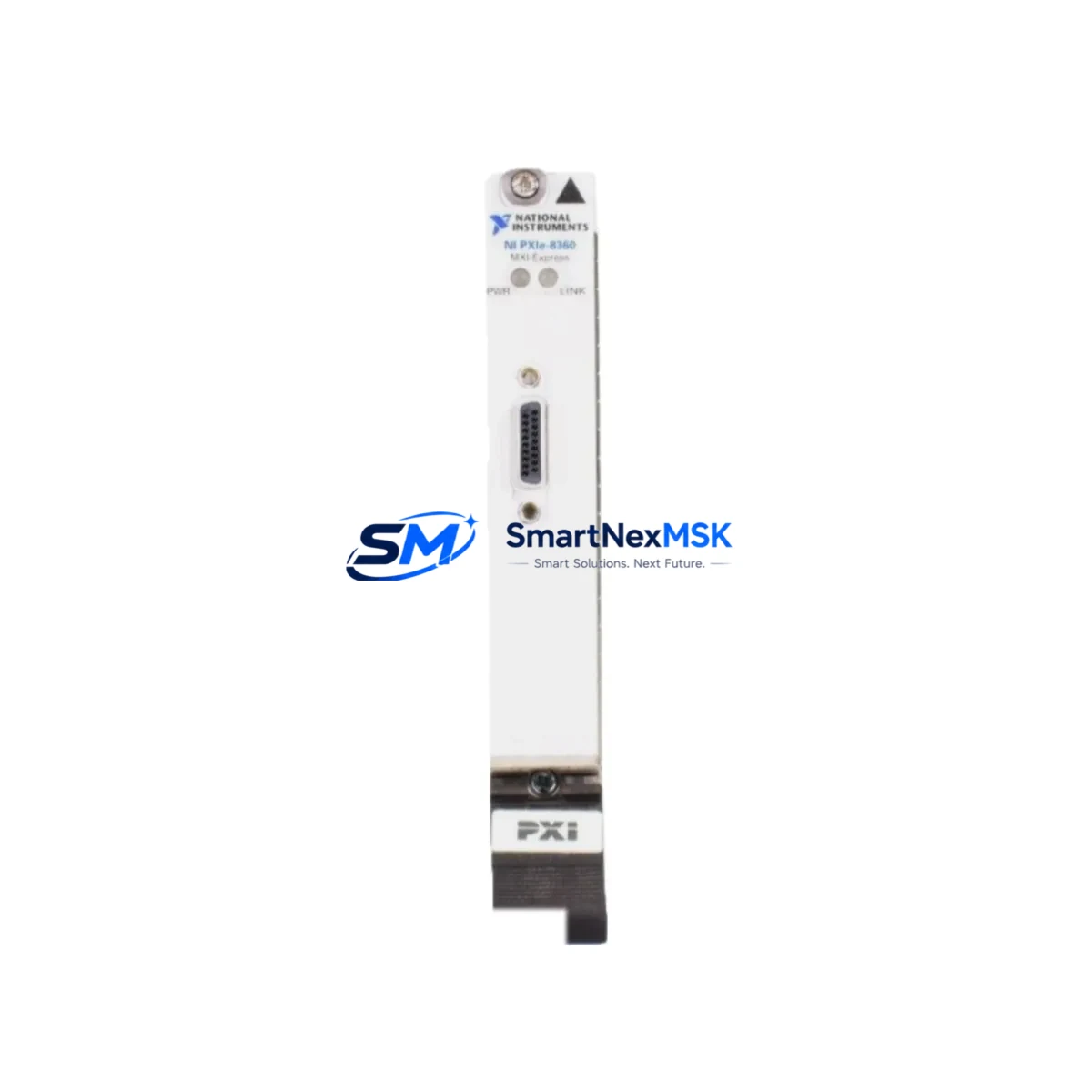
NI PXIE-8360 Retrofit-Ready MXI-Express x1 Remote Control: Compatible Upgrade for Legacy PXI Control Systems
The NI PXIE-8360 MXI-Express x1 Remote Control Module is a high-performance interface card designed to link a host PC to a PXI Express chassis over a MXI-Express x1 cable connection. As National Instruments continues to evolve its platform, many facilities running legacy PXI and PXI Express test and measurement systems face the challenge of sourcing compatible replacement modules for aging infrastructure. The PXIE-8360 serves as a proven retrofit solution — enabling engineers to extend the operational life of existing PXI chassis without requiring a full system overhaul.
Whether you are replacing a failed NI PXIE-8360 in an active test rack, upgrading from an older NI PXI-8360 or NI PXI-8361 remote control module, or migrating a legacy measurement system to a newer host PC with PCIe connectivity, this module provides a reliable, specification-matched drop-in solution. It is fully compatible with NI’s MXI-Express architecture and supports seamless integration with NI chassis such as the NI PXIe-1062Q, NI PXIe-1071, and NI PXIe-1082 — all commonly found in long-running industrial test environments.
At SMARTNEXMSK, every PXIE-8360 unit is sourced from verified supply channels, functionally tested prior to shipment, and backed by a 12-month warranty. We maintain ready stock to support urgent replacement scenarios and planned system upgrades alike.
Upgrade Compatibility Table
| Parameter | NI PXIE-8360 (This Unit) | Legacy NI PXI-8360 / PXI-8361 |
|---|---|---|
| Interface Standard | MXI-Express x1 (PCIe) | MXI-Express x1 (PCIe) |
| Form Factor | PXI Express (3U) | PXI / PXI Express (3U) |
| Host PC Interface | PCIe x1 (via NI PCIe-8361 or compatible) | PCIe x1 |
| Chassis Compatibility | PXIe-1062Q, PXIe-1071, PXIe-1082, PXIe-1085 | PXI-1042, PXIe-1062Q (with adapter) |
| Communication Protocol | MXI-Express (transparent PCIe bridge) | MXI-Express |
| Installation Slot | System Controller Slot (Slot 1) | System Controller Slot (Slot 1) |
| Driver Compatibility | NI-MXI, NI-VISA, LabVIEW, LabWindows/CVI | NI-MXI, NI-VISA |
| Retrofit Recommendation | Direct replacement; verify host PCIe slot availability | — |
| Commissioning Notes | Update NI-MXI driver; re-run MAX chassis discovery | — |
| Warranty | 12 Months (SMARTNEXMSK) | OEM warranty expired |
Retrofit Planning for Existing Automation Systems
Replacing the PXIE-8360 in a live test or control environment requires careful pre-migration planning to avoid configuration drift and unplanned downtime. Before removing the existing module, engineers should document the current chassis slot assignments, module addresses, and trigger routing configurations using NI Measurement & Automation Explorer (MAX). This baseline snapshot is critical for restoring system state after the new module is installed.
In most retrofit scenarios, the PXIE-8360 occupies Slot 1 of the PXI Express chassis as the system controller. When the host PC is connected via the companion NI PCIe-8361 host adapter card, the MXI-Express x1 cable provides a transparent PCIe bridge — meaning the chassis appears as a local PCIe bus extension to the host. This architecture is commonly used in automated test equipment (ATE) racks where the chassis houses a mix of NI PXIe-4461 dynamic signal acquisition modules, NI PXIe-6363 multifunction I/O modules, and NI PXIe-5663 RF signal analyzers.
For systems that also include NI PXI-2530B switching modules or NI PXI-4110 programmable DC power supplies, the retrofit process must account for the trigger bus and PXI_STAR line assignments that may be routed through the system controller slot. These assignments are stored in the chassis EEPROM and in the NI-DAQmx or NI-SWITCH driver configuration — both of which should be exported and backed up before the swap.
If the existing system uses a NI PXI-8108 or NI PXI-8110 embedded controller in a hybrid chassis configuration, migrating to a remote-control architecture using the PXIE-8360 requires updating the boot configuration and ensuring the LabVIEW Real-Time target settings are correctly reassigned to the new host PC. In such cases, the NI PXIe-8840 embedded controller may serve as an interim solution during phased migration.
Power budget verification is also essential. The PXIE-8360 draws power from the chassis backplane; confirm that the total module power consumption — including all installed I/O, RF, and switching modules — does not exceed the chassis power supply rating. For high-density configurations in a NI PXIe-1085 18-slot chassis, this calculation should include thermal derating based on ambient temperature at the installation site.
Downtime Control During System Migration
Minimizing production downtime during a PXIE-8360 replacement requires a structured swap procedure. The recommended approach is to prepare the replacement module and host PC configuration in parallel with the running system before any physical intervention. This includes pre-installing the NI-MXI driver on the host PC, verifying PCIe slot compatibility, and staging the MXI-Express x1 cable.
On the day of the swap, the sequence should follow: (1) export all MAX configuration profiles and LabVIEW project aliases; (2) power down the chassis in the correct sequence — instruments first, then the chassis power supply; (3) remove the legacy module and install the PXIE-8360 in Slot 1; (4) reconnect the MXI-Express cable to the host PCIe-8361 adapter; (5) power up the chassis and allow MAX to rediscover the system; (6) validate all module addresses and trigger routes against the pre-migration baseline; (7) run a functional verification test using the existing LabVIEW VI or TestStand sequence before returning the system to production.
For systems where continuous operation is critical, a parallel chassis strategy — running the replacement chassis alongside the production chassis during a validation window — is strongly recommended. This approach preserves the original program logic and HMI display mappings while the new configuration is verified under real operating conditions. Total planned downtime for a straightforward PXIE-8360 swap in a well-documented system is typically under two hours.
All PXIE-8360 units shipped by SMARTNEXMSK are pre-tested for MXI-Express link establishment and PCIe enumeration prior to dispatch, reducing the risk of DOA-related delays during critical maintenance windows.
Retrofit Support FAQ
Q1: Is the NI PXIE-8360 a direct replacement for the NI PXI-8360 or NI PXI-8361?
The PXIE-8360 is the PXI Express form-factor variant of the MXI-Express remote control family. It is directly compatible with PXI Express chassis (e.g., PXIe-1062Q, PXIe-1082) and uses the same MXI-Express x1 protocol. If your existing system uses a PXI (hybrid) chassis, verify that the chassis supports PXI Express system controller slots before installing the PXIE-8360. In most hybrid chassis configurations, the PXIE-8360 is a compatible upgrade path from the older PXI-8360.
Q2: What commissioning steps are required after installing the PXIE-8360?
After physical installation, install or update the NI-MXI driver on the host PC (NI-MXI 3.x or later recommended). Open NI MAX and perform a chassis self-test to confirm the MXI-Express link is established. Re-validate all module resource names, trigger routes, and VISA aliases. If the system uses LabVIEW or TestStand, run a dry-cycle of the test sequence with all instruments in simulation mode before enabling live signals.
Q3: Can the PXIE-8360 be used with non-NI host PCs or third-party PCIe slots?
The PXIE-8360 requires the companion NI PCIe-8361 host adapter card installed in the host PC’s PCIe x1 (or larger) slot. The host PC must run a supported NI-MXI driver version compatible with the operating system (Windows 10/11, LabVIEW RT). Non-NI PCIe cards cannot substitute for the PCIe-8361. Ensure the host PC BIOS supports PCIe hot-plug or that the system is powered down before connecting the MXI-Express cable.
Q4: What does the 12-month warranty from SMARTNEXMSK cover?
All PXIE-8360 units are covered by a 12-month warranty from the date of shipment. The warranty covers hardware defects and MXI-Express link failures under normal operating conditions. Each unit undergoes functional pre-shipment testing including PCIe enumeration and MXI-Express link establishment verification. Warranty claims are processed via [email protected] with a typical response time of one business day.
© 2026 SMARTNEXMSK. All rights reserved.
Original Source: https://smartnexmsk.com
Contact: [email protected] | +86 18259474341