
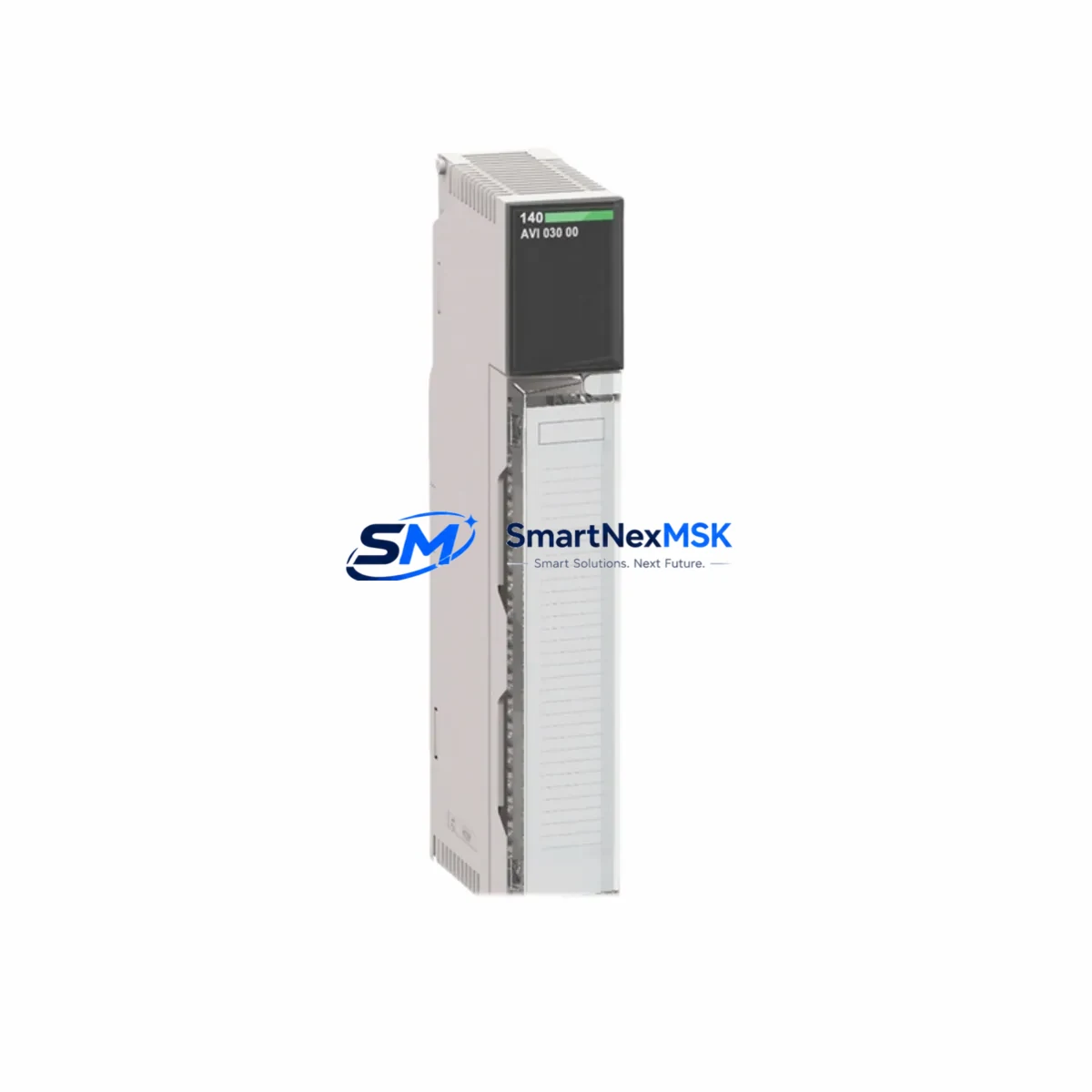
Schneider 140-AVI-030-00 Retrofit-Ready Analog Input Module: Compatible Modernization for Modicon Quantum Control Systems
The Schneider Electric 140-AVI-030-00 is a 16-channel analog voltage input module engineered for the Modicon Quantum PLC platform. As legacy Quantum systems approach end-of-service milestones, the 140-AVI-030-00 remains one of the most sought-after retrofit components for engineers tasked with extending the operational life of existing control architectures without full platform migration. Whether you are replacing a failed module in a running production line, upgrading a control cabinet to improve signal resolution, or consolidating I/O in a distributed control system, the 140-AVI-030-00 delivers the electrical and software compatibility required for a smooth, low-risk transition.
Each unit accepts ±10 V DC analog voltage signals across 16 independent input channels, with 12-bit resolution and configurable input ranges suited to a wide variety of field instruments including pressure transmitters, temperature signal conditioners, and position sensors. The module installs directly into the Quantum backplane — the 140-XBP-016-00 or 140-XBP-010-00 rack — without requiring backplane rewiring or rack replacement, making it an ideal drop-in solution for sites where physical infrastructure must remain intact.
Upgrade Compatibility Table
| Parameter | Details |
|---|---|
| Compatible Platform | Modicon Quantum (140-series) |
| Replaces / Upgrades | 140-AVI-030-00 (same SKU drop-in); compatible retrofit for aging 140-AII-330-00 current input applications via signal conditioning |
| Backplane Interface | Quantum backplane bus — 140-XBP-016-00 / 140-XBP-010-00 / 140-XBP-006-00 |
| Input Channels | 16 channels, ±10 V DC analog voltage |
| Signal Resolution | 12-bit (4096 steps) |
| Communication Compatibility | Modbus Plus, Modbus TCP/IP (via 140-NOE-771-xx or 140-CPU-xxx-xx onboard Ethernet) |
| Installation Requirement | Direct backplane slot insertion; no additional wiring adapter required |
| Module Address Configuration | Slot-based addressing via Unity Pro / ProWORX software |
| Retrofit Recommendation | Verify CPU firmware ≥ V2.3; confirm I/O map register allocation in existing ladder logic |
| Commissioning Focus | Channel scaling, input filter time constants, fault detection thresholds |
| Warranty | 12 months from date of shipment — covers manufacturing defects and functional failure under normal operating conditions |
Retrofit Planning for Existing Automation Systems
Successful integration of the 140-AVI-030-00 into a legacy Quantum system begins well before the module arrives on site. Engineers should start by auditing the existing rack configuration. In a typical Quantum control cabinet, the rack may already house a 140-CPU-651-60 or 140-CPU-671-60 processor module alongside discrete I/O modules such as the 140-DDI-353-00 (32-channel 24 V DC digital input) and 140-DDO-353-00 (32-channel digital output). Understanding the slot assignments and the current I/O map is essential before inserting the new analog input module, as the Quantum platform uses slot-based addressing that directly maps to register addresses in the application program.
Power budget verification is a critical pre-installation step. The Quantum backplane power supply — typically a 140-CPS-111-00 or 140-CPS-124-00 — must have sufficient residual capacity to support the 140-AVI-030-00’s backplane current draw. If the existing power supply is already near its rated output, a supplementary power supply or rack expansion using a 140-XBE-100-00 extension cable and secondary rack may be required before the analog module can be safely added.
Terminal wiring is another area requiring careful attention. The 140-AVI-030-00 uses a 40-pin removable terminal block. When replacing a failed module, the existing terminal block can often be transferred directly to the new unit, preserving field wiring and eliminating re-termination errors. However, if the terminal block shows signs of oxidation or mechanical wear — common in installations older than ten years — replacement with a new terminal block is strongly recommended to ensure signal integrity across all 16 channels.
For sites migrating from an older Modbus Plus network topology to Modbus TCP/IP, the 140-AVI-030-00 works seamlessly alongside the 140-NOE-771-11 Ethernet communication module. The NOE module handles network-layer communication while the analog input module continues to deliver process values to the CPU via the backplane bus, requiring no changes to the analog I/O wiring or channel configuration. If the site also operates an HMI — such as a Magelis XBTGT or a third-party SCADA system connected via OPC — the register addresses for the analog input channels must be verified against the HMI tag database to ensure display values remain accurate after the module swap.
In distributed architectures where the Quantum rack is connected to remote I/O drops via a 140-CRP-931-00 RIO head adapter, the 140-AVI-030-00 can also be deployed in remote racks, provided the remote rack’s power supply and backplane are correctly sized. Remote analog input modules in this configuration are addressed through the RIO drop number and slot position, which must be reflected in the Unity Pro hardware configuration before downloading the updated program to the CPU.
Downtime Control During System Migration
Minimizing unplanned downtime is the primary concern for any retrofit involving a live production system. The recommended approach for replacing the 140-AVI-030-00 in a running Quantum system is a hot-standby or scheduled maintenance window strategy, depending on whether the existing CPU configuration supports redundancy.
For non-redundant systems, the safest procedure is to export and archive the current Unity Pro or ProWORX application program before any hardware change. This backup preserves the complete I/O configuration, symbol table, and ladder logic, and serves as the recovery baseline if the new module requires re-addressing. Before powering down the rack, document the current analog input values for all 16 channels — this provides a reference for post-installation verification and confirms that field instruments are operating within expected ranges.
During the physical swap, the removable terminal block should be disconnected from the old module before extraction to avoid mechanical stress on the backplane connector. The new 140-AVI-030-00 should be inserted firmly into the same slot, with the terminal block reconnected and all channel wiring verified for correct polarity and seating. After power restoration, the CPU will automatically recognize the module in its configured slot — provided the hardware configuration in the application program matches the physical slot assignment. If a slot mismatch is detected, Unity Pro will generate a configuration mismatch fault that must be cleared before the module enters run mode.
Channel scaling should be verified immediately after the module enters run mode. Compare live analog input register values against known field instrument outputs — for example, a 4–20 mA transmitter converted to voltage via a shunt resistor should produce a predictable register value at a known process condition. Any deviation indicates a scaling parameter mismatch that can be corrected in the Unity Pro I/O configuration without modifying the application logic. Once all 16 channels are confirmed accurate, the system can be returned to automatic control, and the total controlled downtime for a well-prepared swap is typically under 30 minutes.
Retrofit Support FAQ
Q1: Is the 140-AVI-030-00 a direct drop-in replacement for a failed unit of the same part number?
Yes. The 140-AVI-030-00 is a direct slot-for-slot replacement within any Modicon Quantum backplane. The removable terminal block transfers with the field wiring intact, and the module address is determined by physical slot position, so no software re-addressing is required if the replacement occupies the same slot as the failed unit. The application program does not need to be modified.
Q2: What commissioning steps are required after installation?
After inserting the module and restoring power, verify that Unity Pro or ProWORX shows the module as healthy in the I/O configuration view. Check each channel’s register value against a known field instrument output to confirm scaling is correct. Review the module’s diagnostic bits for any over-range or under-range faults. If the system uses HMI displays tied to analog input tags, confirm that displayed values match field readings before returning the loop to automatic control.
Q3: Can this module be used in a Quantum Hot Standby (HSBY) configuration?
Yes. The 140-AVI-030-00 is compatible with Quantum Hot Standby architectures using the 140-CPU-671-60 or 140-CPU-651-60 processors with the 140-CHS-110-00 Hot Standby cable. In an HSBY system, both the primary and standby racks should be fitted with identical 140-AVI-030-00 modules in the same slot positions to ensure seamless switchover without analog input data loss.
Q4: What does the 12-month warranty cover, and how is a warranty claim initiated?
The 12-month warranty covers manufacturing defects and functional failures under normal operating conditions from the date of shipment. It does not cover damage resulting from incorrect installation, overvoltage, or physical mishandling. To initiate a warranty claim, contact our sales team with the order reference, module serial number, and a description of the fault. Units confirmed defective under warranty will be replaced or repaired at no charge, with return shipping coordinated by our logistics team.
© 2026 SMARTNEXMSK. All rights reserved.
Original Source: https://smartnexmsk.com
Contact: [email protected] | +86 18259474341



