
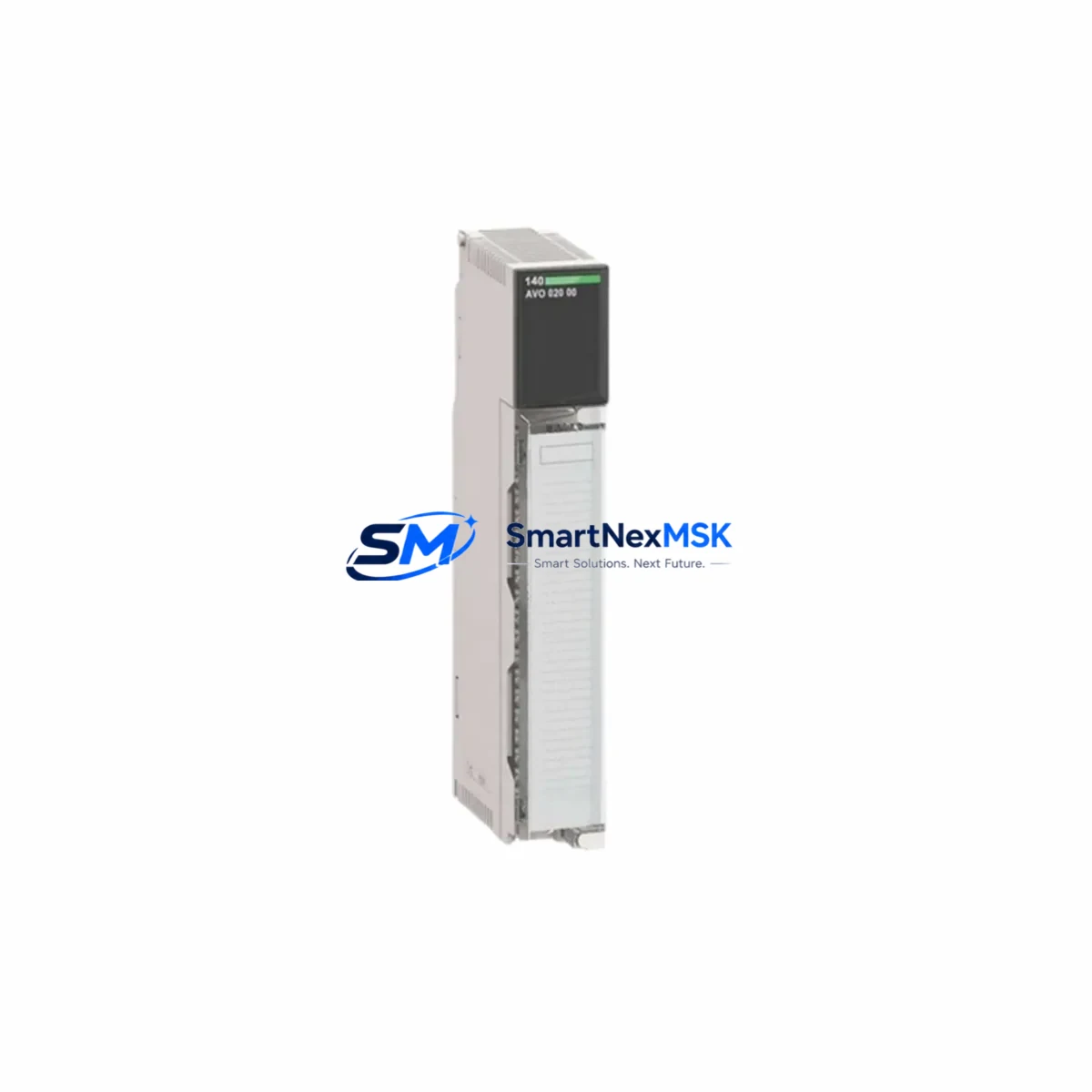
Schneider 140-AVO-020-00 Maintenance-Ready Spare Quantum Automation
The Schneider Electric 140-AVO-020-00 is a 2-channel analog output module designed for the Modicon Quantum PLC platform — one of the most widely deployed process control architectures in heavy industry, utilities, oil and gas, and manufacturing automation. As a maintenance-ready original spare, this module is stocked and tested to support rapid field replacement, minimizing unplanned downtime and protecting continuous production cycles.
For maintenance engineers managing aging Quantum racks, the 140-AVO-020-00 represents a critical line item in any spare parts strategy. Its 0–10 V or 4–20 mA analog output capability makes it directly interchangeable with installed units in existing control cabinets without requiring software reconfiguration when the replacement module is of the same revision. Each unit shipped from SMARTNEXMSK undergoes functional verification prior to dispatch, and is covered by a 12-month warranty from the date of delivery.
Spare Maintenance Table
| SKU / Part Number | 140-AVO-020-00 |
| Brand | Schneider Electric |
| Series | Modicon Quantum |
| Module Type | Analog Output Module |
| Number of Channels | 2 Channels |
| Output Signal Range | 0–10 V DC / 4–20 mA (configurable per channel) |
| Resolution | 12-bit |
| Backplane Compatibility | Modicon Quantum I/O Backplane (140 XBP series) |
| Power Supply Requirement | Supplied via Quantum backplane bus |
| Operating Temperature | 0°C to 60°C |
| Relative Humidity | 5% to 95% non-condensing |
| Country of Origin | France |
| Mounting | Quantum I/O rack slot (DIN rail compatible chassis) |
| Certifications | CE, UL, cUL |
| Compatibility | Modicon Quantum CPU modules (140 CPU series), Unity Pro / Control Expert software |
| Maintenance Recommendation | Inspect output wiring terminals and field device calibration upon replacement; verify channel configuration in Unity Pro / Control Expert |
| Warranty | 12 Months from date of delivery |
| Condition | Original, new or tested-good surplus |
| Lead Time | In stock — ships within 1–3 business days |
Maintenance Planning for Continuous Operation
When a 140-AVO-020-00 analog output module fails or is flagged during a scheduled inspection, the replacement process should be treated as part of a broader control cabinet audit. Maintenance engineers should not limit their attention to the failed module alone — the surrounding components in the same I/O rack and electrical loop are equally subject to wear and should be evaluated concurrently.
Begin by inspecting the 140 XBP backplane for signs of connector oxidation, bent pins, or thermal stress. A degraded backplane can cause intermittent communication faults that mimic module failure. Next, verify the 140 CPS power supply module (such as the 140-CPS-111-00 or 140-CPS-124-00) is delivering stable DC bus voltage within specification — an under-voltage condition on the backplane bus is a common root cause of analog output drift or module lockup.
On the field wiring side, inspect the terminal block assemblies connected to the analog output channels. Loose or corroded terminals introduce resistance that distorts the 4–20 mA signal and can cause false readings at the receiving instrument. If the output loop drives a signal isolator or loop-powered transmitter barrier, verify that the isolator’s input impedance is within the module’s rated load range (typically ≤ 600 Ω for current output).
For systems where the 140-AVO-020-00 drives a variable frequency drive (VFD) or proportional control valve, confirm that the analog reference signal is clean and free of ground loop interference. Installing a DIN-rail signal isolator between the module output and the field device is a recommended preventive measure in electrically noisy environments such as motor control centers.
If the Quantum rack also contains 140-AVI analog input modules (e.g., 140-AVI-030-00), inspect those simultaneously — shared wiring harnesses and common terminal blocks mean that a wiring fault affecting one module often impacts adjacent I/O. Similarly, check any 140-DDO or 140-DDI discrete I/O modules in the same rack for blown fuses or tripped protection circuits, as these can indicate a broader electrical event that may have stressed the analog output module.
For systems running Modicon Quantum CPUs (140-CPU-651-60, 140-CPU-671-60, or similar), confirm that the I/O map in Unity Pro / Control Expert correctly reflects the replacement module’s slot address and channel configuration before returning the system to automatic mode. A mismatch in the I/O configuration table will cause the CPU to flag a hardware fault even after a physically successful module swap.
Procurement engineers should consider maintaining at least one 140-AVO-020-00 as a cold standby spare in the site spare parts cabinet, particularly for facilities operating 24/7 continuous processes. The module’s long production history and broad installed base mean that sourcing lead times from OEM channels can extend to 8–16 weeks during supply constraints — making pre-positioned inventory a cost-effective insurance policy against extended downtime.
Site Replacement Workflow
Step 1 — Isolation and Safety: Place the affected Quantum rack in a safe state. Use the CPU’s I/O forcing capability in Unity Pro / Control Expert to hold the analog output at a safe value (e.g., 4 mA / 0 V) before physically removing the module. Notify the process control team and document the current output values for all channels.
Step 2 — Module Removal: Power down the rack slot if the backplane supports hot-swap (verify with your specific Quantum rack model). Disconnect field wiring from the terminal block. Label all wires before removal. Extract the 140-AVO-020-00 from the rack slot using the module ejector levers.
Step 3 — Inspection and Comparison: Compare the firmware revision label on the removed module with the replacement unit. While the 140-AVO-020-00 is generally backward-compatible across revisions, note any differences and verify against the Unity Pro hardware catalog. Inspect the backplane connector on the replacement module for physical damage before insertion.
Step 4 — Installation and Wiring: Seat the replacement module firmly into the rack slot until the ejector levers click. Reconnect field wiring to the terminal block in the original configuration. Verify terminal torque to manufacturer specification (typically 0.5–0.6 N·m for Quantum terminal blocks).
Step 5 — Commissioning: Power up the rack. In Unity Pro / Control Expert, clear any I/O fault flags and perform a channel-by-channel output test. Verify that the field device (valve, VFD, or indicator) responds correctly to the commanded output value. Document the replacement in the site maintenance log and update the spare parts inventory record.
This workflow is applicable to replacing legacy 140-AVO-020-00 units in older Quantum racks and is equally valid when upgrading from an earlier hardware revision. The process ensures system compatibility is maintained and reduces the risk of introducing new faults during the replacement procedure.
Spare Parts Support FAQ
Q1: Is the 140-AVO-020-00 still in production, and how long can I expect supply availability?
The Modicon Quantum platform has been in service for decades and Schneider Electric has announced migration paths toward the Modicon M580 platform. However, the 140-AVO-020-00 remains available as an original spare through authorized distributors and specialist industrial suppliers. SMARTNEXMSK maintains stock of tested-good original units to support customers extending the life of existing Quantum installations. We recommend procuring a buffer stock of 1–2 units per rack to hedge against future supply constraints.
Q2: How is each unit tested before shipment?
Every 140-AVO-020-00 dispatched by SMARTNEXMSK is subject to a pre-shipment functional check that includes backplane connector inspection, visual examination for physical damage, and where test equipment is available, channel output verification. Units are packed in anti-static packaging with protective foam inserts to prevent transit damage. A 12-month warranty is provided from the date of delivery, covering defects in materials and workmanship under normal operating conditions.
Q3: Can I use the 140-AVO-020-00 as a direct replacement for an older hardware revision of the same part number?
In most cases, yes. The 140-AVO-020-00 has maintained consistent electrical and mechanical specifications across hardware revisions, and Unity Pro / Control Expert recognizes all revisions under the same catalog reference. However, we recommend verifying the hardware revision against your site’s Unity Pro hardware catalog and consulting Schneider Electric’s compatibility documentation if your installation uses a very early Quantum rack revision. Contact our technical team at [email protected] if you need revision-specific confirmation before ordering.
Q4: What is your lead time and what happens if the unit develops a fault within the warranty period?
In-stock units ship within 1–3 business days via your preferred carrier. For warranty claims within the 12-month coverage period, contact [email protected] with your order reference and a description of the fault. We will arrange for a replacement unit to be dispatched or provide a credit, subject to inspection of the returned module. Our goal is to resolve warranty cases within 5 business days of receiving the returned unit.
© 2026 SMARTNEXMSK. All rights reserved.
Original Source: https://smartnexmsk.com
Contact: [email protected] | +86 18259474341



