
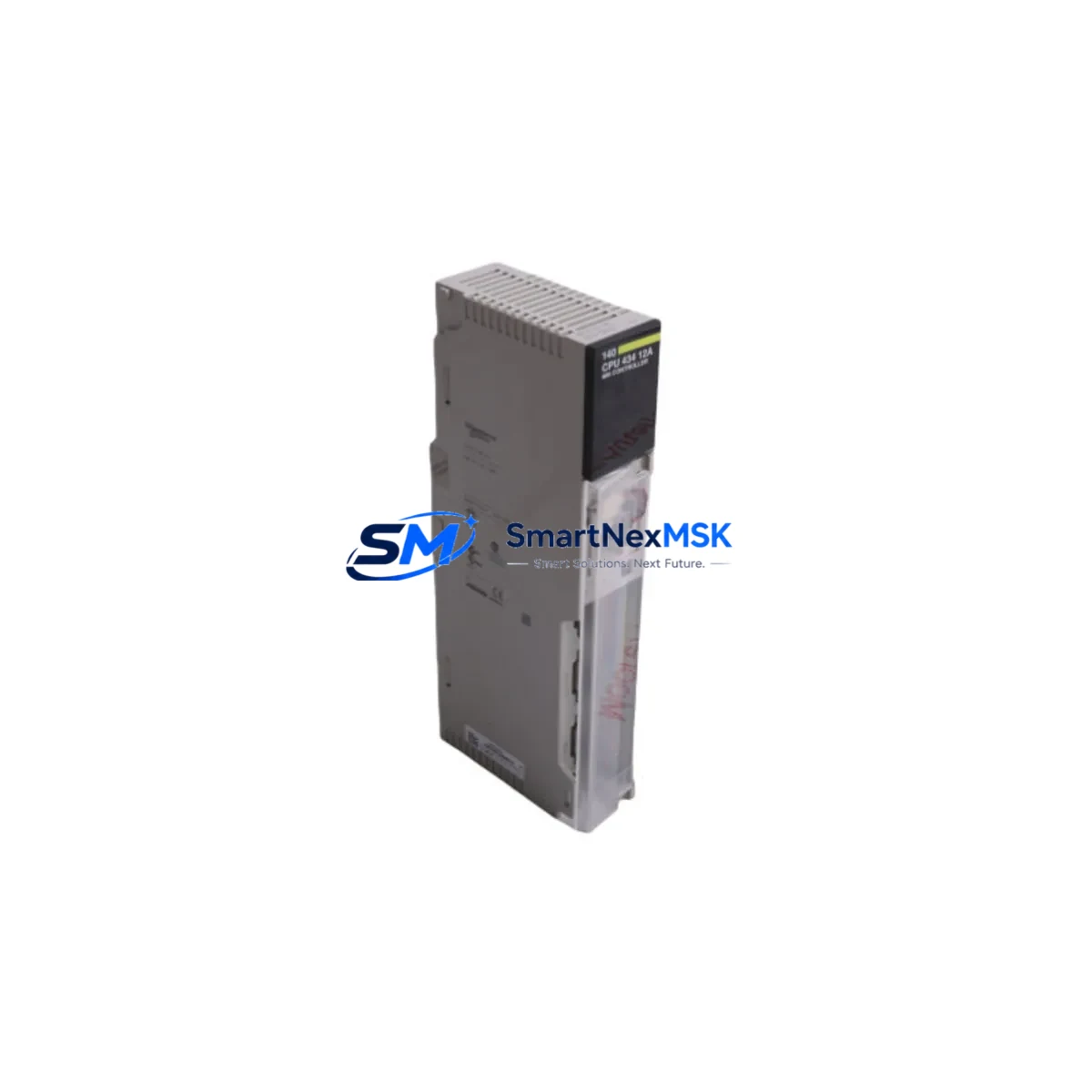
Schneider 140CPU43412A Spare for Quantum Automation
The Schneider Electric 140CPU43412A is a high-performance CPU module designed for the Modicon Quantum programmable logic controller platform — one of the most widely deployed process-control architectures in heavy industry, oil & gas, water treatment, and power generation. When this CPU fails or reaches end-of-service life, the entire Quantum rack goes offline. Sourcing a verified, original spare is the fastest path to restoring production continuity and avoiding extended unplanned downtime.
At SMARTNEXMSK, every 140CPU43412A unit is inspected, function-tested, and shipped with a 12-month warranty. We maintain standing stock to support both emergency replacement orders and planned maintenance programs, ensuring your procurement team can act immediately when a fault is detected or a scheduled overhaul is due.
Spare Maintenance Table
| Parameter | Specification / Detail |
|---|---|
| Part Number | 140CPU43412A |
| Brand | Schneider Electric |
| Series | Modicon Quantum |
| Module Type | PLC CPU Module |
| Processor | 32-bit RISC, 486 MHz class |
| User Memory | 512 KB RAM (application) |
| Communication Ports | Modbus Plus, Ethernet TCP/IP (optional), RS-232 |
| I/O Capacity | Up to 64,000 I/O points (with remote drops) |
| Backplane Compatibility | Quantum 140 series racks (6, 10, 16 slot) |
| Power Supply Compatibility | 140CPS11100, 140CPS21100, 140CPS41400 |
| Operating Temperature | 0 °C to 60 °C |
| Relative Humidity | 5% to 95% non-condensing |
| Origin | France |
| Condition | Original, tested before shipment |
| Warranty | 12 Months |
| Certifications | CE, UL, cUL |
| Replacement Scope | Direct drop-in for 140CPU43412A; verify firmware revision compatibility |
Maintenance Planning for Continuous Operation
Replacing the 140CPU43412A CPU is rarely an isolated task. A disciplined maintenance engineer will treat a CPU swap as an opportunity to audit the entire Quantum rack and associated control-cabinet components. Before returning the system to service, the following items should be inspected or replaced as part of the same work order:
- Power Supply Module (e.g., 140CPS11100 / 140CPS21100) — Verify output voltage stability under load. A degraded power supply is a leading cause of intermittent CPU faults and should be replaced proactively during any CPU maintenance window.
- Backplane / Rack (140XBP01600 or equivalent) — Inspect backplane connectors for oxidation, bent pins, or heat damage. A faulty backplane can corrupt CPU communication with I/O modules even after a CPU replacement.
- Analog and Digital I/O Modules (140ACI03000, 140DDI35300 series) — Run a channel-by-channel diagnostic after CPU restart. Latent I/O faults often surface only after a CPU reset clears accumulated error masks.
- Communication Module (140NOE77100 Ethernet or 140NOM21200 Modbus Plus) — Confirm network parameters are retained in the replacement CPU’s configuration. Re-establish peer-to-peer messaging tables and verify SCADA connectivity before handover.
- Relay Output Modules (140DAO84000 series) — Check relay contact resistance and coil drive current. Relay modules in high-cycle applications should be on a fixed replacement schedule independent of CPU health.
- Terminal Blocks and Field Wiring — Torque-check all terminal connections in the I/O sub-rack. Loose field wiring is a common source of nuisance faults that are incorrectly attributed to CPU errors.
- Signal Isolators and Surge Protectors — Inspect isolators on analog signal loops (4–20 mA, thermocouple, RTD). Failed isolators can inject noise that triggers CPU watchdog trips.
- Battery Backup (140CPU43412A internal battery) — Replace the onboard lithium battery whenever the CPU module is exchanged. A depleted battery will cause program loss on the next power cycle.
- HMI Communication Link (Magelis XBTGT / XBTGK series) — After CPU replacement, re-validate the HMI driver configuration and confirm that all screen variables are mapping correctly to the new CPU memory addresses.
- Fuses and Circuit Breakers in the Control Cabinet — Inspect and test all fuses protecting the 24 VDC and 120/240 VAC circuits feeding the Quantum rack. A blown fuse that caused the original CPU fault must be identified and corrected before commissioning the spare.
Maintaining a pre-kitted spare-parts kit — including at minimum one 140CPU43412A, one compatible power supply, and a set of high-wear I/O modules — reduces mean time to repair (MTTR) from days to hours and is strongly recommended for any facility running Quantum-based critical control loops.
Site Replacement Workflow
Step 1 — Pre-Replacement Backup: Use Unity Pro or Concept software to export the full application program, data tables, and I/O configuration to a secure engineering workstation. Confirm the backup file version matches the firmware revision of the replacement 140CPU43412A.
Step 2 — Safe Isolation: Follow your site LOTO (Lockout/Tagout) procedure. De-energize the Quantum rack via the main cabinet isolator. Allow capacitors to discharge (minimum 30 seconds) before opening the cabinet door.
Step 3 — Module Extraction: Release the CPU module locking tabs and slide the 140CPU43412A straight out of slot 1. Avoid touching the backplane connector pins. Place the removed module in an ESD-safe bag for return or failure analysis.
Step 4 — Spare Installation: Insert the replacement 140CPU43412A firmly until the locking tabs engage. Verify the module is fully seated — a partially inserted CPU will power up but fail to communicate with I/O drops.
Step 5 — Program Restore and Commissioning: Re-energize the rack. Download the backed-up application program. Perform a full I/O force test on critical outputs before releasing the system to automatic control. Confirm Modbus Plus or Ethernet network status LEDs are green.
Step 6 — Documentation: Record the replacement date, new module serial number, firmware version, and technician sign-off in the equipment maintenance log. Update your spare-parts inventory to trigger a replenishment order for the consumed 140CPU43412A unit.
This workflow is compatible with both hot-standby (140CPU67160 RIO hot-standby configurations) and simplex Quantum architectures, and minimizes the risk of configuration drift between the field installation and the engineering master copy.
Spare Parts Support FAQ
Q1: Is the 140CPU43412A still available as a new original spare, or only as refurbished?
SMARTNEXMSK supplies original Schneider Electric 140CPU43412A units sourced through verified industrial channels. Each unit undergoes functional testing prior to shipment. Condition and batch details are confirmed at the time of order. Contact [email protected] for current stock status.
Q2: How do I verify firmware compatibility before installing the replacement CPU?
Check the firmware revision label on the existing CPU faceplate and compare it with the replacement unit. If the revision differs, use Unity Pro or Concept to confirm the application program is compatible. In most cases, a higher firmware revision is backward-compatible, but always validate against your site’s qualified software version before commissioning.
Q3: What does the 12-month warranty cover, and how is a warranty claim processed?
The 12-month warranty covers manufacturing defects and functional failures under normal operating conditions. If a unit fails within the warranty period, contact [email protected] with the order number and fault description. SMARTNEXMSK will arrange a replacement or repair at no additional cost, subject to inspection confirming the failure is not due to mishandling, overvoltage, or incorrect installation.
Q4: Can SMARTNEXMSK support long-term supply for legacy Quantum systems that Schneider has discontinued?
Yes. SMARTNEXMSK specializes in long-term spare-parts support for legacy and end-of-life automation platforms, including the Modicon Quantum series. We maintain strategic stock of high-demand modules and can establish blanket purchase agreements for facilities requiring guaranteed supply over multi-year maintenance contracts. Reach out to discuss your site’s specific lifecycle requirements.
© 2026 SMARTNEXMSK. All rights reserved.
Original Source: https://smartnexmsk.com
Contact: [email protected] | +86 18259474341



