
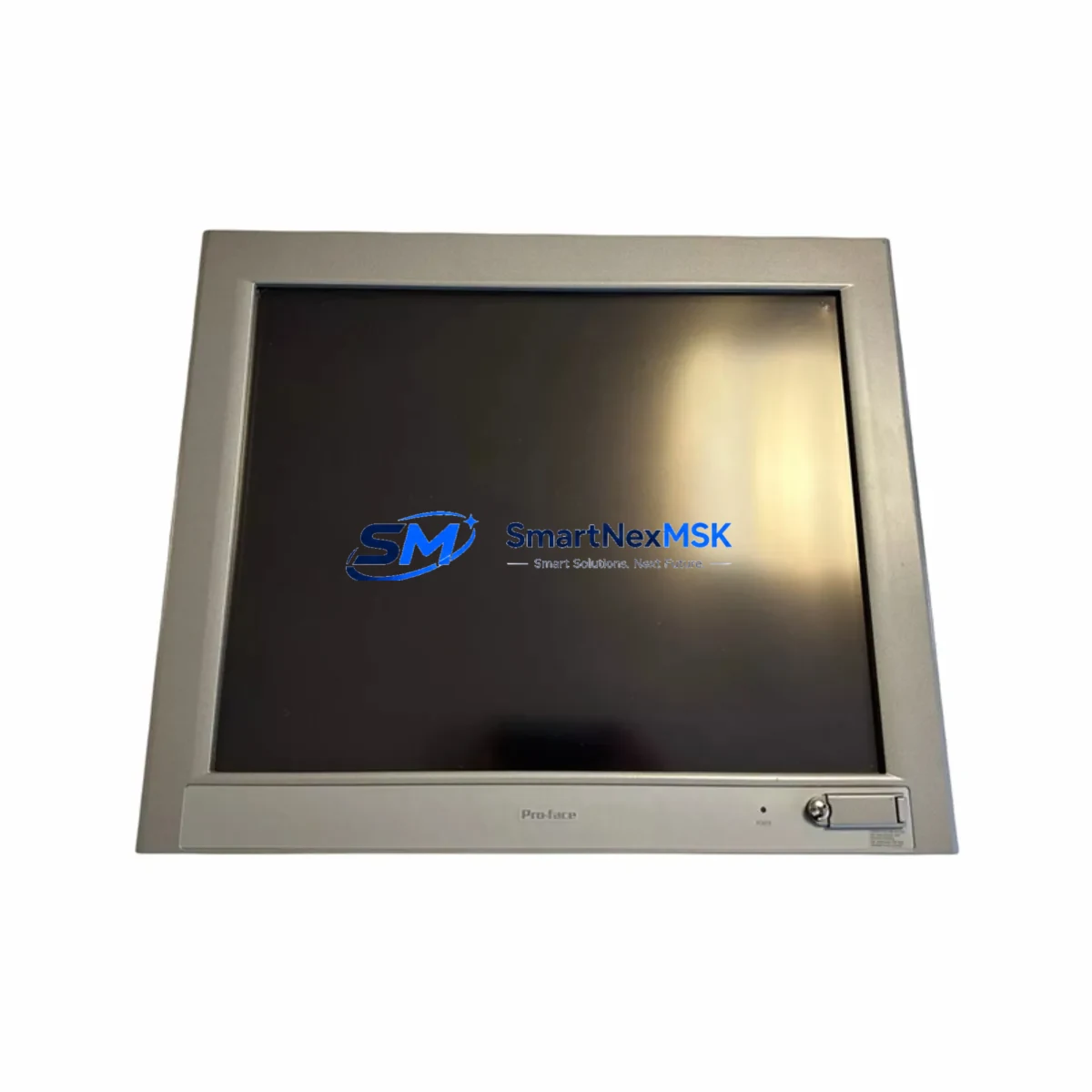
Schneider FP3900-T41 Retrofit-Ready HMI for Magelis Control Systems
The Schneider Electric FP3900-T41 (part reference 3582701-01) is a Magelis-series operator interface terminal designed for industrial control environments where legacy HMI panels are reaching end-of-life or have been discontinued. As production lines built around older Magelis platforms continue to operate, sourcing a verified, tested replacement unit is critical to maintaining uptime and avoiding costly custom engineering. SMARTNEXMSK maintains ready stock of the FP3900-T41 to support urgent retrofit and scheduled upgrade projects across manufacturing, utilities, and process automation sectors.
The FP3900-T41 integrates directly into existing Magelis panel architectures, preserving the original operator screen layout, alarm pages, and navigation logic without requiring a full HMI software migration. Engineers replacing a failed or aging unit can retain their existing Vijeo Designer application files, reducing commissioning time significantly. Where the original project file is unavailable, the panel’s communication ports support re-upload from a connected programming laptop via standard USB or serial cable, compatible with current Vijeo Designer runtime environments.
Before installation, retrofit teams should verify the following: the 24 VDC power supply capacity at the control cabinet (the FP3900-T41 draws within the standard Magelis power envelope, but aging PSUs in legacy cabinets — such as the Schneider ABL7RE2402 or equivalent 24V regulated rail — should be load-tested before commissioning the new panel); terminal block wiring assignments on the rear connector, particularly RS-232 and RS-485 pinouts if the panel communicates with a Modicon M340 or Modicon Premium PLC via Uni-Telway or Modbus RTU; and the panel mounting cutout dimensions, which are standardized across the FP3900 series but should be confirmed against the cabinet door before ordering.
In systems where the FP3900-T41 serves as the primary operator interface for a Modicon TSX Micro or TSX Premium controller, the communication link is typically established over RS-485 Modbus RTU or the proprietary Uni-Telway protocol. Technicians should confirm the baud rate, station address, and parity settings match those configured in the PLC program — parameters that are often undocumented in older installations. If the site uses a Modicon Quantum rack with a NOE 771 10 Ethernet module, the HMI can alternatively be configured for Modbus TCP/IP, which simplifies the communication architecture and improves diagnostic visibility.
Upgrade Compatibility Table
| Parameter | Details |
|---|---|
| SKU / Part Reference | FP3900-T41 / 3582701-01 |
| Brand / Series | Schneider Electric — Magelis HMI Series |
| Panel Type | Operator Interface Terminal (HMI Touch Panel) |
| Communication Interfaces | RS-232, RS-485 (Modbus RTU / Uni-Telway); optional Modbus TCP/IP |
| Compatible PLC Platforms | Modicon M340, TSX Micro, TSX Premium, Modicon Quantum |
| Power Supply Requirement | 24 VDC (verify cabinet PSU capacity before installation) |
| Mounting | Panel-mount; confirm cutout dimensions against FP3900 series datasheet |
| Software Compatibility | Vijeo Designer (existing project files retained; re-upload supported) |
| Replacement / Retrofit Path | Direct drop-in for discontinued Magelis FP3900-series panels |
| Commissioning Notes | Verify baud rate, station address, parity; test comms before live handover |
| Warranty | 12-Month Warranty — tested and verified before shipment |
Retrofit Planning for Existing Automation Systems
A successful FP3900-T41 retrofit begins with a thorough audit of the existing control cabinet. In most legacy Magelis installations, the HMI panel shares a cabinet with a Modicon TSX Premium CPU, one or more TSX DEY 16D2 digital input modules, and a TSX DSY 16T2 digital output module mounted on a TSX RKY 8EX rack. The power distribution rail typically feeds both the PLC rack and the HMI from a single 24 VDC SMPS; before replacing the panel, measure the available current headroom on this rail to confirm the FP3900-T41 can be powered without tripping the supply.
Communication wiring between the HMI and the PLC should be documented before disconnecting the old panel. In RS-485 multi-drop configurations — common in facilities where a single Magelis terminal monitors multiple Modicon M340 stations — the termination resistor placement and cable shielding grounding points must be preserved exactly to avoid signal reflection issues after the new panel is connected. If the site is migrating from a serial Uni-Telway link to Ethernet Modbus TCP/IP as part of the upgrade, a BMX NOE 0100 Ethernet communication module may need to be added to the M340 rack, and the Vijeo Designer project will require a communication driver update.
For sites running Modicon Quantum architectures with a 140 CPU 651 60 processor, the FP3900-T41 can be integrated via the existing Modbus TCP/IP network, eliminating the need for dedicated serial wiring. In these environments, the HMI address map should be validated against the Quantum Unity Pro variable table to ensure all referenced %MW registers are correctly mapped before the panel goes live. I/O expansion modules such as the 140 DDI 353 00 discrete input module or 140 DDO 353 00 discrete output module do not require reconfiguration when only the HMI is being replaced, but their status indicators should be verified during the post-installation functional test.
Downtime Control During System Migration
Minimizing production downtime during an HMI replacement requires a structured handover plan. The recommended approach is to pre-configure the FP3900-T41 off-site using Vijeo Designer before the maintenance window opens. Load the existing project file (or a reconstructed version) onto the replacement panel, verify all screen pages, alarm thresholds, and communication parameters in a bench test environment, and confirm the panel powers up and communicates correctly with a test PLC before shipping to site.
On the day of replacement, the sequence should be: isolate the control cabinet following site LOTO procedures; photograph all existing wiring before disconnection; remove the failed panel; install the FP3900-T41 into the same cutout; reconnect power and communication cables per the documented wiring; power up and verify the communication link to the PLC; confirm all operator screens display correctly and alarm acknowledgement functions as expected; and perform a supervised handover with the site operator before returning the system to production. This structured approach typically reduces live downtime to under two hours for a straightforward single-panel replacement.
Where the original Vijeo Designer project file has been lost, SMARTNEXMSK’s technical team can assist with screen reconstruction based on the PLC variable table and process P&ID documentation. All units are powered on and communication-tested before dispatch, and each shipment includes a test report confirming the panel’s display, touch response, and communication port functionality.
Retrofit Support FAQ
Q: Is the FP3900-T41 (3582701-01) a direct replacement for my existing Magelis panel?
A: Yes. The FP3900-T41 is a direct form-fit replacement for discontinued Magelis FP3900-series operator terminals. It uses the same mounting cutout, power connector, and communication port layout, allowing installation without cabinet modification in the vast majority of cases. Confirm your existing panel’s part number against the FP3900 series compatibility list if you are unsure.
Q: Can I reuse my existing Vijeo Designer project file on the replacement panel?
A: Yes. Vijeo Designer project files are portable across compatible Magelis hardware. Upload the existing .vdz project file to the FP3900-T41 via USB or serial connection using Vijeo Designer on a Windows engineering laptop. If the runtime version differs, Vijeo Designer will prompt for a project conversion — review any flagged items before downloading to the panel.
Q: What communication protocols does the FP3900-T41 support for connecting to Modicon PLCs?
A: The FP3900-T41 supports Modbus RTU (RS-232/RS-485), Uni-Telway, and Modbus TCP/IP (with appropriate Ethernet hardware). For Modicon M340, TSX Premium, and Modicon Quantum platforms, all three protocols are supported depending on the CPU and communication module fitted. Confirm the protocol, baud rate, and station address settings in your existing PLC program before configuring the replacement panel.
Q: What warranty and pre-shipment testing does SMARTNEXMSK provide?
A: Every FP3900-T41 unit is powered on, display-tested, touch-calibrated, and communication-port verified before dispatch. All units carry a 12-month warranty covering hardware defects. A test report is included with each shipment. Units are packaged in anti-static protective packaging with foam inserts to prevent transit damage.
© 2026 SMARTNEXMSK. All rights reserved.
Original Source: https://smartnexmsk.com
Contact: [email protected] | +86 18259474341



