
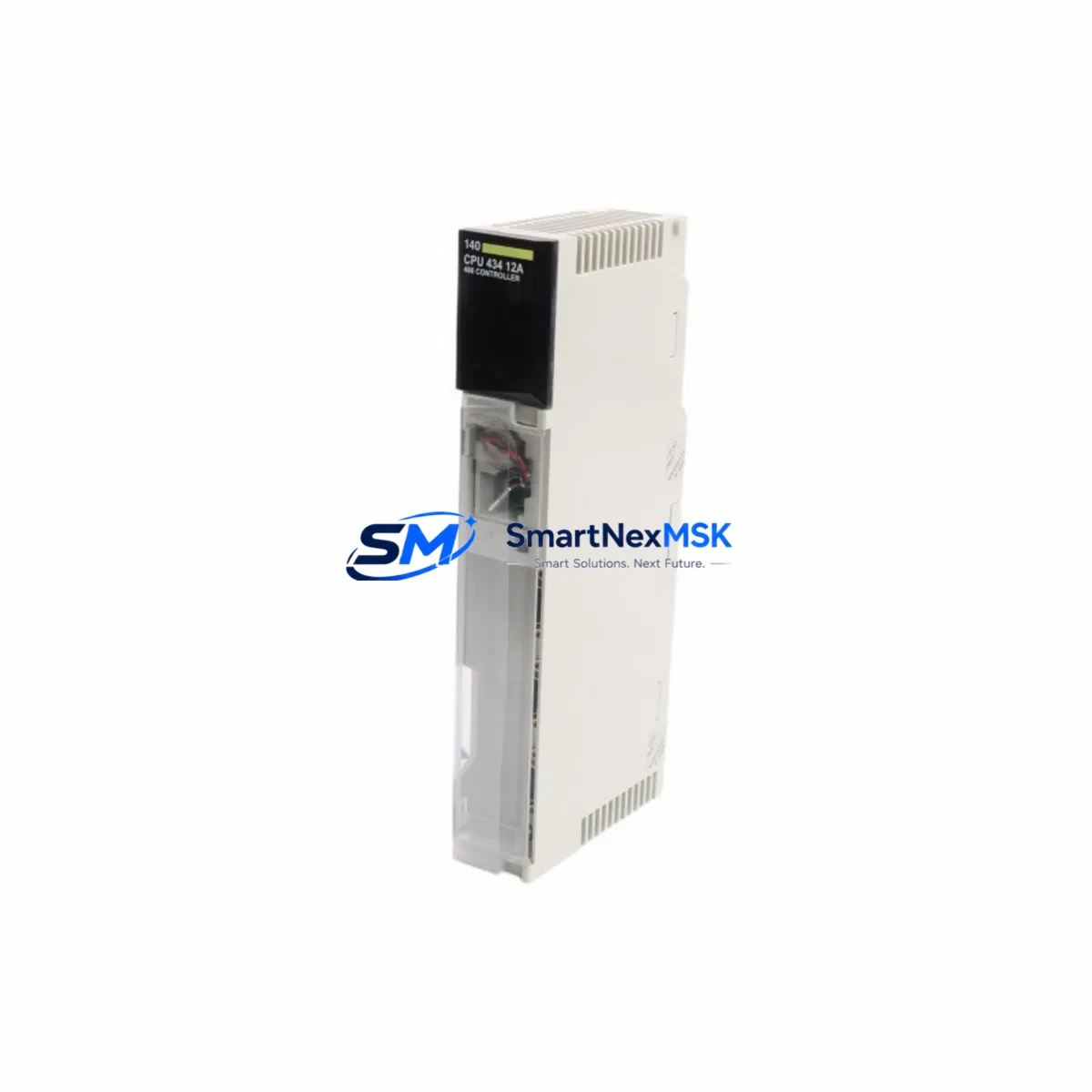
Schneider 140CPU43412U Maintenance-Ready Spare Quantum Automation
The Schneider Electric 140CPU43412U is a high-performance CPU module designed for the Modicon Quantum Unity PLC platform — one of the most widely deployed process automation architectures in heavy industry, power generation, oil & gas, and manufacturing. As a maintenance-ready original spare, this unit is sourced, inspected, and dispatched to support rapid field replacement, minimizing unplanned downtime and protecting continuous production cycles.
For maintenance engineers managing aging Quantum systems, the 140CPU43412U represents a critical line item in any spare parts inventory strategy. Its Unity firmware compatibility ensures seamless program restoration without re-engineering, while its robust hardware design supports long-term operation in demanding industrial environments. Procurement engineers will appreciate the combination of verified origin, pre-shipment functional testing, and a 12-month warranty — reducing total cost of ownership and eliminating the risk of counterfeit components entering the control cabinet.
Whether you are executing a planned shutdown, responding to an emergency CPU fault, or building a resilient spare parts buffer for a multi-site Quantum installation, the 140CPU43412U is a proven, specification-accurate replacement that restores system integrity without compromise.
Spare Maintenance Table
| Parameter | Specification / Detail |
|---|---|
| Part Number / SKU | 140CPU43412U |
| Brand | Schneider Electric |
| Series | Modicon Quantum Unity |
| Product Type | PLC CPU Module |
| Processor | Unity-compatible CPU, supports Quantum backplane architecture |
| Memory | Application RAM + Flash for program and data retention |
| Communication Ports | Modbus Plus, Ethernet (Unity), USB programming port |
| Backplane Compatibility | Modicon Quantum series backplanes (140XBP series) |
| Power Supply Compatibility | 140CPS series Quantum power supply modules |
| Operating Temperature | 0°C to 60°C (32°F to 140°F) |
| Humidity | 5% to 95% non-condensing |
| Mounting | DIN rail / backplane slot installation |
| Country of Origin | France |
| Condition | Original, pre-shipment tested |
| Warranty | 12 Months |
| Application Environment | Process automation, power, oil & gas, water treatment, manufacturing |
| Maintenance Recommendation | Replace CPU on first sign of watchdog fault, memory error, or communication loss; verify firmware version before installation |
Maintenance Planning for Continuous Operation
A CPU module failure in a Quantum system rarely occurs in isolation. When replacing the 140CPU43412U, a thorough maintenance engineer will simultaneously inspect and verify the condition of all interdependent components within the same control cabinet and electrical loop. This holistic approach prevents repeat failures and ensures the restored system operates reliably through the next planned maintenance window.
Power Supply Modules (140CPS series): The Quantum CPU draws regulated DC power from the backplane power supply. Any instability in the 140CPS11420 or 140CPS21400 power supply — such as output voltage drift, capacitor aging, or thermal stress — can cause intermittent CPU resets that mimic a CPU hardware fault. Always measure backplane rail voltages before and after CPU replacement.
Backplane / Rack (140XBP series): The 140XBP01600 or 140XBP01000 backplane provides the physical and electrical bus connecting the CPU to all I/O and communication modules. Inspect backplane connectors for oxidation, bent pins, or mechanical damage. A degraded backplane can cause sporadic communication errors even with a new CPU installed.
Ethernet Communication Module (140NOE series): In Unity-networked Quantum systems, the 140NOE77101 or 140NOE77111 Ethernet module handles SCADA, HMI, and peer-to-peer communication. After CPU replacement, verify that the NOE module firmware is compatible with the replacement CPU’s Unity OS version to avoid network initialization failures.
Modbus Plus Network Module (140NOM series): For legacy Modbus Plus topologies, the 140NOM21100 network option module must be checked for correct node addressing and cable termination. A CPU swap can sometimes reset network parameters stored in the CPU’s application memory.
Discrete I/O Modules (140DAI / 140DDO series): Inspect 24VDC discrete input modules (e.g., 140DAI74000) and output modules (e.g., 140DDO15310) for blown fuses, failed output transistors, or wiring faults that may have contributed to the original CPU overload or watchdog trip. I/O module faults that generate excessive bus traffic can stress the CPU.
Analog I/O Modules (140ACI / 140ACO series): Analog input modules such as the 140ACI04000 should be verified for signal integrity. Floating or shorted analog inputs can generate continuous interrupt requests that degrade CPU scan cycle performance over time.
Signal Isolators and Barriers: In hazardous area installations, Zener barriers and galvanic isolators protecting field signals into the Quantum I/O should be tested for isolation resistance and leakage current. Degraded isolators can introduce noise that corrupts analog readings and triggers CPU diagnostic alarms.
Terminal Blocks and Wiring: Loose or corroded terminal connections on I/O wiring — particularly on high-density terminal blocks associated with the 140DAI and 140ACI modules — are a common root cause of intermittent faults that are incorrectly attributed to CPU failure. Torque-check all field wiring terminals during the maintenance window.
HMI and SCADA Interface: After CPU replacement and program download, verify that the connected HMI (such as a Magelis XBTGT or SCADA workstation running Vijeo Citect or Wonderware) re-establishes communication correctly. Confirm that all data block addresses and tag mappings remain consistent with the restored application program.
Fuses and Circuit Protection: Check all panel-mounted fuses protecting the 24VDC control power rail and field device circuits. A blown fuse on the control power bus can cause the CPU to log spurious I/O faults during startup after replacement.
Site Replacement Workflow
Step 1 — Pre-Replacement Backup: Before removing the faulty 140CPU43412U, use Unity Pro software to upload and save the current application program, data tables, and CPU configuration to a secure engineering workstation. Confirm the backup file version matches the installed firmware.
Step 2 — Safe Isolation: Place the Quantum system in STOP mode via the Unity Pro online interface or the physical keyswitch. Notify the operations team and lock out the control cabinet per site LOTO procedures. Do not remove the CPU under power.
Step 3 — Module Swap: Remove the faulty CPU by releasing the front panel locking tabs and sliding the module from the backplane slot. Insert the replacement 140CPU43412U firmly until the backplane connector is fully seated. Secure the locking tabs.
Step 4 — Firmware and Program Restore: Power up the system and connect Unity Pro to the new CPU via USB or Ethernet. Verify that the CPU firmware version is compatible with the saved application. Download the application program and perform a full memory compare to confirm integrity.
Step 5 — I/O and Communication Verification: Cycle the CPU to RUN mode and verify all I/O modules report healthy status in the Unity Pro I/O map. Confirm Ethernet and Modbus Plus communication links are re-established. Check HMI screens for correct data display.
Step 6 — Functional Test and Handover: Perform a controlled functional test of critical outputs under supervision. Document the replacement in the site maintenance log, record the new CPU serial number, and update the spare parts inventory. Return the system to normal operation.
This structured workflow reduces mean time to repair (MTTR), eliminates re-work caused by missed steps, and ensures the restored Quantum system meets its original design specification — protecting both production continuity and personnel safety.
Spare Parts Support FAQ
Q1: Is the 140CPU43412U a direct drop-in replacement for older Quantum CPU models?
The 140CPU43412U is compatible with the Modicon Quantum Unity backplane architecture and is designed to replace Unity-generation Quantum CPUs within the same hardware family. For older Modicon Quantum 984 or non-Unity CPU variants, firmware and application compatibility must be verified before installation. Our technical team can assist with compatibility confirmation prior to shipment.
Q2: How is the unit tested before shipment?
Every 140CPU43412U unit undergoes pre-shipment functional testing including power-on self-test (POST) verification, communication port integrity check, and memory read/write validation. Units that fail any test parameter are quarantined and not dispatched. A test report is available upon request for critical installations.
Q3: What does the 12-month warranty cover?
The 12-month warranty covers hardware defects in materials and workmanship under normal operating conditions. It does not cover damage resulting from incorrect installation, overvoltage events, physical impact, or unauthorized modification. Warranty claims are processed with priority turnaround to minimize site downtime. Contact [email protected] to initiate a warranty claim.
Q4: Can you support long-term or blanket purchase orders for Quantum spare parts?
Yes. We support scheduled delivery agreements, consignment stock arrangements, and multi-site spare parts programs for customers managing large Quantum installations. Long-term supply commitments help stabilize your maintenance budget and ensure critical spares are available without lead-time risk. Contact our procurement team to discuss a tailored supply agreement.
© 2026 SMARTNEXMSK. All rights reserved.
Original Source: https://smartnexmsk.com
Contact: [email protected] | +86 18259474341



