
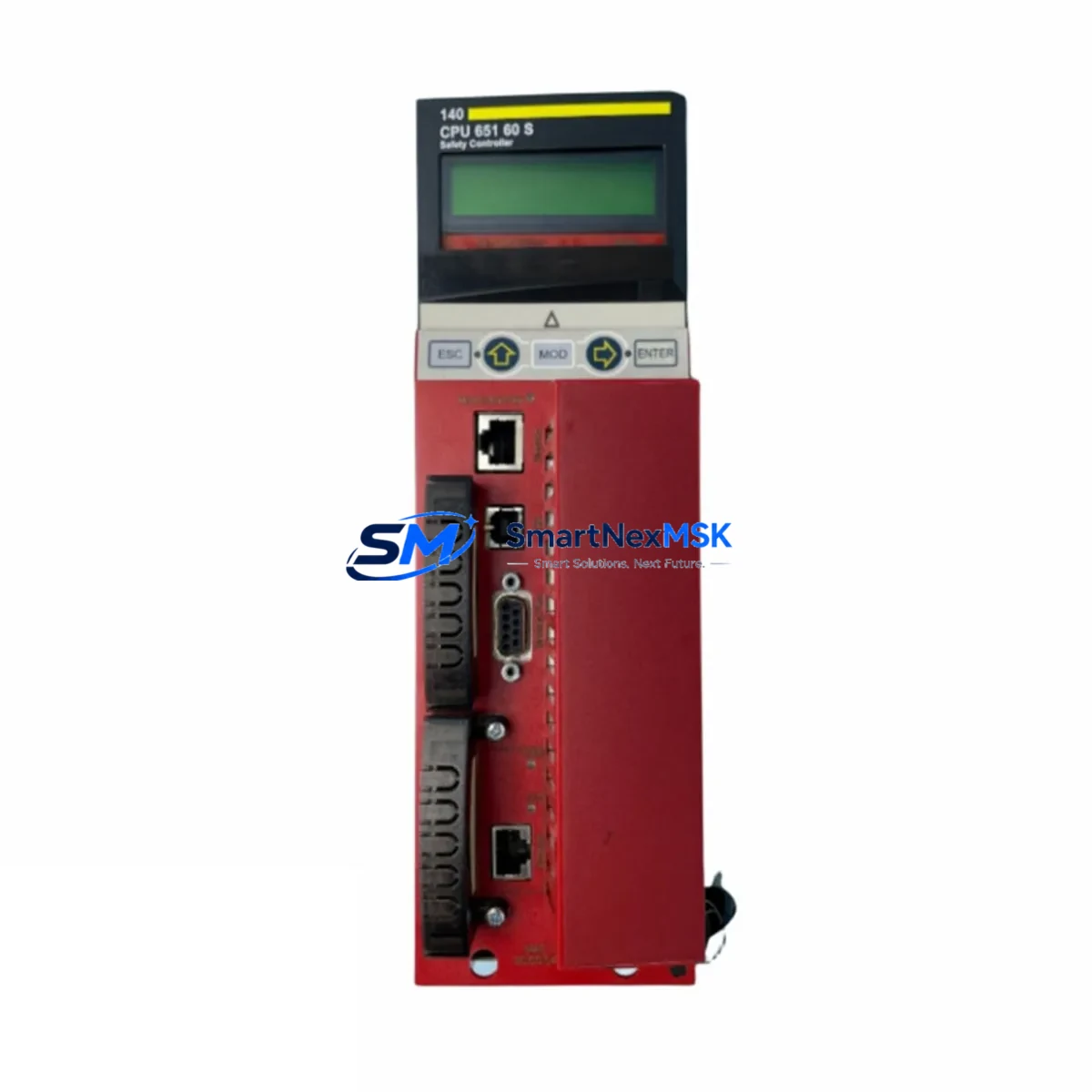
Schneider 140CPU65160S Retrofit-Ready CPU for Quantum Control Systems
The Schneider Electric 140CPU65160S is a high-performance CPU module engineered for the Modicon Quantum PLC platform, purpose-built to serve as a direct retrofit replacement for aging or discontinued control processors in legacy automation environments. Whether you are modernizing a mid-1990s production line, recovering from an unplanned CPU failure, or executing a planned control cabinet upgrade, the 140CPU65160S delivers the processing power, memory capacity, and communication compatibility required to restore and extend system life without a full platform migration.
This module operates within the standard Quantum backplane architecture, accepting both the 140XBP01600 16-slot rack and the 140XBP00600 6-slot rack without mechanical modification. Power supply compatibility has been verified against the 140CPS11420 and 140CPS21400 power supply modules, ensuring that existing cabinet wiring and terminal block layouts remain intact during the swap. Engineers performing the replacement should confirm available backplane current budget before installation, particularly in high-density I/O configurations where analog input modules such as the 140AII33000 or high-channel discrete output modules are co-located on the same rack.
The 140CPU65160S supports Modbus Plus as its native peer-to-peer communication protocol, maintaining full compatibility with existing network topologies that rely on the 140NOM21100 or 140NOM21110 Modbus Plus network option modules. For sites that have already begun migrating toward Ethernet-based supervisory control, the module can coexist with 140NOE77100 Ethernet communication modules installed in adjacent rack slots, enabling a phased protocol migration without disrupting active production.
Upgrade Compatibility Table
| Parameter | 140CPU65160S | Notes / Retrofit Guidance |
|---|---|---|
| Platform | Modicon Quantum | Direct slot-compatible with all standard Quantum racks |
| Backplane Interface | Quantum backplane bus | Compatible with 140XBP01600 (16-slot) and 140XBP00600 (6-slot) |
| Communication Protocol | Modbus Plus (native) | Coexists with 140NOE77100 Ethernet modules for hybrid topologies |
| Power Requirement | Supplied via backplane | Verify current budget with 140CPS11420 / 140CPS21400 PSU |
| Programming Software | Unity Pro / Control Expert | Legacy Concept software projects require conversion before download |
| I/O Addressing | Slot-based module addressing | Module address must match original CPU slot assignment in program |
| HMI Compatibility | Modbus / Modbus Plus | Magelis HMI panels retain existing variable mapping without screen rebuild |
| Installation Format | Single-slot CPU module | No DIN rail adapter required; mounts directly to backplane |
| Warranty | 12 Months | Covers manufacturing defects; includes pre-shipment functional test |
Retrofit Planning for Existing Automation Systems
A successful 140CPU65160S retrofit begins well before the module arrives on site. The first step is a full audit of the existing control cabinet: document every module installed in the Quantum rack, including discrete I/O modules such as the 140DDI35300 input module and 140DDO35300 output module, and record their slot positions. This slot map becomes the reference for verifying that the replacement CPU’s I/O addressing table matches the original configuration exactly. Any discrepancy between the physical slot assignment and the program’s I/O map will cause a configuration mismatch fault on first power-up.
Terminal block wiring on the existing CPU module — particularly the RS-232 programming port and any Modbus Plus trunk cable connections — should be photographed and labeled before disconnection. The 140CPU65160S uses the same physical connector layout as its predecessors, so terminal-for-terminal reconnection is straightforward, but field verification eliminates the risk of reversed polarity or swapped trunk/drop cable assignments on the Modbus Plus network.
For sites running Concept 2.x or earlier programming software, the existing application program must be exported and converted to Unity Pro or EcoStruxure Control Expert format before it can be downloaded to the 140CPU65160S. This conversion step is the most time-sensitive element of the retrofit and should be completed and bench-tested on a spare rack — ideally using a 140XBP00400 4-slot rack with a representative I/O module set — before the scheduled maintenance window begins. Having a TSXPCX1031 or USB-to-serial programming cable pre-configured and tested against the converted project eliminates a common source of last-minute delay.
HMI panels connected via Modbus Plus, including Magelis XBTGT and XBTGK series terminals, do not require screen or variable reconfiguration when the CPU is replaced with the 140CPU65160S, provided the Modbus Plus node address is preserved. Confirm the node address setting on the replacement module before installation and verify that the HMI communication parameters — baud rate, parity, and station number — match the original CPU’s configuration exactly.
Downtime Control During System Migration
Minimizing unplanned downtime during a CPU replacement requires a structured pre-outage preparation protocol. Before the maintenance window opens, upload and archive the current application program from the running CPU using Unity Pro or Control Expert in online mode. Store the archived project file in at least two separate locations — a local engineering workstation and a network-accessible backup — to protect against file corruption during the replacement process.
During the physical swap, power down the Quantum rack via the main disconnect rather than removing the CPU under live backplane power. This protects both the replacement module and any co-installed communication modules such as the 140NOE77100 from transient voltage damage. After seating the 140CPU65160S and restoring power, perform a cold start and allow the module to complete its self-diagnostic cycle before attempting a program download. The module’s RUN/STOP LED sequence during startup confirms successful backplane communication and memory initialization.
Once the program is downloaded and the CPU enters RUN mode, verify I/O status on a module-by-module basis using the online diagnostics view in Control Expert. Confirm that all Modbus Plus peer-to-peer links are re-established by checking the network statistics on any co-installed 140NOM21100 network option modules. Field I/O verification — cycling discrete outputs and reading analog input values against known process conditions — should be completed before releasing the system to production. Total controlled downtime for a well-prepared 140CPU65160S swap typically ranges from 2 to 4 hours, including program download, I/O verification, and HMI communication confirmation.
Retrofit Support FAQ
Q: Is the 140CPU65160S a direct drop-in replacement for the 140CPU65150S?
A: Yes. The 140CPU65160S is the designated successor to the 140CPU65150S within the Modicon Quantum CPU family. It occupies the same single backplane slot, uses the same Modbus Plus communication interface, and accepts the same application program structure. The primary difference is expanded user memory and enhanced instruction execution speed. No hardware modifications to the rack, power supply, or I/O wiring are required.
Q: Do I need to rewire terminal blocks when installing the 140CPU65160S?
A: In most cases, no. The 140CPU65160S uses the same physical connector layout as earlier Quantum CPU modules. RS-232 programming port connections and Modbus Plus trunk/drop cable assignments transfer directly. We recommend photographing all existing connections before removal and performing a point-to-point continuity check after reconnection to confirm wiring integrity before power-up.
Q: What pre-shipment testing is performed on the 140CPU65160S?
A: Every 140CPU65160S unit undergoes a functional power-on test, backplane communication verification, and Modbus Plus port integrity check before shipment. Units are shipped with a test report confirming pass status. The module is covered by a 12-month warranty against manufacturing defects from the date of shipment.
Q: Can the 140CPU65160S coexist with Ethernet modules already installed in the Quantum rack?
A: Yes. The 140CPU65160S supports concurrent operation with Ethernet communication modules such as the 140NOE77100 installed in adjacent rack slots. This allows sites to maintain existing Modbus Plus supervisory links while adding Ethernet-based SCADA or historian connectivity without replacing the entire control platform.
© 2026 SMARTNEXMSK. All rights reserved.
Original Source: https://smartnexmsk.com
Contact: [email protected] | +86 18259474341



