
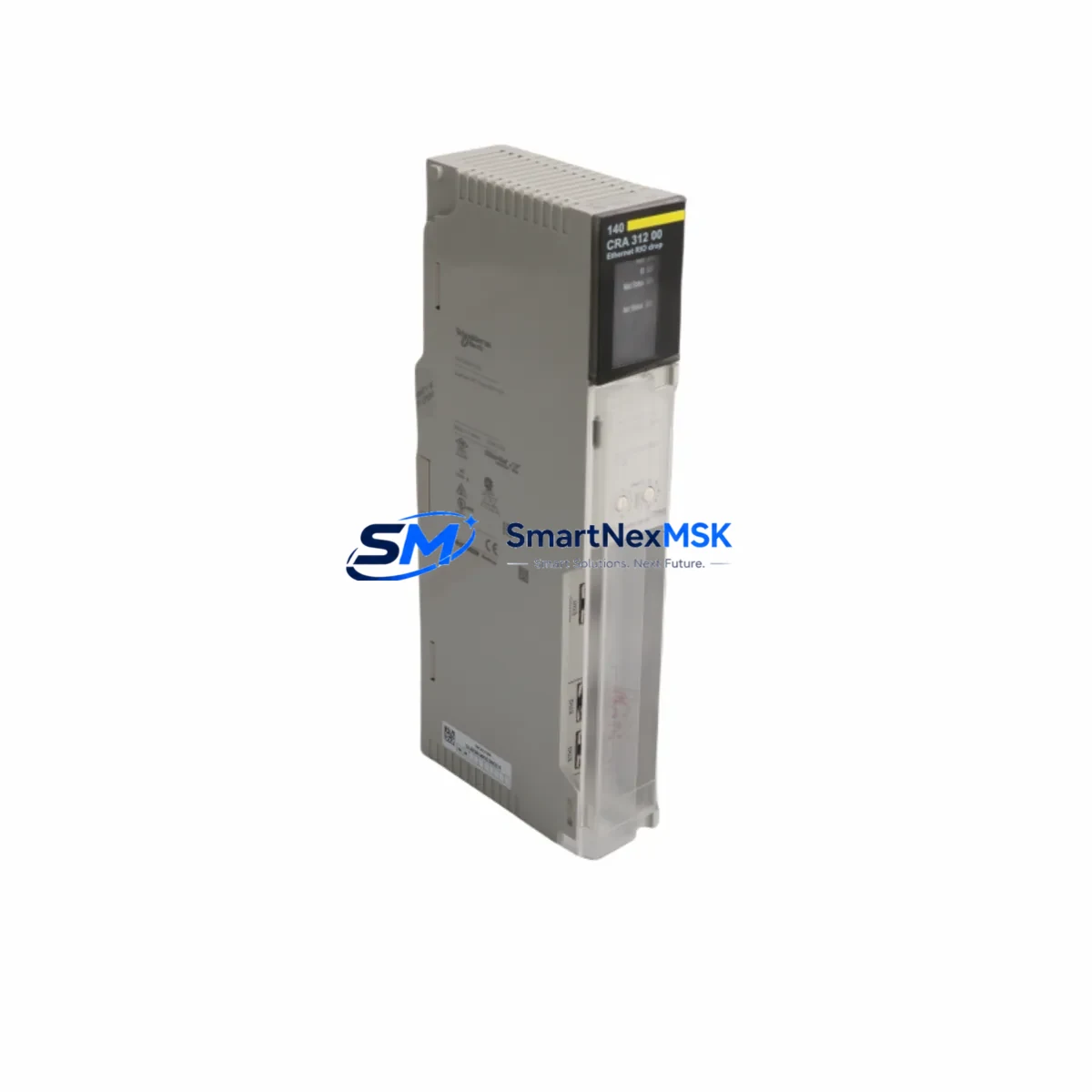
Schneider 140CRA31200 Retrofit-Ready RIO Adapter for Quantum Control Systems
The Schneider Electric 140CRA31200 is an Ethernet Remote I/O (RIO) Drop Adapter engineered for the Modicon Quantum automation platform. As legacy Quantum installations age and original spare parts become increasingly scarce, the 140CRA31200 remains one of the most sought-after retrofit components for engineers tasked with sustaining distributed I/O architectures without a full system overhaul. Whether you are replacing a failed unit on an active production line, upgrading a control cabinet to extend service life, or migrating from an older coaxial RIO backbone to an Ethernet-based topology, this adapter provides a verified drop-in solution backed by a 12-month warranty and pre-shipment functional testing.
The 140CRA31200 connects Quantum remote I/O drops to the controller backplane via a 10/100 Mbps Ethernet link, replacing the older S908 coaxial RIO infrastructure that many plants are now retiring. It mounts directly onto a Quantum I/O drop rack — compatible with standard 140XBP racks — and communicates with the Quantum CPU (such as the 140CPU65150 or 140CPU67160) through the Ethernet RIO scanner module 140CRP93200. Before installation, engineers must verify the power supply capacity of the remote drop: the 140CPS11420 or 140CPS21400 power supply modules are commonly paired with this adapter, and the total I/O module current draw must remain within the backplane’s rated budget.
Upgrade Compatibility Table
| Parameter | 140CRA31200 (This Unit) | Legacy S908 RIO Drop |
|---|---|---|
| Communication Protocol | Ethernet RIO (10/100 Mbps) | S908 Coaxial RIO |
| Scanner Module Required | 140CRP93200 | 140CRP93100 / 140CRP93000 |
| Rack Compatibility | 140XBP series (6, 10, 16 slot) | 140XBP series (same) |
| Power Supply Compatibility | 140CPS11420, 140CPS21400 | 140CPS11420, 140CPS21400 |
| Installation Position | Slot 1 of remote drop rack | Slot 1 of remote drop rack |
| Module Address Configuration | Rotary switch on unit face | Rotary switch on unit face |
| Unity Pro / Control Expert | Fully supported | Supported (older firmware) |
| Retrofit Recommendation | Direct replacement for Ethernet RIO drops | Requires cabling and scanner change for Ethernet migration |
| Commissioning Focus | IP address, drop number, I/O map verification | Drop address, cable termination |
| Warranty | 12 Months | N/A (discontinued) |
Retrofit Planning for Existing Automation Systems
A successful retrofit using the 140CRA31200 begins well before the unit arrives on site. The first step is an audit of the existing Quantum rack configuration: document every module installed in the remote drop — including analog input modules such as the 140AII33000, discrete output modules like the 140DDO35300, and any specialty modules — so that the I/O map in the Unity Pro or Control Expert project can be cross-referenced against the physical slot assignments. Any mismatch between the software configuration and the physical rack will cause the CPU to flag a configuration error at startup.
Next, confirm the Ethernet RIO network topology. The 140CRA31200 requires a dedicated Ethernet RIO network segment managed by the 140CRP93200 scanner module installed in the Quantum CPU rack. This scanner supports up to 31 remote drops, each assigned a unique drop number via the rotary address switch on the face of the 140CRA31200. Ensure that the IP addressing scheme for the RIO network does not conflict with the plant’s existing SCADA or Modbus TCP network — it is best practice to isolate the RIO Ethernet segment on a dedicated VLAN or physical switch.
Wiring adaptation is another critical checkpoint. The 140CRA31200 uses standard RJ45 Ethernet connectors, so if the existing installation used coaxial S908 cabling, new Cat5e or Cat6 runs will be required to each remote drop location. Plan cable routing through the control cabinet and field junction boxes in advance to minimize installation time during the maintenance window. The 140CPS11420 power supply in each remote rack must be verified to supply sufficient current for all installed I/O modules plus the adapter itself — the 140CRA31200 draws approximately 800 mA from the backplane 5 VDC bus.
For sites running older Concept or ProWORX programming environments, the project must be converted to Unity Pro or Control Expert before the Ethernet RIO infrastructure can be fully commissioned. During this conversion, verify that all derived function blocks, animation tables, and HMI variable bindings remain intact. If the plant uses a Vijeo Citect or FactoryTalk View HMI, update the OPC server tag database to reflect any address changes introduced during the migration. The 140NOE77101 Ethernet communication module, if present in the CPU rack, should also be checked for firmware compatibility with the new RIO scanner configuration.
Downtime Control During System Migration
Minimizing unplanned downtime is the primary concern for any retrofit involving the 140CRA31200. The recommended approach is a staged cutover: prepare the new Ethernet RIO drop offline, pre-configure the IP address and drop number on the 140CRA31200 before installation, and load the updated Unity Pro project to a test CPU if available. Use the Control Expert simulator to validate the I/O map and confirm that all rungs referencing the remote drop addresses compile without errors.
During the physical cutover, follow a structured sequence: power down the remote drop rack, remove the legacy adapter or failed unit, install the 140CRA31200 in slot 1, reconnect the Ethernet cable, and restore power. The CPU will attempt to establish communication with the new drop within seconds of power restoration. Monitor the diagnostic LEDs on the 140CRA31200 — a steady green RUN LED and a flashing green COM LED confirm normal operation. If the CPU logs a “Drop Not Responding” fault, verify the drop number setting and the Ethernet cable continuity before escalating.
To protect the original program logic, always back up the Unity Pro project and the CPU memory card (140MMS31100 or equivalent) before beginning any hardware change. This ensures that a full system restore is possible within minutes if an unexpected fault occurs. Keep the original adapter on the bench as a reference until the new unit has completed at least one full production cycle without alarms.
Retrofit Support FAQ
Q1: Is the 140CRA31200 a direct drop-in replacement for a failed Ethernet RIO adapter in an existing Quantum system?
Yes. The 140CRA31200 is a direct replacement for any Quantum Ethernet RIO drop adapter of the same model. No software changes are required if the drop number and IP address are configured identically to the failed unit. The I/O map, program logic, and HMI bindings remain unchanged.
Q2: What wiring and terminal changes are needed when installing the 140CRA31200?
The 140CRA31200 connects via a standard RJ45 Ethernet port. If replacing a unit on an existing Ethernet RIO network, simply reconnect the existing Cat5e/Cat6 cable. If migrating from a coaxial S908 RIO system, new Ethernet cabling must be run from the 140CRP93200 scanner to each remote drop location. No terminal block changes are required on the I/O modules within the rack.
Q3: How is compatibility with the existing Unity Pro or Control Expert project verified before installation?
Open the project in Unity Pro or Control Expert and navigate to the hardware configuration. Confirm that the remote drop is defined as an Ethernet RIO drop with the correct drop number and that all I/O modules in the rack match the physical configuration. Use the “Analyze Project” function to check for configuration errors before downloading to the CPU. A pre-shipment functional test is performed on every 140CRA31200 unit we supply.
Q4: What does the 12-month warranty cover, and what is included in the pre-shipment test?
The 12-month warranty covers all hardware defects and functional failures under normal operating conditions from the date of shipment. Pre-shipment testing includes power-on verification, Ethernet port continuity, backplane communication check, and LED status confirmation. Units that do not pass all test criteria are not shipped. Warranty claims are processed within 5 business days of receipt of the returned unit.
© 2026 SMARTNEXMSK. All rights reserved.
Original Source: https://smartnexmsk.com
Contact: [email protected] | +86 18259474341



