
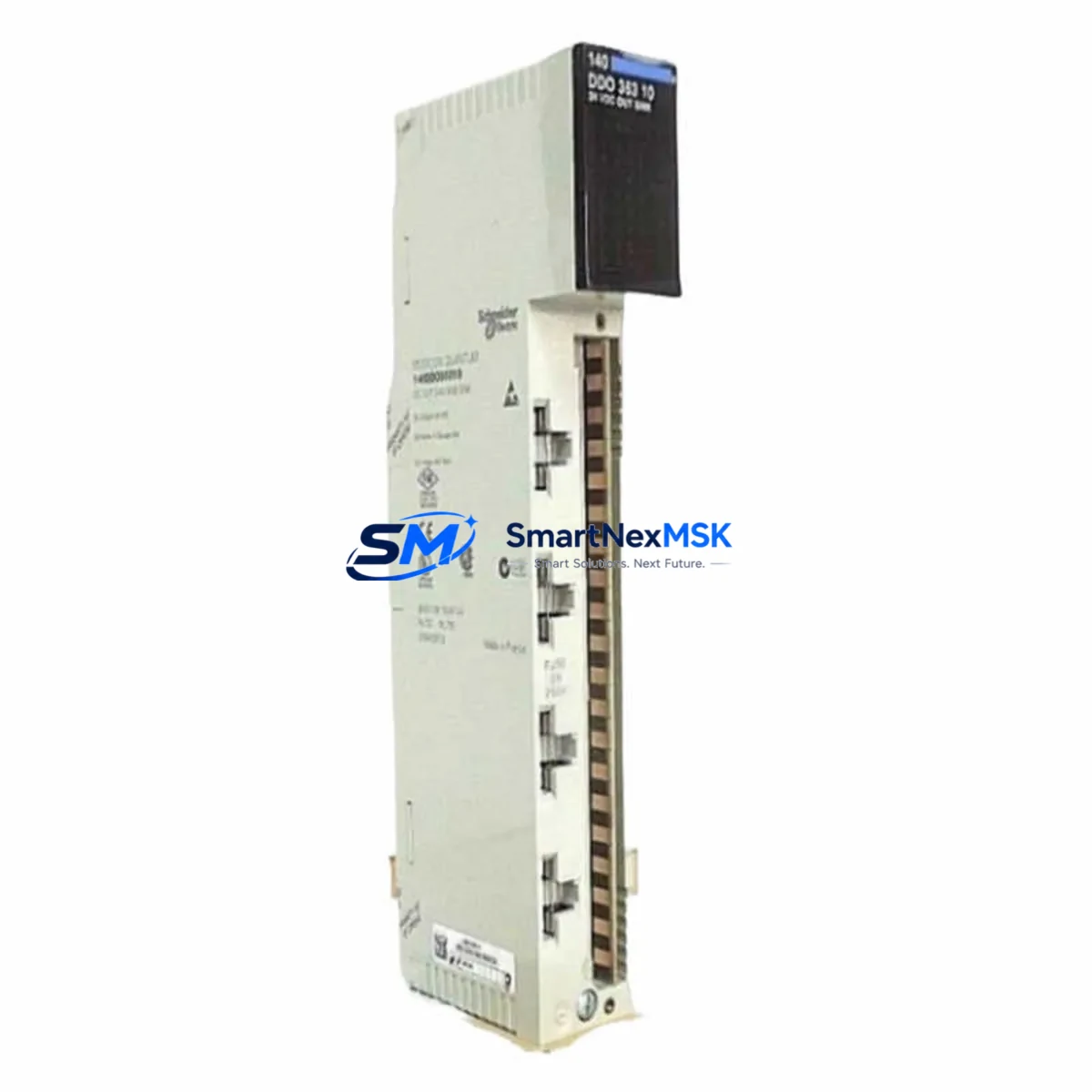
Schneider 140DDO36400 Spare for Quantum Automation: Spare Replacement & Industrial Downtime Risk Control
The Schneider Electric 140DDO36400 is an original 32-channel, 24VDC discrete output module designed for the Modicon Quantum PLC platform — one of the most widely deployed process automation architectures in heavy industry, utilities, oil & gas, and manufacturing. When this module fails or degrades, the downstream impact is immediate: loss of actuator control, conveyor shutdowns, valve command failures, and unplanned production stoppages. Maintaining a verified spare of the 140DDO36400 in your parts inventory is a fundamental risk-mitigation strategy for any facility running Quantum-based control systems.
This listing provides an original, tested 140DDO36400 — not a substitute or compatible replacement — sourced for maintenance engineers and procurement teams who require exact-fit spares with documented compatibility, pre-shipment functional verification, and a 12-month warranty. Each unit is inspected against Schneider Electric’s original specifications before dispatch.
Spare Maintenance Table
| Parameter | Specification |
|---|---|
| Part Number / SKU | 140DDO36400 |
| Brand | Schneider Electric (Modicon) |
| Series | Modicon Quantum |
| Module Type | Discrete Output Module |
| Number of Channels | 32 Channels |
| Output Voltage | 24VDC |
| Output Current per Channel | 0.5A (typical) |
| Total Load Current | Up to 4A per group |
| Output Type | Transistor (Sourcing) |
| Backplane Compatibility | Modicon Quantum Backplane (140 Series) |
| Protection | Short-circuit and overload protection per channel group |
| Operating Temperature | 0°C to 60°C |
| Mounting | Quantum backplane slot — direct plug-in, no tools required |
| Country of Origin | France |
| Condition | Original, tested, pre-shipment verified |
| Warranty | 12 Months from date of shipment |
| Application Environment | Industrial automation, process control, utilities, oil & gas, manufacturing |
| Maintenance Recommendation | Inspect connector pins, verify LED output status indicators, confirm 24VDC field wiring integrity at commissioning and during scheduled PM cycles |
Maintenance Planning for Continuous Operation
When a 140DDO36400 discrete output module is flagged for replacement during a planned shutdown or emergency callout, experienced maintenance engineers know that the module itself is rarely the only component requiring attention. A thorough site inspection and replacement workflow should encompass the entire output circuit and adjacent control cabinet components.
Begin by verifying the 140CPS11420 or 140CPS21400 power supply module — the Quantum backplane power source. A degraded power supply can cause intermittent output faults that mimic module failure. Check output voltage stability under load before condemning the 140DDO36400.
Inspect the field wiring terminal blocks connected to the module’s I/O connector. Loose terminations, corroded contacts, or undersized conductors are a common root cause of output channel failures in high-vibration or high-humidity environments. Replace terminal blocks showing signs of heat discoloration or mechanical wear.
Review the status of the 140ACI04000 or 140AII33000 analog input modules in the same rack if the system uses closed-loop control — a failed discrete output can mask upstream analog signal faults that will resurface after the output module is restored. Similarly, check the 140DDI35300 discrete input module for any mirrored I/O channels used in interlock or feedback circuits.
For systems using Modicon Quantum communication modules such as the 140NOE77100 Ethernet module or 140NOM21200 Modbus Plus module, confirm that the rack communication bus is intact and that the replacement module is recognized by the CPU after hot-swap or cold restart. Use Unity Pro or Control Expert diagnostics to verify module health status on the backplane.
If the control cabinet includes intermediate relay modules (such as Schneider Zelio or Phoenix Contact relay bases) between the 140DDO36400 outputs and field actuators, inspect relay coil resistance and contact condition. Relay contact wear is a frequent cause of field-side output failures that are incorrectly attributed to the PLC output module.
Check the 140CPU65150 or 140CPU67160 CPU module firmware version for any known output module compatibility advisories. Older firmware revisions may not correctly initialize replacement modules with updated hardware revisions.
Finally, verify the integrity of the backplane bus connector on the Quantum rack. Bent or oxidized backplane pins can cause communication errors between the CPU and the replacement 140DDO36400, resulting in module fault LEDs even on a fully functional spare.
Site Replacement Workflow
Step 1 — Pre-replacement verification: Confirm the 140DDO36400 SKU against the rack label and Unity Pro/Control Expert I/O configuration. Verify that the replacement unit’s hardware revision is compatible with the installed CPU firmware. Document the current output channel assignments and field wiring labels before disconnection.
Step 2 — Safe isolation: Follow your site’s lockout/tagout (LOTO) procedure. De-energize the 24VDC field supply to the module’s output groups. Do not rely solely on the CPU output disable command — physically isolate field power at the cabinet distribution fuse or circuit breaker.
Step 3 — Module extraction and installation: Release the module locking lever on the Quantum backplane, extract the 140DDO36400, and insert the replacement unit until the backplane connector is fully seated and the locking lever engages. Reconnect the I/O field wiring connector, verifying terminal torque to specification.
Step 4 — Power-up and diagnostics: Restore field power and backplane power. Observe the module’s RUN and I/O status LEDs. Use Control Expert online diagnostics to confirm the module is recognized and all 32 output channels are in the expected state. Force-test critical output channels against field actuator response before returning the system to automatic mode.
Step 5 — Documentation and spare replenishment: Log the replacement in your CMMS with the module serial number, installation date, and pre-replacement fault symptoms. Immediately initiate a purchase order for a replacement spare to restore your buffer stock — single-spare strategies leave no margin for a second failure during the same maintenance cycle.
Spare Parts Support FAQ
Q: Is this an original Schneider Electric 140DDO36400 or a compatible substitute?
A: This is an original Schneider Electric (Modicon) 140DDO36400 — not a third-party compatible or remanufactured substitute. Each unit is sourced from verified supply channels and undergoes pre-shipment functional testing to confirm output channel integrity and backplane communication.
Q: What is the warranty coverage and what does it include?
A: All units carry a 12-month warranty from the date of shipment. The warranty covers manufacturing defects and functional failures under normal operating conditions. It does not cover damage resulting from incorrect installation, overvoltage events, or field wiring faults. Our technical team provides post-sale support for installation and commissioning questions.
Q: How do I confirm compatibility with my existing Quantum rack and CPU?
A: The 140DDO36400 is compatible with all standard Modicon Quantum backplane configurations using the 140 series rack. Compatibility with your specific CPU firmware version should be verified against Schneider Electric’s product compatibility matrix in Unity Pro or Control Expert. If you provide your CPU part number and firmware version, our team can confirm compatibility before shipment.
Q: What is your typical lead time and can you support emergency orders?
A: Standard orders ship within 1–3 business days after payment confirmation. Emergency and expedited orders are supported — contact our sales team directly to confirm stock availability and arrange priority dispatch. We maintain buffer inventory of high-demand Quantum series modules to support unplanned maintenance callouts.
© 2026 SMARTNEXMSK. All rights reserved.
Original Source: https://smartnexmsk.com
Contact: [email protected] | +86 18259474341



