
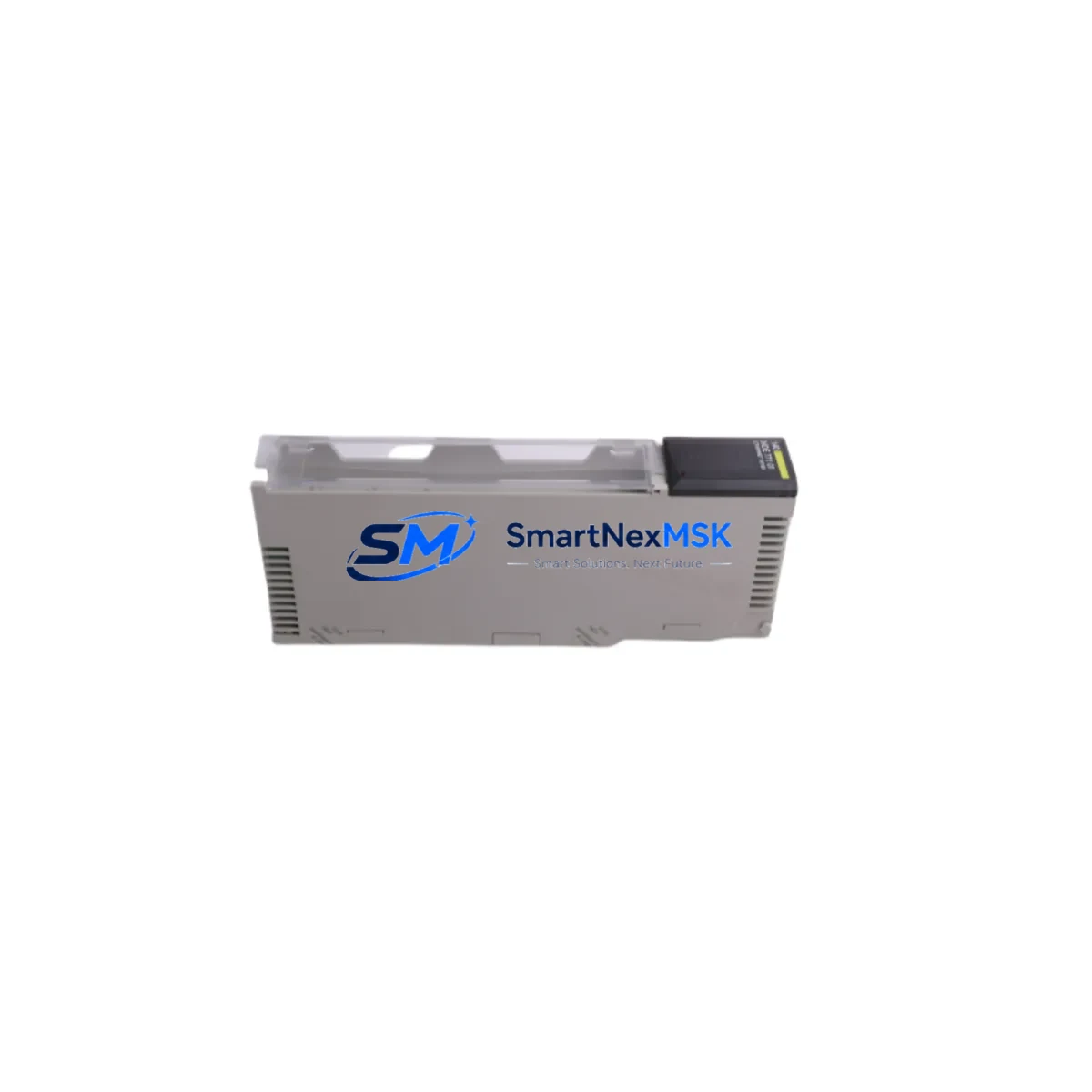
Schneider 140NOE77101 Retrofit-Ready Ethernet Module for Quantum Control Systems
The Schneider Electric 140NOE77101 is a Modicon Quantum series Ethernet TCP/IP communication module engineered for seamless integration into existing Quantum rack-based control architectures. As legacy Quantum systems approach end-of-life and spare parts become increasingly scarce, the 140NOE77101 serves as a critical retrofit component — enabling plant engineers to extend the operational lifespan of their control infrastructure without committing to a full platform migration. Whether you are replacing a failed unit, upgrading network communication capability, or consolidating aging control cabinets, the 140NOE77101 delivers reliable, standards-compliant Ethernet connectivity with minimal disruption to your production environment.
This module supports 10/100 Mbps Ethernet communication using the Modbus TCP/IP protocol, making it fully compatible with SCADA systems, HMI terminals, and engineering workstations that communicate over standard industrial Ethernet networks. Its dual RJ45 ports support both device-level and network-level connections, and the module integrates directly into the Quantum 140 series backplane without requiring additional adapters or interface cards. For facilities running Vijeo Citect, Wonderware, or iFIX SCADA platforms, the 140NOE77101 provides a transparent upgrade path that preserves existing tag databases and communication configurations.
Upgrade Compatibility Table
| Parameter | 140NOE77101 Specification | Retrofit Notes |
|---|---|---|
| Communication Protocol | Modbus TCP/IP, Ethernet I/O | Compatible with existing Modbus TCP SCADA/HMI configurations |
| Network Speed | 10/100 Mbps Auto-Negotiation | Supports legacy 10 Mbps and modern 100 Mbps switches |
| Backplane Interface | Quantum 140 series backplane | Direct slot replacement; no adapter required |
| Port Configuration | 2 × RJ45 Ethernet ports | Verify port assignment in Unity Pro / Concept software |
| Power Consumption | 3.5 W (from backplane) | Verify rack power budget with 140CPS11100 or 140CPS21100 PSU |
| Module Address | Configured via DIP switch / software | Match original module slot address in PLC program |
| Installation Slot | Any Quantum I/O slot (non-CPU) | Confirm slot availability in 140XBP01600 or 140XBP01000 rack |
| Firmware Compatibility | Unity Pro XL / Concept 2.6+ | Verify firmware version before hot-swap or cold replacement |
| HMI Compatibility | Magelis, Vijeo Designer, third-party | Update HMI IP address table if module IP changes |
| Warranty | 12 Months | Covered from date of shipment; includes functional test certificate |
Retrofit Planning for Existing Automation Systems
Successful integration of the 140NOE77101 into a running Quantum system begins with a thorough pre-replacement audit. Engineers should document the existing network topology, including the IP address, subnet mask, gateway, and Modbus unit identifier currently assigned to the module being replaced. If the failed unit is a 140NOE77100 or an earlier 140NOE77000 variant, the 140NOE77101 is a direct functional successor and retains backward compatibility with Concept and Unity Pro project files.
Before physical installation, verify that the rack’s power supply — typically a 140CPS11100 or 140CPS21100 — has sufficient headroom to support the module’s 3.5 W backplane draw alongside other installed modules such as the 140ACI04000 analog input module, 140DDI35300 discrete input module, or 140DAO84000 analog output module. Overloaded power supplies are a common cause of intermittent communication faults after module replacement.
The 140NOE77101 installs into any available I/O slot within a 140XBP01600 16-slot rack or 140XBP01000 10-slot rack. If the original module occupied a specific slot referenced in the Unity Pro hardware configuration, the replacement must be placed in the identical slot position to avoid address conflicts. After physical installation, open the Unity Pro XL project, navigate to the hardware configuration editor, and confirm that the module type and slot assignment match the physical installation. If the project was developed in the legacy Concept 2.6 environment, import the configuration into Unity Pro before making any hardware changes to ensure program compatibility.
For systems using the 140CPU65160 or 140CPU67160 processor modules, the Ethernet port on the CPU itself may handle some network traffic, but the 140NOE77101 is required for dedicated Ethernet I/O scanning or for separating SCADA traffic from peer-to-peer messaging. Ensure that the IP routing table on the 140NOE77101 does not conflict with the CPU’s built-in Ethernet port. In multi-rack configurations connected via a 140XBE10000 remote I/O head adapter, confirm that the communication module’s network segment is correctly isolated from the remote I/O bus to prevent broadcast storms.
If the system includes a Magelis XBTGT or XBTGK HMI panel communicating via Modbus TCP, update the HMI’s device address table to reflect the new module’s IP address after replacement. In most cases, assigning the same IP address as the original module eliminates the need for HMI reconfiguration entirely. For systems using a TSX ETY110 or TSX ETY210 Premium series Ethernet module on an adjacent control cabinet, verify that the network switch — typically a TCSESM063F2CU0 ConneXium managed switch — has the correct VLAN and port speed settings to accommodate both modules simultaneously.
Downtime Control During System Migration
Minimizing unplanned downtime during a module replacement requires a structured cold-swap procedure. Begin by exporting the current Unity Pro project to a backup file and saving the existing module configuration parameters — IP address, subnet mask, gateway, Modbus unit ID, and I/O scanner table — to a commissioning record sheet. Power down the rack using the main disconnect, not just the CPU stop command, to ensure the backplane is fully de-energized before removing the module.
After installing the 140NOE77101, power up the rack and allow the module to complete its self-diagnostic cycle, indicated by the RUN LED transitioning from red to green. Re-download the Unity Pro project to the 140CPU65160 or equivalent CPU, then verify that all I/O scanner entries are active and that the module’s diagnostic page in Unity Pro shows no communication faults. For systems with redundant CPU configurations using a 140CPU67160 hot-standby pair, perform the replacement on the standby unit first, verify full functionality, then execute a controlled switchover before replacing the primary unit — this approach limits production impact to the switchover interval, typically under 30 seconds.
Field teams should have a pre-tested replacement unit on hand before beginning the procedure. All 140NOE77101 modules shipped by SMARTNEXMSK undergo a functional bench test prior to dispatch, including Ethernet link verification, Modbus TCP communication test, and backplane interface check. A test certificate is included with each shipment, and the 12-month warranty covers both component failure and latent defects identified during commissioning.
Retrofit Support FAQ
Q: Is the 140NOE77101 a direct replacement for the 140NOE77100?
A: Yes. The 140NOE77101 is the direct successor to the 140NOE77100 and is backward compatible with all Quantum rack configurations and Unity Pro / Concept software projects that referenced the earlier model. No program modifications are required if the module is installed in the same slot position with the same IP address.
Q: What wiring or terminal changes are needed during installation?
A: The 140NOE77101 uses standard RJ45 Ethernet connectors and does not require any terminal block wiring. Simply disconnect the existing Ethernet cables from the failed module, install the replacement in the same backplane slot, and reconnect the cables. Verify cable category (Cat5e or Cat6 recommended) and switch port settings before powering up.
Q: How do I verify communication compatibility before committing to the replacement?
A: Request a pre-shipment functional test report from SMARTNEXMSK. Each unit is tested for Ethernet link establishment, Modbus TCP response, and backplane power draw. Additionally, confirm your Unity Pro project version and CPU firmware revision against the 140NOE77101 compatibility matrix available in the Schneider Electric product bulletin. For legacy Concept projects, a Unity Pro migration is recommended before hardware replacement.
Q: What does the 12-month warranty cover?
A: The 12-month warranty covers all manufacturing defects, component failures, and functional faults identified from the date of shipment. It includes free replacement or repair of the defective unit. Warranty claims require the original shipment documentation and a brief fault description. On-site labor and consequential losses are not covered, but SMARTNEXMSK provides remote commissioning support at no additional charge during the warranty period.
© 2026 SMARTNEXMSK. All rights reserved.
Original Source: https://smartnexmsk.com
Contact: [email protected] | +86 18259474341



