
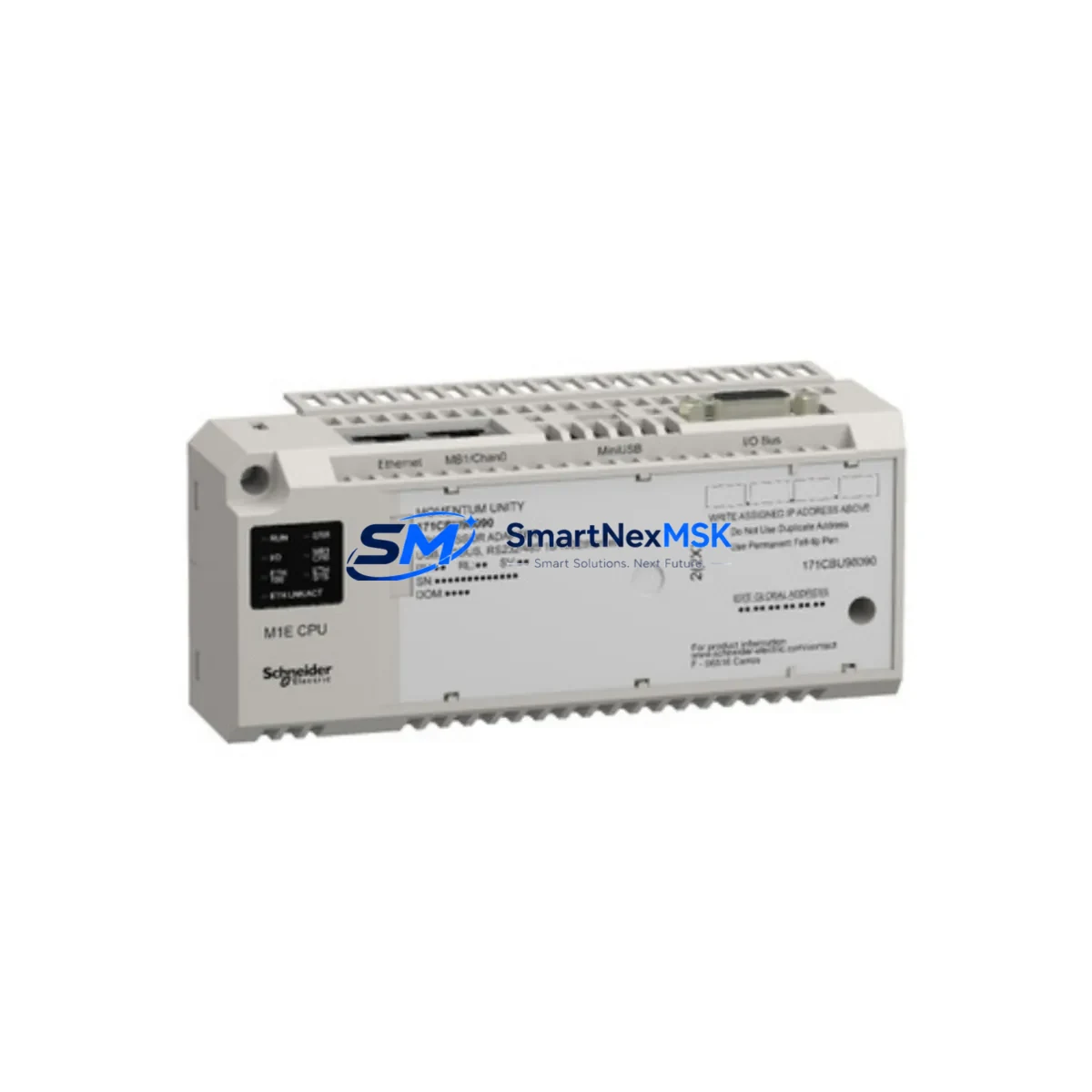
Schneider 170AMM09000 Maintenance-Ready Spare Momentum Automation
The Schneider Electric 170AMM09000 is an original Modicon Momentum Mixed I/O Module engineered for continuous-duty industrial automation environments. For maintenance engineers managing aging Momentum-based control architectures, unplanned downtime caused by a failed I/O module can cascade into production losses that far exceed the cost of a stocked spare. Sourcing a verified, tested 170AMM09000 from a reliable industrial spare parts supplier is the most direct path to restoring system availability and protecting your facility’s uptime commitments.
The 170AMM09000 combines discrete and analog I/O functions in a single compact Momentum adapter, reducing panel footprint while maintaining full compatibility with the Modicon Momentum backplane and communication infrastructure. Whether you are executing a planned shutdown replacement, responding to an emergency fault, or building a preventive maintenance spare kit, this module ships tested, inspected, and backed by a 12-month warranty.
Spare Maintenance Table
| Parameter | Specification |
|---|---|
| Part Number / SKU | 170AMM09000 |
| Brand | Schneider Electric (Modicon) |
| Series | Modicon Momentum |
| Module Type | Mixed I/O Module (Discrete + Analog) |
| Discrete Inputs | 16 × 24 VDC |
| Discrete Outputs | 8 × Relay |
| Analog Inputs | 4 × 0–10 V / 4–20 mA |
| Analog Outputs | 2 × 0–10 V / 4–20 mA |
| Backplane Compatibility | Modicon Momentum Adapter (170ADM series) |
| Communication Interface | Via Momentum communication adapter (e.g. 170ENT11001, 170PNT11000) |
| Supply Voltage | 24 VDC (via backplane) |
| Operating Temperature | 0 °C to +60 °C |
| Protection Rating | IP20 |
| Origin | France |
| Product Weight | Approx. 1,100 g |
| Warranty | 12 Months — Tested Before Shipment |
| Condition | Original Spare / New Surplus / Refurbished (as specified at order) |
| Delivery | Global — Express and Standard Options Available |
Maintenance Planning for Continuous Operation
When a 170AMM09000 module is flagged during a control cabinet inspection or fault log review, experienced maintenance engineers know that replacing the I/O module alone is rarely sufficient for a complete corrective action. A thorough site assessment should include the following associated components within the same Momentum node and electrical circuit:
Begin with the Momentum communication adapter — models such as the 170ENT11001 (Ethernet TCP/IP) or 170PNT11000 (PROFIBUS DP) — since a degraded adapter can cause intermittent I/O faults that mimic module failure. Inspect the 170ADM54080 or equivalent discrete adapter for signs of contact wear or terminal oxidation. Check the 24 VDC power supply module feeding the Momentum rack; voltage sags below 21.6 VDC will cause erratic analog readings and false discrete transitions.
Inspect all field wiring terminals and terminal blocks connected to the I/O points — loose or corroded terminations are a leading cause of premature module replacement cycles. If the system uses signal isolators on analog loops (common in environments with high electromagnetic interference), verify that the isolator output range still matches the 170AMM09000 input specification. Review the relay output contacts for contact resistance; relay outputs on mixed I/O modules are subject to mechanical wear and should be part of any planned maintenance interval.
For systems using Modicon M340 or Quantum PLCs in the same facility, cross-check the spare parts inventory to ensure compatible communication modules and power supplies are also stocked. In multi-drop Modbus or PROFIBUS architectures, a network repeater or termination resistor failure can be misdiagnosed as an I/O module fault — always verify bus integrity before condemning the 170AMM09000. Finally, confirm that the HMI panel (such as a Magelis XBTGT or XBTGK series) is correctly reading the new module’s I/O map after replacement to avoid operator interface alarms caused by address mismatches.
Site Replacement Workflow
Step 1 — Pre-Replacement Verification: Download and archive the current PLC program and I/O configuration from the Momentum CPU or communication adapter before any hardware change. Confirm the replacement 170AMM09000 carries the same firmware revision or a compatible successor revision.
Step 2 — Safe Isolation: De-energize the 24 VDC field supply to the module. Do not rely solely on software inhibit — physically isolate the supply using the panel’s dedicated circuit breaker or fuse. Tag out per your facility’s LOTO procedure.
Step 3 — Module Swap: Disconnect field wiring from the I/O terminals, noting wire labels and positions. Remove the faulty 170AMM09000 from the Momentum backplane. Seat the replacement module firmly until the backplane connector is fully engaged.
Step 4 — Re-termination and Inspection: Reconnect field wiring per the original termination diagram. Inspect all terminal screws for correct torque. Verify that no wires were transposed during reconnection.
Step 5 — Power-Up and Functional Test: Restore 24 VDC supply. Observe the module’s status LEDs — RUN (green), I/O fault (red), and communication status indicators. Force-test discrete inputs and outputs from the HMI or programming terminal before returning the system to automatic mode.
Step 6 — Documentation: Record the replacement in the maintenance log, including the old module’s serial number, fault symptom, replacement date, and technician ID. Update the spare parts inventory to trigger reorder of a replacement 170AMM09000 for the next maintenance cycle.
This workflow minimizes mean time to repair (MTTR) and ensures the Momentum system returns to full rated performance without residual faults from the replacement procedure.
Spare Parts Support FAQ
Q1: Is the 170AMM09000 still available as a new original spare, or only as refurbished stock?
Both new original (new surplus) and professionally refurbished units are available depending on current stock. All units — regardless of condition — are functionally tested prior to shipment and covered by a 12-month warranty. Condition is confirmed at the time of order inquiry.
Q2: How do I verify compatibility before installing a replacement 170AMM09000 in my existing Momentum system?
Confirm that your existing Momentum communication adapter and backplane are standard Momentum series hardware. The 170AMM09000 is compatible with all standard Momentum adapters. Check the firmware version label on the module; if your system uses a specific firmware-dependent feature, contact our technical team before ordering to confirm revision compatibility.
Q3: What is the recommended spare parts stocking strategy for a facility running multiple Momentum nodes?
For facilities with three or more Momentum nodes, maintaining at least one 170AMM09000 per five nodes is a practical minimum. High-criticality lines should carry a 1:3 ratio. Pair the I/O module spare with a stocked communication adapter and a 24 VDC power supply to cover the most common failure modes without waiting for emergency procurement.
Q4: What testing is performed before shipment, and what does the 12-month warranty cover?
Each 170AMM09000 undergoes power-on functional testing, I/O point verification, and communication interface check before dispatch. The 12-month warranty covers manufacturing defects and functional failures under normal operating conditions. It does not cover damage from incorrect installation, overvoltage events, or physical mishandling. Warranty claims are processed with return shipping support and priority replacement dispatch.
© 2026 SMARTNEXMSK. All rights reserved.
Original Source: https://smartnexmsk.com
Contact: [email protected] | +86 18259474341



