
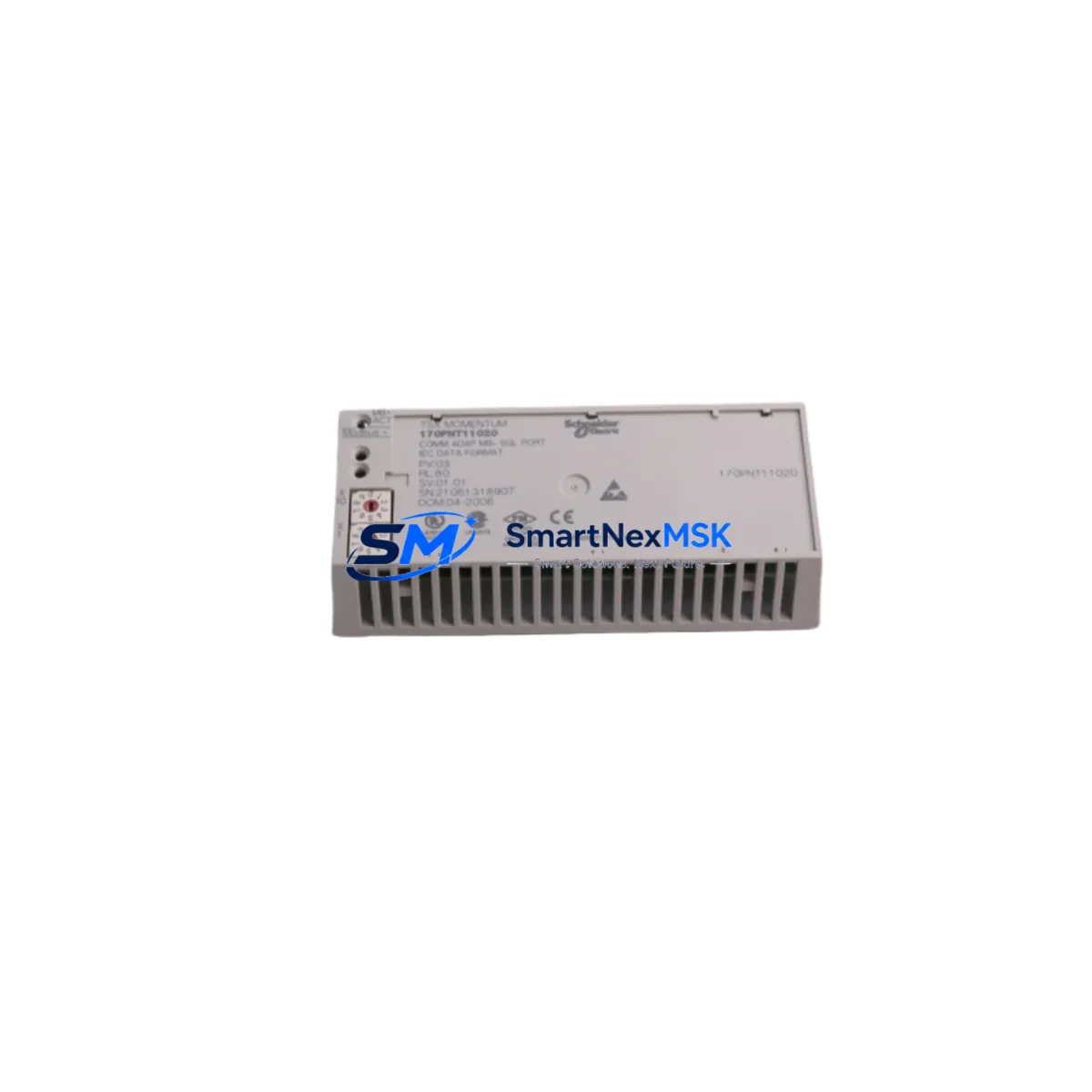
Schneider 170PNT11020 Retrofit-Ready Ethernet Module for Momentum Control Systems
The Schneider Electric 170PNT11020 is a Momentum Series Ethernet TCP/IP Network Interface Module engineered for seamless integration into existing Momentum I/O automation architectures. As legacy Modbus Plus and serial-based control networks reach end-of-life, the 170PNT11020 provides a direct, retrofit-ready upgrade path that preserves existing I/O wiring, backplane connections, and PLC program logic while migrating communications to modern Ethernet TCP/IP infrastructure.
Designed for industrial environments where uptime is critical, this module mounts directly onto compatible Momentum I/O bases — including the 170AAI03000 analog input base and 170ADO35000 discrete output base — without requiring mechanical modifications to the control cabinet. The 170PNT11020 supports Modbus TCP/IP and I/O Scanner protocols, enabling direct integration with Schneider Electric Quantum PLCs, Premium PLCs, and third-party SCADA systems over standard 10/100 Ethernet.
For engineers managing brownfield upgrades, the 170PNT11020 is a proven replacement for the discontinued 170PNT11000 and 170ENT11001 adapter modules. Its backward-compatible backplane interface means existing terminal wiring, field device connections, and I/O addressing schemes remain intact — dramatically reducing retrofit engineering hours and commissioning risk.
Upgrade Compatibility Table
| Parameter | Details |
|---|---|
| Compatible I/O Bases | Momentum Series I/O bases (170AAI, 170ADI, 170ADO, 170AMM families) |
| Communication Protocol | Modbus TCP/IP, I/O Scanner (Ethernet) |
| Replaces | 170PNT11000, 170ENT11001 |
| Backplane Interface | Direct-mount Momentum backplane — no adapter required |
| Network Port | RJ-45, 10/100 Base-T Ethernet |
| Power Supply | Supplied via Momentum I/O base backplane (no external 24 VDC required) |
| IP Address Configuration | Rotary switch + software (Concept / Unity Pro / EcoStruxure) |
| Installation Requirement | DIN rail or panel-mount via Momentum base; no additional hardware |
| Commissioning Tool | Unity Pro XL, Concept 2.6+, EcoStruxure Control Expert |
| Warranty | 12 Months — tested and verified before shipment |
Retrofit Planning for Existing Automation Systems
Successful integration of the 170PNT11020 into a legacy Momentum system begins with a thorough audit of the existing control architecture. Engineers should first document the current network topology — whether the plant is running Modbus Plus via 170PNT11000 adapters or a mixed serial/Ethernet environment — and map all I/O drop addresses before beginning any hardware swap.
Power budget verification is a critical pre-installation step. The 170PNT11020 draws its operating power from the Momentum I/O base backplane. Confirm that the existing 170XTS00100 or equivalent power supply module provides sufficient capacity for the full I/O base complement after the adapter swap. In high-density racks using multiple 170ADM35010 mixed discrete I/O bases, a power margin calculation should be completed before commissioning.
Terminal wiring on the I/O base side remains unchanged during the adapter replacement. Field device connections to the 170XTS00200 terminal block or equivalent remain in place. Only the top-mounted network adapter module is swapped — a process that typically takes under 15 minutes per drop with no field wiring disturbance.
For systems migrating from Modbus Plus to Ethernet TCP/IP, the I/O Scanner configuration in Unity Pro or EcoStruxure Control Expert must be updated to reflect the new Ethernet drop addresses. Each 170PNT11020 is assigned a unique IP address via its onboard rotary switches, which should be pre-configured on the bench before installation to minimize on-site commissioning time. Verify that the upstream Ethernet switch — often a TCSESM063F2CU0 ConneXium managed switch — has sufficient port capacity and VLAN configuration to accommodate the new Modbus TCP traffic.
HMI screen updates are typically minimal when migrating from a Momentum Modbus Plus network to Ethernet. Vijeo Designer or Intouch SCADA tag databases referencing Modbus register addresses remain valid, as the 170PNT11020 preserves the same Modbus register map as its predecessors. However, communication driver settings in the HMI project must be updated from Modbus Plus to Modbus TCP/IP, and the PLC IP address must be entered correctly in the driver configuration.
For multi-drop Momentum networks, the migration can be staged drop-by-drop, keeping the majority of the Modbus Plus network operational while individual drops are upgraded to Ethernet. This phased approach — supported by the Quantum PLC’s ability to simultaneously manage both Modbus Plus and Ethernet I/O Scanner traffic — allows production to continue during the migration window.
Downtime Control During System Migration
Minimizing unplanned downtime during a Momentum Ethernet retrofit requires a structured hot-swap protocol. Before any hardware change, export and archive the current Unity Pro or Concept project file, including all I/O configuration, network topology, and PLC program logic. Store a verified backup on an offline engineering workstation and a secondary USB drive kept at the panel.
The 170PNT11020 supports online replacement in many Momentum configurations. With the I/O base powered and the PLC in RUN mode, the adapter module can be removed and replaced without powering down the I/O base — provided the PLC program is configured with appropriate I/O fallback logic (output hold or safe-state). Confirm this behavior in the Unity Pro I/O configuration before attempting a live swap.
After physical installation, use the EcoStruxure Control Expert I/O Scanner diagnostic screen to verify that the new 170PNT11020 drop is communicating correctly before returning the system to automatic mode. Check the module status LEDs: the RUN LED should be solid green, the ERR LED off, and the NET LED flashing to indicate active Modbus TCP polling. Any persistent ERR indication should be investigated via the module’s built-in web server diagnostic page before resuming production.
For plants with strict change-management requirements, schedule the adapter swap during a planned maintenance window and prepare a rollback kit — including a spare 170PNT11000 or equivalent legacy adapter — so the original configuration can be restored within minutes if unexpected compatibility issues arise. Document the pre- and post-swap I/O Scanner response times to confirm that cycle time performance meets process requirements after the upgrade.
Retrofit Support FAQ
Q: Is the 170PNT11020 a direct drop-in replacement for the 170PNT11000?
A: Yes. The 170PNT11020 mounts on the same Momentum I/O base backplane connector as the 170PNT11000. The primary difference is the communication protocol: the 170PNT11020 uses Ethernet TCP/IP (Modbus TCP / I/O Scanner) rather than Modbus Plus. I/O wiring and field device connections are unaffected. A Unity Pro or EcoStruxure Control Expert I/O Scanner reconfiguration is required to assign the new Ethernet IP address and update the network drop definition.
Q: What commissioning steps are required after installing the 170PNT11020?
A: Set the IP address using the onboard rotary switches before installation. After mounting, update the I/O Scanner configuration in Unity Pro to add the new Ethernet drop. Download the updated configuration to the Quantum or Premium PLC, then verify communication using the I/O Scanner diagnostic screen. Confirm all I/O points are reading correctly before returning the system to RUN mode. Total commissioning time for a single drop is typically 30–60 minutes for an experienced engineer.
Q: Can the 170PNT11020 operate on the same Ethernet network as other plant systems?
A: Yes, but network segmentation is strongly recommended. Place Momentum Ethernet drops on a dedicated VLAN or subnet, separated from office IT traffic, to ensure deterministic Modbus TCP polling cycles. Use a managed industrial Ethernet switch with QoS configuration to prioritize I/O Scanner traffic. This is especially important in plants where the Quantum PLC manages time-critical process control loops.
Q: What does the 12-month warranty cover, and how is the module tested before shipment?
A: Every 170PNT11020 unit is functionally tested prior to shipment, including power-on verification, Ethernet port integrity check, and Modbus TCP communication validation. The 12-month warranty covers manufacturing defects and functional failures under normal operating conditions. Units are shipped with anti-static packaging and include a test report on request. For warranty claims, contact [email protected] with the unit serial number and fault description.
© 2026 SMARTNEXMSK. All rights reserved.
Original Source: https://smartnexmsk.com
Contact: [email protected] | +86 18259474341



