
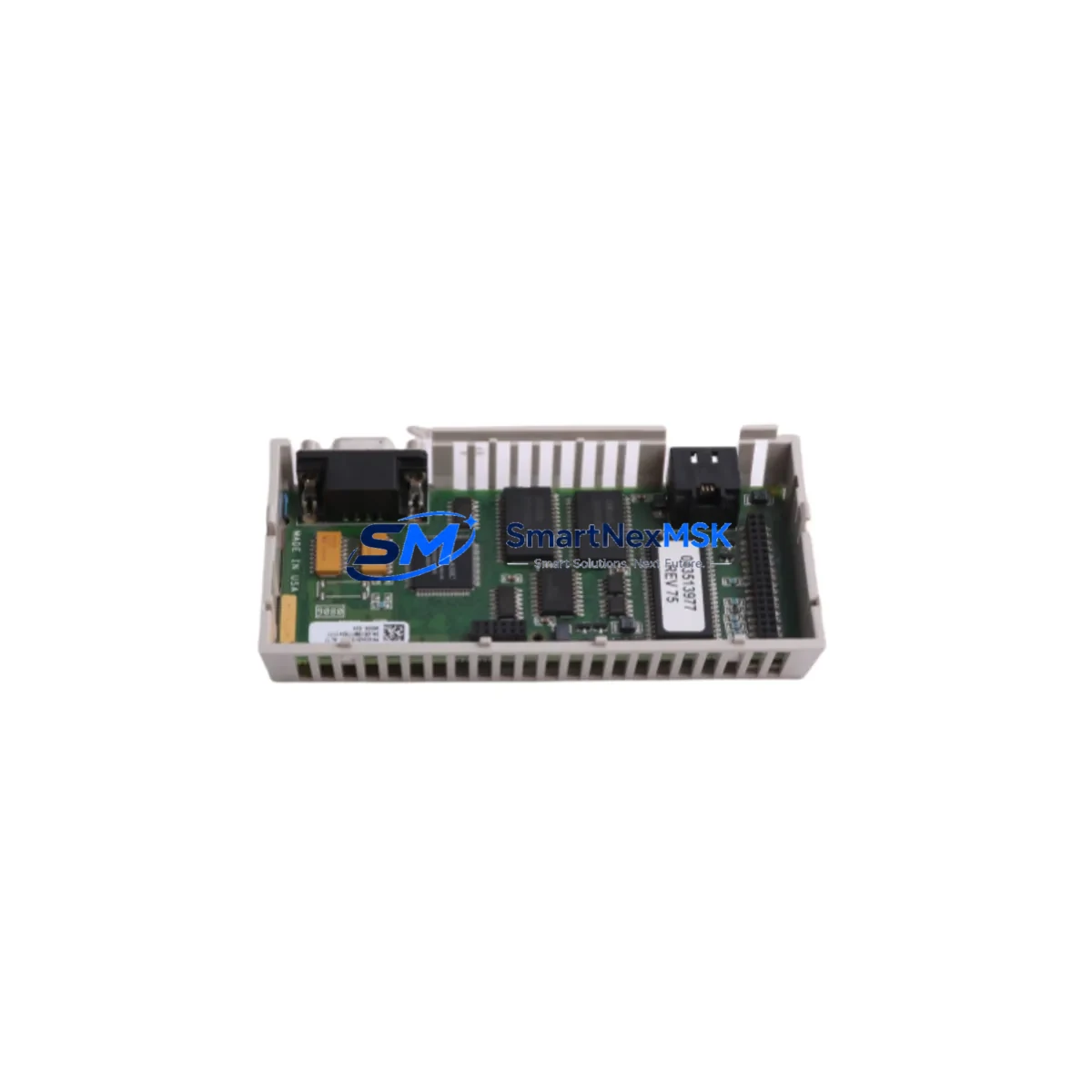
Schneider 171CCC76010 Maintenance-Ready Spare for Quantum Automation
The Schneider Electric 171CCC76010 is an original Processor Adaptor Module designed for the Modicon Quantum PLC platform — one of the most widely deployed distributed control architectures in heavy industry, utilities, and process manufacturing. When this module fails or degrades, the consequences extend beyond a single I/O point: the entire CPU-to-backplane communication path is at risk, making rapid spare availability a critical factor in minimizing unplanned downtime. Sourced directly from verified industrial channels, this unit ships tested, serialized, and covered by a 12-month warranty, giving maintenance and procurement engineers the confidence to act fast when a replacement is needed.
For maintenance engineers managing aging Quantum systems, the 171CCC76010 sits at the heart of processor-to-rack connectivity. Its failure mode is often subtle — intermittent communication faults, unexpected CPU resets, or degraded I/O scan cycles — symptoms that can be misdiagnosed as software or network issues before the adaptor module is identified as the root cause. Stocking a verified spare eliminates this diagnostic delay and restores system integrity within a single maintenance window.
Spare Maintenance Table
| Parameter | Specification / Detail |
|---|---|
| SKU / Part Number | 171CCC76010 |
| Brand | Schneider Electric |
| Series | Modicon Quantum |
| Product Type | PLC Processor Adaptor Module |
| Function | CPU-to-backplane processor adaptor interface |
| Compatibility | Modicon Quantum PLC racks; compatible with 140CPU series processors |
| Communication Interface | Modbus Plus / internal backplane bus |
| Operating Voltage | 5 VDC (backplane supplied) |
| Operating Temperature | 0°C to 60°C |
| Mounting | Quantum rack slot, DIN-compatible backplane |
| Country of Origin | France |
| Condition | Original, new or reconditioned-to-spec |
| Pre-shipment Testing | Functional verification performed before dispatch |
| Warranty | 12 Months |
| Application Environment | Industrial automation, process control, utilities, oil & gas |
| Maintenance Recommendation | Inspect during scheduled CPU rack maintenance; replace if communication errors persist after firmware check |
Maintenance Planning for Continuous Operation
Replacing the 171CCC76010 in a live Quantum system is rarely an isolated task. A disciplined maintenance engineer will treat this event as an opportunity to audit the entire CPU rack and associated control cabinet. The 140CPU65150 or 140CPU67160 processor modules that interface with this adaptor should be inspected for firmware currency and thermal stress indicators. The Quantum backplane itself — particularly the 140XBP01600 or 140XBP00600 rack — should be checked for oxidized bus connectors and mechanical seating integrity.
Power supply modules such as the 140CPS11420 or 140CPS21400 are frequently overlooked during adaptor replacements, yet power quality directly affects adaptor longevity. Voltage ripple or transient spikes from an aging PSU can accelerate adaptor wear. Similarly, the 140CRA93100 remote I/O head adaptor and associated 140NOE77101 Ethernet communication modules should be verified for stable link status after any CPU rack intervention.
On the field side, terminal blocks and wiring harnesses connected to digital I/O modules such as the 140DDI35300 or 140DDO35300 should be inspected for loose terminations that could generate false fault signals post-replacement. If the system includes analog I/O — for example, 140ACI03000 or 140AVO02000 modules — signal isolation and calibration should be confirmed after the adaptor swap to rule out ground loop interference introduced during the maintenance window.
For sites running Modbus Plus networks, the 140NOM21100 communication module and associated trunk cable terminators should be checked for correct impedance matching. A faulty terminator on the Modbus Plus trunk is a common source of intermittent communication faults that can be incorrectly attributed to the processor adaptor. Including these components in your spare parts inventory alongside the 171CCC76010 ensures that a single maintenance visit can resolve the full fault chain without a second dispatch.
Site Replacement Workflow
Before removing the 171CCC76010, document the current rack slot assignment, LED status indicators, and any active fault codes displayed on the connected Magelis or XBT HMI panel. Power down the CPU rack following your site’s lockout/tagout procedure. Remove the adaptor module by releasing the front-panel locking tabs and sliding the unit from the backplane slot — avoid rocking the module laterally to protect the backplane connector pins.
Inspect the replacement 171CCC76010 for shipping damage and verify the firmware label matches your system’s documented revision. Seat the new module firmly until the locking tabs engage. Restore power and observe the module’s status LEDs: a solid green RUN indicator confirms successful backplane communication. If the CPU does not recognize the adaptor within 30 seconds, reseat the module and verify rack slot assignment against the Unity Pro or Concept configuration file.
After successful initialization, perform a full I/O scan verification and compare live values against your pre-maintenance baseline. Update your CMMS record with the replacement date, serial number, and post-installation test results. This documentation supports warranty claims and provides traceability for future audits. The 171CCC76010’s drop-in compatibility with existing Quantum rack configurations means no hardware reconfiguration or software parameter changes are required, significantly reducing the risk of configuration errors during emergency replacements.
For sites managing legacy Quantum systems beyond their original design life, maintaining a minimum of one 171CCC76010 spare per installed rack is a prudent inventory strategy. The module’s production status makes field availability variable, and lead times from standard distribution channels can extend to several weeks during peak demand periods.
Spare Parts Support FAQ
Q: Is the 171CCC76010 compatible with all Modicon Quantum CPU modules?
A: The 171CCC76010 is designed for use with the Modicon Quantum PLC platform and is compatible with the 140CPU series processors. Compatibility should be verified against your specific CPU firmware revision and rack configuration using the Unity Pro hardware catalog or Schneider Electric’s product compatibility matrix before installation.
Q: What pre-shipment testing is performed on this unit?
A: Each 171CCC76010 unit undergoes functional verification prior to dispatch, including backplane communication interface testing and visual inspection for connector integrity. A test report is available upon request. Units are shipped in anti-static packaging with serialized labeling to support traceability.
Q: How should I validate compatibility before committing to a replacement?
A: Provide your current CPU module part number, rack model, and Unity Pro or Concept project file version to our technical team at [email protected]. We will confirm compatibility and, where applicable, advise on any firmware considerations before shipment.
Q: What does the 12-month warranty cover?
A: The 12-month warranty covers manufacturing defects and functional failures under normal operating conditions. It does not cover damage resulting from incorrect installation, overvoltage events, or environmental conditions outside the module’s rated specifications. Warranty claims are supported with the original invoice and installation documentation.
© 2026 SMARTNEXMSK. All rights reserved.
Original Source: https://smartnexmsk.com
Contact: [email protected] | +86 18259474341



