
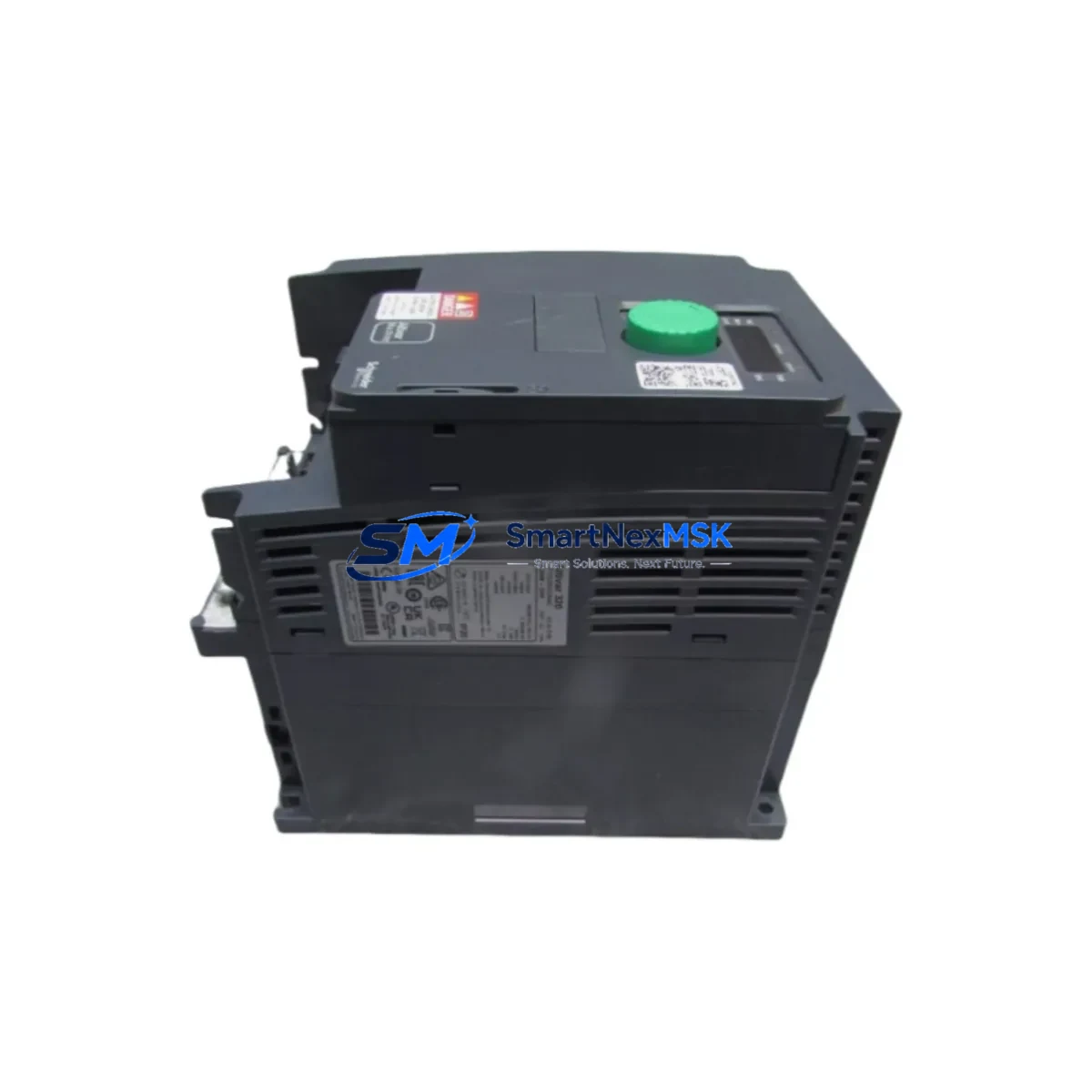
Schneider ATV320U22N4C Retrofit-Ready VFD for Altivar 320 Control Systems
The Schneider Electric ATV320U22N4C is a 2.2 kW (3 HP) three-phase variable frequency drive from the Altivar 320 series, engineered for compact machine-level motor control in industrial automation environments. As legacy Altivar 312 and Altivar 31 drives reach end-of-life and spare parts become increasingly scarce, the ATV320U22N4C has become the preferred retrofit-ready replacement for system integrators, OEM machine builders, and plant maintenance teams managing aging control infrastructure.
This unit operates on a 380–500 V AC three-phase supply and delivers a continuous output current of 6.1 A, making it directly compatible with standard 2.2 kW induction motors already installed in existing production lines. The drive supports multiple embedded communication protocols — including CANopen, Modbus RTU, and optional EtherNet/IP or PROFIBUS DP via plug-in communication cards — enabling seamless integration into both legacy fieldbus architectures and modern Ethernet-based control networks without requiring a full PLC or SCADA overhaul.
Upgrade Compatibility Table
| Parameter | ATV320U22N4C (This Unit) | Legacy ATV312HU22N4 / ATV31HU22N4 |
|---|---|---|
| Power Rating | 2.2 kW / 3 HP | 2.2 kW / 3 HP |
| Supply Voltage | 380–500 V AC 3-phase | 380–500 V AC 3-phase |
| Output Current | 6.1 A | 5.8–6.1 A |
| Enclosure | IP20 (book-mount) | IP20 (book-mount) |
| Communication | CANopen native + optional cards | CANopen / Modbus RTU |
| Mounting | DIN rail / panel | DIN rail / panel |
| Terminal Pitch | Compatible — verify torque spec | Standard M3/M4 terminals |
| Replacement Recommendation | Direct retrofit; parameter migration required | Discontinued — source ATV320U22N4C |
| Commissioning Tool | SoMove software / HMI keypad | PowerSuite / VW3A1101 keypad |
| Warranty | 12 Months | N/A (EOL) |
Retrofit Planning for Existing Automation Systems
A successful retrofit begins well before the drive is physically swapped. Engineers replacing an Altivar 312 or Altivar 31 with the ATV320U22N4C must first audit the existing control cabinet for available power capacity. Confirm that the upstream circuit breaker and contactor — typically a TeSys D or TeSys K series contactor — are rated for the inrush current profile of the ATV320 series. The drive’s internal EMC filter and DC bus choke requirements may differ from the legacy unit, so review the power supply rail loading before installation.
Terminal wiring is a critical checkpoint. The ATV320U22N4C uses a compact book-style terminal block layout. When migrating from an ATV312, verify that existing cable cross-sections and ferrule types are compatible with the new terminal pitch. Logic input wiring — including forward/reverse run commands, preset speed references, and fault reset signals — must be remapped to the ATV320’s I/O terminal assignments. If the legacy system used an analog speed reference from a Magelis HMIGTO or HMISTO HMI panel, confirm that the 0–10 V or 4–20 mA signal range is correctly scaled in the new drive parameters.
For systems using a Modicon M221 or Modicon M241 PLC as the master controller, the CANopen node address and baud rate configured in the ATV320U22N4C must match the network settings previously assigned to the replaced drive. If the control program references specific drive objects or PDO mappings, these must be validated in SoMachine or EcoStruxure Machine Expert before going live. Where a TM3 expansion module or TM2 I/O module handles discrete drive status signals, verify that the wiring to the drive’s digital output terminals is preserved and logically consistent.
Backplane and rack considerations apply when the drive is installed alongside a Modicon X80 I/O drop or a Momentum automation platform. Ensure that the drive’s communication card — such as the VW3A3608 EtherNet/IP card or VW3A3601 PROFIBUS DP card — is correctly seated and that the network topology does not introduce address conflicts. If the legacy system used a VW3A1101 remote keypad for local speed adjustment, the ATV320 series supports an equivalent RJ45-connected display terminal for panel-door mounting.
Before energizing the retrofitted drive, conduct a full parameter upload from the SoMove configuration file archived from the original drive, or manually re-enter motor nameplate data — rated voltage, rated current, rated frequency, rated speed, and motor cosφ — into the ATV320U22N4C. Run an auto-tune sequence with the motor decoupled from the load where possible to establish accurate flux and torque control baselines. Verify all safety interlocks, including the Safe Torque Off (STO) function wired to terminals STO1 and STO2, before resuming production.
Downtime Control During System Migration
Minimizing unplanned downtime during a drive retrofit requires a structured pre-commissioning approach. Begin by preparing a complete parameter backup of the existing Altivar drive using SoMove or the VW3A1101 keypad export function. Archive this file alongside the motor nameplate data and the PLC program version currently running on the Modicon M221 or M241 controller. This ensures that if the retrofit encounters an unexpected compatibility issue, the original configuration can be restored without delay.
Where production schedules permit, perform the physical drive swap during a planned maintenance window. Pre-wire the ATV320U22N4C on a bench, load the parameter file, and verify communication link establishment with the PLC before installing the unit in the cabinet. This parallel preparation strategy reduces in-cabinet commissioning time to under 30 minutes in most standard retrofit scenarios. For critical lines where even brief interruptions are costly, consider staging a pre-configured spare ATV320U22N4C in inventory — the drive’s compact book-mount form factor makes hot-swap preparation straightforward.
After installation, perform a controlled no-load run to confirm motor rotation direction, speed reference tracking, and fault-free operation across the full speed range. Validate HMI screen data — particularly speed feedback, drive status words, and fault history displays on the Magelis panel — before releasing the line to full production. Document the completed retrofit with photos of terminal wiring, the final parameter file, and the commissioning test record for future maintenance reference.
Retrofit Support FAQ
Q: Is the ATV320U22N4C a direct drop-in replacement for the ATV312HU22N4?
A: Mechanically and electrically, yes — same power class, same supply voltage, and compatible mounting footprint. However, parameter migration is required. Motor data, speed references, I/O assignments, and communication node settings must be re-entered or uploaded via SoMove. The ATV320 series uses a different parameter structure from the ATV312, so a direct file transfer is not possible without conversion.
Q: What commissioning tools are needed for the ATV320U22N4C?
A: Schneider Electric’s SoMove PC software (free download) is the primary commissioning tool, connecting via a USB-RJ45 cable (VW3A8106). Alternatively, the drive can be commissioned using the integrated 7-segment display and navigation keys, or with an optional remote graphic display terminal. For CANopen network integration, a CANopen configuration tool compatible with the master PLC — such as EcoStruxure Machine Expert — is required to assign node addresses and PDO mappings.
Q: How is terminal wiring compatibility verified before installation?
A: Compare the ATV320U22N4C wiring diagram (available in the installation manual, document NVE41289) against the existing cabinet wiring schedule. Pay particular attention to control terminal assignments for logic inputs (LI1–LI6), analog inputs (AI1, AI2), relay outputs (R1, R2), and the STO safety circuit. Where cable cross-sections differ from the new terminal specifications, re-terminate with appropriately sized ferrules before energizing.
Q: What does the 12-month warranty cover?
A: All ATV320U22N4C units supplied by SMARTNEXMSK carry a 12-month warranty covering manufacturing defects and component failures under normal operating conditions. Each unit undergoes pre-shipment functional testing including power-on verification, communication link check, and parameter integrity confirmation. Warranty claims are supported with full technical documentation and replacement dispatch within agreed lead times.
© 2026 SMARTNEXMSK. All rights reserved.
Original Source: https://smartnexmsk.com
Contact: [email protected] | +86 18259474341



