
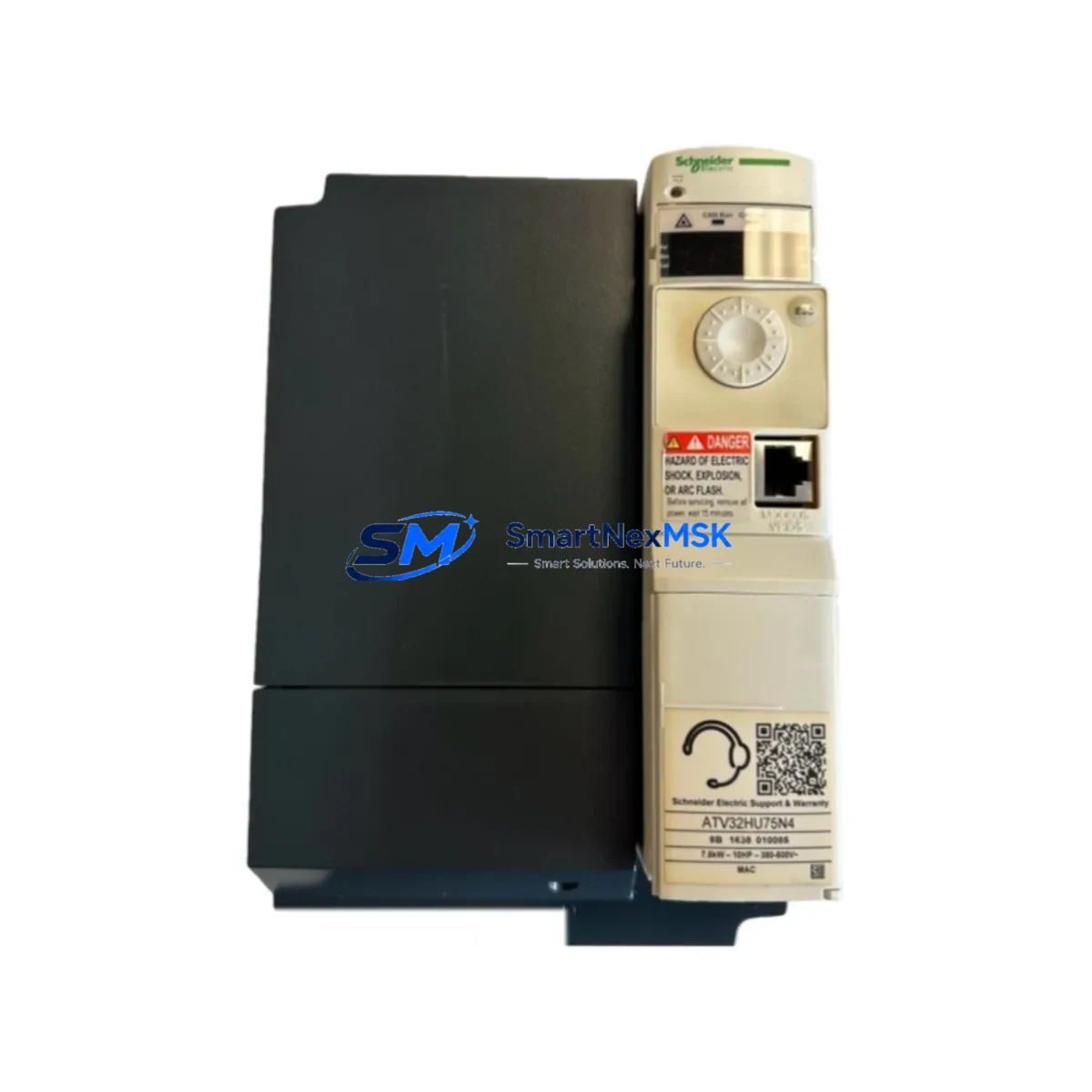
Schneider ATV32HU75N4 Retrofit-Ready VFD for Altivar 32 Control Systems
The Schneider Electric ATV32HU75N4 is a 7.5 kW (10 HP) three-phase 380–500 V AC variable frequency drive from the Altivar 32 series, engineered for compact machine-level motor control in demanding industrial environments. As legacy Altivar 31 and early Altivar 32 units reach end-of-service life, the ATV32HU75N4 has become the preferred retrofit-ready replacement for OEM machine builders, panel integrators, and plant maintenance teams seeking a drop-in upgrade with minimal downtime and full program compatibility.
Whether you are replacing a failed ATV31HU75N4, migrating from an older Telemecanique drive, or upgrading a multi-axis control cabinet to meet current energy efficiency standards, the ATV32HU75N4 delivers the wiring footprint, communication protocol support, and parameter structure needed to restore production continuity without redesigning the control architecture.
Upgrade Compatibility Table
| Parameter | ATV32HU75N4 (This Unit) | Typical Legacy Unit (ATV31HU75N4) |
|---|---|---|
| Power Rating | 7.5 kW / 10 HP | 7.5 kW / 10 HP |
| Supply Voltage | 3-phase 380–500 V AC ±10% | 3-phase 380–500 V AC ±10% |
| Output Current | 17 A (normal duty) | 17 A (normal duty) |
| Control Terminals | Screw-clamp, 24 V logic compatible | Screw-clamp, 24 V logic compatible |
| Communication | Modbus RTU (RJ45), CANopen via VW3A3608 | Modbus RTU, CANopen optional |
| Mounting | DIN rail or panel mount | DIN rail or panel mount |
| Enclosure | IP20 (IP31 top cover optional) | IP20 |
| Replacement Recommendation | Direct replacement for ATV31HU75N4; parameter migration via SoMove software | — |
| Commissioning Note | Verify motor nameplate data, ramp times, and I/O wiring map before first run | — |
| Warranty | 12-Month Warranty (SMARTNEXMSK) | — |
Retrofit Planning for Existing Automation Systems
A successful ATV32HU75N4 retrofit begins well before the drive arrives on site. The first step is a power audit of the existing control cabinet: confirm that the 24 V DC auxiliary supply from the Phaseo ABL7 or equivalent power supply module can sustain the drive’s logic demand alongside any active Preventa XPS safety relay, Zelio Logic smart relay, or Modicon M221 compact controller sharing the same rail. Undersized power supplies are a leading cause of nuisance trips during commissioning.
Next, map the existing terminal wiring against the ATV32 I/O layout. The ATV32HU75N4 provides six digital inputs (DI1–DI6), two analog inputs (AI1–AI3), two relay outputs (R1, R2), and one analog output (AO1). If the legacy machine used an ATV31 with a different I/O assignment — for example, using AI2 as a PTC thermistor input — you must remap the function in the ATV32 parameter menu (menu CTL, parameter tHt) before enabling the motor. Failure to do so can result in immediate thermal fault trips.
For systems using a Modicon TM5 distributed I/O expansion rack or a Advantys STB island bus, verify that the Modbus RTU polling rate and slave address assigned to the ATV32 do not conflict with other nodes on the RS-485 segment. The ATV32 ships with a default slave address of 1 and a baud rate of 19200 bps; both must be matched to the master PLC’s communication configuration — typically a Modicon M340 or M580 with a BMXNOM0200 serial communication module — before the first scan cycle.
Backplane and rack considerations are equally important in multi-drive cabinets. If the installation uses a Altivar Process ATV600 or ATV900 series alongside the ATV32, ensure that the shared DC bus or common EMC filter — such as a VW3A4601 line filter — is rated for the combined drive load. In retrofit scenarios where the ATV32HU75N4 replaces a drive mounted on a Hiquel or Rittal enclosure sub-panel, confirm that the new unit’s heat dissipation (approximately 200 W at full load) is within the cabinet’s thermal budget, and that the existing Schneider Electric Spacial SF or Prisma enclosure ventilation is adequate.
Programming compatibility is another critical checkpoint. If the original machine program was developed in Unity Pro or EcoStruxure Machine Expert targeting a Modicon M238 or M258 controller, the ATV32 function block library (available as a DTM in SoMove) can be imported directly. Parameter sets from an ATV31 can be exported via the SoMove PC tool and partially migrated to the ATV32 configuration file, though motor control law parameters (flux vector vs. V/f) and application function assignments must be reviewed manually. Always perform a no-load test run before reconnecting the mechanical load.
Downtime Control During System Migration
Minimizing production downtime during a drive replacement requires a structured pre-swap checklist. Before powering down the existing drive, use SoMove or the ATV32’s integrated keypad to export the full parameter set to a Bluetooth or USB memory key — this backup takes less than two minutes and eliminates the risk of losing tuned ramp profiles, PID setpoints, and custom fault response logic that may have been adjusted over years of operation.
During the physical swap, label every control terminal wire before disconnection. The ATV32HU75N4 uses the same screw-clamp terminal pitch as the ATV31, so a pre-labeled wiring harness can be transferred directly in most cases. Power terminals (R/L1, S/L2, T/L3 for input; U/T1, V/T2, W/T3 for motor output) are clearly marked and follow IEC conventions. Reconnect the PE ground first, then power terminals, then control wiring.
After mechanical installation, restore the parameter backup and perform a motor auto-tune sequence (menu TUN) with the motor shaft decoupled from the load if possible. This recalibrates stator resistance and leakage inductance values specific to the installed motor — particularly important if the motor is not a Schneider Electric Lexium or Leroy-Somer unit with pre-loaded parameters. Once auto-tune completes, run the drive at 10 Hz for 30 seconds under no load, verify output current symmetry on all three phases with a clamp meter, then gradually ramp to full speed under load. This staged commissioning approach keeps the control loop stable and protects both the drive and the connected mechanical system.
For HMI continuity, if the machine uses a Magelis GTO or XBTGT panel connected via Modbus TCP/IP or serial Modbus RTU, verify that the ATV32 register map addresses used in the HMI screens (speed reference, output frequency, fault word, run/stop command) match the ATV32 communication object list. Minor register offset differences between ATV31 and ATV32 Modbus maps can cause HMI display errors that are easily corrected by updating the variable table in Vijeo Designer without modifying the PLC program.
Retrofit Support FAQ
Q1: Is the ATV32HU75N4 a direct drop-in replacement for the ATV31HU75N4?
Yes, in the vast majority of installations. Both units share the same power rating, supply voltage range, and terminal pitch. The primary differences are in the parameter menu structure and the expanded communication options on the ATV32. A parameter migration session in SoMove takes approximately 15–30 minutes and covers all motor control and application function settings.
Q2: What wiring changes are required during the retrofit?
In most cases, no power wiring changes are needed. Control terminal reassignment may be required if the legacy machine used ATV31-specific I/O functions (e.g., +10 V reference output on AI1, or specific relay output logic). Review the ATV32 wiring diagram (document BBV28581) against the existing panel schematic before disconnecting any wires.
Q3: Does the unit ship tested and ready for installation?
Yes. Every ATV32HU75N4 unit supplied by SMARTNEXMSK undergoes outgoing inspection including power-on verification, display function check, and communication port test before dispatch. Units are shipped in anti-static packaging with all protective covers and keypad installed. A 12-month warranty covers manufacturing defects and component failure under normal operating conditions.
Q4: What communication protocols does the ATV32HU75N4 support natively?
The ATV32HU75N4 includes a built-in RJ45 port supporting Modbus RTU as standard. CANopen is available via the optional VW3A3608 communication card. EtherNet/IP and PROFIBUS DP are supported through additional option cards (VW3A3616 and VW3A3607 respectively), making the ATV32 compatible with virtually all major industrial network architectures used in legacy and modern control systems.
© 2026 SMARTNEXMSK. All rights reserved.
Original Source: https://smartnexmsk.com
Contact: [email protected] | +86 18259474341



