
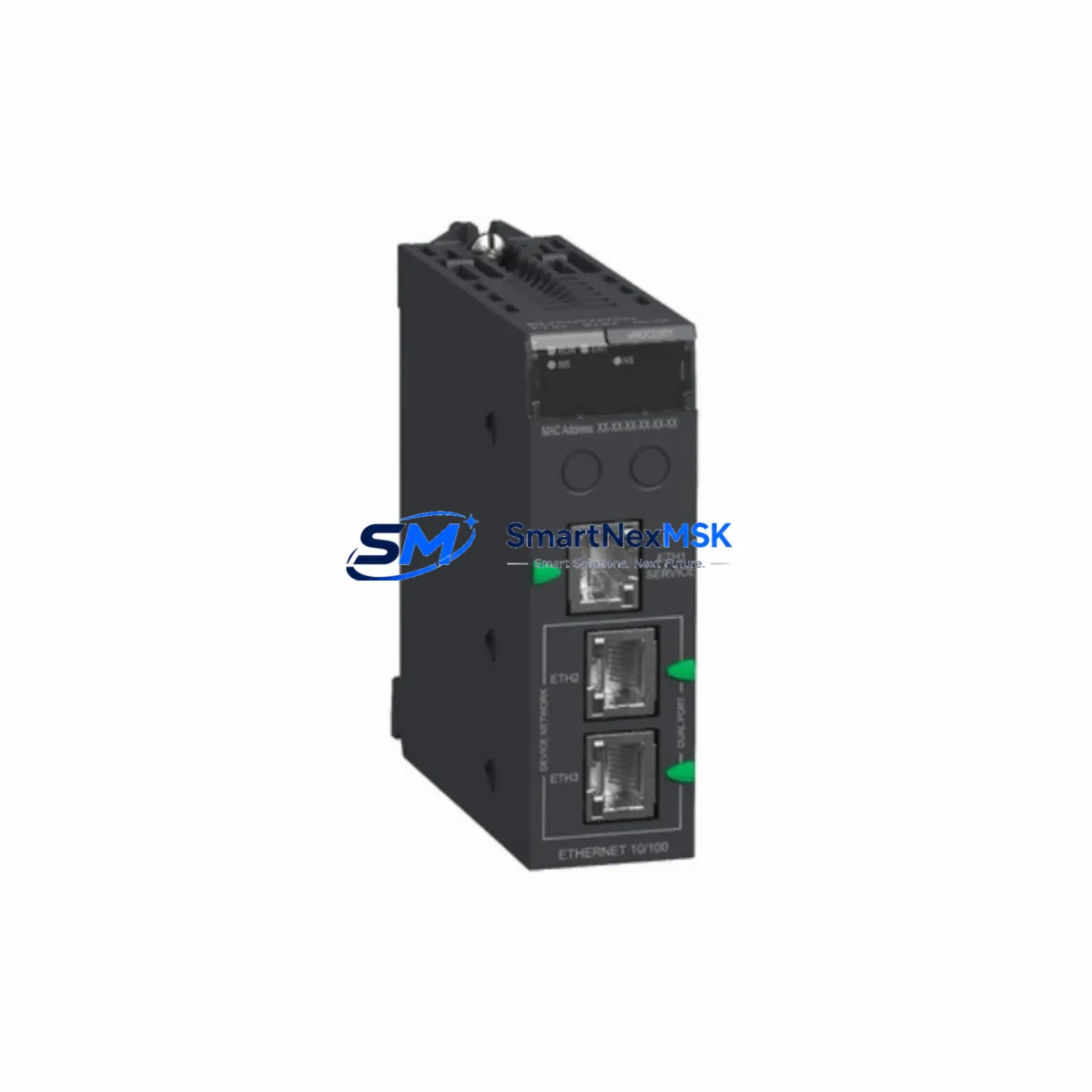
Schneider BMENOC0301 Retrofit-Ready Ethernet Communication Module for Modicon M580 Control Systems
The Schneider Electric BMENOC0301 is a high-performance Ethernet communication module engineered for the Modicon M580 ePAC platform. As legacy automation systems reach end-of-life and spare parts become increasingly difficult to source, the BMENOC0301 serves as a critical retrofit and replacement component for engineers managing aging control infrastructure. Whether you are upgrading a Quantum PLC network to M580 architecture, replacing a failed communication node in a running production line, or migrating from a BMXNOC0401 or BMXNOE0110 module in a Modicon M340 system, the BMENOC0301 provides a reliable, tested, and immediately deployable solution.
Upgrade Compatibility Table
| Parameter | Details |
|---|---|
| Compatible Platform | Modicon M580 ePAC (BME series backplane) |
| Replaces / Upgrades From | BMXNOC0401, BMXNOE0110 (M340); legacy Quantum NOE modules |
| Communication Protocol | Modbus TCP/IP, EtherNet/IP, SNMP, FTP, HTTP |
| Backplane Interface | M580 X80 backplane — not compatible with M340 BMX backplane |
| Installation Slot | Any standard I/O slot on BMEP58 or BMEH58 CPU racks |
| Power Consumption | 3.3 W typical — verify rack power budget with BMXCPS power supply |
| IP Addressing | Static or DHCP; configurable via Unity Pro / EcoStruxure Control Expert |
| Firmware Compatibility | Requires M580 firmware v2.30 or later |
| Debugging Tool | EcoStruxure Control Expert (formerly Unity Pro XL) |
| Warranty | 12 months from date of shipment |
Retrofit Planning for Existing Automation Systems
Successful integration of the BMENOC0301 into an existing control cabinet begins well before the module arrives on site. Engineers should start by auditing the current rack configuration. The M580 platform uses the BMEP582040 or BMEP584020 CPU modules mounted on a BMEXBP0800 or BMEXBP0400 X80 backplane. Confirm that at least one free I/O slot is available and that the installed BMXCPS3500 or BMXCPS2000 power supply module can support the additional 3.3 W draw without exceeding the rack’s total power budget.
Terminal wiring for the Ethernet ports follows standard RJ45 Cat5e or Cat6 cabling. If the existing network uses fiber optic links, a managed switch with copper-to-fiber conversion will be required upstream of the BMENOC0301. Verify that the plant network switch supports 100 Mbps full-duplex and that VLAN segmentation is correctly configured to isolate the control network from the corporate IT backbone.
Module addressing must be confirmed in EcoStruxure Control Expert before the replacement module is inserted. The BMENOC0301 is assigned a rack slot address automatically by the CPU, but the IP address, subnet mask, and gateway must be pre-configured to match the existing network topology. If the legacy system used a BMXNOC0401 with a fixed IP, that same address can typically be reassigned to the BMENOC0301 after removing the old module, minimizing changes to SCADA and HMI configurations.
For sites running Vijeo Designer or EcoStruxure Operator Terminal Expert HMI panels, verify that the communication driver on the HMI is set to Modbus TCP and that the PLC IP address in the HMI project matches the new module configuration. No HMI screen redesign is typically required when replacing a like-for-like Ethernet communication module, but a full communication test should be performed before returning the line to production.
If the retrofit involves migrating I/O from a Modicon M340 system, additional planning is required. The BMXDDI1602 digital input modules and BMXDDO1602 digital output modules from the M340 rack are not directly compatible with the M580 X80 backplane. In this scenario, equivalent BMEDDI1602 or BMEDDO1602 M580-compatible I/O modules must be sourced alongside the BMENOC0301 to complete the migration. Programming cables such as the TSXPCX3030 USB-to-serial adapter may still be needed for legacy segment diagnostics during the transition period.
Downtime Control During System Migration
Minimizing unplanned downtime is the primary concern during any live system retrofit. When replacing the BMENOC0301 in a running M580 system, the recommended approach is to perform a controlled shutdown during a scheduled maintenance window. Before powering down the rack, use EcoStruxure Control Expert to upload and archive the current application program, including all data blocks, I/O mapping tables, and communication configuration parameters. Store this backup on a secure engineering workstation and verify the file integrity before proceeding.
Once the rack is de-energized and the failed or obsolete module is removed, insert the replacement BMENOC0301 into the same slot. Power the rack back on and allow the CPU to perform its self-diagnostic cycle. The module will appear in the rack topology view in Control Expert. Download the archived application program to the CPU and verify that the BMENOC0301 is recognized with the correct IP address and communication parameters.
For systems where a cold restart is not acceptable — such as continuous process lines or critical infrastructure — a hot-standby configuration using a BMEH584040 Hot Standby CPU with dual BMENOC0301 modules on primary and standby racks allows seamless switchover without interrupting field device communication. This architecture maintains control continuity even during module replacement, reducing effective downtime to near zero.
After the module is online, perform a full I/O force test, verify all Modbus TCP connections to remote devices, and confirm that the SCADA system is receiving live data before releasing the line back to operators. Document the replacement with a timestamped commissioning report for maintenance records and warranty validation.
Retrofit Support FAQ
Q1: Is the BMENOC0301 a direct drop-in replacement for the BMXNOC0401 used in Modicon M340 systems?
A: No. The BMENOC0301 is designed for the Modicon M580 X80 backplane and is not physically or electrically compatible with the M340 BMX backplane. If you are migrating from M340 to M580, the entire rack and CPU must be upgraded. The BMENOC0301 is, however, a direct replacement for other BMENOC-series modules within the M580 platform.
Q2: What programming software is required to configure the BMENOC0301 after installation?
A: Configuration is performed using EcoStruxure Control Expert (formerly Unity Pro XL) version 14.0 or later. The module’s IP address, Modbus TCP server settings, and EtherNet/IP adapter parameters are all configured within the Control Expert project. No separate configuration tool is required.
Q3: Can the BMENOC0301 be tested before installation to verify it is functional?
A: Yes. Each unit shipped by SMARTNEXMSK undergoes a pre-shipment functional test that verifies power-on self-diagnostics, Ethernet port link negotiation, and firmware version. A test report is available upon request. The 12-month warranty covers all manufacturing defects identified after installation under normal operating conditions.
Q4: What is the lead time and warranty coverage for the BMENOC0301?
A: Units are available from stock and typically ship within 1–3 business days. All modules carry a 12-month warranty from the date of shipment. Warranty claims are supported by SMARTNEXMSK’s technical team, and replacement units can be dispatched on an advance exchange basis to minimize production downtime.
© 2026 SMARTNEXMSK. All rights reserved.
Original Source: https://smartnexmsk.com
Contact: [email protected] | +86 18259474341



