
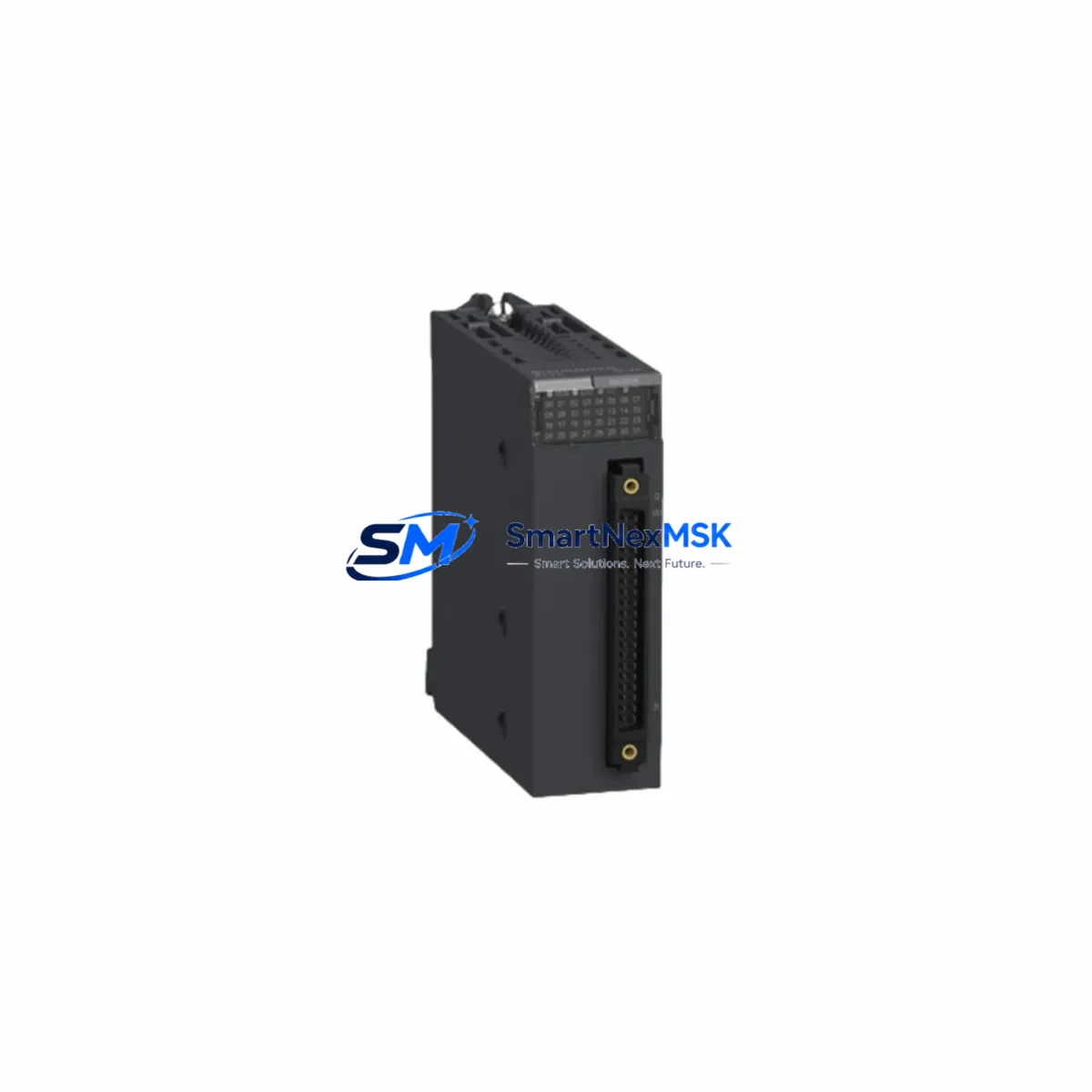
Schneider BMXDDO3202K Retrofit-Ready Discrete Output Module for Modicon M340 Control Systems
The Schneider Electric BMXDDO3202K is a 32-channel PNP transistor discrete output module engineered for the Modicon M340 automation platform. Designed to slot directly into the BMX backplane rack, this module is the preferred drop-in replacement for aging or discontinued output modules in legacy M340 control cabinets. Whether you are managing a planned system upgrade, responding to an end-of-life parts shortage, or executing a full control panel retrofit, the BMXDDO3202K delivers the electrical compatibility, I/O density, and firmware transparency required for a smooth, low-risk migration.
Each channel supports a 24 VDC PNP sourcing output rated at 0.5 A, with integrated short-circuit and overload protection. The module communicates natively over the Modicon X-Bus backplane, requiring no additional configuration for address mapping when replacing an equivalent-generation output module. Terminal block wiring follows the standard 40-pin HE10 connector layout, meaning existing field wiring harnesses can be reconnected without modification in most retrofit scenarios.
Upgrade Compatibility Table
| Parameter | BMXDDO3202K | Retrofit Notes |
|---|---|---|
| Output Type | 32-ch PNP Transistor, 24 VDC / 0.5 A per channel | Compatible with existing 24 VDC field devices; verify load current per channel |
| Backplane Interface | Modicon X-Bus (BMX rack) | Fits BMX XBP 0400 / 0800 / 1200 racks; confirm slot availability |
| Connector Type | 40-pin HE10 (2 × 20) | Existing BMXDDO3202 wiring harnesses are directly reusable |
| Module Address | Auto-assigned by Unity Pro / EcoStruxure Control Expert | Verify I/O address mapping in PLC program before hot-swap |
| Communication Protocol | X-Bus (internal); Modbus TCP / EtherNet/IP via CPU module | No protocol migration required; CPU handles upstream communication |
| Power Consumption | 3.3 W (backplane); field power supplied externally | Verify BMX CPS power supply capacity before adding modules |
| Firmware Compatibility | Unity Pro v4.1+ / EcoStruxure Control Expert v14+ | Update CPU firmware if running legacy Unity Pro versions |
| Replacement for | BMXDDO3202, BMXDDO3202H (legacy variants) | Functional drop-in; confirm K-suffix connector kit is included |
| Installation | DIN rail / rack-mount via BMX backplane | No additional mounting hardware required |
| Warranty | 12-Month Warranty | Covers manufacturing defects; includes pre-shipment functional test |
Retrofit Planning for Existing Automation Systems
Successful integration of the BMXDDO3202K into an existing M340 control system begins with a thorough audit of the current cabinet configuration. Start by documenting the BMX XBP backplane rack layout — identify occupied slots, confirm the power budget of the installed BMX CPS 2000 or BMX CPS 3500 power supply module, and verify that sufficient backplane capacity exists for the replacement module. If the rack is fully populated, a rack expansion using an additional BMX XBP 0400 sub-rack may be required before the BMXDDO3202K can be installed.
Next, review the terminal wiring connected to the outgoing module. The BMXDDO3202K uses a 40-pin HE10 connector, and in most cases the existing field cable assembly from a BMXDDO3202 or BMXDDO3202H can be transferred directly. However, if the legacy installation used a BMXFTB2000 or BMXFTB2010 terminal block adapter, confirm that the adapter model is compatible with the K-suffix connector kit supplied with this module. Label all field wiring before disconnection to prevent miswiring during reassembly.
On the software side, open the existing project in EcoStruxure Control Expert (formerly Unity Pro) and locate the I/O configuration for the module being replaced. The BMXDDO3202K will be recognized automatically when the rack is scanned, provided the CPU module — typically a BMX P34 2020 or BMX P34 2030 — is running a compatible firmware version. Verify that the output channel addresses (%Q) assigned in the PLC program match the physical slot position of the replacement module. No re-addressing is required if the module is installed in the same rack slot as its predecessor.
For systems that also involve BMXDDI3202K discrete input modules or BMXAMO0410 analog output modules in the same cabinet, coordinate the replacement sequence to minimize the number of rack power cycles. If the control system communicates upstream via a BMXNOE0100 or BMXNOE0110 Ethernet communication module, confirm that the network topology and IP addressing remain unchanged after the module swap. HMI screens built on Magelis HMIGTO or Vijeo Designer panels that reference output status tags will continue to function without modification, as the tag addresses are preserved in the PLC program.
Downtime Control During System Migration
Minimizing production downtime during a module replacement requires a structured pre-outage preparation protocol. Before scheduling the maintenance window, download and archive the current PLC program from the BMX P34 CPU using EcoStruxure Control Expert. Store a backup copy offline and verify the program version matches the running configuration. This ensures that if an unexpected issue arises during the swap, the original logic can be restored within minutes.
During the outage window, de-energize the field power supply feeding the output module — do not rely solely on the backplane power cutoff. Remove the legacy module, install the BMXDDO3202K, and reconnect the HE10 field wiring harness. Power up the rack and allow the CPU to perform its automatic I/O scan. In EcoStruxure Control Expert, go online with the CPU and verify that the new module appears in the I/O browser with a healthy status indicator. Force-test a representative sample of output channels using the animation table to confirm field device response before releasing the system to production.
For critical processes where even a brief outage is unacceptable, consider a parallel commissioning approach: install the BMXDDO3202K in a spare rack slot, configure it as a shadow module in the PLC program, and validate its behavior against the live module before executing the final cutover. This approach is particularly effective in multi-rack systems where a BMX XBP 1200 rack provides sufficient spare slot capacity. Throughout the migration, maintain a written commissioning log documenting each step, the technician responsible, and the test results — this record supports both quality assurance and the 12-month warranty claim process if required.
Retrofit Support FAQ
Q1: Is the BMXDDO3202K a direct replacement for the BMXDDO3202 and BMXDDO3202H?
Yes. The BMXDDO3202K is the current production variant of the BMXDDO3202 family. The “K” suffix denotes the inclusion of the HE10 connector kit. Electrically and functionally, it is identical to the BMXDDO3202 and BMXDDO3202H and installs in the same BMX backplane slot without any program modification.
Q2: What pre-shipment testing is performed on each unit?
Every BMXDDO3202K unit is functionally tested prior to shipment. Testing covers backplane communication handshake, per-channel output switching, short-circuit protection response, and LED status indicator operation. A test report is available upon request. All units are covered by a 12-month warranty against manufacturing defects from the date of shipment.
Q3: Do I need to update my PLC program or HMI screens after installing this module?
In most cases, no. If the BMXDDO3202K is installed in the same rack slot as the module it replaces, the I/O addresses (%Q references) remain valid and the PLC program requires no modification. HMI screens referencing output status tags will continue to display correctly. A firmware update for the BMX P34 CPU may be advisable if the installed version predates Unity Pro v4.1, but this is not mandatory for basic operation.
Q4: What should I verify regarding wiring and terminal compatibility before installation?
Confirm that the existing field cable uses a 40-pin HE10 connector compatible with the BMXDDO3202K. If a BMXFTB terminal block adapter is in use, verify the adapter model against the K-suffix connector specification. Check that the field power supply voltage is 24 VDC and that the per-channel load current does not exceed 0.5 A. Finally, verify that the BMX CPS power supply module has sufficient headroom to support the backplane power draw of the replacement module alongside all other installed modules.
© 2026 SMARTNEXMSK. All rights reserved.
Original Source: https://smartnexmsk.com
Contact: [email protected] | +86 18259474341



