
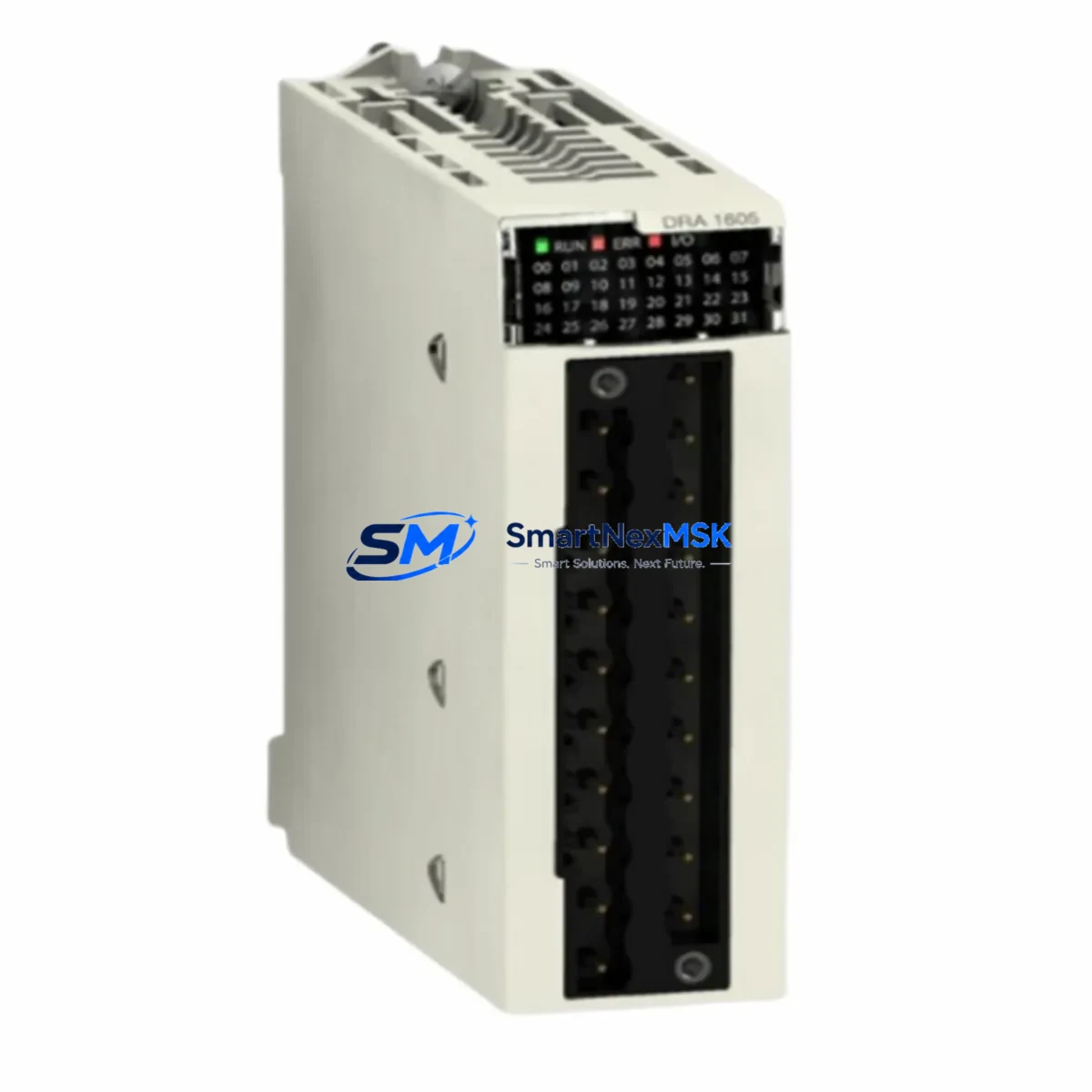
Schneider BMXDRA1605 Retrofit-Ready Relay Output for M340 Control Systems
The Schneider Electric BMXDRA1605 is a 16-channel relay output module engineered for the Modicon M340 automation platform. Designed for direct drop-in replacement and legacy system modernization, this module delivers reliable discrete output control across demanding industrial environments — from automotive assembly lines to water treatment facilities and process manufacturing plants. Whether you are replacing a failed unit, upgrading an aging control cabinet, or migrating from an earlier Modicon Quantum or Premium platform, the BMXDRA1605 provides a verified, wiring-compatible upgrade path with minimal engineering overhead.
Each unit supplied by SMARTNEXMSK is sourced from authorized distribution channels, subjected to pre-shipment functional testing, and backed by a 12-month warranty. Global inventory availability ensures fast lead times for both emergency breakdown replacements and planned maintenance shutdowns.
Upgrade Compatibility Table
| Parameter | BMXDRA1605 Specification | Retrofit Notes |
|---|---|---|
| Output Channels | 16 relay outputs | Direct replacement for BMXDRA1605 and compatible M340 relay output slots |
| Output Voltage Range | 24–240 V AC/DC | Verify field device voltage before wiring; no rewiring required for like-for-like swap |
| Max Current per Channel | 2 A resistive | Confirm load current for inductive loads; add surge suppressors if needed |
| Backplane Interface | M340 BMX rack bus | Compatible with BMXXBP0400, BMXXBP0800, BMXXBP1200 racks |
| Module Addressing | Auto-addressed via Unity Pro / EcoStruxure Control Expert | Verify I/O address mapping in existing PLC program before hot-swap |
| Communication Compatibility | Modbus TCP, CANopen (via BMXNOE0100/BMXNOE0110 Ethernet modules) | No protocol migration required; existing network topology preserved |
| Programming Software | Unity Pro XL / EcoStruxure Control Expert | No program modification required for direct replacement |
| Installation Format | DIN rail / rack-mount on M340 backplane | Slot into existing rack; no panel modification required |
| Pre-Shipment Testing | Functional output verification | Each unit tested before dispatch |
| Warranty | 12 Months | Covers manufacturing defects; DOA replacement within 30 days |
Retrofit Planning for Existing Automation Systems
Successful integration of the BMXDRA1605 into an existing control system begins with a thorough pre-retrofit audit. Engineers should first confirm the power supply capacity of the existing BMXCPS2000 or BMXCPS3500A power supply module — the relay output module draws from the backplane bus, and adding or replacing modules may affect total bus current budget. Review the rack’s power budget documentation in Unity Pro before proceeding.
Terminal wiring on the BMXDRA1605 uses a removable 40-pin connector block. When replacing a failed module, the existing connector can be unplugged and transferred directly to the new unit, eliminating the need to rewire individual field terminals. This is a critical time-saver during emergency shutdowns. Confirm that the connector locking tabs are fully engaged after reinsertion to prevent intermittent contact faults.
The module occupies a single slot on the BMXXBP0400, BMXXBP0800, or BMXXBP1200 backplane rack. Module addressing is handled automatically by the BMXP342020 or BMXP342030 CPU upon power-up — no manual DIP switch configuration is required. However, engineers must verify that the I/O address assigned in the Unity Pro / EcoStruxure Control Expert project matches the physical slot position. A slot mismatch will cause the CPU to flag a configuration error and inhibit output activation.
For systems migrating from the older Modicon Premium TSX platform, the BMXDRA1605 is not a direct plug-in replacement for TSX DSY modules, but it serves as the functional equivalent within a new M340 rack installed in the same control cabinet. In such migration projects, the BMXNOE0110 Ethernet communication module is typically added to preserve Modbus TCP connectivity to SCADA systems, while the BMXNOM0200 serial communication module handles legacy Modbus RTU links to field devices such as variable frequency drives, smart meters, and remote I/O panels.
HMI screen updates are often overlooked during relay output module replacements. If the existing Magelis HMIGTO or HMISCU panel references specific output coil addresses, verify that the Unity Pro program’s symbol table and the HMI variable bindings remain consistent after the module swap. A mismatch between the PLC output address and the HMI animation object will result in incorrect status display without triggering a hard fault — a subtle but operationally significant issue.
For I/O expansion projects, the BMXDRA1605 can be combined with BMXDDI1602 discrete input modules and BMXAMI0410 analog input modules within the same rack to build a comprehensive mixed I/O configuration. When the rack is fully populated, ensure that the total module count does not exceed the CPU’s supported I/O channel limit as defined in the M340 hardware catalog.
Programming cable access during commissioning typically uses the BMXXCA cable or USB mini-B connection on the CPU front panel. Ensure the EcoStruxure Control Expert version installed on the engineering workstation is compatible with the CPU firmware version to avoid project upload/download errors during on-site commissioning.
Downtime Control During System Migration
Minimizing production downtime during a relay output module replacement requires a structured cold-swap or hot-swap procedure depending on the CPU configuration and safety requirements of the application. For non-safety-critical lines, the M340 CPU supports module replacement with the rack powered, provided the replacement module is identical in type and slot position. The CPU will automatically re-initialize the module and restore output states based on the last valid program scan.
Before initiating any swap, export and archive the current Unity Pro project file from the CPU using EcoStruxure Control Expert’s online upload function. This preserves the live program logic, symbol table, and I/O configuration as a recovery baseline. Store the backup on both the engineering laptop and a network share to prevent single-point-of-failure data loss.
To protect original program logic during the swap, place the CPU in STOP mode via the software keyswitch in EcoStruxure Control Expert. This freezes all output states and prevents unintended actuator movement during the physical module exchange. After inserting the BMXDRA1605 into the rack slot, return the CPU to RUN mode and monitor the I/O diagnostics screen for any configuration mismatch alarms. A clean restart with no diagnostic faults confirms successful module recognition.
For planned maintenance windows, coordinate the module swap with the site’s SCADA operator to suppress false alarms on the DCS or historian during the brief output interruption. Document the start and end time of the swap in the site’s maintenance log, and record the new module’s serial number for asset tracking and warranty registration purposes.
SMARTNEXMSK maintains ready stock of the BMXDRA1605 to support both emergency breakdown orders and scheduled maintenance procurement. Standard dispatch is within 1–3 business days, with express shipping options available for critical breakdown situations.
Retrofit Support FAQ
Q1: Is the BMXDRA1605 a direct replacement for an existing failed unit in my M340 rack?
Yes. The BMXDRA1605 is a like-for-like replacement within the Modicon M340 platform. The removable terminal connector transfers directly from the old module to the new unit, preserving all field wiring. No program modification is required provided the module occupies the same rack slot.
Q2: What commissioning steps are required after installing the replacement module?
After physical installation, power up the rack and connect to the CPU via EcoStruxure Control Expert. Verify that the module appears in the I/O configuration tree without fault indicators. Perform an output force test on each channel to confirm relay contact closure and field device response before returning the system to automatic operation.
Q3: Can the BMXDRA1605 be used in a system that also has BMXDDI and BMXAMI modules on the same backplane?
Yes. The M340 backplane supports mixed module types within the same rack. The BMXDRA1605 coexists with discrete input modules such as the BMXDDI1602 and analog modules such as the BMXAMI0410 without conflict, provided the total rack power budget is not exceeded.
Q4: What does the 12-month warranty cover, and what is the process for a warranty claim?
The 12-month warranty covers manufacturing defects and functional failures under normal operating conditions. Units that arrive dead-on-arrival (DOA) are eligible for express replacement within 30 days of receipt. To initiate a warranty claim, contact SMARTNEXMSK at [email protected] with the order number, module serial number, and a description of the fault. Replacement units are dispatched upon fault confirmation.
© 2026 SMARTNEXMSK. All rights reserved.
Original Source: https://smartnexmsk.com
Contact: [email protected] | +86 18259474341



