
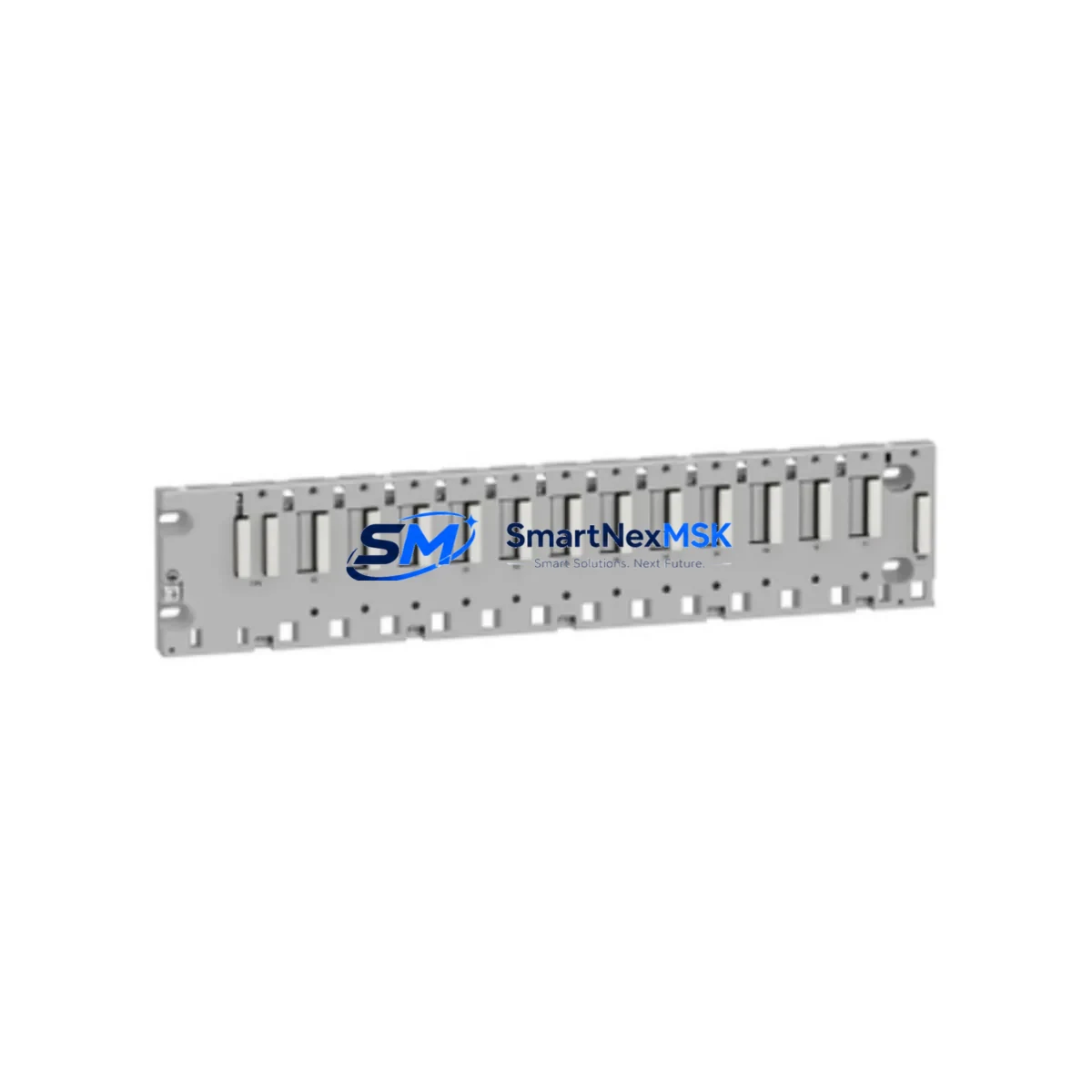
Schneider BMXXBP0800 Retrofit-Ready Rack Backplane for Modicon M340 Control Systems
The Schneider Electric BMXXBP0800 is an 8-slot rack backplane engineered for the Modicon M340 programmable automation controller platform. As legacy M340 installations age and original backplanes reach end-of-service life, the BMXXBP0800 serves as the authoritative retrofit solution — enabling engineers to restore full rack capacity, re-seat existing I/O modules, and maintain uninterrupted control logic without reprogramming the CPU or reconfiguring the communication network.
Whether you are replacing a cracked or failed backplane in a running production line, expanding an existing M340 rack to accommodate additional I/O, or rebuilding a control cabinet after a power surge, the BMXXBP0800 provides the mechanical and electrical foundation required for a reliable, long-service installation. Each unit shipped by SMARTNEXMSK is subject to pre-shipment functional verification and is covered by a 12-month warranty.
Upgrade Compatibility Table
| Parameter | BMXXBP0800 Specification | Retrofit Notes |
|---|---|---|
| Slot Count | 8 module slots | Replaces BMXXBP0400 (4-slot) with capacity upgrade; verify cabinet depth |
| Compatible CPUs | BMX P34 1000 / BMX P34 2000 / BMX P34 2010 / BMX P34 2020 / BMX P34 2030 | CPU slides into slot 00; no firmware change required for same-generation CPUs |
| Power Supply Interface | Accepts BMX CPS 2000 / BMX CPS 3500 / BMX CPS 3020 | Confirm power budget: 8 slots may require upgrade from CPS 2000 to CPS 3500 |
| Communication Backplane Bus | Modicon X-Bus (internal backplane bus) | All M340-series I/O modules (BMX DDI, BMX DDO, BMX AMI, BMX AMO) are natively compatible |
| Ethernet / Fieldbus | Via BMX NOE 0100 / BMX NOE 0110 Ethernet modules or BMX NOM 0200 serial module | Modbus TCP, EtherNet/IP, and Modbus RTU protocols preserved; no re-mapping required |
| Module Addressing | Slot-based addressing (slot 01–07 for I/O) | Re-seat modules in same slot positions to preserve Unity Pro / Control Expert variable mapping |
| Mounting | DIN rail or panel mount (35 mm DIN) | Verify rail spacing and cabinet depth before installation |
| Operating Temperature | 0 °C to +60 °C | Ensure cabinet ventilation meets thermal requirements post-retrofit |
| Warranty | 12 months from shipment date — covers manufacturing defects and functional failure under normal operating conditions | |
Retrofit Planning for Existing Automation Systems
A successful BMXXBP0800 retrofit begins well before the maintenance window opens. Engineers should start by auditing the existing rack population: document every module currently installed, its slot position, and its I/O address range as configured in Schneider Electric Unity Pro or EcoStruxure Control Expert. This snapshot becomes the reference baseline for post-swap verification.
Power budget is the first critical checkpoint. The original BMX CPS 2000 power supply delivers 20 W to the backplane bus. Expanding from a 4-slot BMXXBP0400 to the 8-slot BMXXBP0800 and populating additional slots with analog modules such as the BMX AMI 0410 (4-channel analog input) or BMX AMO 0210 (2-channel analog output) can push consumption beyond this threshold. In such cases, upgrading to the BMX CPS 3500 (35 W) or BMX CPS 3020 (20 W with extended temperature range) is strongly recommended before commissioning.
Terminal wiring on field-side I/O modules — including discrete input modules like the BMX DDI 1602 and discrete output modules like the BMX DDO 1602 — is independent of the backplane and does not need to be disturbed during a rack swap. However, all terminal block connectors should be inspected for corrosion or loose contacts before re-seating. Communication modules such as the BMX NOE 0100 Ethernet module retain their IP address and Modbus TCP configuration in non-volatile memory, so network re-commissioning is typically not required after a backplane replacement.
For systems using serial fieldbus links via the BMX NOM 0200 Modbus RTU / ASCII serial module, verify that baud rate, parity, and station address settings are preserved in the module’s internal memory. If the original module is being transferred to the new backplane, these parameters carry over automatically. If a replacement NOM module is being installed simultaneously, re-enter the serial parameters from the project backup before going live.
HMI screens connected via Modbus TCP — whether running on a Magelis HMIGTO panel or a SCADA workstation — will reconnect automatically once the CPU resumes scan after the backplane swap, provided the CPU IP address and Modbus device address remain unchanged. Confirm this with the HMI programmer before the maintenance window to avoid unnecessary screen re-configuration.
Finally, if the control cabinet also houses a BMX XBE 2005 remote I/O bus extender for distributed rack expansion, verify that the bus extender cable length and termination resistor settings are within specification after any physical relocation of the main rack during the retrofit.
Downtime Control During System Migration
Minimizing unplanned downtime during a backplane retrofit requires a structured pre-outage preparation protocol. Before the maintenance window, upload a full project backup from the BMX P34 CPU using EcoStruxure Control Expert and store it on an offline engineering workstation. This backup preserves all ladder logic, function block diagrams, variable tables, and communication configurations — ensuring that if any unexpected issue arises during the swap, the original program can be reloaded within minutes.
During the swap itself, power down the rack in the correct sequence: disable field outputs first, then remove power from the BMX CPS power supply before disconnecting any modules. Label each module with its slot number using adhesive tags before removal. Re-seat modules into the BMXXBP0800 in the same slot order. Reconnect the power supply and perform a cold start. The CPU will execute its self-test routine and resume scan automatically if the project is intact in flash memory.
Post-swap, verify I/O status in the Control Expert diagnostic viewer before re-enabling field outputs. Check that all communication modules have re-established their network links — the BMX NOE 0100 link LED should be solid green within 30 seconds of power-up. Confirm analog channel scaling on any BMX AMI modules by comparing live process values against known reference signals before returning the system to automatic mode. Total planned downtime for a straightforward backplane swap on a well-documented M340 system is typically 2–4 hours.
Retrofit Support FAQ
Q1: Is the BMXXBP0800 a direct drop-in replacement for the BMXXBP0400?
The BMXXBP0800 is mechanically and electrically compatible with the same M340 CPU and power supply modules used with the BMXXBP0400, but it is physically longer due to the additional 4 slots. Verify that your control cabinet has sufficient horizontal space (approximately 200 mm additional width) before ordering. All existing I/O modules, communication modules, and wiring connectors transfer directly without modification.
Q2: Will my Unity Pro / Control Expert program need to be modified after the backplane swap?
No program modification is required if all modules are re-seated in their original slot positions. The M340 CPU uses slot-based I/O addressing, so preserving slot assignments maintains all variable mappings. If you are adding new modules to the previously empty slots, those modules must be added to the hardware configuration in Control Expert and the project re-downloaded to the CPU.
Q3: What pre-shipment testing does SMARTNEXMSK perform on the BMXXBP0800?
Each BMXXBP0800 unit undergoes visual inspection for mechanical integrity, backplane bus connector pin inspection, and a power-on functional test with a compatible M340 CPU and power supply module before shipment. Units that fail any test stage are quarantined and not shipped. A test report is available upon request for B2B customers requiring incoming inspection documentation.
Q4: What does the 12-month warranty cover?
The 12-month warranty covers manufacturing defects and functional failure under normal operating conditions (per IEC 61131-2 environmental class). It does not cover damage caused by incorrect installation, overvoltage events, or physical impact. In the event of a warranty claim, SMARTNEXMSK will arrange replacement shipment after fault verification. Contact [email protected] with your order number and a description of the fault.
© 2026 SMARTNEXMSK. All rights reserved.
Original Source: https://smartnexmsk.com
Contact: [email protected] | +86 18259474341



