
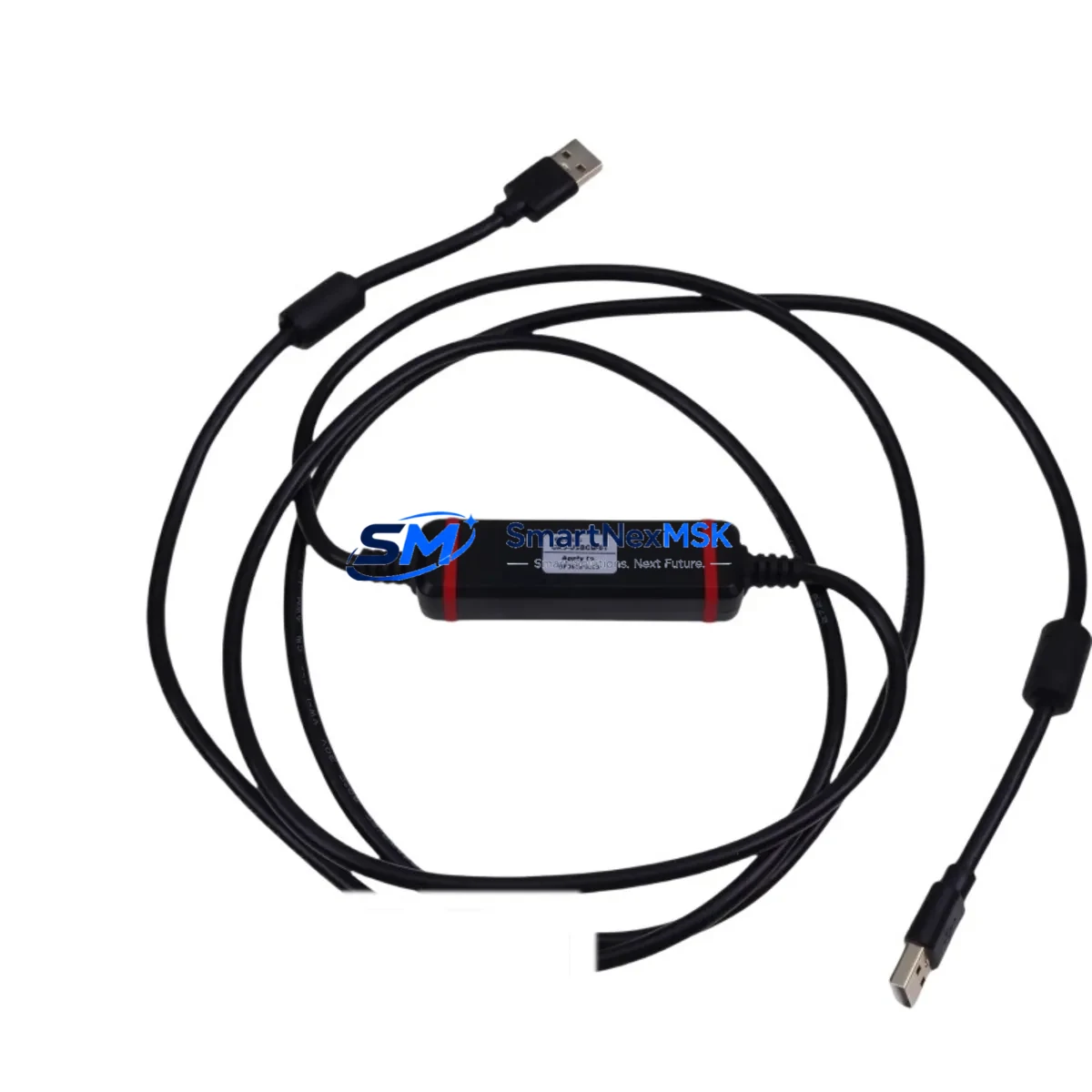
Schneider CA3-USBCB-01 Retrofit-Ready USB Configuration Cable for TeSys U Control Systems
The Schneider Electric CA3-USBCB-01 is a dedicated USB configuration cable designed for the TeSys U motor management system — one of the most widely deployed intelligent motor starter platforms in industrial automation. As legacy TeSys U installations age and original configuration accessories become harder to source, the CA3-USBCB-01 remains a critical interface tool for engineers managing system upgrades, control cabinet retrofits, and motor protection parameter migration. SMARTNEXMSK maintains verified in-stock inventory of the CA3-USBCB-01 with a 12-month warranty and pre-shipment functional testing on every unit.
Upgrade Compatibility Table
| Parameter | Details |
|---|---|
| Compatible Platform | Schneider Electric TeSys U Motor Management System |
| Interface | USB (PC side) to RJ45 / proprietary TeSys U port (device side) |
| Compatible Controllers | LUCA, LUCB, LUCC, LUCD series TeSys U control units |
| Software Compatibility | PowerSuite, SoMove (Schneider configuration software) |
| Installation Requirement | USB driver installation required on PC; plug-and-play after driver setup |
| Communication Protocol | Proprietary Schneider serial-over-USB; not Modbus RTU direct |
| Replacement Suitability | Direct drop-in replacement for worn or lost OEM CA3-USBCB-01 cables |
| Retrofit Recommendation | Required when migrating TeSys U parameters to replacement LUCA•• control units |
| Commissioning Note | Verify COM port assignment in Device Manager before launching SoMove |
| Warranty | 12 Months — covers manufacturing defects and communication failures |
Retrofit Planning for Existing Automation Systems
In a typical TeSys U retrofit scenario, the CA3-USBCB-01 is the first tool a commissioning engineer reaches for. Whether you are replacing a failed LUCB12BL control unit, reconfiguring motor protection thresholds after a drive swap, or migrating parameters from a decommissioned starter to a new LUCA12BL, this cable is the only supported interface between the TeSys U hardware and Schneider’s SoMove or PowerSuite configuration environment.
During control cabinet upgrades, engineers frequently encounter TeSys U starters installed alongside LUF-series communication modules — including the LUF01 (AS-Interface) and LUF10 (Modbus) variants. When these communication modules are being replaced or the fieldbus architecture is being migrated from AS-Interface to Modbus RTU or Profibus DP, the CA3-USBCB-01 is essential for re-parameterizing the base control unit before the new communication module is commissioned. Engineers should confirm that the LUFW10 or LUFP7 Profibus module firmware is compatible with the existing control unit revision before finalizing the communication migration plan.
Power supply verification is a critical pre-retrofit step. TeSys U starters in the LUCA and LUCB families operate on 24 VDC control voltage supplied through the LUF power base or directly from the control cabinet’s 24 V rail. Before connecting the CA3-USBCB-01 and launching SoMove, confirm that the control voltage is stable and within the ±10% tolerance band. Unstable supply voltage during parameter write operations can corrupt the control unit’s non-volatile memory, requiring a full factory reset and re-commissioning cycle.
Terminal wiring adaptation is another common challenge in retrofit projects. When replacing older TeSys D starters (such as the LC1D series) with TeSys U units, the terminal layout and wiring philosophy differ significantly. The TeSys U uses a compact, integrated power and control base, while TeSys D relies on separate contactor and overload relay assemblies. Engineers must re-map the existing wiring from the LC1D25 or LC1D40 contactors to the new TeSys U power base terminals, and the CA3-USBCB-01 is used to configure the new unit’s protection parameters to match the motor’s nameplate data before energizing the circuit.
For systems where the TeSys U is integrated into a Modicon M340 or Modicon M580 PLC architecture via a BMXNOE0100 Ethernet module or a BMXNRP0200 Profibus DP module, the CA3-USBCB-01 is used to set the TeSys U’s Modbus node address and communication parameters locally before the PLC program establishes the fieldbus connection. This local pre-configuration step eliminates the risk of address conflicts on the Modbus network and ensures that the PLC’s Unity Pro or EcoStruxure Control Expert program can immediately recognize the new starter without requiring a network scan or address reassignment procedure.
Downtime Control During System Migration
Minimizing unplanned downtime is the primary concern in any TeSys U replacement or retrofit project. The CA3-USBCB-01 enables engineers to pre-configure replacement control units on the bench — completely offline — before the scheduled maintenance window begins. Using SoMove’s parameter export function, the existing TeSys U’s configuration can be saved to a .smd file while the system is still running. During the maintenance window, the replacement LUCA•• or LUCB•• control unit is connected via the CA3-USBCB-01, the saved parameter file is imported, and the unit is verified before installation. This bench pre-configuration approach typically reduces on-site commissioning time from several hours to under 30 minutes.
For critical production lines where even brief interruptions are unacceptable, engineers should prepare a fully pre-configured spare control unit with the CA3-USBCB-01 and keep it in the control cabinet as a hot-standby replacement. When a fault occurs, the pre-configured spare can be swapped in immediately, and the CA3-USBCB-01 is used only for final verification of the parameter set after installation — not for initial configuration. This strategy protects the original program logic, preserves the motor protection thresholds, and maintains field control continuity without requiring a SoMove session during the fault response.
HMI screen updates should also be planned as part of the migration. If the TeSys U is monitored through a Magelis HMIGTO or HMISTO panel, verify that the HMI’s Modbus read/write address mapping matches the new control unit’s register map. Parameter changes made via the CA3-USBCB-01 do not automatically update the HMI’s internal variable table, so a parallel Vijeo Designer session may be required to align the HMI display with the new configuration.
Retrofit Support FAQ
Q1: Is the CA3-USBCB-01 compatible with all TeSys U control unit variants?
The CA3-USBCB-01 is compatible with the full range of TeSys U control units in the LUCA, LUCB, LUCC, and LUCD families. It connects to the RJ45 configuration port on the front face of the control unit and is recognized by both SoMove and PowerSuite software. It is not compatible with TeSys T or TeSys D overload relays, which use different configuration interfaces.
Q2: Can I use this cable to transfer parameters from a failed unit to a replacement?
Yes — provided the failed unit’s control port is still functional. Connect the CA3-USBCB-01 to the failed unit, export the parameter file using SoMove’s backup function, then connect to the replacement unit and import the file. If the failed unit’s port is non-functional, Schneider’s default parameter sheets for the specific motor rating can be used as a starting point for manual re-entry.
Q3: What pre-shipment testing is performed on CA3-USBCB-01 units from SMARTNEXMSK?
Every CA3-USBCB-01 unit shipped by SMARTNEXMSK undergoes a functional communication test using a live TeSys U control unit and SoMove software before dispatch. The test confirms USB enumeration, driver recognition, and successful parameter read/write operations. Units that fail any stage of this test are quarantined and not shipped. All units are covered by a 12-month warranty from the date of shipment.
Q4: Are there wiring or installation precautions I should follow during retrofit?
Always de-energize the TeSys U control circuit before connecting or disconnecting the CA3-USBCB-01. Although the cable is designed for hot-plug use in most configurations, connecting or disconnecting during an active parameter write operation can interrupt the communication session and leave the control unit in an indeterminate state. Ensure the PC’s USB port provides stable 5 V supply — use a direct USB port rather than a hub for reliable communication during long parameter sessions.
© 2026 SMARTNEXMSK. All rights reserved.
Original Source: https://smartnexmsk.com
Contact: [email protected] | +86 18259474341



