
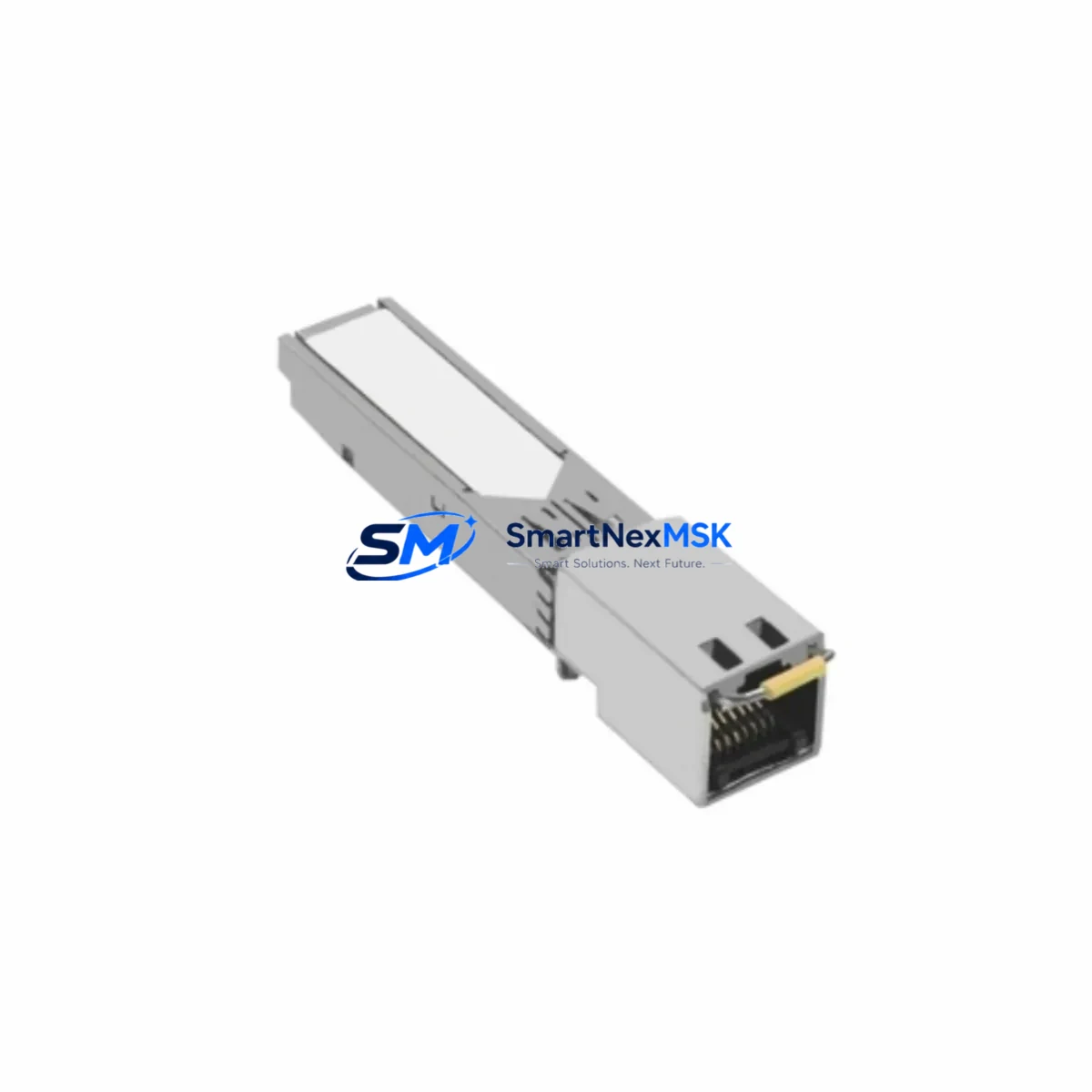
Schneider Electric 490NAC0100 Spare for Quantum Automation
The Schneider Electric 490NAC0100 is an original Ethernet connector module designed for the Modicon Quantum PLC platform — one of the most widely deployed large-scale automation architectures in process industries, utilities, and critical manufacturing environments. When this component fails or degrades, the consequences extend beyond a single I/O point: Ethernet-based communication between the Quantum backplane, SCADA systems, and remote I/O drops entirely, triggering unplanned downtime that can cost thousands per hour in lost production.
Sourced as an original Schneider Electric spare, the 490NAC0100 is tested prior to shipment and backed by a 12-month warranty. It is stocked for immediate dispatch to support emergency replacement, planned maintenance shutdowns, and long-term spare parts inventory programs. Whether you are a maintenance engineer executing a corrective work order or a procurement engineer building a critical-spares list for a Quantum-based control room, this unit ships ready to install.
Spare Maintenance Table
| Parameter | Specification / Detail |
|---|---|
| Part Number / SKU | 490NAC0100 |
| Brand | Schneider Electric |
| Series | Modicon Quantum |
| Product Type | Ethernet Connector Module |
| Interface | 10/100 Mbps Ethernet (RJ45) |
| Compatible Platforms | Modicon Quantum PLC backplane (140-series racks) |
| Origin | France (Original Schneider Electric) |
| Application Environment | Industrial control panels, DCS integration, SCADA networks |
| Installation | Direct backplane slot insertion; no tools required |
| Operating Temperature | 0°C to 60°C (standard industrial panel range) |
| Condition | Original spare — tested before shipment |
| Warranty | 12 Months |
| Lead Time | In stock — same-day or next-business-day dispatch available |
Maintenance Planning for Continuous Operation
Replacing the 490NAC0100 in a live Quantum system is rarely an isolated task. Maintenance engineers who have performed this replacement on-site consistently report that a thorough inspection of the surrounding components prevents repeat call-outs and secondary failures. Before or during the replacement of this Ethernet connector, the following components should be inspected or staged as co-spares:
Start with the 140CPU65150 or 140CPU67160 CPU module — the Ethernet port on the 490NAC0100 feeds directly into the CPU’s communication stack, and a CPU with degraded firmware or corrupted Ethernet configuration tables will reject a new connector module at initialization. Verify firmware version compatibility before re-energizing.
Inspect the 140XBP01600 or 140XBP00600 backplane rack for bent connector pins or oxidized bus contacts. A faulty backplane slot will damage a replacement 490NAC0100 within weeks of installation. Clean contacts with isopropyl alcohol and verify slot continuity with a multimeter before seating the new module.
Check the 140CPS11420 or 140CPS21400 power supply module output voltage under load. Ethernet communication modules are sensitive to voltage ripple; a power supply operating near end-of-life can cause intermittent Ethernet link drops that are misdiagnosed as connector failures. Stage a replacement power supply if output ripple exceeds 50 mV.
Review the 140NOE77100 or 140NOE77101 Ethernet network option module if your Quantum system uses a dedicated network module alongside the 490NAC0100. These modules share the same Ethernet segment and a misconfigured IP address table after a connector swap can cause network collisions. Export the NOE configuration from Unity Pro before beginning work.
Inspect 140ACI03000 analog input modules and 140DDO35300 digital output modules in the same rack. While not directly related to Ethernet, I/O modules in aging Quantum racks often show increased error rates when the rack is powered down and re-energized during a connector replacement — a good opportunity to log diagnostic counters and flag modules approaching replacement thresholds.
Do not overlook the Modbus Plus or Ethernet cable infrastructure: shielded Cat5e or Cat6 patch cables, RJ45 field connectors, and managed industrial switches (such as the ConneXium TCSESM series) should be inspected for physical damage, correct shielding termination, and switch port configuration. A damaged cable or an auto-negotiation mismatch on the switch port will prevent the replacement 490NAC0100 from establishing a stable link regardless of module condition.
Finally, verify the 140XTS00200 terminal strip and field wiring terminations in the control cabinet. Loose terminal connections on 24 VDC supply rails feeding the rack can cause transient resets that corrupt the Ethernet module’s ARP table and appear as random communication faults.
Site Replacement Workflow
Step 1 — Pre-replacement documentation: Export the Unity Pro project file and record the current IP address, subnet mask, gateway, and Modbus device address configured on the 490NAC0100. Take a photograph of the front-panel LED status before powering down.
Step 2 — Safe isolation: Follow your site’s lockout/tagout (LOTO) procedure. De-energize the Quantum rack via the 140CPS power supply breaker. Confirm zero-energy state with a calibrated voltage tester before touching the backplane.
Step 3 — Module extraction: Release the module locking lever, slide the 490NAC0100 straight out of the backplane slot, and place it in an anti-static bag. Inspect the backplane connector pins for damage before proceeding.
Step 4 — Replacement installation: Align the replacement 490NAC0100 with the backplane slot guides and slide it firmly until the locking lever clicks. Do not force the module — misalignment will bend backplane pins.
Step 5 — Configuration restore: Re-energize the rack. Using Unity Pro, download the previously exported project to restore IP configuration. Verify Ethernet link LED illuminates solid green within 30 seconds of power-up.
Step 6 — Functional verification: Ping the module from the engineering workstation. Confirm SCADA tag updates resume at the expected scan rate. Log the replacement in your CMMS with the new module serial number and warranty expiry date.
This workflow minimizes downtime to under 45 minutes for a prepared maintenance team and eliminates the most common post-replacement issues: IP conflicts, backplane damage, and configuration loss.
Spare Parts Support FAQ
Q1: Is the 490NAC0100 a direct drop-in replacement for older Quantum Ethernet connector revisions?
Yes. The 490NAC0100 is backward compatible with all standard Modicon Quantum 140-series backplane racks. No hardware modification is required. Firmware on the CPU module should be at a supported revision — consult the Schneider Electric compatibility matrix for your specific CPU part number if you are running firmware older than V2.6.
Q2: How is the unit tested before shipment?
Each 490NAC0100 unit undergoes a pre-shipment functional check covering backplane connector integrity, Ethernet port continuity, and LED indicator operation. Units that fail any check are quarantined and not dispatched. A test report is available upon request for critical infrastructure procurement.
Q3: What does the 12-month warranty cover?
The 12-month warranty covers manufacturing defects and functional failures under normal industrial operating conditions. It does not cover damage caused by incorrect installation, overvoltage events, or physical impact. Warranty claims are processed with return merchandise authorization (RMA) — contact [email protected] to initiate.
Q4: Can you support long-term or blanket purchase orders for Quantum spare parts?
Yes. For facilities managing multiple Quantum-based control systems or executing a multi-year maintenance contract, we support blanket PO arrangements, reserved stock allocation, and scheduled delivery programs. This is particularly relevant for sites where the Modicon Quantum platform has been declared end-of-active-development by Schneider Electric and long-term parts availability is a strategic concern. Contact our team to discuss volume pricing and inventory reservation.
© 2026 SMARTNEXMSK. All rights reserved.
Original Source: https://smartnexmsk.com
Contact: [email protected] | +86 18259474341



