
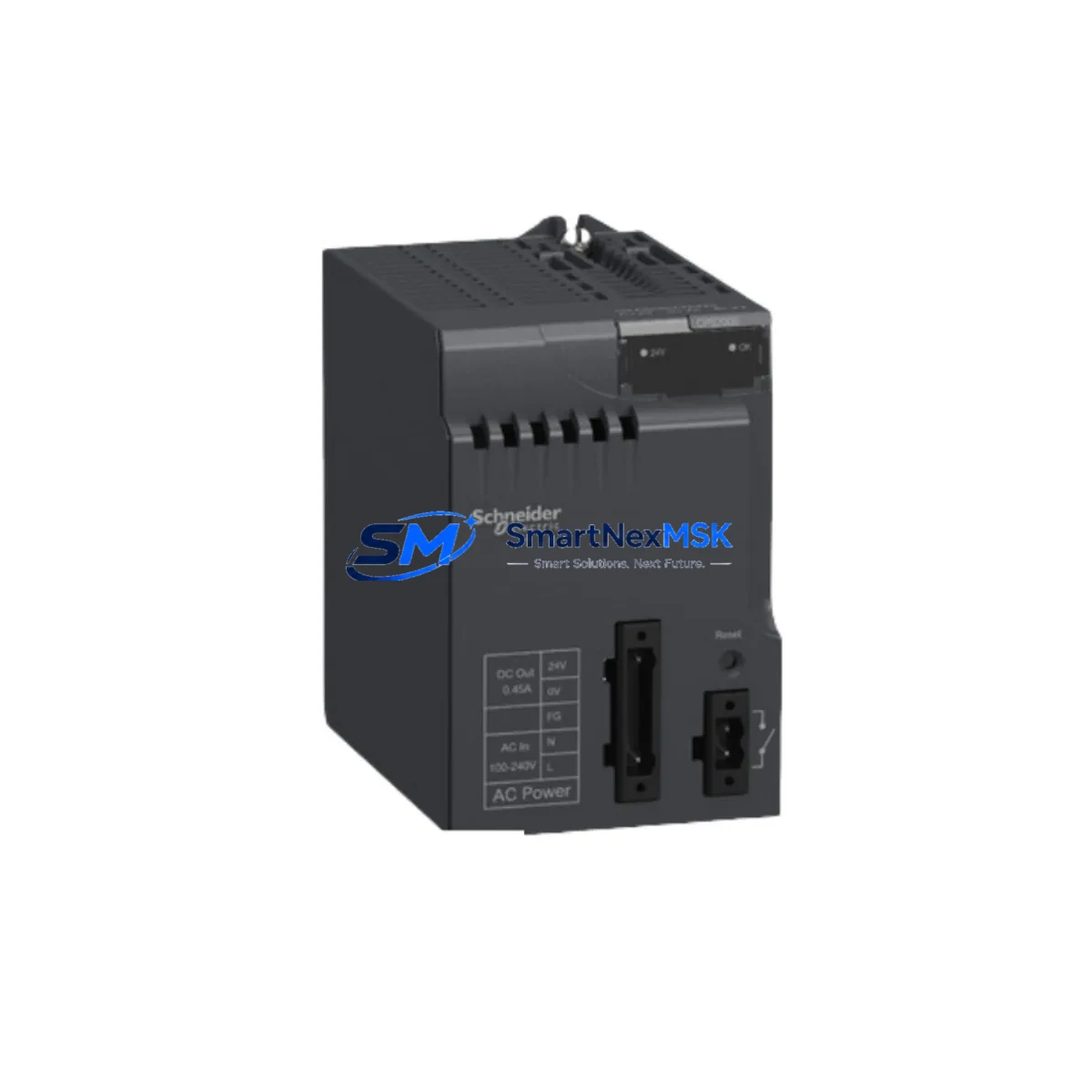
Schneider Electric BMXCPS3500 M340 Automation Spare: Spare Replacement & Industrial Downtime Risk Control
The Schneider Electric BMXCPS3500 is a 24 VDC backplane power supply module designed for the Modicon M340 programmable automation controller platform. As a maintenance-ready original spare, the BMXCPS3500 is a critical component in any M340 rack assembly — supplying regulated power to the CPU, I/O modules, and communication modules mounted on the same backplane. Unplanned failure of this module results in immediate rack shutdown and full process interruption. Holding a verified replacement unit in your spare parts inventory is the most effective strategy to minimize mean time to repair (MTTR) and protect continuous operation in manufacturing, utilities, water treatment, and building automation environments.
This unit is sourced as an original Schneider Electric component, inspected and function-tested prior to shipment. Each unit ships with a 12-month warranty covering manufacturing defects and operational failures under normal service conditions. Fast dispatch is available for urgent maintenance requirements.
Spare Maintenance Table
| Parameter | Specification |
|---|---|
| Part Number / SKU | BMXCPS3500 |
| Brand | Schneider Electric |
| Series | Modicon M340 |
| Module Type | Backplane Power Supply Module |
| Input Voltage | 24 VDC (19.2–30 VDC operating range) |
| Output Power | 35 W (backplane bus supply) |
| Rack Compatibility | BMX XBP 0400 / 0800 / 1200 / 0800H M340 backplanes |
| CPU Compatibility | BMXP341000 / BMXP342000 / BMXP342010 / BMXP342020 / BMXP3420302 series |
| Mounting | DIN rail / panel mount via M340 rack |
| Operating Temperature | 0 °C to +60 °C |
| Protection Class | IP20 |
| Origin | France |
| Certifications | CE, UL, cUL |
| Maintenance Recommendation | Inspect input wiring, fuse, and DC bus voltage annually; replace on first sign of output instability |
| Warranty | 12 Months — tested before shipment |
Maintenance Planning for Continuous Operation
When a BMXCPS3500 failure is identified during routine inspection or fault diagnosis, a disciplined maintenance engineer will not replace the power supply in isolation. The M340 rack is an integrated system, and a power supply fault — whether caused by input voltage transients, capacitor aging, or overload — often stresses adjacent components simultaneously.
Before returning the rack to service after a BMXCPS3500 replacement, the following components should be inspected or tested as part of the same maintenance window:
- BMXP342000 / BMXP341000 CPU Module — Verify firmware integrity and RAM retention after power interruption. A sudden power loss can corrupt active program memory if the CPU battery (BMXBAT0100) is depleted.
- BMXBAT0100 CPU Battery — Replace if the battery low indicator was active prior to the fault. This is a low-cost consumable that protects program and data retention.
- BMXDDI1602 / BMXDDO1602 Digital I/O Modules — Check for blown output protection fuses and verify field wiring continuity. A shorted field device can cause backplane overcurrent that accelerates power supply wear.
- BMXAMI0410 Analog Input Module — Inspect signal wiring shielding and grounding. Noise on analog channels during a power event can indicate inadequate cabinet grounding, which also stresses the power supply.
- BMXNOE0100 / BMXNOE0110 Ethernet Communication Module — Confirm network link status and IP configuration after rack restart. Communication modules are sensitive to uncontrolled power cycling.
- BMXXBP0800 / BMXXBP1200 Backplane — Inspect the backplane bus connector for burn marks, corrosion, or mechanical damage. A damaged backplane connector can cause intermittent power supply faults that are misdiagnosed as module failure.
- 24 VDC Panel Power Supply (e.g., Phaseo ABL8REM24030) — Measure output voltage under load. An undersized or aging panel power supply delivering low voltage is a common root cause of BMXCPS3500 premature failure.
- Input Fuse / Circuit Breaker — Verify the upstream 24 VDC fuse rating matches the BMXCPS3500 input current specification. An oversized fuse provides inadequate protection.
- Terminal Blocks and Input Wiring — Inspect for loose connections, oxidation, or undersized cable cross-section on the 24 VDC input terminals of the power supply.
- BMXFTB2010 / BMXFTB2000 Field Terminal Blocks — If I/O modules use pre-wired terminal blocks, inspect for signs of overheating or insulation degradation that may have contributed to the overload condition.
Maintaining a minimum spare parts kit that includes the BMXCPS3500, the CPU battery, and at least one digital I/O module ensures that the most common M340 rack failures can be resolved within a single maintenance shift without waiting for parts procurement.
Site Replacement Workflow
Replacing the BMXCPS3500 in the field is a straightforward procedure when the correct spare is available and the replacement workflow is followed systematically:
- Isolate the rack — De-energize the 24 VDC input supply to the BMXCPS3500 at the upstream circuit breaker or fuse. Confirm zero voltage at the module input terminals with a calibrated multimeter before proceeding.
- Back up the CPU program — If the CPU is still accessible via USB or Ethernet, use Unity Pro / EcoStruxure Control Expert to upload and save the current application program and configuration before removing power.
- Remove the faulty module — Disconnect the 24 VDC input wiring from the BMXCPS3500 terminals. Slide the module out of the rack slot. Note the slot position — the power supply must be installed in the designated power supply slot of the M340 backplane.
- Inspect and install the replacement — Verify the replacement BMXCPS3500 part number matches the original. Slide the new module into the rack slot until the connector seats fully. Reconnect the 24 VDC input wiring, observing correct polarity.
- Restore power and verify — Re-energize the input supply. Confirm the RUN LED illuminates on the CPU module and that all I/O module status LEDs return to normal. Check the diagnostic screen in EcoStruxure Control Expert for any residual fault codes.
- Document the replacement — Record the date, replaced module serial number, and any associated findings in the equipment maintenance log. Update the spare parts inventory to trigger replenishment of the consumed BMXCPS3500 unit.
This workflow is compatible with both hot-standby and simplex M340 configurations. For redundant power supply configurations using dual BMXCPS3500 modules, the replacement can be performed without full rack shutdown if the second supply is confirmed healthy and carrying full load.
Spare Parts Support FAQ
Q1: Is this BMXCPS3500 an original Schneider Electric component or a compatible aftermarket unit?
This is an original Schneider Electric BMXCPS3500 module, not an aftermarket or compatible substitute. Each unit is sourced from authorized supply channels and undergoes functional testing before shipment. The 12-month warranty covers manufacturing defects and operational failures under normal service conditions.
Q2: How do I confirm compatibility with my existing M340 rack before ordering?
The BMXCPS3500 is compatible with all standard Modicon M340 backplanes in the BMX XBP series (0400, 0800, 1200 slot configurations) and all M340 CPU modules. Confirm your rack reference number from the backplane label and cross-reference with the Schneider Electric M340 hardware catalog. If you require compatibility confirmation for a specific rack or CPU combination, contact our technical team with your full rack configuration before ordering.
Q3: What is your lead time and how is the unit tested before shipment?
In-stock units are dispatched within 1–3 business days. Each BMXCPS3500 is powered up and output voltage is verified under load prior to packaging. Units that fail functional testing are quarantined and not shipped. Expedited shipping options are available for urgent maintenance requirements — contact us directly to arrange priority dispatch.
Q4: What is covered under the 12-month warranty and how is a warranty claim handled?
The 12-month warranty covers failure of the module under normal operating conditions, including output voltage instability, failure to power up, and communication faults attributable to the module itself. Physical damage caused by incorrect installation, overvoltage, or reverse polarity is excluded. To initiate a warranty claim, contact our support team with the order reference, a description of the fault, and photographic evidence of the installation. Replacement or refund is processed within 5 business days of fault confirmation.
© 2026 SMARTNEXMSK. All rights reserved.
Original Source: https://smartnexmsk.com
Contact: [email protected] | +86 18259474341



