
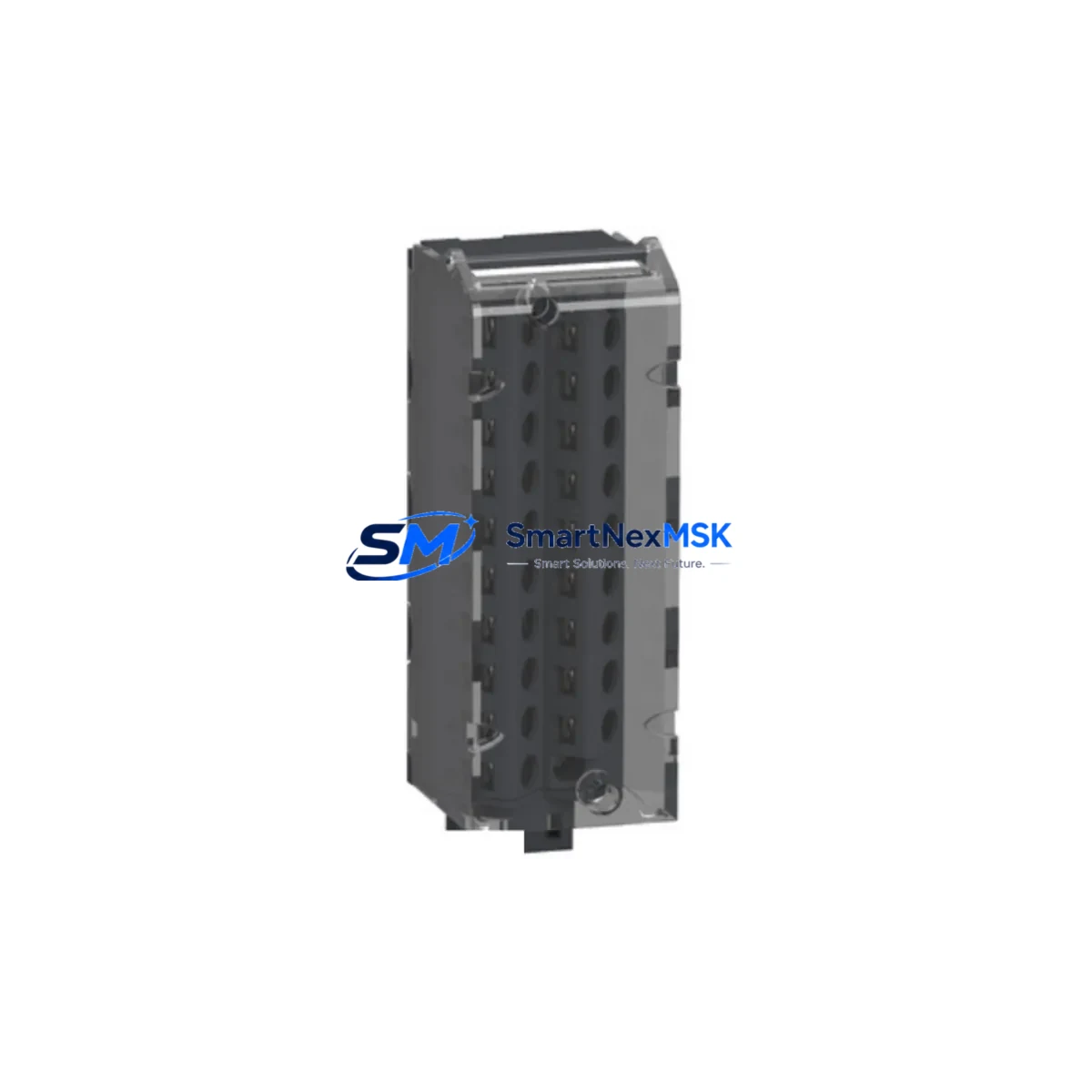
Schneider Electric BMXFTB2010 Spare for M340 Automation
The Schneider Electric BMXFTB2010 is an original 20-pin screw-type terminal block designed for the Modicon M340 PLC platform. In industrial maintenance environments where unplanned downtime carries significant operational cost, having a verified, ready-to-install spare of the BMXFTB2010 on the shelf is a fundamental risk-reduction measure. This component serves as the field-wiring interface between external I/O signals and the M340 I/O modules, making it a high-wear, high-replacement-frequency item in any control cabinet that runs Modicon M340 hardware.
Maintenance engineers working on M340-based systems will encounter the BMXFTB2010 across a wide range of applications — from discrete manufacturing lines and conveyor control panels to process automation skids and building management systems. Its 20-pin screw terminal configuration accommodates both digital and analog I/O wiring, and its plug-in design allows the wiring harness to remain intact during module swap-outs, dramatically reducing reconnection time and the risk of miswiring during emergency replacements.
Procurement engineers sourcing spare parts for aging M340 installations should treat the BMXFTB2010 as a consumable-class item. Terminal blocks are subject to mechanical wear from repeated insertion cycles, thermal cycling stress, and vibration-induced loosening in high-cycle environments. Stocking a minimum of two to four units per control cabinet is a widely adopted practice in facilities with zero-tolerance downtime policies.
This unit is sourced as an original Schneider Electric component, inspected, and tested prior to shipment. Each unit ships with a 12-month warranty covering manufacturing defects and functional failures under normal operating conditions.
Spare Maintenance Table
| Parameter | Specification |
|---|---|
| Part Number | BMXFTB2010 |
| Brand | Schneider Electric |
| Series | Modicon M340 |
| Terminal Type | 20-Pin Screw Terminal Block (Plug-in) |
| Compatible Modules | BMX DDI / DDO / DAI / DAO / ARI / ARO series I/O modules |
| Conductor Cross-Section | 0.34 – 1.5 mm² (AWG 22–16) |
| Tightening Torque | 0.5 N·m |
| Rated Voltage | 250 V AC/DC |
| Rated Current per Pin | 8 A |
| Degree of Protection | IP20 (installed in cabinet) |
| Operating Temperature | 0 °C to +60 °C |
| Mounting | Plug-in to M340 I/O module face connector |
| Origin | France |
| Warranty | 12 Months |
| Pre-shipment Test | Yes — continuity and mechanical fit verified |
| Application Environment | Industrial control cabinets, DIN-rail panels, process automation skids |
Maintenance Planning for Continuous Operation
When a BMXFTB2010 terminal block requires replacement — whether due to a broken screw terminal, a cracked housing, or a failed insertion cycle — the maintenance window should be used to inspect the surrounding components in the same I/O loop and control cabinet. A disciplined approach to concurrent inspection reduces the probability of a secondary failure shortly after the primary repair.
Start with the I/O module itself: the BMX DDI 1602 (16-channel 24 VDC digital input) or BMX DDO 1602 (16-channel digital output) modules that mate with the BMXFTB2010 should be checked for LED fault indicators, channel diagnostics via Unity Pro / EcoStruxure Control Expert, and any signs of overheating or discoloration on the module face. If the terminal block failure was caused by a wiring short or overcurrent event, the I/O module itself may have sustained damage and should be tested before returning the loop to service.
Inspect the BMX CPS 2000 or BMX CPS 3500 power supply module feeding the M340 rack. Terminal block failures in high-current output loops are sometimes symptomatic of power supply instability or voltage ripple. Verify output voltage under load and check the power supply’s diagnostic LEDs.
Review the BMX XBP 0800 or BMX XBP 1200 backplane for rack integrity. Loose backplane connectors can cause intermittent I/O faults that are misdiagnosed as terminal block failures. Reseat all modules and verify that the backplane bus connectors show no signs of arcing or corrosion.
For systems using the BMX NOE 0100 or BMX NOE 0110 Ethernet communication module, confirm that the network connection remains stable after the maintenance intervention. Physical vibration during module removal can disturb RJ45 connections and cause transient communication losses that trigger false alarms in the SCADA layer.
Check the BMX ARI 0800 analog input module wiring if the affected terminal block is part of an analog signal loop. Analog loops are particularly sensitive to terminal resistance changes introduced by worn screw terminals. After replacing the BMXFTB2010, perform a signal calibration check to confirm 4–20 mA or 0–10 V signal integrity end-to-end.
Inspect associated Schneider Electric Zelio RSB relay modules or RXM series miniature relays in the same output circuit. Relay coil failures and contact wear are common co-failure modes in high-cycle discrete output loops. Replace any relay showing contact resistance above specification or coil current outside the rated range.
Verify the BMX ERT 1604 counter/event module connections if the terminal block is part of a high-speed counting or encoder feedback loop. Loose terminals in these circuits cause counting errors and position drift that can be difficult to diagnose without first confirming wiring integrity.
Finally, inspect the DIN-rail mounted Schneider Electric Acti9 iC60N circuit breakers or equivalent branch protection devices feeding the I/O power rails. Confirm that all breakers are properly seated, trip-free, and rated correctly for the connected load. A nuisance trip caused by an undersized breaker can mimic a terminal block or I/O module failure.
Site Replacement Workflow
Step 1 — Isolation and Lockout/Tagout: De-energize the affected I/O module circuit following site LOTO procedures. Confirm zero-energy state with a calibrated voltage tester before touching any wiring.
Step 2 — Document Existing Wiring: Photograph or sketch the terminal block wiring layout before disconnection. The BMXFTB2010’s plug-in design means the entire wiring harness can be unplugged as a unit — do not disconnect individual wires unless the harness itself is being replaced.
Step 3 — Remove the Faulty Terminal Block: Grip the BMXFTB2010 by its extraction tab and pull firmly and evenly to disengage from the I/O module face connector. Inspect the module-side connector pins for damage or contamination before installing the replacement.
Step 4 — Install the Replacement Unit: Align the new BMXFTB2010 with the module connector and press firmly until the locking tab clicks into place. Verify seating by applying light lateral pressure — a properly seated terminal block will not rock or shift.
Step 5 — Re-energize and Verify: Restore power and confirm I/O channel status via the PLC diagnostic screen or EcoStruxure Control Expert online mode. Verify that all channels previously in service return to their expected states. Document the replacement in the site maintenance log with date, technician ID, and the replaced part number.
This plug-in replacement workflow typically requires 15–30 minutes of hands-on time, making the BMXFTB2010 one of the fastest field-replaceable units in the M340 platform — provided the spare is available on-site. The single largest contributor to extended downtime in BMXFTB2010 replacement scenarios is not the replacement procedure itself, but the lead time required to source the part after the failure occurs.
Spare Parts Support FAQ
Q1: Is the BMXFTB2010 compatible with all M340 I/O modules?
The BMXFTB2010 is a 20-pin screw terminal block compatible with the full range of Schneider Electric Modicon M340 I/O modules that use the 20-pin plug-in terminal interface, including BMX DDI, DDO, DAI, DAO, ARI, and ARO series modules. Always verify the pin count and connector type on your specific module before ordering. Modules requiring the 28-pin format use the BMXFTB2800 instead.
Q2: How is the unit tested before shipment?
Each BMXFTB2010 unit undergoes a pre-shipment inspection covering mechanical fit verification (insertion/extraction cycle test), terminal screw torque check, and continuity verification across all 20 pins. Units that do not pass inspection are not shipped. A 12-month warranty covers functional failures under normal operating conditions from the date of delivery.
Q3: What is the recommended stocking quantity for a facility running multiple M340 racks?
Industry practice for facilities with high availability requirements is to stock one spare BMXFTB2010 per two to four installed units, with a minimum of two units per site regardless of installed base size. For facilities running 24/7 operations with no planned maintenance windows, a higher buffer of one-for-one sparing is advisable for critical I/O loops.
Q4: Can the BMXFTB2010 be used to extend the life of an aging M340 system scheduled for eventual migration?
Yes. The BMXFTB2010 is a direct OEM replacement that requires no firmware changes, configuration updates, or hardware modifications. It is fully compatible with all M340 rack generations and can be used to maintain aging systems in service during phased migration programs, capital deferral periods, or while awaiting next-generation platform availability.
© 2026 SMARTNEXMSK. All rights reserved.
Original Source: https://smartnexmsk.com
Contact: [email protected] | +86 18259474341



