
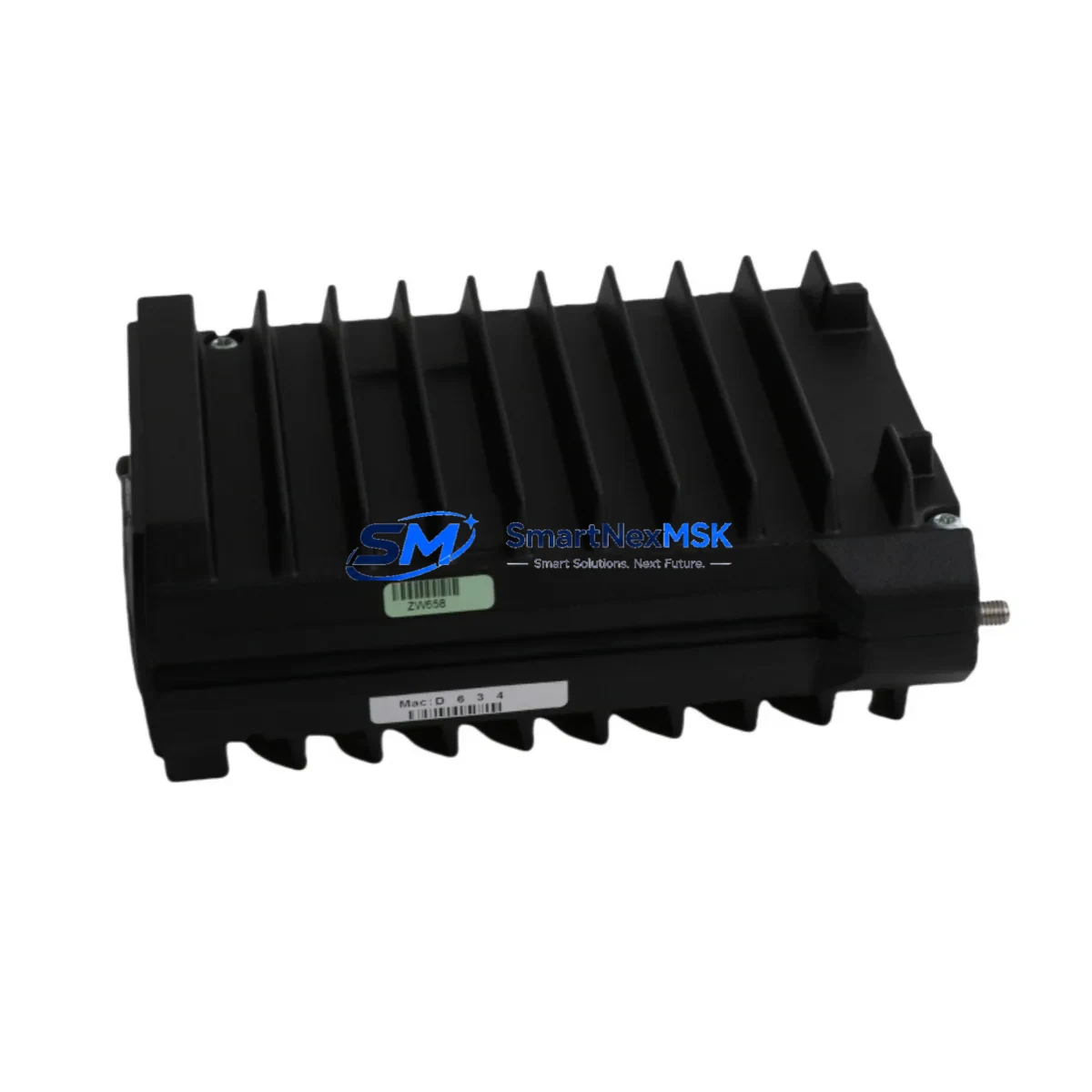
Schneider Electric RH924YA FCP280 Retrofit-Ready Field Control Processor for I/A Series Control Systems
The Schneider Electric RH924YA FCP280 is a Field Control Processor (FCP) designed for the Foxboro I/A Series Distributed Control System (DCS) platform. As legacy I/A Series installations continue to operate across petrochemical, power generation, pulp and paper, and water treatment facilities worldwide, the RH924YA FCP280 has become a critical retrofit and replacement component for engineers managing aging control infrastructure. Whether you are replacing a failed processor, upgrading from an earlier FCP generation, or consolidating spare parts inventory ahead of a planned shutdown, the RH924YA FCP280 provides a reliable, drop-in compatible solution that preserves your existing control logic, I/O wiring, and HMI configuration.
SMARTNEXMSK maintains verified stock of the RH924YA FCP280 sourced from authorized channels and decommissioned systems. Every unit undergoes functional testing prior to shipment, and all units are covered by a 12-month warranty against manufacturing defects and operational failure. Fast global shipping from Xiamen ensures minimal lead time for urgent replacement scenarios.
Upgrade Compatibility Table
| Parameter | RH924YA FCP280 Details |
|---|---|
| Platform Compatibility | Foxboro I/A Series DCS (all generations) |
| Processor Type | Field Control Processor (FCP) |
| Backplane Interface | I/A Series Nodebus / Fieldbus Module (FBM) backplane |
| Communication Protocol | Nodebus (proprietary I/A Series), optional Fieldbus H1 |
| Power Supply Requirement | 24 VDC via I/A Series power supply module (e.g., P0922VW or equivalent) |
| I/O Compatibility | Compatible with all standard FBM I/O modules in I/A Series racks |
| Replaces / Upgrades From | FCP10, FCP270, earlier RH924 variants |
| Module Address Configuration | DIP switch / software-configurable via I/A Series System Manager |
| Program Compatibility | Retains existing ICC/FoxDraw control block logic without recompilation in most cases |
| HMI Integration | Compatible with FoxView, FoxSelect, and third-party OPC-DA/OPC-UA HMI systems |
| Installation Type | Rack-mount, I/A Series standard enclosure |
| Commissioning Tool | I/A Series System Manager (IASM), AIM*AT configuration software |
| Warranty | 12 months from date of shipment |
| Condition | New / Tested Refurbished (specify at order) |
| Origin | CN (Xiamen stocking facility) |
Retrofit Planning for Existing Automation Systems
Replacing an FCP in a live I/A Series system requires careful pre-planning to avoid unintended process upsets. Before removing the existing RH924YA or earlier FCP variant, engineers should document the current module address assignments using I/A Series System Manager and export a full backup of the control database. The FCP280 slots directly into the existing I/A Series rack without requiring new backplane wiring, provided the rack is a standard I/A Series Nodebus enclosure.
Power supply capacity is a common oversight during FCP upgrades. Verify that the installed P0922VW or equivalent 24 VDC power supply module can support the FCP280’s current draw alongside all connected FBM I/O modules. In high-density racks with 16 or more FBM slots populated, a secondary power supply module may be required. Terminal wiring on the FBM side — including AI, AO, DI, and DO modules such as the FBM201, FBM202, FBM207, and FBM237 — does not need to be disturbed during an FCP swap, which significantly reduces retrofit labor time.
Communication link integrity must be verified after installation. The RH924YA FCP280 communicates over the I/A Series Nodebus, and the Nodebus terminator resistors at both ends of the bus segment must be confirmed in place. If the system includes a Fieldbus Module (FBM) communicating over FOUNDATION Fieldbus H1, the FCP280’s fieldbus interface card should be checked for firmware compatibility with the installed FBM generation. For systems integrating third-party devices via Modbus RTU or PROFIBUS DP, the relevant gateway modules — such as the FBM220 Modbus interface or FBM230 PROFIBUS gateway — should be re-initialized after the FCP replacement to re-establish communication links.
HMI display continuity is another critical checkpoint. FoxView and FoxSelect operator stations connected to the I/A Series network will automatically re-discover the replacement FCP280 once it is online, provided the module address matches the original configuration. Custom graphic displays referencing specific tag names will remain intact. For sites running third-party SCADA or HMI platforms via OPC-DA or OPC-UA, the OPC server connection should be tested after FCP restart to confirm tag subscription continuity.
For sites planning a broader control system modernization — such as migrating from I/A Series to a newer DCS platform or integrating with a Programmable Automation Controller (PAC) — the RH924YA FCP280 can serve as a stable interim solution, maintaining production continuity while the migration project is executed in phases. Complementary components commonly required during such migrations include the I/A Series Nodebus repeater, rack termination panels, FBM carrier assemblies, and the AIM*AT programming workstation software license.
Downtime Control During System Migration
Minimizing unplanned downtime is the primary concern for any FCP replacement or DCS retrofit project. The RH924YA FCP280 supports hot-standby redundancy configurations when paired with a redundant FCP module and the appropriate redundancy cable assembly. In redundant configurations, the switchover from the failed primary FCP to the standby FCP280 occurs automatically within milliseconds, preserving process control continuity without operator intervention.
For non-redundant installations, planned replacement during a scheduled maintenance window is strongly recommended. A typical FCP swap — including module removal, installation, address verification, database download, and I/O checkout — can be completed in under two hours by an experienced I/A Series technician. Pre-staging the replacement RH924YA FCP280 with the correct module address and a pre-loaded control database image further reduces on-site commissioning time.
To protect original program logic during the replacement, always export the full ICC control block database from I/A Series System Manager before beginning work. Store the backup on a dedicated engineering workstation and verify the export file integrity before proceeding. After installing the FCP280, download the control database, perform a full I/O scan to confirm all FBM modules are recognized, and execute a loop check on critical control loops before returning the system to automatic mode. Document all as-found and as-left conditions in the site maintenance record to support future audits and warranty claims.
Retrofit Support FAQ
Q1: Is the RH924YA FCP280 a direct drop-in replacement for the FCP270 and earlier FCP10 modules?
In most I/A Series installations, yes. The FCP280 uses the same backplane connector and Nodebus interface as the FCP270 and FCP10. Module address configuration and control database download are required after installation. Minor firmware differences may affect specific advanced features; consult the I/A Series FCP280 release notes for a full compatibility matrix.
Q2: What commissioning steps are required after installing the RH924YA FCP280?
After physical installation, set the module address via DIP switch or software to match the original FCP address. Download the control database from I/A Series System Manager. Verify all FBM I/O modules are recognized in the module status display. Perform a loop check on critical analog and digital I/O points. Confirm HMI tag connectivity and OPC server subscriptions before returning to automatic control.
Q3: Can the FCP280 be used in a system that also includes older FBM generations?
Yes. The RH924YA FCP280 is backward compatible with all standard FBM I/O modules used in I/A Series systems, including early-generation FBM200-series and later FBM240-series modules. Mixed FBM generations within the same rack are supported. Verify that the FCP280 firmware version is equal to or higher than the minimum required by the oldest FBM generation in the rack.
Q4: What does the 12-month warranty cover, and what is the return process?
The 12-month warranty covers functional failure under normal operating conditions, including processor faults, communication failures, and backplane interface defects. It does not cover damage caused by incorrect installation, overvoltage, or physical impact. To initiate a warranty claim, contact SMARTNEXMSK with the order number, failure description, and site conditions. A replacement unit will be dispatched upon receipt and inspection of the returned module. All units are functionally tested before shipment to minimize the risk of DOA scenarios.
© 2026 SMARTNEXMSK. All rights reserved.
Original Source: https://smartnexmsk.com
Contact: [email protected] | +86 18259474341



