
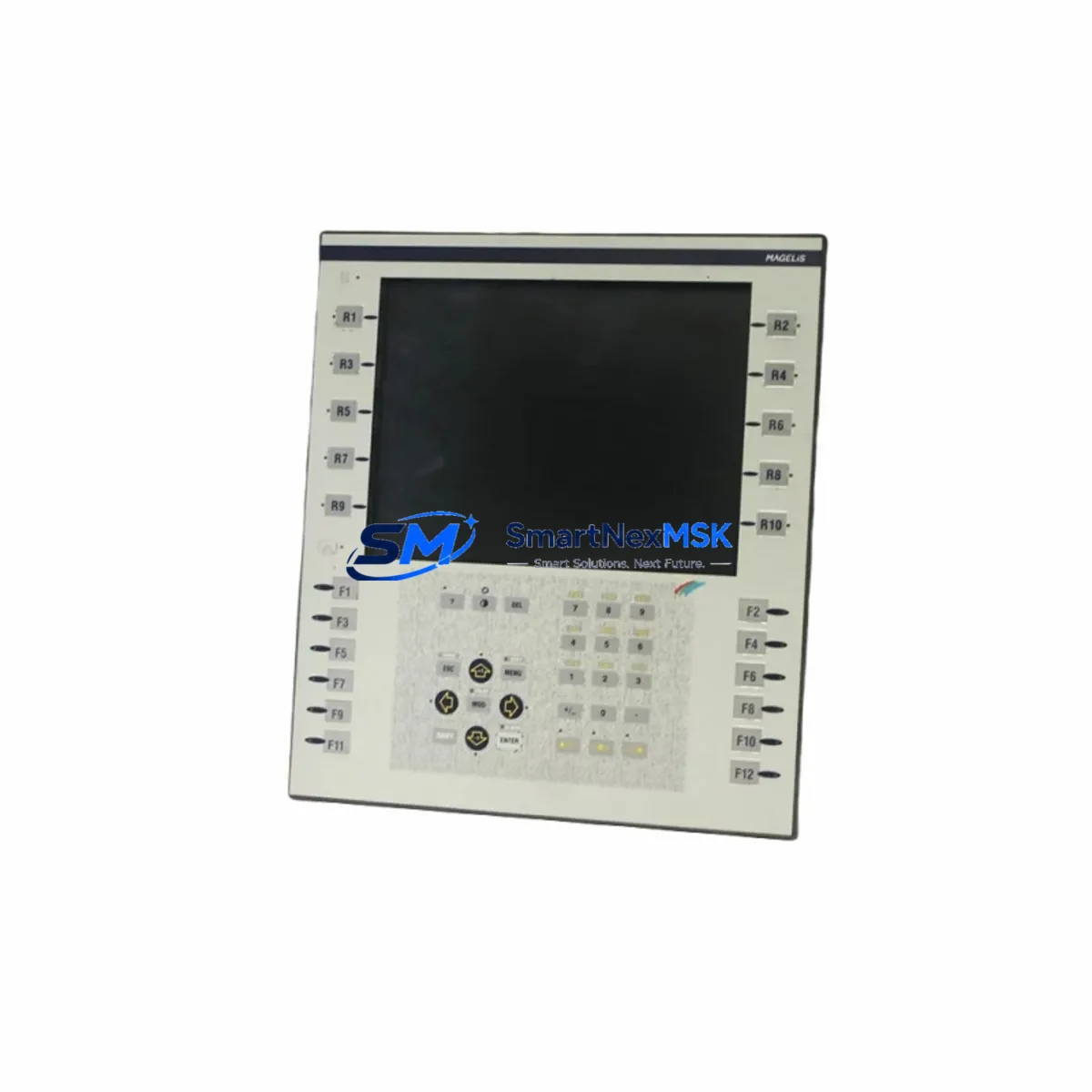
Schneider Electric XBTF024510 Maintenance-Ready Spare Magelis
The Schneider Electric XBTF024510 is an original Magelis XBTF-series HMI operator panel engineered for demanding industrial automation environments. For maintenance engineers managing aging SCADA systems, distributed control cabinets, or Modicon PLC-based lines, keeping a verified spare of the XBTF024510 on the shelf is a proven strategy to eliminate unplanned downtime. This unit ships tested, with full 12-month warranty coverage, and is sourced to meet the compatibility requirements of legacy and current Magelis XBTF installations.
Whether you are executing a planned shutdown inspection, responding to an emergency HMI failure, or building a critical-spare inventory for a multi-line facility, the XBTF024510 delivers the reliability and traceability that industrial procurement teams require. Each unit undergoes pre-shipment functional verification to confirm display integrity, touchscreen response, communication port operation, and power-on self-test results before dispatch.
Spare Maintenance Table
| Parameter | Specification |
|---|---|
| Part Number / SKU | XBTF024510 |
| Brand | Schneider Electric |
| Series | Magelis XBTF |
| Product Type | HMI Operator Panel (Touchscreen) |
| Display | 5.7″ STN Color LCD Touchscreen |
| Supply Voltage | 24 VDC (nominal) |
| Communication Ports | RS-232 / RS-485 / Ethernet (model-dependent) |
| Operating Temperature | 0 °C to +50 °C |
| Protection Rating | IP65 (front panel) |
| Country of Origin | France |
| Compatibility | Magelis XBTF series; Modicon M340, Premium, Quantum PLC families |
| Installation | Panel cutout mount; DIN rail adapter available |
| Warranty | 12 Months — covers manufacturing defects and functional failure |
| Pre-Shipment Test | Power-on, display, touch, and communication port verification |
| Condition | Original / New |
Maintenance Planning for Continuous Operation
When replacing the XBTF024510 in a live control cabinet, a disciplined maintenance engineer will not stop at the HMI panel alone. The XBTF024510 interfaces directly with the PLC communication bus, the 24 VDC power rail, and the operator I/O network — all of which should be inspected during the same maintenance window to prevent repeat failures.
Start with the 24 VDC power supply module feeding the HMI. Voltage ripple, output tolerance drift, and capacitor aging are common root causes of HMI display corruption and unexpected reboots. If the power supply is more than five years old, schedule it for replacement alongside the XBTF024510. Next, inspect the RS-232 or RS-485 communication cable connecting the HMI to the Modicon PLC CPU module — cable shielding degradation and connector oxidation are frequent causes of intermittent communication faults that are often misdiagnosed as HMI hardware failure.
For cabinets running Modicon M340 or Premium PLCs, verify the CPU module firmware version and confirm it is compatible with the XBTF024510 driver version loaded in the Vijeo Designer project. Mismatched firmware between the Modicon BMX P34 CPU and the HMI application is a known source of communication timeouts after panel replacement. While the cabinet is open, check the TSX PSY power supply module output and inspect the terminal block wiring on the I/O racks — loose terminations on analog input cards or digital output modules can generate spurious alarms that operators incorrectly attribute to the HMI.
If the installation includes a Modicon communication module (such as a BMX NOE Ethernet module or a TSX SCY serial module), verify that the module’s IP configuration or station address has not drifted — this is especially common after power interruptions. For systems with signal isolators on 4–20 mA loops feeding the HMI trend displays, inspect isolator output accuracy with a calibrated loop tester. Degraded isolators produce display drift that can be mistaken for HMI calibration error.
Finally, check the UPS or battery backup unit supplying the control cabinet. An aging UPS that fails to hold voltage during a grid dip is one of the most common causes of HMI flash memory corruption — a failure mode that destroys the application project stored on the XBTF024510 and requires a full re-download from the engineering workstation.
Site Replacement Workflow
Step 1 — Verify compatibility before removal. Confirm the replacement XBTF024510 matches the original unit’s firmware baseline and Vijeo Designer project version. Download the project backup from the engineering workstation and confirm the target HMI model matches.
Step 2 — Isolate and de-energize. Switch off the 24 VDC supply to the HMI circuit. Lock out the cabinet per your site LOTO procedure. Photograph all cable connections before disconnection.
Step 3 — Remove and inspect. Disconnect the communication cable, power connector, and any USB or CF card accessories. Inspect the panel cutout gasket — replace if compressed or cracked to maintain IP65 integrity.
Step 4 — Install the replacement unit. Mount the XBTF024510 into the panel cutout, reconnect all cables in the documented order, and restore 24 VDC power. Confirm the unit powers on and displays the startup screen.
Step 5 — Download and verify. Transfer the Vijeo Designer application project to the replacement HMI. Confirm all PLC communication links are active, all I/O status screens display correctly, and all alarm pages are functional before returning the system to production.
Step 6 — Document and update spare inventory. Record the replacement date, serial number of the removed unit, and serial number of the installed unit in the maintenance log. Update your spare parts register to trigger reorder of a replacement XBTF024510 for the next maintenance cycle.
Spare Parts Support FAQ
Q1: Is the XBTF024510 a direct drop-in replacement for older Magelis XBTF units?
Yes, the XBTF024510 is designed as a form-fit-function replacement within the Magelis XBTF series. Panel cutout dimensions, connector pinouts, and communication protocols are consistent across the XBTF family. However, always verify the Vijeo Designer project version and PLC driver compatibility before installation to avoid communication mismatches.
Q2: What does the 12-month warranty cover?
The 12-month warranty covers manufacturing defects and functional failures under normal operating conditions. Each unit is tested prior to shipment for power-on operation, display function, touchscreen response, and communication port integrity. Warranty claims are supported with replacement or repair at no additional cost within the coverage period.
Q3: How should I manage XBTF024510 spare inventory for a multi-line facility?
Industry best practice for critical HMI spares is to maintain a minimum of one verified spare per production line, with a facility-level buffer of two additional units for emergency response. Given the XBTF series’ widespread deployment in Modicon-based systems, a shared spare pool across lines with compatible PLC configurations is an effective cost-control strategy. Pre-load the Vijeo Designer application project onto each spare unit to enable sub-30-minute replacement.
Q4: Can I use the XBTF024510 with non-Schneider PLCs?
The XBTF024510 supports Modicon native protocols as its primary communication stack. Vijeo Designer includes driver libraries for a range of third-party PLCs via RS-232/RS-485 serial protocols. Compatibility with specific non-Schneider controllers should be verified against the Vijeo Designer driver compatibility matrix for your target PLC brand and model before procurement.
© 2026 SMARTNEXMSK. All rights reserved.
Original Source: https://smartnexmsk.com
Contact: [email protected] | +86 18259474341



