
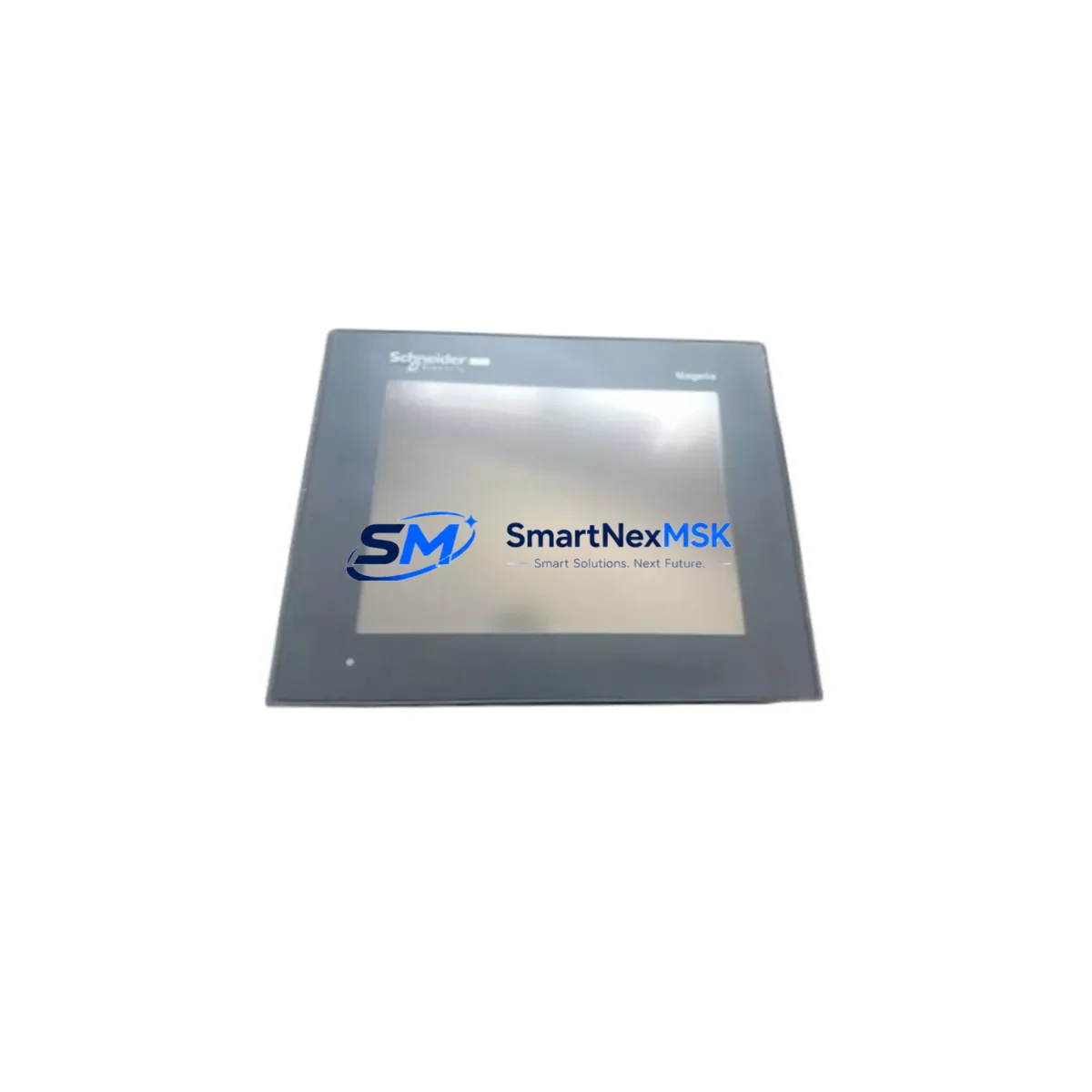
Schneider Electric XBTGT340 Spare Magelis HMI Automation: Spare Replacement & Industrial Downtime Risk Control
The Schneider Electric XBTGT340 is a compact 3.5″ TFT color touchscreen HMI from the Magelis GTO series, widely deployed in discrete manufacturing, process control, and machine automation environments. As a maintenance-ready original spare, the XBTGT340 supports rapid panel replacement to minimize unplanned downtime and restore operator visibility to PLC and DCS systems without reprogramming or hardware reconfiguration. With a 12-month warranty and pre-shipment functional testing, this unit is stocked and ready for immediate dispatch to maintenance teams and MRO procurement engineers worldwide.
For maintenance engineers managing aging Schneider Electric control cabinets, the XBTGT340 is a direct drop-in replacement for failed or degraded Magelis GTO-series panels. Its compatibility with Modbus RTU, Modbus TCP/IP, and Uni-Telway protocols ensures seamless integration into existing Modicon M340, Modicon M580, and Twido PLC architectures without gateway adapters or protocol converters. Procurement engineers can source this unit as a certified original spare with full traceability, supporting both emergency replacement and planned maintenance stock strategies.
Spare Maintenance Table
| Parameter | Specification |
|---|---|
| Model / SKU | XBTGT340 |
| Brand | Schneider Electric |
| Series | Magelis GTO |
| Display | 3.5″ TFT Color Touchscreen, 320×240 px |
| Supply Voltage | 24 VDC (±20%) |
| Communication Protocols | Modbus RTU, Modbus TCP/IP, Uni-Telway, CANopen |
| Compatible PLC Series | Modicon M340, M580, Twido, Premium |
| Operating Temperature | 0°C to +50°C |
| Protection Rating | IP65 (front panel) |
| Memory | 4 MB application memory |
| Programming Software | Vijeo Designer |
| Origin | France |
| Weight | 1.9 kg |
| Warranty | 12 Months |
| Condition | Original Spare, Pre-shipment Tested |
| Shipping | Express available, worldwide |
Maintenance Planning for Continuous Operation
When replacing the XBTGT340 in a control cabinet, a thorough maintenance inspection of the surrounding electrical circuit is essential to prevent repeat failures and ensure system stability. Maintenance engineers should begin by verifying the 24 VDC power supply rail — units such as the Schneider Electric PHASEO ABL7RE2402 or ABL8REM24030 power supply modules are commonly paired with Magelis HMI panels and should be checked for output voltage stability and ripple before commissioning the replacement panel.
The communication wiring between the XBTGT340 and the connected Modicon M340 or M580 CPU module (such as the BMX P34 2020 or BMX NOE 0110 Ethernet module) should be inspected for insulation damage, loose terminal connections, and correct shielding grounding. Faulty RS-485 or RJ45 cabling is a frequent root cause of HMI communication faults that can be misdiagnosed as panel failure.
I/O modules in the same rack — including Modicon BMX DDI 1602 digital input modules and BMX DAO 1605 digital output modules — should be verified for correct addressing and fault-free status via Unity Pro or EcoStruxure Machine Expert diagnostics before restoring the HMI to service. Relay output modules such as the BMX DRA 0805 should also be inspected for contact wear if the XBTGT340 was used to control relay-driven outputs.
For cabinets with signal isolation requirements, Schneider Electric TWDLCAA10DRF or equivalent signal isolators and surge protection devices on communication lines should be checked. Terminal blocks (such as Schneider Electric NSYTRV series) should be torqued to specification and inspected for corrosion or thermal discoloration. Fuse holders protecting the 24 VDC supply to the HMI panel — typically 2A slow-blow — should be replaced as a precautionary measure during planned maintenance windows.
If the control cabinet includes a Magelis XBTGK5330 or XBTGT5330 as a secondary operator station, its firmware version should be verified for compatibility with the shared Vijeo Designer project file to avoid runtime conflicts after the XBTGT340 replacement. CANopen network nodes and their termination resistors should also be confirmed intact if the HMI participates in a CANopen device network.
Site Replacement Workflow
Step 1 — Backup & Documentation: Before removing the failed XBTGT340, export the current Vijeo Designer application project from the panel memory using a USB drive or Ethernet connection. Photograph all wiring connections and label terminal positions.
Step 2 — Power Isolation: Isolate the 24 VDC supply to the HMI panel at the cabinet fuse or circuit breaker. Verify zero voltage with a calibrated multimeter before disconnecting any wiring.
Step 3 — Panel Removal: Disconnect the communication cables (RS-232/RS-485/RJ45) and power terminals. Remove the four panel mounting clamps from the rear of the cutout and extract the unit from the front of the panel door.
Step 4 — Replacement Installation: Insert the new XBTGT340 into the cutout, secure the mounting clamps, and reconnect all wiring per the original documentation. Verify IP65 gasket seating before tightening.
Step 5 — Application Restore & Commissioning: Download the backed-up Vijeo Designer project to the replacement panel via USB or Ethernet. Power up the system, verify communication with the Modicon PLC, and confirm all screen pages, alarms, and I/O tags display correctly before returning the machine to production.
This workflow reduces mean time to repair (MTTR) and ensures the replacement unit is fully validated before resuming operations, maintaining system compatibility and operator safety.
Spare Parts Support FAQ
Q1: Is the XBTGT340 a direct replacement for older Magelis XBT-F or XBT-N series panels?
The XBTGT340 is not a direct pin-compatible replacement for XBT-F or XBT-N series panels due to differences in form factor and communication architecture. However, it can serve as a functional upgrade replacement with minor wiring adaptation and a Vijeo Designer project migration. Our technical team can advise on compatibility mapping for your specific installation.
Q2: What pre-shipment testing is performed on the XBTGT340?
Each unit undergoes power-on functional verification, display integrity check, touchscreen calibration test, and communication port continuity check before dispatch. A test report is available upon request. Units are shipped in anti-static packaging with protective foam inserts.
Q3: Can I stock the XBTGT340 as a long-term spare for an end-of-life system?
Yes. The XBTGT340 is suitable for long-term spare stocking. We recommend storing units in a climate-controlled environment (15–25°C, <70% RH) in original packaging. Our 12-month warranty applies from the date of shipment, and we can support multi-unit procurement for MRO buffer stock programs.
Q4: What is the lead time and shipping option for urgent replacement orders?
In-stock units ship within 1–2 business days. Express courier options (DHL, FedEx) are available for next-day or 2-day delivery to most industrial regions. Contact our sales team for urgent order prioritization and customs documentation support for international shipments.
© 2026 SMARTNEXMSK. All rights reserved.
Original Source: https://smartnexmsk.com
Contact: [email protected] | +86 18259474341



