
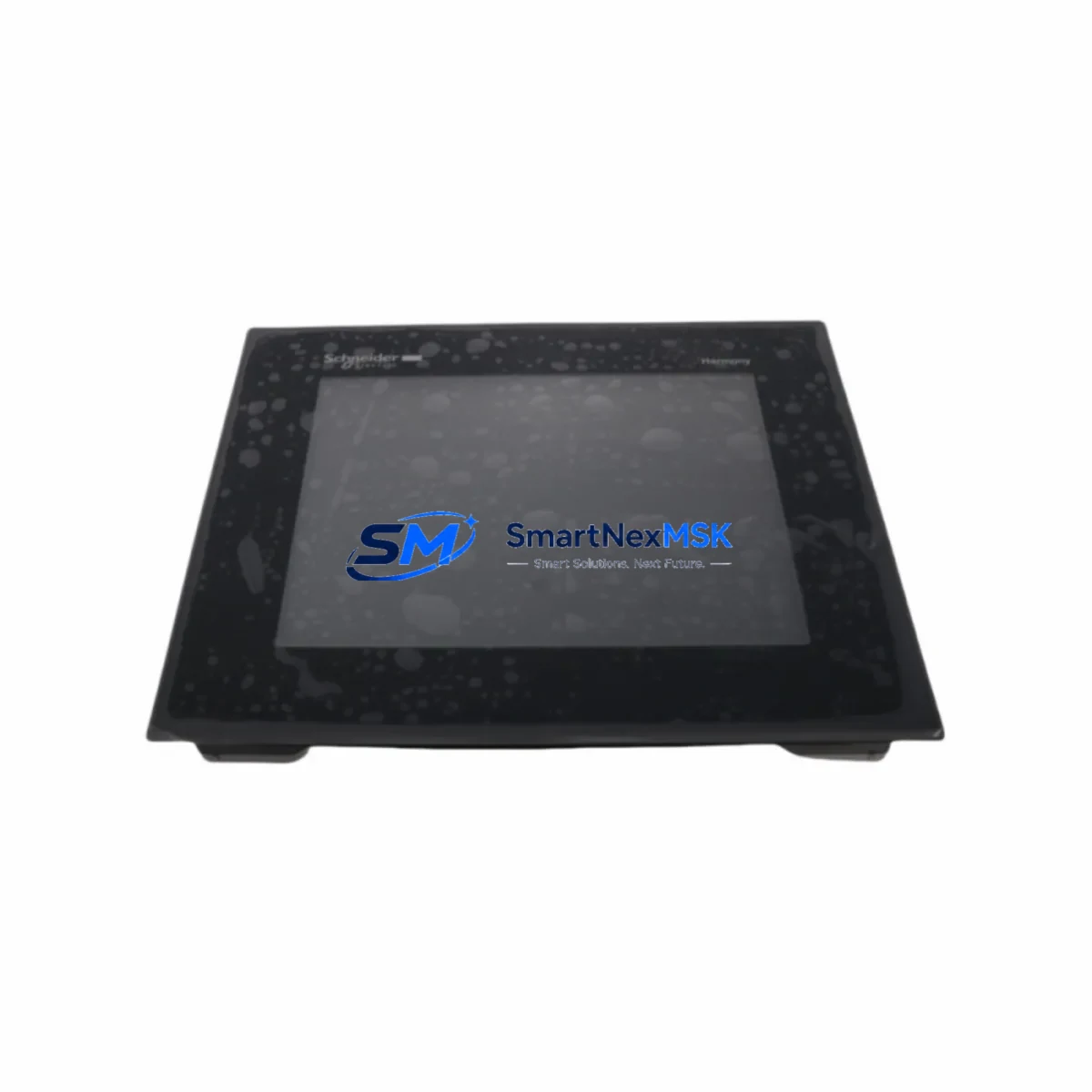
Schneider HMIGTO4310 Maintenance-Ready Spare Magelis GTO: Spare Replacement & Industrial Downtime Risk Control
The Schneider Electric HMIGTO4310 is a 5.7-inch color touchscreen HMI panel from the Magelis GTO series, widely deployed across manufacturing lines, process control cabinets, and machine automation systems. As a maintenance-ready original spare, the HMIGTO4310 is stocked and tested to support rapid field replacement, minimizing unplanned downtime in critical production environments. Whether you are managing a scheduled overhaul, responding to an emergency panel failure, or building a strategic spare parts inventory, this unit ships with full functional verification and a 12-month warranty.
For maintenance engineers and procurement teams operating Schneider-based control systems, having a verified HMIGTO4310 spare on hand is a fundamental risk mitigation measure. HMI panel failures are among the most disruptive events in an automation environment — they halt operator visibility, disable manual overrides, and can cascade into extended production stoppages. Stocking this spare eliminates the lead-time risk associated with sourcing discontinued or long-delivery components under emergency conditions.
Spare Maintenance Table
| Parameter | Specification |
|---|---|
| Model / SKU | HMIGTO4310 |
| Brand / Series | Schneider Electric / Magelis GTO |
| Display Size | 5.7″ Color TFT LCD |
| Resolution | 320 × 240 (QVGA) |
| Supply Voltage | 24 VDC (18–32 VDC range) |
| Communication Ports | RS-232, RS-485, Ethernet (RJ45), USB Host/Device |
| Compatible PLC/DCS | Modicon M340, M580, Premium, Quantum; third-party via Vijeo Designer |
| Operating Temperature | 0°C to +50°C |
| Protection Rating | IP65 (front panel) |
| Programming Software | Vijeo Designer 6.x |
| Mounting | Panel cutout, rear-mount clips |
| Origin | China (CN) |
| Warranty | 12 Months |
| Condition | Original, tested before shipment |
| Application | Industrial automation, process control, machine HMI |
Maintenance Planning for Continuous Operation
When replacing an HMIGTO4310 in the field, a thorough inspection of the surrounding control cabinet components is essential to prevent repeat failures and ensure system stability. Maintenance engineers should begin by verifying the 24 VDC power supply rail — a degraded or undersized power supply module is a common root cause of HMI panel resets and communication dropouts. Check the power supply output voltage under load and confirm ripple is within specification before installing the replacement panel.
Next, inspect the communication wiring. The HMIGTO4310 connects to Modicon PLCs via Ethernet or serial links. Verify the RJ45 patch cable and Ethernet switch port are functioning correctly, and check RS-232/RS-485 terminal connections for corrosion or loose crimps. If the system uses a TSXSCA62 or similar serial communication adapter, confirm it is operational before commissioning the new HMI.
For cabinets running Modicon M340 or M580 CPUs, it is good practice to simultaneously inspect the CPU module, the BMX CPS power supply module, and any BMX DDI/DDO digital I/O modules for signs of overheating or contact wear. If the system includes a BMXNOE0110 Ethernet communication module, verify its firmware version is compatible with the HMIGTO4310 Vijeo Designer project file.
Relay output modules and intermediate relay terminals connected to the HMI’s discrete outputs should also be checked during the replacement window. Worn relay contacts can cause erratic output behavior that is often misdiagnosed as an HMI fault. Similarly, inspect any signal isolators or loop-powered transmitters connected to analog input channels — degraded isolation can introduce noise that corrupts HMI display values.
If the control cabinet includes a HMISCU series compact controller or a legacy XBTGT panel running in parallel, confirm that the network configuration and IP addressing scheme is updated to reflect the new HMIGTO4310 unit. For systems with a TSXETY110 or TSXETY410 Ethernet module, verify that the ARP table and device table entries are cleared and refreshed after the swap.
Procurement engineers building a spare parts list around the HMIGTO4310 should also consider stocking the XBTZG935 protective film, the HMIGTO4310 rear connector kit, and a spare 24 VDC DIN-rail power supply of appropriate amperage. These low-cost consumables significantly reduce the time-to-restore when a panel replacement is required under emergency conditions.
Site Replacement Workflow
Step 1 — Backup the project file. Before removing the faulty HMIGTO4310, connect a USB drive or laptop running Vijeo Designer and perform a full project upload from the panel if it is still partially functional. Store the .vdz project file in a secure location.
Step 2 — Power isolation. Isolate the 24 VDC supply to the HMI panel at the cabinet’s terminal block or circuit breaker. Confirm zero voltage with a calibrated multimeter before disconnecting any cables.
Step 3 — Cable labeling and disconnection. Label all communication cables (Ethernet, RS-232, RS-485, USB) and power leads before removal. Photograph the wiring layout for reference. Disconnect cables and remove the panel from the cutout by releasing the rear mounting clips.
Step 4 — Install the replacement HMIGTO4310. Seat the new panel into the cutout, secure the mounting clips, and reconnect all labeled cables. Restore 24 VDC power and verify the panel boots to the Vijeo Designer runtime environment.
Step 5 — Project download and commissioning. Using Vijeo Designer, download the backed-up project file to the new panel via USB or Ethernet. Verify all PLC communication links are established, all I/O tags are reading correctly, and all alarm pages are functional before returning the system to production.
Step 6 — Compatibility confirmation. Confirm the Vijeo Designer runtime version on the new panel matches the project file version. If a firmware update is required, perform it before downloading the project. Document the replacement in the site maintenance log.
This workflow is compatible with legacy Magelis GTO installations and supports a smooth transition from older XBTGT or HMIGTO series panels, preserving existing PLC program logic and communication configurations without requiring controller-side modifications.
Spare Parts Support FAQ
Q1: Is the HMIGTO4310 still in production, and how long can I expect spare parts availability?
The HMIGTO4310 is part of the Magelis GTO series, which has reached end-of-active-production in some markets. However, original spare units remain available through authorized industrial distributors and specialist spare parts suppliers. We maintain a dedicated stock of tested HMIGTO4310 units to support long-term maintenance requirements for existing installations. Customers managing aging automation systems are encouraged to secure buffer stock to avoid sourcing delays during critical maintenance windows.
Q2: How is the HMIGTO4310 tested before shipment?
Every HMIGTO4310 unit undergoes a pre-shipment functional test covering power-on verification, touchscreen calibration, display integrity, communication port continuity, and firmware version confirmation. Units that do not pass all test criteria are not shipped. A test report is available upon request. All units are covered by a 12-month warranty from the date of shipment.
Q3: Can the HMIGTO4310 directly replace older Magelis HMI models such as the XBTGT4330 or HMIGTO4315?
The HMIGTO4310 shares the same 5.7-inch form factor and Vijeo Designer programming environment as several adjacent Magelis GTO and XBT GT models, making it a viable replacement candidate in many installations. However, panel cutout dimensions, communication port configurations, and project file compatibility should be verified against the specific model being replaced. Our technical team can assist with compatibility confirmation prior to order placement.
Q4: What is your lead time and do you support urgent spare parts orders?
Standard orders ship within 1–3 business days. For urgent maintenance situations, expedited shipping options are available. We support emergency spare parts procurement for unplanned downtime scenarios and can provide advance shipping documentation for customs clearance in international destinations. Contact our team at [email protected] or +86 18259474341 to discuss urgent requirements.
© 2026 SMARTNEXMSK. All rights reserved.
Original Source: https://smartnexmsk.com
Contact: [email protected] | +86 18259474341



