
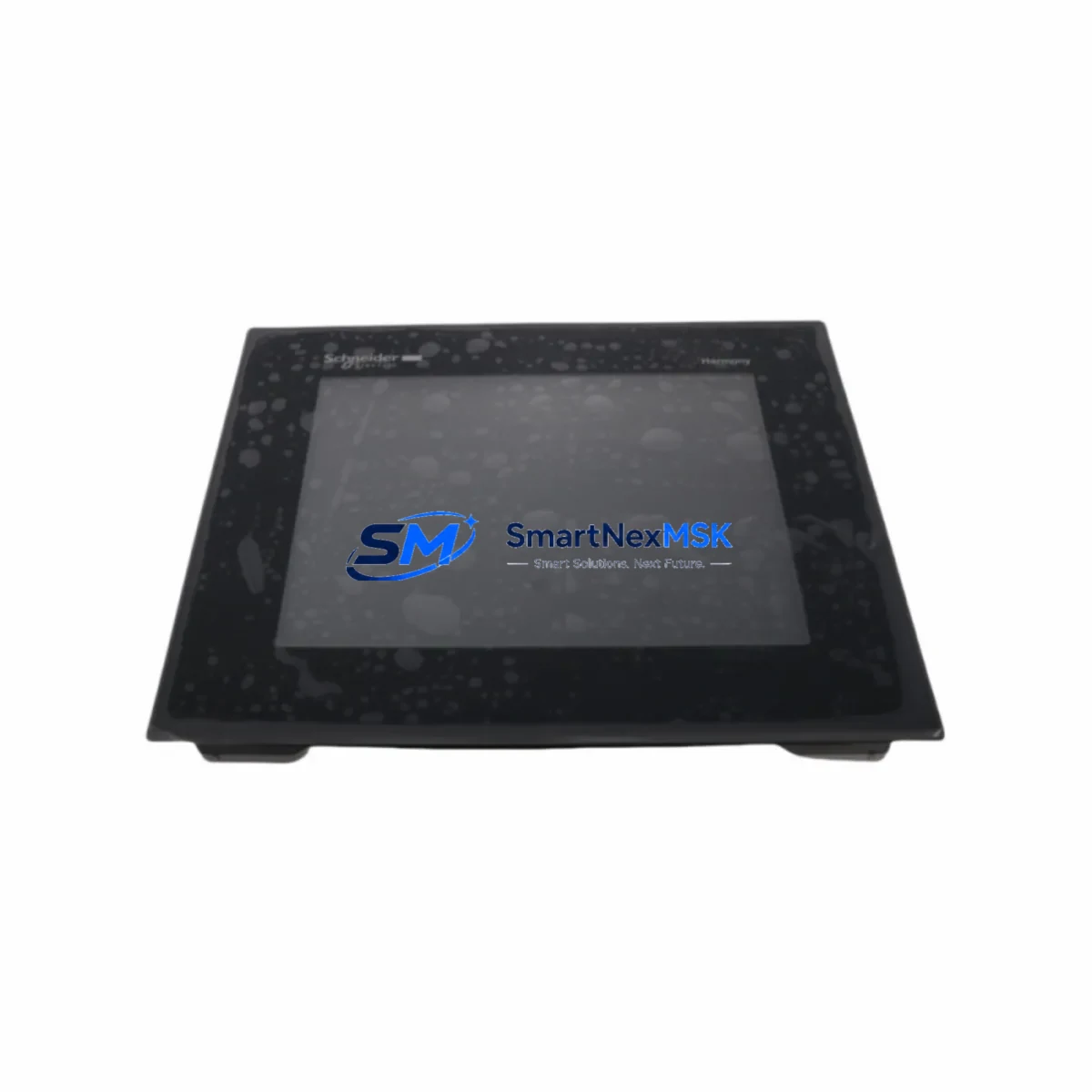
Schneider HMIGTO5310 Retrofit-Ready HMI Panel for Magelis GTO Control Systems
The Schneider Electric HMIGTO5310 is a high-performance touch panel HMI designed as a retrofit-ready replacement for legacy Magelis GTO series displays deployed across industrial automation environments. Whether your facility is managing an aging control cabinet, migrating from a discontinued panel, or executing a full control system upgrade, the HMIGTO5310 delivers the compatibility, reliability, and engineering precision required for seamless integration into existing Schneider Electric automation architectures.
This unit is purpose-built for engineers and maintenance teams who need to replace end-of-life HMI panels without redesigning the entire control system. The HMIGTO5310 maintains dimensional and mounting compatibility with the Magelis GTO form factor, reducing mechanical rework during installation. Its communication interfaces support the Modbus TCP/IP and Modbus RTU protocols natively, ensuring continuity with existing PLC communication links — particularly when connected to Modicon M340, Modicon M580, or Modicon Premium series controllers that remain in service across many legacy production lines.
Before initiating a retrofit, engineers should verify several critical parameters. Power supply capacity must be confirmed at the control cabinet level — the HMIGTO5310 operates on 24 VDC and draws up to 1.5 A under full backlight load. Terminal wiring from the original panel should be mapped against the HMIGTO5310 connector pinout to confirm signal compatibility, particularly for RS-232 and RS-485 serial links used in older Magelis installations. Backplane interface and DIN rail mounting dimensions should be measured to confirm mechanical fit within the existing enclosure.
Module addressing and communication node configuration must be re-established during commissioning. If the legacy panel was assigned a fixed IP address or Modbus node ID, these parameters must be replicated in the HMIGTO5310 configuration to avoid disruption to the PLC scan cycle. Program logic stored in the connected Modicon controller does not require modification in most standard replacement scenarios, as the HMIGTO5310 communicates using the same driver stack supported by Vijeo Designer, Schneider’s HMI programming environment.
Upgrade Compatibility Table
| Parameter | Legacy Magelis GTO | HMIGTO5310 Replacement |
|---|---|---|
| Display Size | 5.7″ TFT (typical) | 5.7″ TFT Color Touch |
| Power Supply | 24 VDC | 24 VDC (±20%) |
| Communication Ports | RS-232 / RS-485 / Ethernet | RS-232 / RS-485 / Ethernet (RJ45) |
| Protocol Support | Modbus RTU / Modbus TCP | Modbus RTU / Modbus TCP / EtherNet/IP |
| Mounting | Panel cutout (front mount) | Panel cutout (front mount, same dimensions) |
| Programming Software | Vijeo Designer (legacy) | Vijeo Designer 6.x (current) |
| PLC Compatibility | Modicon M340 / Premium | Modicon M340 / M580 / Premium / Quantum |
| Retrofit Recommendation | — | Direct drop-in with wiring verification |
| Commissioning Focus | — | IP/node address, driver mapping, screen migration |
| Warranty | — | 12-Month Warranty Included |
Retrofit Planning for Existing Automation Systems
A successful HMIGTO5310 retrofit begins with a thorough audit of the existing control architecture. In most Magelis GTO installations, the HMI panel is connected to a Modicon M340 CPU module via Ethernet or a dedicated serial link. The M340’s BMX P34 series CPU modules support both Modbus TCP and EtherNet/IP, and the HMIGTO5310 is fully compatible with both protocols, eliminating the need for protocol converters or gateway devices in the majority of retrofit scenarios.
For systems using older Modicon Premium or Quantum PLCs, the serial communication link — typically RS-485 at 9600 or 19200 baud — must be preserved. The HMIGTO5310’s COM1 port supports RS-485 half-duplex communication, which is the standard configuration for legacy Magelis-to-PLC serial links. Engineers should confirm the baud rate, parity, and stop bit settings in the existing PLC program before disconnecting the original panel.
Power distribution within the control cabinet should also be assessed. If the cabinet uses a Phaseo ABL8 series power supply module to feed the HMI and I/O subsystems, verify that the available current margin is sufficient for the HMIGTO5310 without overloading the 24 VDC rail. In cabinets with dense I/O configurations — such as those using Advantys STB distributed I/O modules or Telefast ABE series terminal blocks — the power budget must account for all connected loads before commissioning the replacement panel.
HMI screen migration is a critical step that is often underestimated. Existing Vijeo Designer projects developed for the legacy Magelis GTO panel must be opened, validated against the HMIGTO5310 target, and recompiled before transfer. Variable addresses, alarm configurations, and communication driver settings should be reviewed in full. In systems where the HMI interfaces with a third-party SCADA or DCS via OPC-DA or Modbus TCP, the communication link parameters must be re-verified after the new panel is commissioned. If the facility uses a Modicon OPC server or a Citect SCADA integration, the HMI node address must be updated in the SCADA configuration to reflect the new panel’s IP assignment.
For I/O-intensive applications, the HMIGTO5310 can be used alongside Modicon TM3 expansion I/O modules or Advantys OTB network interface modules to extend the control system’s reach without replacing the base PLC hardware. This approach is particularly effective in retrofit projects where the goal is to modernize the operator interface while preserving the existing field wiring and I/O mapping.
Downtime Control During System Migration
Minimizing production downtime is the primary operational constraint in any HMI retrofit project. The recommended approach is to pre-configure the HMIGTO5310 offline using Vijeo Designer before the scheduled maintenance window. The replacement panel should be fully programmed, IP-addressed, and bench-tested against a spare Modicon M340 or M580 CPU module — or against a hardware simulator — before it is brought to the production floor.
During the cutover window, the sequence should follow a defined procedure: power down the control cabinet, disconnect the legacy Magelis panel, install the HMIGTO5310 in the same cutout, reconnect the Ethernet and serial cables, restore 24 VDC power, and verify communication link establishment within the first 60 seconds of startup. If the PLC program includes HMI-triggered outputs or interlocks, these should be inhibited at the PLC level during the panel swap to prevent unintended field device activation.
Original program logic stored in the Modicon controller’s flash memory is not affected by the HMI replacement. The PLC continues to execute its scan cycle independently of the HMI panel status, which means field control continuity is maintained throughout the swap procedure as long as the PLC remains powered. This is a key advantage of the Modicon architecture — the HMI is a supervisory device, not a control device, so production can continue in manual mode during the panel replacement if the process permits.
Post-installation verification should include a full alarm acknowledgment test, a communication link status check in the Vijeo Designer runtime diagnostics, and a functional test of all HMI-controlled setpoints and operator inputs. Shipping tests performed on each HMIGTO5310 unit prior to dispatch include power-on self-test, display calibration, and communication port verification, reducing the risk of DOA units reaching the production floor.
Retrofit Support FAQ
Q: Is the HMIGTO5310 a direct replacement for all Magelis GTO series panels?
A: The HMIGTO5310 is dimensionally and electrically compatible with the majority of Magelis GTO 5.7″ panel installations. Customers should verify the panel cutout dimensions, power supply rating, and communication port configuration against their existing installation before ordering. Our technical team can assist with compatibility verification based on the original panel model number.
Q: Do I need to rewrite my existing Vijeo Designer project for the HMIGTO5310?
A: In most cases, the existing Vijeo Designer project can be migrated by changing the target panel model within the project settings and recompiling. Variable addresses, communication drivers, and alarm configurations are typically preserved during migration. However, screen layouts may require minor adjustments if the original panel used a different resolution or aspect ratio.
Q: What wiring changes are required during the retrofit?
A: The HMIGTO5310 uses the same 24 VDC power connector and standard RJ45 Ethernet port as the legacy Magelis GTO series. RS-232 and RS-485 serial connections use a standard DB9 or terminal block interface depending on the variant. In most installations, existing cables can be reused without modification. A wiring diagram comparison between the original panel and the HMIGTO5310 is recommended before the cutover.
Q: What does the 12-month warranty cover?
A: Each HMIGTO5310 unit is covered by a 12-month warranty from the date of shipment. The warranty covers manufacturing defects, display failures, and communication port malfunctions under normal operating conditions. Units are pre-tested before dispatch, including power-on self-test and communication verification. Warranty claims are processed directly through our sales team with a typical turnaround of 5–10 business days.
© 2026 SMARTNEXMSK. All rights reserved.
Original Source: https://smartnexmsk.com
Contact: [email protected] | +86 18259474341



