
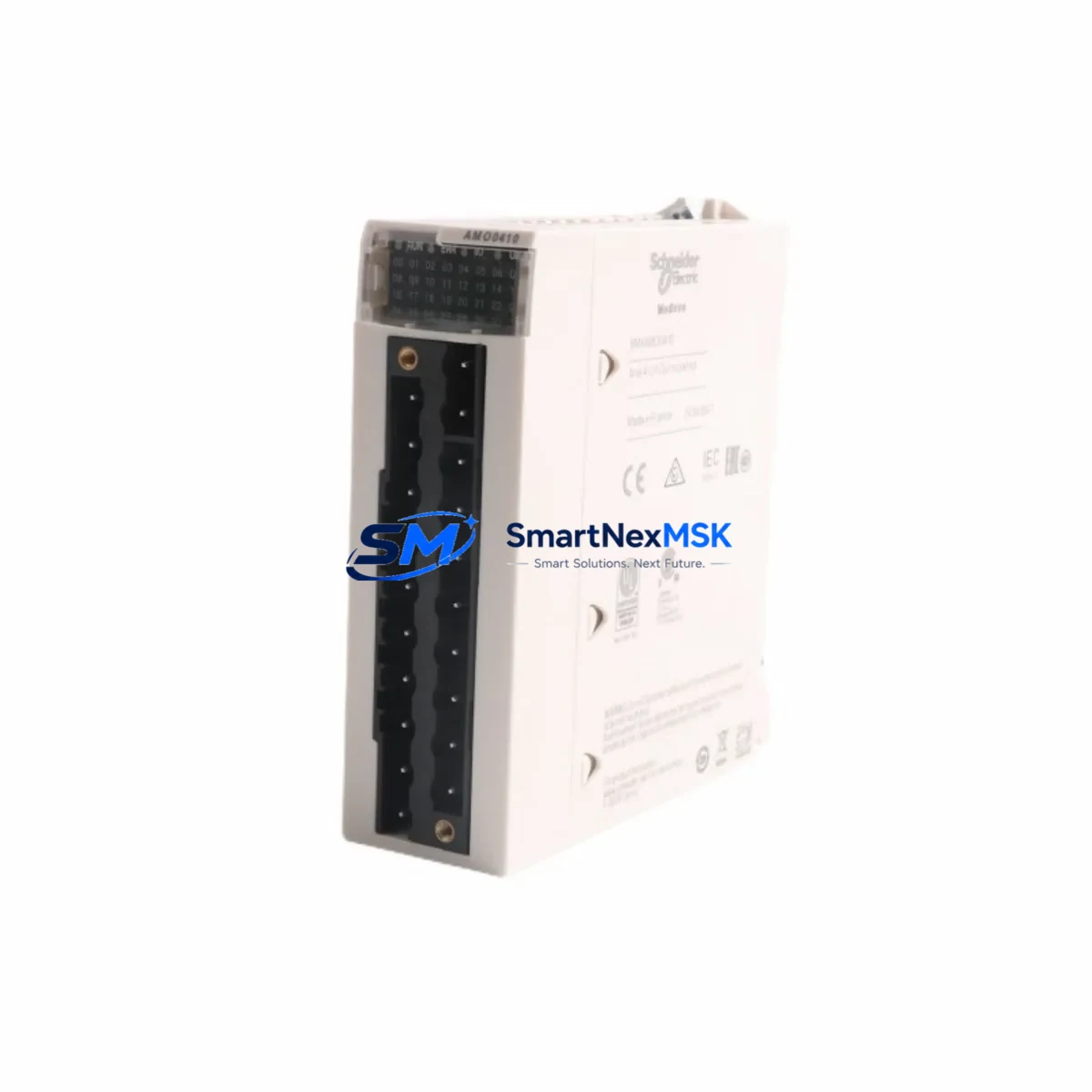
Schneider MA0186100 Retrofit-Ready Coaxial Splitter for Modicon Quantum Control Systems
The Schneider Electric MA0186100 is a coaxial cable splitter/tap unit designed for use within the Modicon Quantum automation platform — one of the most widely deployed large-scale PLC architectures in process industries, utilities, and critical infrastructure. As legacy Quantum installations approach end-of-life milestones and plant engineers face pressure to extend operational life without full system replacement, the MA0186100 has become a key component in retrofit and upgrade projects across oil & gas, water treatment, power generation, and discrete manufacturing environments.
This unit supports the RIO (Remote I/O) coaxial network topology used extensively in Quantum-based distributed control architectures. In a typical Quantum RIO network, the head-end controller — such as a 140CPU65160 or 140CPU67160 — communicates with remote drops over a coaxial trunk cable. The MA0186100 splitter allows the trunk to branch to individual remote I/O drop cables, enabling flexible physical layouts across large plant floors or multi-building installations. Replacing a failed or degraded splitter without disrupting the entire RIO segment is a critical skill for maintenance teams managing aging Quantum infrastructure.
When planning a retrofit or replacement involving the MA0186100, engineers must verify several key parameters before committing to a swap. First, confirm the coaxial cable type in use — the Quantum RIO network specifies RG-6 or equivalent coaxial cable with BNC-style terminations, and the splitter must match the impedance characteristics of the installed trunk. Second, review the RIO drop addressing scheme: each remote drop connected through the splitter carries a unique drop address configured via DIP switches on the 140CRP93100 or 140CRA93200 remote I/O head adapter. These addresses must be preserved during any hardware swap to avoid address conflicts that would prevent the CPU from re-establishing communication with the affected drops.
Power budget verification is equally important. The Quantum RIO coaxial network is a passive medium — the splitter itself does not require external power — but the overall network segment must remain within the cable length and drop count limits specified in the Quantum RIO Planning and Installation Guide. If the retrofit involves adding new remote drops or extending the trunk, recalculate the total segment length and confirm that the 140XTS00200 termination resistors are correctly installed at both ends of the trunk. Missing or incorrect termination is one of the most common causes of intermittent communication faults in aging Quantum RIO networks.
For sites migrating from an older Quantum configuration to a modernized architecture — for example, transitioning from coaxial RIO to Ethernet-based distributed I/O using 140NOE77101 Ethernet communication modules or BMXNOE0100 modules in a hybrid Quantum/M340 topology — the MA0186100 may remain in service on legacy segments while the migration proceeds in phases. This phased approach allows production to continue on unmodified segments while new Ethernet-based drops are commissioned in parallel, significantly reducing total downtime exposure.
HMI integration should also be reviewed during any Quantum network retrofit. Existing Magelis XBTGT or Magelis iPC panels connected via Modbus serial or Ethernet to the Quantum CPU will continue to function normally as long as the CPU communication parameters remain unchanged. However, if the retrofit involves replacing the CPU module — for example, upgrading from a 140CPU43412A to a 140CPU65160 — the HMI project file must be reviewed for any CPU-specific memory mapping differences, particularly in the %MW and %I/%Q reference tables used for I/O status display and operator control.
Program compatibility is another critical checkpoint. Quantum Unity Pro projects (.STU files) are generally forward-compatible within the Quantum CPU family, but engineers should verify that all derived function blocks (DFBs), communication function blocks (READ_VAR, WRITE_VAR, MBP_MSTR), and I/O scanner configurations are intact after any hardware change. A full offline simulation in Unity Pro before the live cutover is strongly recommended, particularly for sites where the Quantum CPU manages safety-critical interlocks or emergency shutdown sequences.
Outgoing testing of the MA0186100 prior to installation should include a visual inspection of the BNC connectors for corrosion or mechanical damage, a continuity check on the coaxial trunk connections, and a network segment test using a cable analyzer to confirm impedance and signal integrity. SMARTNEXMSK performs functional verification on all MA0186100 units prior to shipment, and each unit is covered by a 12-month warranty against manufacturing defects and functional failure.
Upgrade Compatibility Table
| Parameter | MA0186100 Specification | Retrofit Notes |
|---|---|---|
| Network Type | Modicon Quantum RIO Coaxial | Compatible with all Quantum RIO trunk configurations |
| Cable Type | RG-6 Coaxial, BNC Termination | Verify existing cable spec before replacement |
| Impedance | 75 Ω | Must match trunk and termination resistors (140XTS00200) |
| Power Requirement | Passive — no external power | No power wiring changes required |
| Compatible CPUs | 140CPU43412A, 140CPU65160, 140CPU67160 | Drop-in replacement across Quantum CPU generations |
| Compatible RIO Heads | 140CRP93100, 140CRA93200 | Preserve drop address DIP switch settings |
| Installation | DIN rail or panel mount | Confirm mounting clearance in existing control cabinet |
| Commissioning | No firmware configuration required | Verify RIO segment communication after installation |
| Warranty | 12 Months | Covers manufacturing defects and functional failure |
Retrofit Planning for Existing Automation Systems
A successful MA0186100 retrofit begins with a thorough audit of the existing Quantum RIO network topology. Document the number of active drops, the trunk cable routing, and the location of all existing splitters and termination points. In many aging installations, the original network drawings are incomplete or outdated — a physical walkdown of the cable routes is often necessary before any hardware is ordered.
During the audit, inspect the condition of the 140XBP01600 or 140XBP00600 backplane assemblies in each remote drop enclosure. Backplane connector wear is a common failure mode in Quantum systems that have been in service for more than ten years, and a splitter replacement project is an ideal opportunity to address backplane issues before they cause unplanned downtime. Similarly, check the condition of the 140ACI03000 analog input modules and 140DDO35300 digital output modules installed in the remote drops — modules with visible corrosion, cracked housings, or intermittent fault histories should be flagged for replacement during the same maintenance window.
If the retrofit scope includes upgrading the power supply infrastructure, verify that the 140CPS11420 or 140CPS21400 power supply modules in each remote drop enclosure are within their rated service life. Quantum power supplies are typically rated for 10 years of continuous operation, and units approaching or exceeding this threshold should be replaced proactively to avoid cascade failures during the retrofit window.
For sites that are also upgrading their programming infrastructure, confirm that the engineering workstation running Unity Pro (or the legacy Concept or ProWORX software for older Quantum configurations) has a valid license and is compatible with the CPU firmware version in use. Programming cables such as the TSXPCX3030 USB-to-serial adapter may be required for direct CPU connection if the Ethernet programming port is unavailable or misconfigured.
Communication module upgrades — for example, replacing an aging 140NOE77100 with a 140NOE77101 — should be planned in coordination with the IT/OT network team to ensure that IP address assignments, DHCP reservations, and firewall rules are updated before the new module is brought online. Failure to coordinate these changes is a common cause of post-retrofit communication failures that extend the overall downtime window.
Downtime Control During System Migration
Minimizing downtime during a Quantum RIO network retrofit requires careful sequencing of hardware changes and a clear rollback plan. The recommended approach is to complete all pre-work — cable testing, spare parts staging, program backup, and HMI screenshot documentation — before the maintenance window begins. A full Unity Pro project backup (.STU file) should be saved to at least two separate storage locations, and the CPU memory card should be verified as readable before any hardware is disturbed.
During the actual splitter replacement, isolate only the affected RIO segment rather than shutting down the entire Quantum network. In most Quantum configurations, individual RIO segments can be taken offline independently while the CPU continues to manage other segments and local I/O. Confirm this with the process control team before proceeding, as some applications use cross-segment interlocks that may be affected by a partial segment outage.
After installing the MA0186100 replacement unit, restore power to the segment and monitor the RIO communication status LEDs on the 140CRP93100 head adapter. A solid green RUN LED on all active drops confirms successful re-establishment of communication. If any drop fails to come online, check the drop address DIP switch settings, verify the coaxial cable connections at the new splitter, and confirm that the termination resistors are correctly installed. Most post-replacement communication faults can be resolved within 15–30 minutes using this systematic approach, keeping the overall downtime window well within the planned maintenance period.
Once all drops are confirmed online, perform a full I/O scan verification from the Unity Pro I/O scanner configuration screen and confirm that all analog and digital I/O values are reading correctly before releasing the system back to production. Document the completed retrofit in the plant maintenance management system (CMMS) with the new hardware serial numbers and the date of installation.
Retrofit Support FAQ
Q: Is the MA0186100 a direct drop-in replacement for the original Quantum RIO coaxial splitter?
A: Yes. The MA0186100 is a direct replacement for the original Quantum RIO coaxial splitter. No firmware changes, address reconfiguration, or cable modifications are required for a like-for-like swap. Verify that the existing coaxial cable connectors are in good condition before installation.
Q: What commissioning steps are required after installing the MA0186100?
A: After installation, restore power to the RIO segment and verify that all remote drops re-establish communication with the Quantum CPU. Monitor the RIO status LEDs on the 140CRP93100 head adapter and confirm normal I/O scan operation from the Unity Pro I/O scanner screen. No software changes are required for a like-for-like replacement.
Q: Can the MA0186100 be used in a mixed Quantum/M340 or Quantum/Momentum architecture?
A: The MA0186100 is specific to the Quantum RIO coaxial network and is not compatible with M340 or Momentum I/O bus architectures. For hybrid installations, the coaxial RIO segment remains independent of the Ethernet-based I/O segments used by M340 or Momentum controllers.
Q: What does the 12-month warranty cover?
A: The 12-month warranty covers manufacturing defects and functional failure under normal operating conditions. Each unit undergoes functional verification prior to shipment. For warranty claims, contact [email protected] with the order reference and a description of the fault. Replacement units are dispatched within 3 business days of claim approval.
© 2026 SMARTNEXMSK. All rights reserved.
Original Source: https://smartnexmsk.com
Contact: [email protected] | +86 18259474341



