
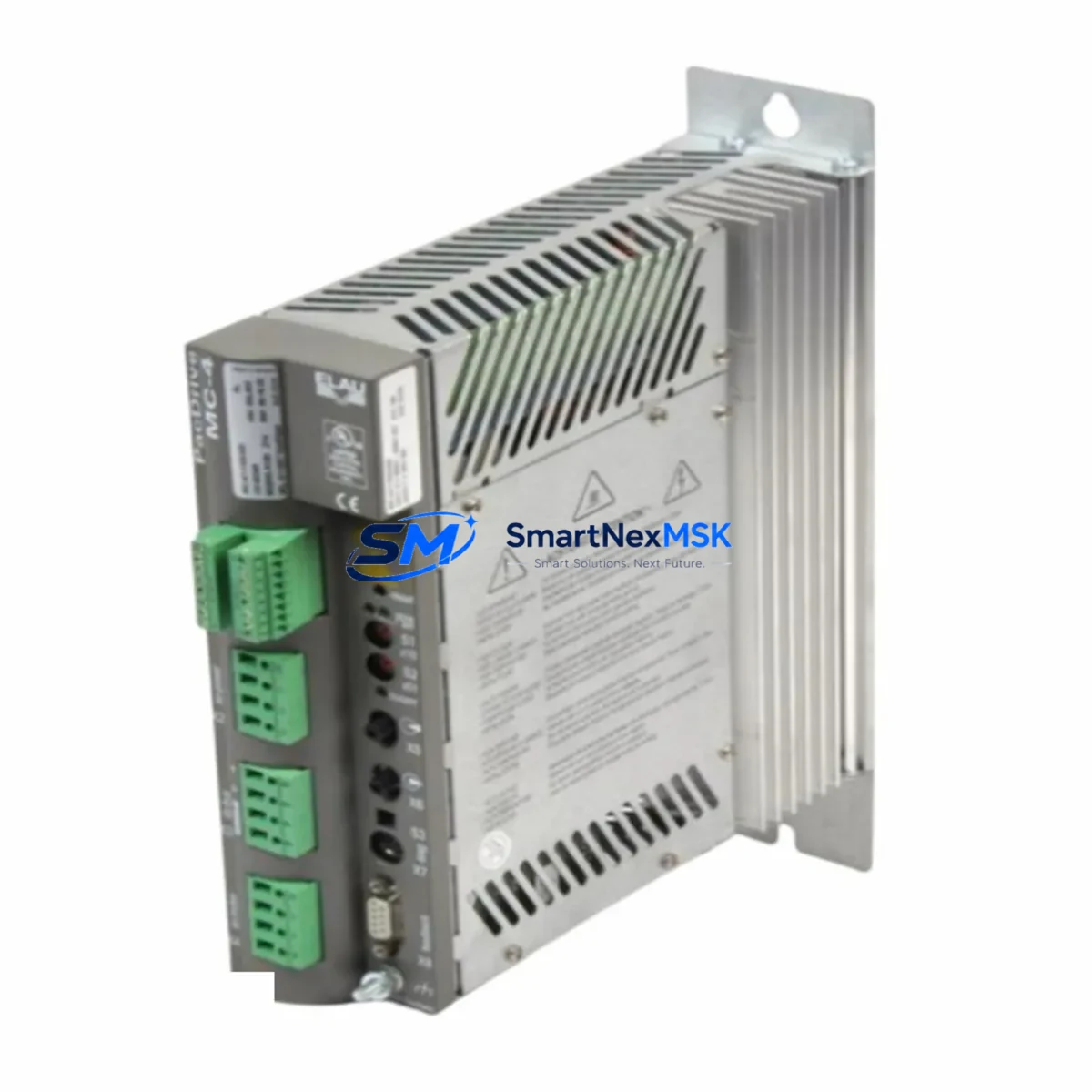
Schneider MC-4/11/03/400 Retrofit-Ready Motion Controller for PowerDrive Control Systems
The Schneider Electric MC-4/11/03/400 is a high-performance motion controller designed for seamless integration into PowerDrive series control architectures. As legacy automation systems approach end-of-life, the MC-4/11/03/400 has become one of the most sought-after retrofit components for engineers tasked with modernizing existing drive cabinets, upgrading motion axes, and restoring discontinued control platforms without full system replacement. Whether you are replacing a failed unit on a running production line or executing a planned migration from an older Schneider drive controller, this module delivers the compatibility, reliability, and documentation support your project demands.
Sourced from verified supply channels and subject to full functional testing prior to dispatch, every MC-4/11/03/400 unit shipped by SMARTNEXMSK is backed by a 12-month warranty covering hardware defects and operational failures under normal industrial use conditions. Our inventory is maintained to support urgent replacement orders, with same-day processing available for in-stock units.
Upgrade Compatibility Table
| Parameter | MC-4/11/03/400 Specification | Retrofit Notes |
|---|---|---|
| Supply Voltage | 400 V AC, 3-phase | Verify incoming supply matches cabinet rating; check transformer tap if stepping down from 415 V |
| Control Axes | Up to 4 axes (11 A continuous) | Confirm axis count matches existing motion program; re-map axis addresses if replacing a 2-axis predecessor |
| Communication Interface | CANopen / Modbus RTU | Validate baud rate and node ID settings match existing PLC or HMI configuration before power-up |
| Backplane / Rack Compatibility | PowerDrive standard rack | Confirm rack slot width and connector pitch; no adapter required for same-generation rack |
| Terminal Wiring | Screw-terminal, 2.5 mm² | Re-use existing cable looms where conductor cross-section is adequate; label all terminals before disconnection |
| Encoder Feedback | Incremental / SSI | Check encoder cable shielding and grounding; replace if insulation is degraded |
| Replacement for | MC-4/11/03/400 (same SKU), discontinued predecessor variants | Cross-reference firmware version; update if replacing an older hardware revision |
| Commissioning Tool | PowerSuite / SoMove software | Back up existing parameter file before replacement; restore after installation |
| Warranty | 12 Months — hardware defects and operational failures under normal industrial use | |
Retrofit Planning for Existing Automation Systems
A successful MC-4/11/03/400 retrofit begins well before the replacement unit arrives on site. Start by auditing the existing control cabinet: document the current power supply module ratings, confirm that the 24 V DC auxiliary supply feeding the controller logic bus is within tolerance, and photograph all terminal wiring before any disconnection. In multi-axis cabinets running Schneider Lexium or Altivar drive families, the MC-4/11/03/400 typically shares a common DC bus or communication backbone with adjacent drive modules, so isolating the faulty controller without interrupting neighboring axes requires careful sequencing.
For systems built around the Schneider Modicon TSX Micro or TSX Premium PLC platform, the motion controller communicates over a Modbus RTU or CANopen link. Before swapping the MC-4/11/03/400, export the current PLC program from the Modicon controller using PL7 Pro or Unity Pro (now EcoStruxure Control Expert), and verify that the axis function blocks reference the correct module address. If the replacement unit carries a different hardware revision, a firmware update via the SoMove commissioning tool may be required to maintain full compatibility with the existing program logic.
In cabinets where the MC-4/11/03/400 is mounted alongside a Schneider TSXPSY2600M power supply module or a similar rack-mount PSU, confirm that the total current draw of all installed modules does not exceed the supply’s rated output after the new controller is seated. I/O expansion modules such as the TSX DEY 16D2 digital input card or TSX DSY 16T2 output card should be re-addressed if the rack slot assignment changes during the retrofit. Where an operator panel or Magelis HMI terminal is connected, update the variable table to reflect any address changes before resuming production.
Communication link integrity is critical. If the system uses a Profibus DP segment connecting the motion controller to a supervisory SCADA layer, verify the GSD file version and re-run the bus configuration in the master PLC after replacement. For CANopen networks, reset the node ID on the new MC-4/11/03/400 to match the original and confirm the heartbeat timing with the network master. Programming cables such as the Schneider TSXPCX3030 USB-to-serial adapter are useful for direct parameter access during commissioning without requiring a full network connection.
Downtime Control During System Migration
Minimizing unplanned downtime is the primary concern for any maintenance team executing a motion controller replacement on a live production line. The recommended approach is to pre-configure the replacement MC-4/11/03/400 offline using a laptop running SoMove or PowerSuite, loading the backed-up parameter file from the outgoing unit before the maintenance window opens. This reduces the on-machine commissioning time to a physical swap, wiring verification, and a short functional test cycle.
Where a full parameter backup is unavailable — common when replacing a unit that failed catastrophically — SMARTNEXMSK can provide factory-default parameter sheets for the MC-4/11/03/400 based on the application type declared at order. Engineers can then reconstruct the configuration from the original machine documentation or from the PLC program’s axis configuration blocks. In parallel, the existing Modicon or TSX PLC program should be placed in stop mode rather than powered down entirely, preserving the program in RAM and allowing a faster restart once the new controller is online.
For critical processes where even a brief interruption is unacceptable, consider staging a pre-wired spare rack with the MC-4/11/03/400 already installed and configured. This hot-swap approach, combined with clearly labeled terminal blocks and a documented wiring schedule, allows the physical changeover to be completed in under 30 minutes in most cabinet configurations. After restoration, run a full I/O check, verify encoder feedback signals, confirm communication link status on the HMI, and execute a slow-speed motion test before returning the axis to automatic mode.
Retrofit Support FAQ
Q1: Is the MC-4/11/03/400 a direct drop-in replacement for earlier PowerDrive motion controller variants?
In most cases, yes. The MC-4/11/03/400 is mechanically and electrically compatible with the standard PowerDrive rack form factor. However, if the predecessor unit carried a different firmware baseline, a parameter migration step using SoMove is recommended to ensure full functional equivalence. Our technical team can advise on specific cross-reference cases prior to order.
Q2: What commissioning steps are required after installation?
After seating the module and reconnecting all terminals per the original wiring schedule, connect a laptop via the TSXPCX3030 or equivalent programming cable and restore the backed-up parameter file. Verify communication node addresses, confirm encoder feedback polarity, and run a manual jog test at reduced speed before enabling the automatic cycle. Full commissioning typically takes 1–3 hours depending on axis count and network complexity.
Q3: Can the MC-4/11/03/400 operate on a 415 V supply without modification?
The module is rated for 400 V AC nominal. Operation at 415 V is within the tolerance band specified in the Schneider Electric product datasheet, but sustained overvoltage should be avoided. If your site supply consistently measures above 410 V, consult the installation manual for derating guidance or consider an upstream transformer tap adjustment.
Q4: What does the 12-month warranty cover, and how is a claim processed?
The 12-month warranty covers hardware defects and operational failures arising under normal industrial use conditions. It does not cover damage resulting from incorrect installation, overvoltage events, or unauthorized modification. To initiate a warranty claim, contact SMARTNEXMSK at [email protected] with the order reference, a description of the fault, and photographic evidence of the installation. Replacement or repair is typically arranged within 5 business days of claim approval.
© 2026 SMARTNEXMSK. All rights reserved.
Original Source: https://smartnexmsk.com
Contact: [email protected] | +86 18259474341



