
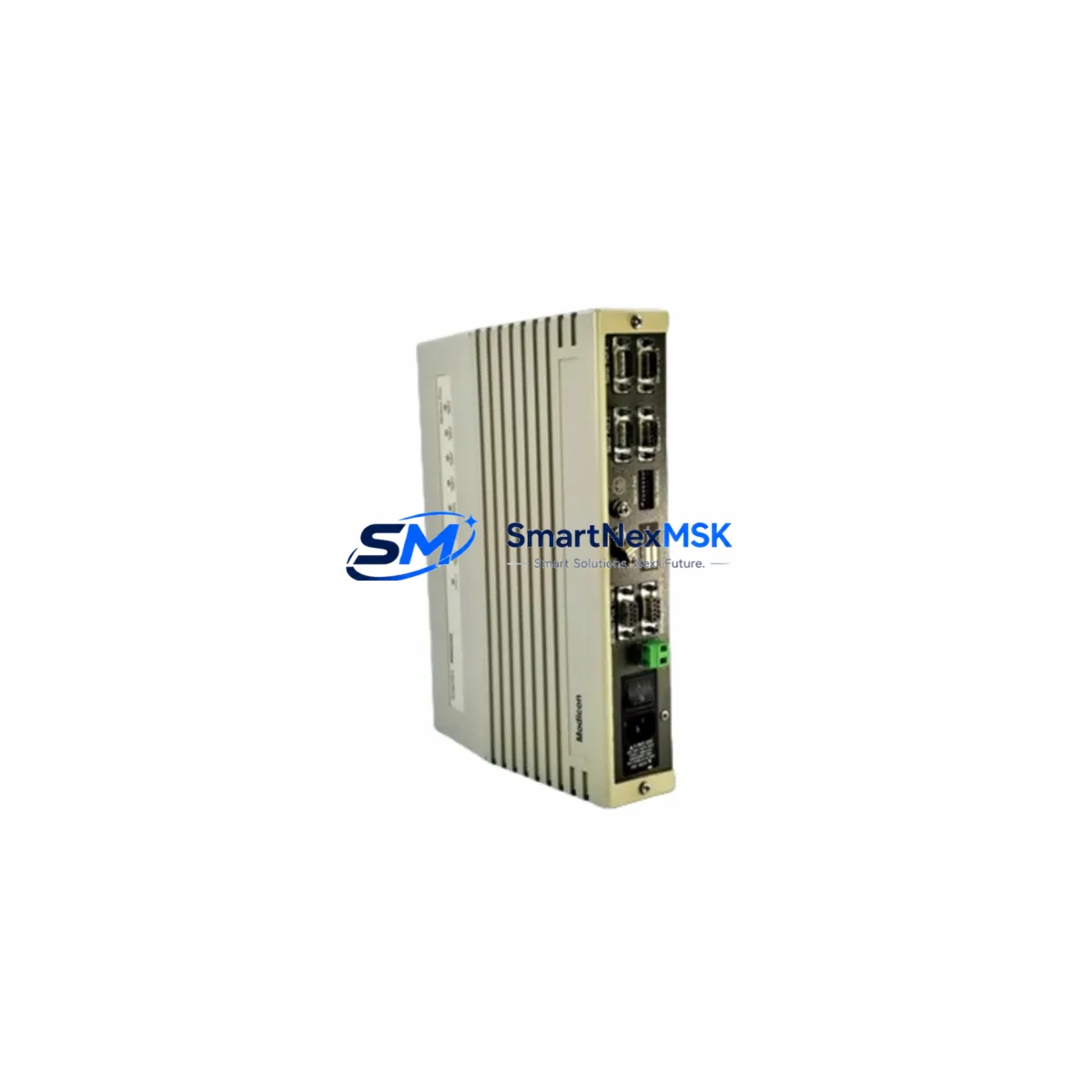
Schneider NW-BM85-C002 Maintenance-Ready Spare Modicon Quantum
Unplanned downtime in industrial automation environments is costly. The Schneider Electric NW-BM85-C002 Bridge Multiplexor Module is a critical communication component within the Modicon Quantum PLC platform, responsible for bridging Modbus Plus networks and enabling reliable data exchange between remote I/O drops, distributed control nodes, and the central CPU rack. When this module fails or degrades, the entire communication backbone of a Quantum-based control system can be compromised — halting production, triggering safety shutdowns, and requiring immediate corrective action.
Sourced as an original Schneider Electric spare, the NW-BM85-C002 is tested prior to dispatch and ships with a 12-month warranty, making it a dependable choice for both emergency replacement and planned maintenance stock. Whether you are managing a continuous process plant, a discrete manufacturing line, or a utility substation running legacy Quantum architecture, having this module on your approved spare parts list is a fundamental risk-mitigation measure.
Spare Maintenance Table
| Part Number | NW-BM85-C002 |
| Brand | Schneider Electric |
| Series | Modicon Quantum |
| Product Type | Bridge Multiplexor Module (Modbus Plus) |
| Communication Protocol | Modbus Plus (MB+) |
| Network Ports | 2 × Modbus Plus ports (trunk + drop) |
| Power Supply | Supplied via Quantum backplane (5 VDC internal bus) |
| Rack Compatibility | Modicon Quantum 140-series racks (e.g., 140XBP01600, 140XBP01000) |
| Operating Temperature | 0 °C to +60 °C |
| Relative Humidity | 5% to 95% non-condensing |
| Mounting | Direct backplane slot insertion, no external wiring required |
| Origin | France |
| Weight | Approx. 1,250 g (packaged) |
| Condition | Original, tested before shipment |
| Warranty | 12 Months |
| Maintenance Recommendation | Inspect MB+ cable terminations and network topology annually; replace module if LED diagnostics indicate persistent communication faults |
Maintenance Planning for Continuous Operation
For maintenance engineers managing a Modicon Quantum installation, the NW-BM85-C002 rarely fails in isolation. A communication fault on the Modbus Plus network typically triggers a cascade of diagnostic events that require a systematic inspection of the entire communication and power chain. When replacing or inspecting the NW-BM85-C002, the following components should be evaluated concurrently to ensure a complete and durable repair:
- 140CPU65150 / 140CPU67160 CPU Modules — Verify that the Quantum CPU is correctly configured for the MB+ network node address and that firmware is current. A CPU with corrupted network tables can cause the bridge module to report false faults.
- 140CRP93200 / 140CRA93200 RIO Head & Adapter Modules — These remote I/O communication modules share the same Modbus Plus backbone. If the NW-BM85-C002 is being replaced due to a network fault, inspect the RIO head module at the remote drop for matching termination resistance and cable integrity.
- 140CPS11420 / 140CPS21400 Power Supply Modules — Backplane power quality directly affects communication module stability. Measure DC bus voltage under load; a sagging 5 VDC rail can cause intermittent MB+ communication errors that mimic a faulty bridge module.
- 140XBP01600 Backplane / Rack Assembly — Inspect backplane connector pins for oxidation or mechanical damage. A poor backplane contact is a common root cause of communication module failures in high-vibration environments.
- Modbus Plus Trunk Cable and Tap Connectors (SA85 / TSXCBM) — Check cable shielding continuity, termination resistors (150 Ω at each end), and tap connector integrity. Damaged trunk cables are the leading cause of MB+ network degradation.
- 140ACI04000 / 140AVO02000 Analog I/O Modules — After restoring MB+ communication, verify that analog signal values from remote I/O drops are within expected engineering unit ranges. Signal drift may indicate a secondary issue introduced during the fault period.
- 140DDI35300 / 140DDO35300 Digital I/O Modules — Confirm discrete I/O status maps are correctly refreshed after the module swap. Stale output states can cause process equipment to remain in an unintended condition.
- 140NOM21100 Modbus Plus Network Option Module — If the control system includes peer-to-peer MB+ messaging between Quantum racks, inspect the NOM module configuration to ensure global data tables are intact after the bridge module replacement.
- Terminal Blocks and Field Wiring (Schneider NSYTRV / Phoenix Contact UTTB series) — Inspect field-side terminal blocks in the same control cabinet for loose connections, especially on 24 VDC control circuits that feed discrete inputs associated with the affected remote I/O drop.
- Fuse Holders and Circuit Protection (e.g., Schneider DF2 / Littelfuse 326 series) — Verify that fuses protecting the 24 VDC field power distribution to remote I/O panels are intact and within rated current. A blown fuse on the field power circuit can be misdiagnosed as a communication module failure.
Stocking the NW-BM85-C002 alongside one spare CPU module, one RIO head module, and one power supply module provides a comprehensive emergency kit capable of addressing the majority of Quantum system outage scenarios without waiting for international freight.
Site Replacement Workflow
Replacing the NW-BM85-C002 on a live Quantum system requires careful sequencing to minimize disruption and avoid introducing new faults:
- Document current network configuration — Before any physical intervention, use Unity Pro or Concept software to export the current MB+ node address map and I/O configuration. This provides a recovery baseline if the replacement module requires re-addressing.
- Notify process operators — Coordinate a controlled communication loss window with the operations team. Depending on the process, a brief MB+ network interruption may trigger alarms or safe-state transitions in downstream equipment.
- Power down the affected rack slot — The Quantum platform supports hot-swap on some module types, but communication modules should be replaced with the rack powered down where process safety permits. Confirm with your site safety procedure.
- Verify module node address — The NW-BM85-C002 node address is set via rotary switches on the module face. Match the address to the outgoing module before insertion to avoid network conflicts.
- Restore power and verify LED diagnostics — After insertion, observe the MB+ status LEDs. A steady green indicates normal network participation. Flashing or red LEDs indicate a configuration mismatch or cable fault that must be resolved before returning the system to automatic mode.
- Confirm I/O data integrity — Use the PLC diagnostic tools to verify that all remote I/O drops are communicating correctly and that process values are within expected ranges before releasing the system to production.
This workflow applies equally to planned maintenance replacements and emergency interventions. For aging Quantum installations where the NW-BM85-C002 is no longer in active production, sourcing a verified original spare from a specialist industrial parts supplier ensures compatibility without the risk of counterfeit or refurbished modules that may introduce latent reliability issues.
Spare Parts Support FAQ
Q1: Is the NW-BM85-C002 still available as a new original part, or only as refurbished stock?
The NW-BM85-C002 is available as an original Schneider Electric spare through specialist industrial automation parts suppliers. Each unit is tested prior to shipment to verify communication functionality and backplane interface integrity. Refurbished units are not supplied — only original-condition stock with full 12-month warranty coverage.
Q2: How do I confirm compatibility with my existing Modicon Quantum rack before ordering?
The NW-BM85-C002 is compatible with all standard Modicon Quantum 140-series racks that support Modbus Plus network modules. Confirm your rack model (e.g., 140XBP01600) and existing MB+ node address assignments before ordering. If you require compatibility verification for a specific system configuration, contact our technical team with your rack layout and CPU firmware version.
Q3: What is included in the 12-month warranty, and how does the claims process work?
The 12-month warranty covers manufacturing defects and functional failures under normal operating conditions. If the module fails within the warranty period, we will arrange a replacement shipment after receiving the defective unit for inspection. Warranty claims are processed within 5 business days of receiving the returned module. Physical damage caused by incorrect installation, overvoltage, or environmental exposure outside the rated specification is not covered.
Q4: What is the recommended spare parts inventory strategy for a site running multiple Quantum racks?
For sites with three or more Quantum racks sharing a common Modbus Plus network, we recommend maintaining a minimum of one NW-BM85-C002 per network segment as a cold standby spare. Pair this with one spare CPU module and one power supply module per critical rack to achieve a comprehensive first-response inventory. Annual inspection of MB+ cable terminations and node address settings, combined with periodic LED status checks, will extend the service life of installed modules and reduce unplanned replacement frequency.
© 2026 SMARTNEXMSK. All rights reserved.
Original Source: https://smartnexmsk.com
Contact: [email protected] | +86 18259474341



